About This Mod
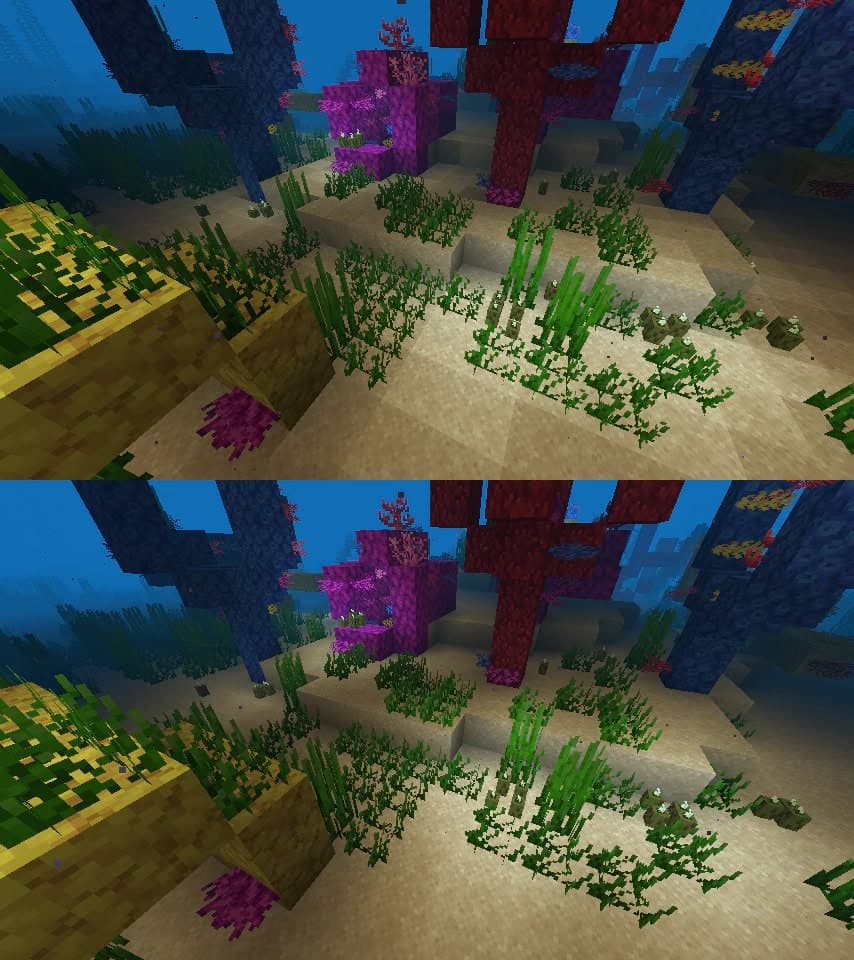
Sodium is one of the most essential performance mods for modern Minecraft players. Built for the Fabric mod loader, this lightweight optimization mod focuses on dramatically improving frame rates, reducing stutter, and making chunk rendering far more efficient. Players on low-end and mid-range PCs will notice the biggest difference, with many reporting FPS increases of two to five times compared to vanilla. The mod doesn’t change the vanilla look of the game, but it makes world loading feel smoother, and it reduces micro-freezes during exploration. If your goal is smoother performance before adding heavy visual mods or shaders, Sodium should be one of the first installs in your mod folder.
How to Install
Follow these steps to install Sodium on your Minecraft game:
- 1
Download the mod file from the link above. Most Minecraft mods come as .jar files.
- 2
Make sure you have the correct mod loader installed — either Forge or Fabric, depending on the mod requirements.
- 3
Open your Minecraft installation folder. On Windows, press Win+R and type %appdata%\.minecraft to find it.
- 4
Place the downloaded .jar file into the "mods" folder. If the folder doesn't exist, create it.
- 5
Launch Minecraft using the correct mod loader profile and verify the mod appears in the mod list.
Important: Always back up your save files before installing new mods. Make sure your mod loader version matches the Minecraft version required by this mod.
Compatibility
Platform
Minecraft: Java Edition
Requirements
- •Requires either Forge or Fabric mod loader (check the mod description for which one)
- •May require specific Minecraft version — verify before downloading
- •Some mods have dependencies on library mods like Architectury or Cloth Config
Pro tip: Always back up your world saves before installing new mods. Mod conflicts can occasionally cause world corruption.
Frequently Asked Questions
More from Creator
You Might Also Like
Sodium
Created by
JellySquid
0 ratings
downloads
favorites
views
Additional Information
Published
March 3, 2026
Source
MustHaveMods.com
Last Updated
May 7, 2026