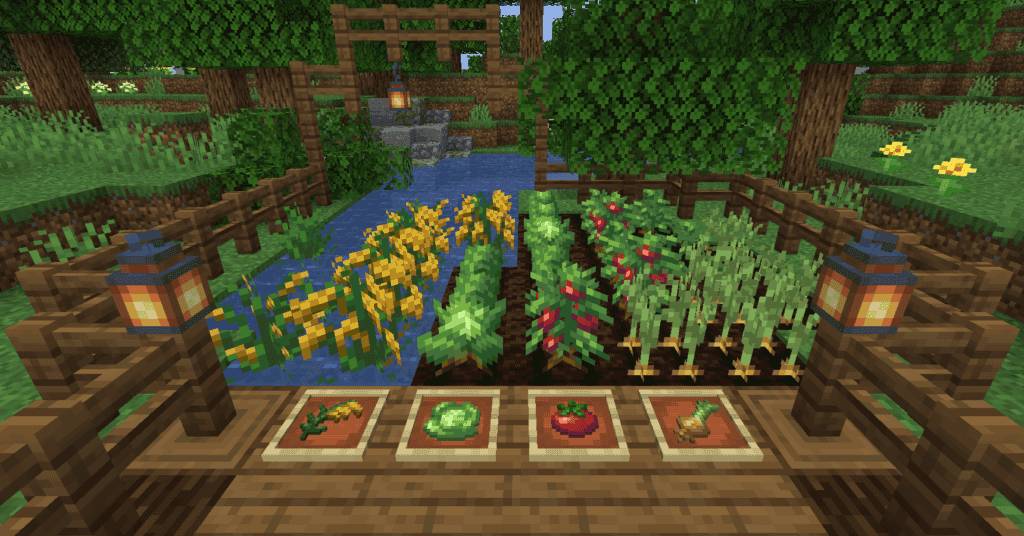
About This Mod
Farmer’s Delight expands Minecraft’s farming and cooking systems with new crops, kitchen tools, and food recipes. The mod focuses on immersive, survival-friendly additions to make farming more rewarding. You’ll gain access to tools like the cutting board and cooking pot, along with a wide variety of new meals, like sandwiches, that provide useful hunger and saturation benefits. I recommend using this mod for cozy, cottagecore, and survival-focused gameplay. If you enjoy building farms, decorating kitchens, or adding more depth to food mechanics, Farmer’s Delight is a must-have.
How to Install
Follow these steps to install Farmer’s Delight on your Minecraft game:
- 1
Download the mod file from the link above. Most Minecraft mods come as .jar files.
- 2
Make sure you have the correct mod loader installed — either Forge or Fabric, depending on the mod requirements.
- 3
Open your Minecraft installation folder. On Windows, press Win+R and type %appdata%\.minecraft to find it.
- 4
Place the downloaded .jar file into the "mods" folder. If the folder doesn't exist, create it.
- 5
Launch Minecraft using the correct mod loader profile and verify the mod appears in the mod list.
Important: Always back up your save files before installing new mods. Make sure your mod loader version matches the Minecraft version required by this mod.
Compatibility
Platform
Minecraft: Java Edition
Requirements
- •Requires either Forge or Fabric mod loader (check the mod description for which one)
- •May require specific Minecraft version — verify before downloading
- •Some mods have dependencies on library mods like Architectury or Cloth Config
Pro tip: Always back up your world saves before installing new mods. Mod conflicts can occasionally cause world corruption.
Frequently Asked Questions
More from Creator
You Might Also Like
Farmer’s Delight
Created by
vectorwing
0 ratings
downloads
favorites
views
Additional Information
Published
March 3, 2026
Source
MustHaveMods.com
Last Updated
April 28, 2026