About This Mod
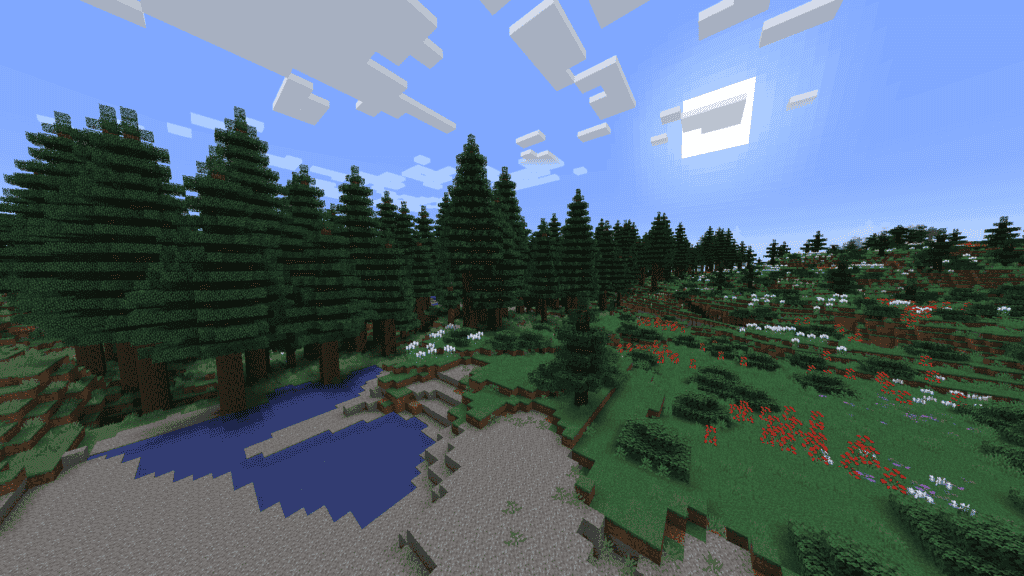
Biomes O’ Plenty is a massive world-generation mod that dramatically expands Minecraft’s overworld with dozens of new biomes, plants, trees, and environmental details. With this mod installed, players will encounter lush forests, seasonal landscapes, unique wood types, and atmospheric regions, perfect for long-distance exploration. Builders especially benefit from the expanded block palette, which opens up many new aesthetic possibilities. Despite the large amount of added content, Biomes O’ Plenty stays fairly vanilla-friendly in progression. If you feel the default world generation has become repetitive, this mod is one of the best ways to refresh your Minecraft experience in 2026.
How to Install
Follow these steps to install Biomes O’ Plenty on your Minecraft game:
- 1
Download the mod file from the link above. Most Minecraft mods come as .jar files.
- 2
Make sure you have the correct mod loader installed — either Forge or Fabric, depending on the mod requirements.
- 3
Open your Minecraft installation folder. On Windows, press Win+R and type %appdata%\.minecraft to find it.
- 4
Place the downloaded .jar file into the "mods" folder. If the folder doesn't exist, create it.
- 5
Launch Minecraft using the correct mod loader profile and verify the mod appears in the mod list.
Important: Always back up your save files before installing new mods. Make sure your mod loader version matches the Minecraft version required by this mod.
Compatibility
Platform
Minecraft: Java Edition
Requirements
- •Requires either Forge or Fabric mod loader (check the mod description for which one)
- •May require specific Minecraft version — verify before downloading
- •Some mods have dependencies on library mods like Architectury or Cloth Config
Pro tip: Always back up your world saves before installing new mods. Mod conflicts can occasionally cause world corruption.
Frequently Asked Questions
More from Creator
You Might Also Like
Biomes O’ Plenty
Created by
Forstride
0 ratings
downloads
favorites
views
Additional Information
Published
March 3, 2026
Source
MustHaveMods.com
Last Updated
April 28, 2026