About This Mod
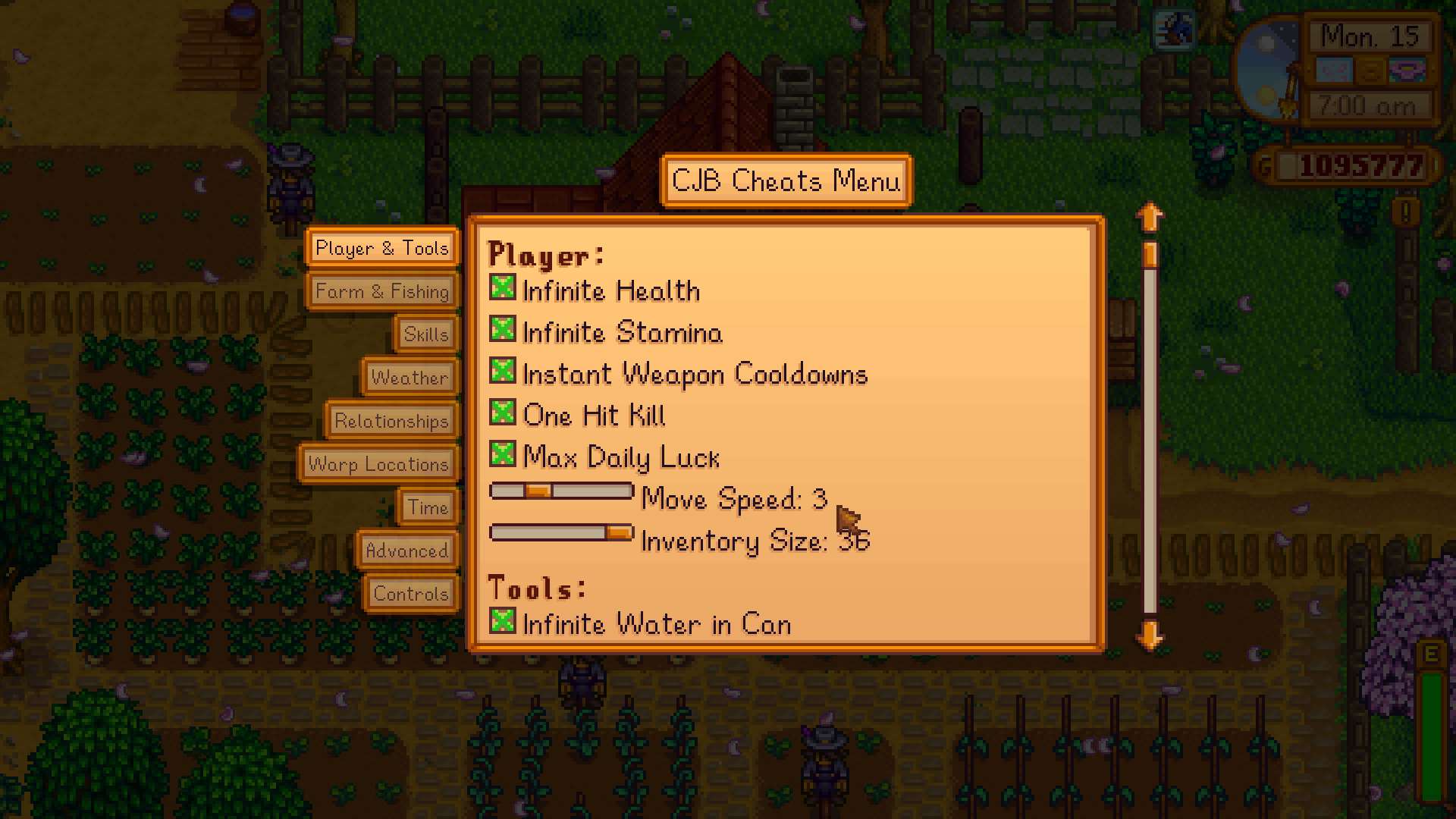
CJB Cheats Menu is a powerful quality-of-life mod with a fully featured cheat panel. This lets you adjust time, control weather, boost skills, manage relationships, and much more without leaving your save. Like many players, I use this mod simply to reduce grind or fix small frustrations during long playthroughs. For example, I use it to obtain money and seeds, get infinite health and stamina, pause time, adjust the weather, and get tools. You can basically do anything with the CJB Cheats menu to get to your farming goal faster and skip the extensive grind. The menu is clean, beginner-friendly, and highly customizable, making it one of the most downloaded Stardew Valley mods. Why you’ll love it:
How to Install
Follow these steps to install CJB Cheats Menu on your Stardew Valley game:
- 1
Download and install SMAPI (Stardew Modding API) if you haven't already — it's required for most Stardew Valley mods.
- 2
Download the mod file from the link above. It will typically be a .zip file.
- 3
Extract the .zip file into your Stardew Valley "Mods" folder, usually located at: Steam/steamapps/common/Stardew Valley/Mods
- 4
Launch Stardew Valley through SMAPI instead of the normal launcher to activate mods.
- 5
Check the SMAPI console window when the game loads — it will confirm if the mod loaded successfully.
Important: Always back up your save files before installing new mods. Keep SMAPI updated to the latest version for the best mod compatibility.
Compatibility
Platform
Stardew Valley (PC/Mac/Linux)
Requirements
- •Requires SMAPI (Stardew Modding API) — the standard mod loader for Stardew Valley
- •Check if the mod requires Content Patcher or other framework mods
- •Verify compatibility with your Stardew Valley version
Pro tip: Some visual mods may conflict with each other. If you notice graphical issues, try disabling recently added mods one at a time.
Frequently Asked Questions
More from Creator
You Might Also Like
CJB Cheats Menu
Created by
pathoschild
0 ratings
downloads
favorites
views
Additional Information
Published
February 25, 2026
Source
MustHaveMods.com
Last Updated
April 28, 2026