Save this find
Create a free account and this mod is saved to your favorites.
About This Mod
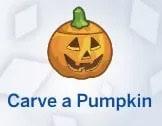
The Carve a Pumpkin Holiday Tradition mod adds pumpkin carving to your Sim’s holiday activities. You can add the tradition when creating or editing a holiday, then have your Sims use the Pumpkin Carving Station to complete it. I recommend pairing this mod with trick-or-treating and wearing costumes for a family Halloween celebration. It’s a simple way to make pumpkin carving part of your Spooky Day plans.
How to Install
Follow these steps to install Carve a Pumpkin Holiday Tradition on your Sims 4 game:
- 1
Download the mod file from the link above. Sims 4 mods typically come as .package or .ts4script files.
- 2
Open your Sims 4 Mods folder. The default location is: Documents/Electronic Arts/The Sims 4/Mods
- 3
Place the downloaded file directly into the Mods folder. You can organize mods into subfolders up to one level deep.
- 4
Launch The Sims 4 and go to Game Options > Other. Make sure "Enable Custom Content and Mods" is checked.
- 5
Restart the game if it was already running. The mod should now appear in your game.
Important: Always back up your save files before installing new mods. After Sims 4 updates, mods may need to be re-downloaded or updated by the creator.
Compatibility
Platform
The Sims 4 (PC/Mac)
Requirements
- •Custom Content and Mods must be enabled in Game Options > Other
- •Script mods (.ts4script files) require "Script Mods Allowed" to be enabled separately
- •After each Sims 4 game update, some mods may need to be updated by the creator
Pro tip: If a mod stops working after a game update, check the creator's page for an updated version. Broken mods can cause the game to behave unexpectedly.
Frequently Asked Questions
More from KiaraSims4Mods
You Might Also Like
Carve a Pumpkin Holiday Tradition
Created by
0 ratings
downloads
favorites
views
Additional Information
Published
October 12, 2026
Source
MustHaveMods.com
Last Updated
November 5, 2026