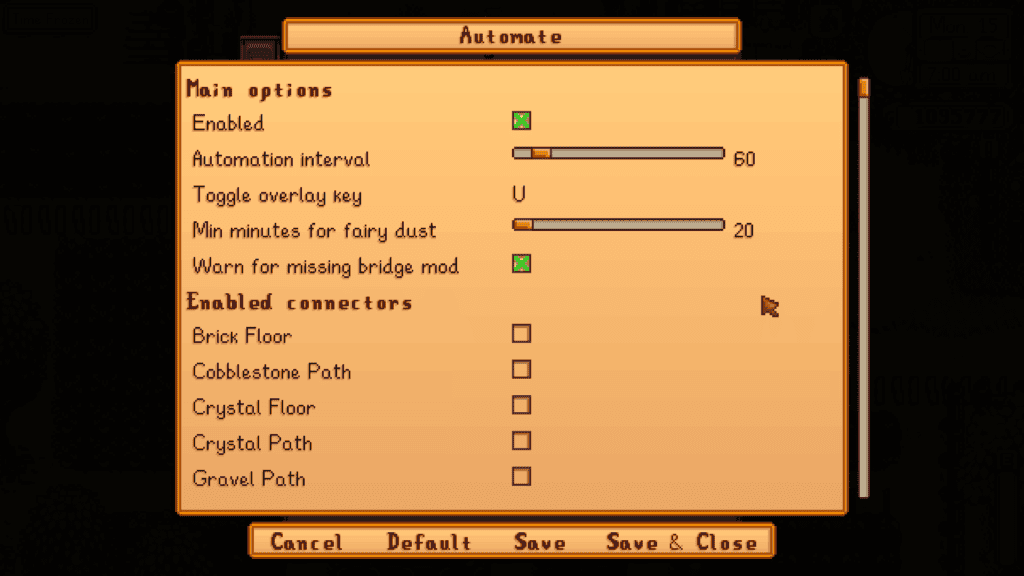
About This Mod
Automate is a fan-favorite quality-of-life mod designed to automatically pull raw items from the chest and push processed items into it. Simply connect machines to nearby chests for the process to occur. For example, furnaces, kegs, and preserves jars can pull materials directly from your storage chest. As your farm grows, this mod becomes a massive time saver and reduces repetitive micromanagement. You won’t spend time manually pulling raw items from your chest to the required machines as the process becomes automated. If you have multiple farms or a large farm, I highly recommend getting this mod. Why you’ll love it:
How to Install
Follow these steps to install Automate on your Stardew Valley game:
- 1
Download and install SMAPI (Stardew Modding API) if you haven't already — it's required for most Stardew Valley mods.
- 2
Download the mod file from the link above. It will typically be a .zip file.
- 3
Extract the .zip file into your Stardew Valley "Mods" folder, usually located at: Steam/steamapps/common/Stardew Valley/Mods
- 4
Launch Stardew Valley through SMAPI instead of the normal launcher to activate mods.
- 5
Check the SMAPI console window when the game loads — it will confirm if the mod loaded successfully.
Important: Always back up your save files before installing new mods. Keep SMAPI updated to the latest version for the best mod compatibility.
Compatibility
Platform
Stardew Valley (PC/Mac/Linux)
Requirements
- •Requires SMAPI (Stardew Modding API) — the standard mod loader for Stardew Valley
- •Check if the mod requires Content Patcher or other framework mods
- •Verify compatibility with your Stardew Valley version
Pro tip: Some visual mods may conflict with each other. If you notice graphical issues, try disabling recently added mods one at a time.
Frequently Asked Questions
More from Creator
You Might Also Like
Get the best new Sims 4 mods weekly
New CC drops, curated finds, and free mod roundups — straight to your inbox.
Automate
Created by
pathoschild
0 ratings
downloads
favorites
views
Additional Information
Published
February 25, 2026
Source
MustHaveMods.com
Last Updated
August 9, 2026