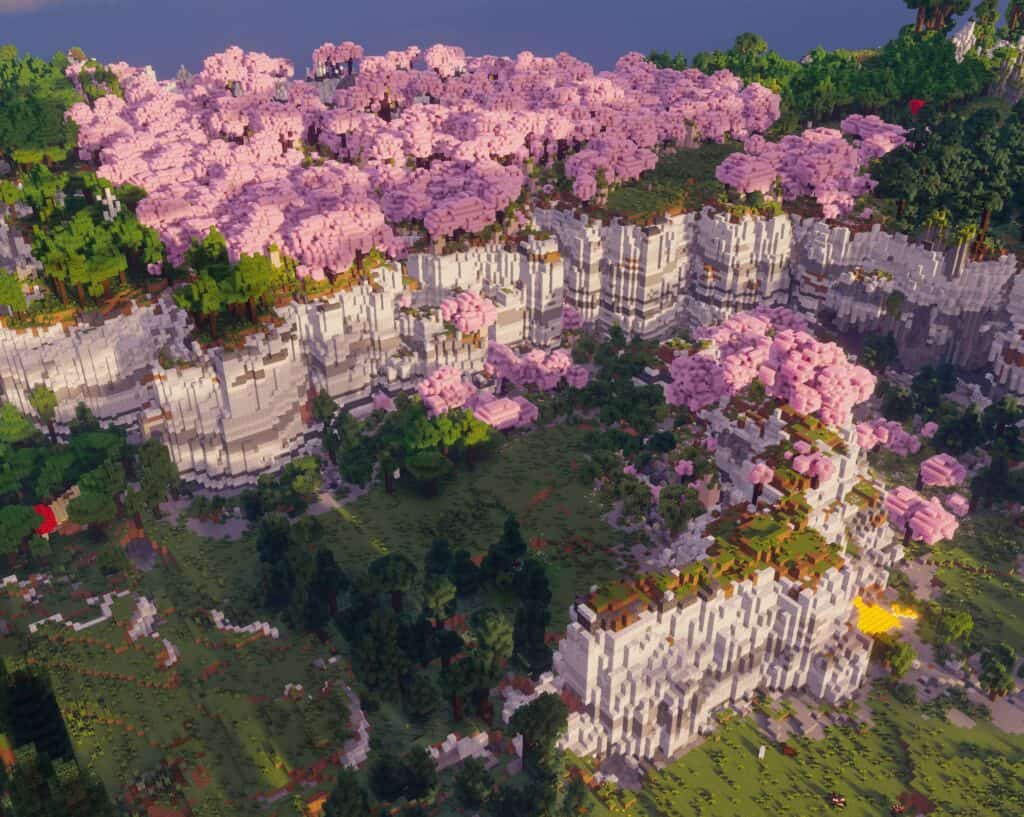
About This Mod
Photon Shader is one of the newest Minecraft shaders in the market, created on July 21, 2025. It’s designed to give Minecraft semi-realistic lighting and visuals, and it’s performance-friendly. The shader improves lighting, shadows, water, clouds, and atmosphere without pushing the game into an overly cinematic style. One of its biggest strengths is the extensive customization menu, which lets you tweak nearly every visual element to match your setup and preferred style. This makes it one of the best Minecraft shaders 2026, to add to your gameplay.
How to Install
Follow these steps to install Photon Shader on your Minecraft game:
- 1
Download the mod file from the link above. Most Minecraft mods come as .jar files.
- 2
Make sure you have the correct mod loader installed — either Forge or Fabric, depending on the mod requirements.
- 3
Open your Minecraft installation folder. On Windows, press Win+R and type %appdata%\.minecraft to find it.
- 4
Place the downloaded .jar file into the "mods" folder. If the folder doesn't exist, create it.
- 5
Launch Minecraft using the correct mod loader profile and verify the mod appears in the mod list.
Important: Always back up your save files before installing new mods. Make sure your mod loader version matches the Minecraft version required by this mod.
Compatibility
Platform
Minecraft: Java Edition
Requirements
- •Requires either Forge or Fabric mod loader (check the mod description for which one)
- •May require specific Minecraft version — verify before downloading
- •Some mods have dependencies on library mods like Architectury or Cloth Config
Pro tip: Always back up your world saves before installing new mods. Mod conflicts can occasionally cause world corruption.
Frequently Asked Questions
More from Creator
You Might Also Like
Get the best new Sims 4 mods weekly
New CC drops, curated finds, and free mod roundups — straight to your inbox.
Photon Shader
Created by
Unknown Creator
0 ratings
downloads
favorites
views
Additional Information
Published
May 21, 2026
Source
MustHaveMods.com
Last Updated
August 9, 2026