Save this find
Create a free account and this mod is saved to your favorites.
About This Mod
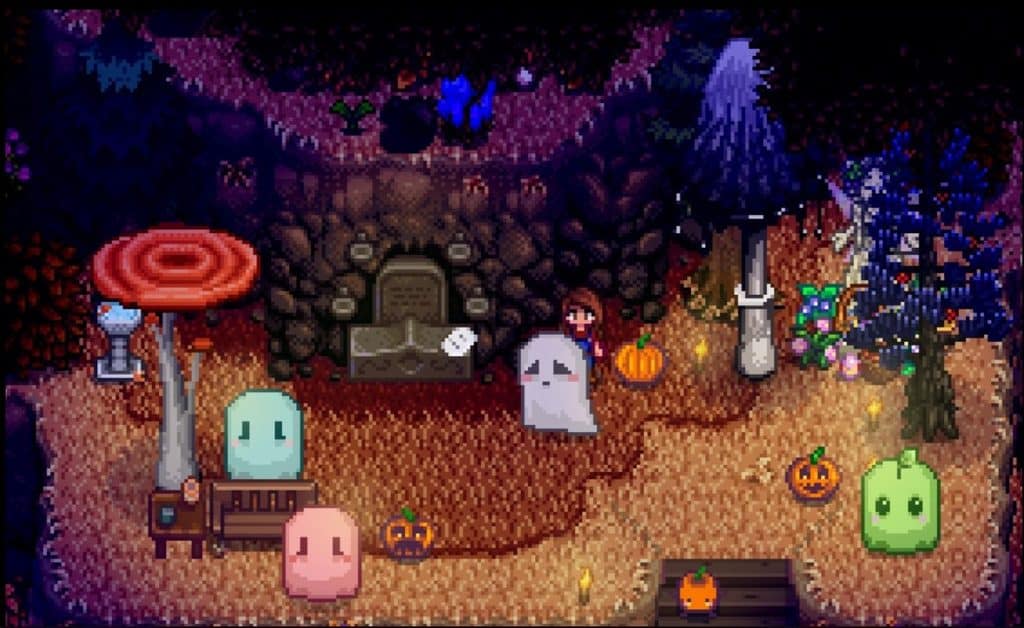
This mod was last updated on 15 November 2022. AT – Halloween Decor is one of my favorite Stardew Valley Halloween mods. It adds cute ghost designs and spooky wall decorations through Alternative Textures. If you prefer a playful Halloween look, use these pieces to decorate your farmhouse. The ghost textures replace the Large Futan Bear, while the wall decorations replace selected paintings and decals. You can get the original items through the furniture catalogue, then apply the Halloween designs. To choose a specific design or color, buy the Alternative Textures Paint Bucket from Robin. Equip it, click the supported furniture, and select your preferred texture.
How to Install
Follow these steps to install AT – Halloween Decor on your Stardew Valley game:
- 1
Download and install SMAPI (Stardew Modding API) if you haven't already — it's required for most Stardew Valley mods.
- 2
Download the mod file from the link above. It will typically be a .zip file.
- 3
Extract the .zip file into your Stardew Valley "Mods" folder, usually located at: Steam/steamapps/common/Stardew Valley/Mods
- 4
Launch Stardew Valley through SMAPI instead of the normal launcher to activate mods.
- 5
Check the SMAPI console window when the game loads — it will confirm if the mod loaded successfully.
Important: Always back up your save files before installing new mods. Keep SMAPI updated to the latest version for the best mod compatibility.
Compatibility
Platform
Stardew Valley (PC/Mac/Linux)
Requirements
- •Requires SMAPI (Stardew Modding API) — the standard mod loader for Stardew Valley
- •Check if the mod requires Content Patcher or other framework mods
- •Verify compatibility with your Stardew Valley version
Pro tip: Some visual mods may conflict with each other. If you notice graphical issues, try disabling recently added mods one at a time.
Frequently Asked Questions
You Might Also Like
AT – Halloween Decor
Created by
skellady
0 ratings
downloads
favorites
views
Additional Information
Published
October 26, 2026
Source
MustHaveMods.com
Last Updated
October 29, 2026