Save this find
Create a free account and this mod is saved to your favorites.
About This Mod
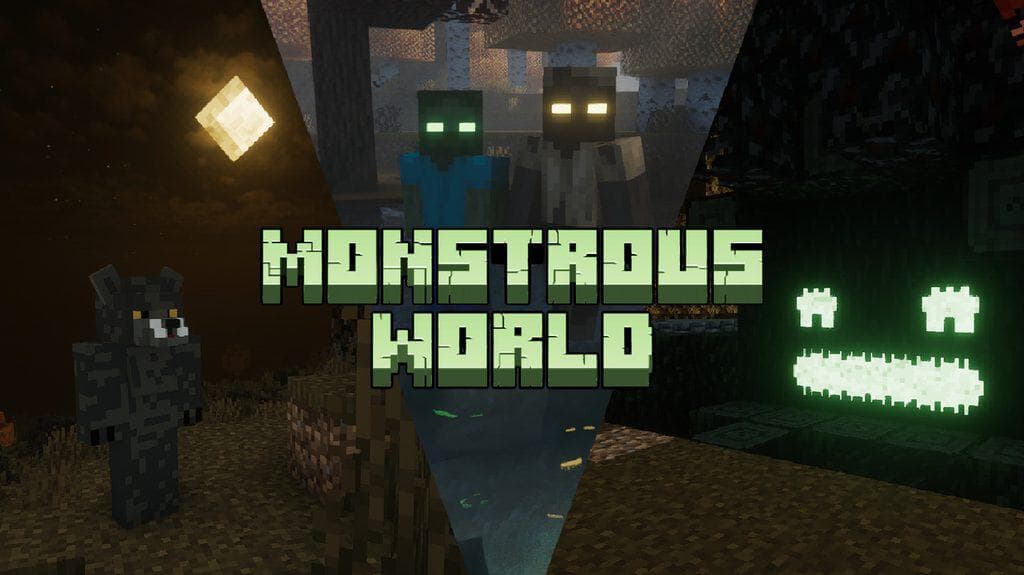
Monstrous World turns Minecraft into a Halloween-inspired world filled with spooky biomes, monsters, and supernatural encounters. With the mod installed, you’ll come across various creatures such as vampires, werewolves, goblins, and trolls, along with monster villages where you can trade with the inhabitants. The mod also introduces a Mysterious Darkness infection, which can transform your character into a monster. If you’d rather stay human, you can join the Hunter’s Guild and take on monster-slaying missions. With new structures, magical items, and collectible lore, there’s plenty to explore beyond Halloween.
How to Install
Follow these steps to install Monstrous World on your Minecraft game:
- 1
Download the mod file from the link above. Most Minecraft mods come as .jar files.
- 2
Make sure you have the correct mod loader installed — either Forge or Fabric, depending on the mod requirements.
- 3
Open your Minecraft installation folder. On Windows, press Win+R and type %appdata%\.minecraft to find it.
- 4
Place the downloaded .jar file into the "mods" folder. If the folder doesn't exist, create it.
- 5
Launch Minecraft using the correct mod loader profile and verify the mod appears in the mod list.
Important: Always back up your save files before installing new mods. Make sure your mod loader version matches the Minecraft version required by this mod.
Compatibility
Platform
Minecraft: Java Edition
Requirements
- •Requires either Forge or Fabric mod loader (check the mod description for which one)
- •May require specific Minecraft version — verify before downloading
- •Some mods have dependencies on library mods like Architectury or Cloth Config
Pro tip: Always back up your world saves before installing new mods. Mod conflicts can occasionally cause world corruption.
Frequently Asked Questions
More from Modrinth
You Might Also Like
Monstrous World
Created by
0 ratings
downloads
favorites
views
Additional Information
Published
October 28, 2026
Source
MustHaveMods.com
Last Updated
October 28, 2026