
Save this find
Create a free account and this mod is saved to your favorites.
About This Mod
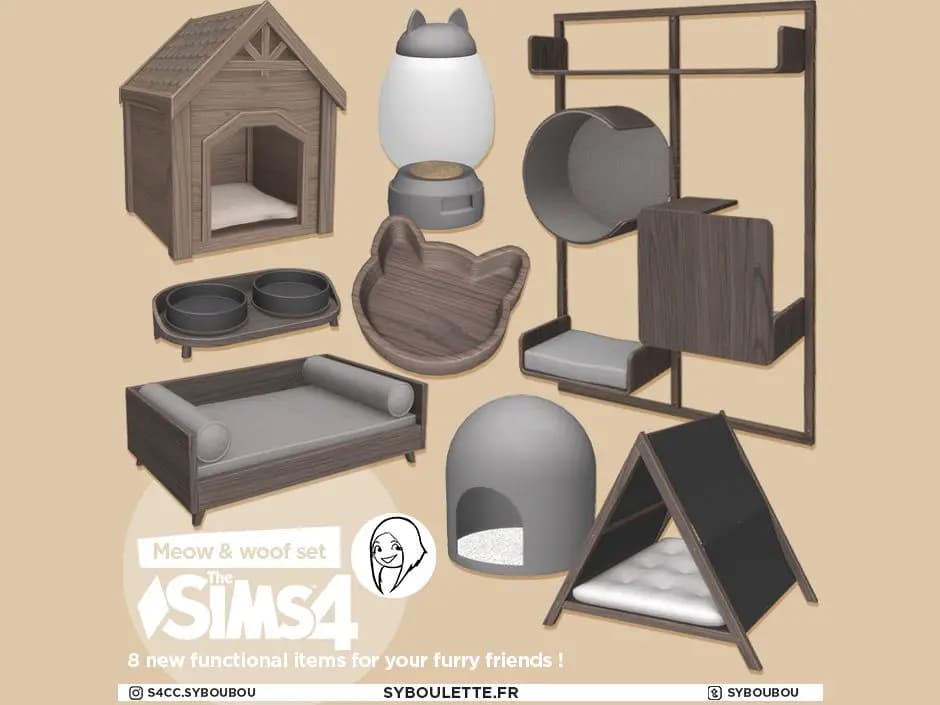
Piwi - Small pet bed
This is a bed for small pets who like some privacy and need a confined space to feel safe.
Piwi Large pet bed
This a designed bed for large pets. They'll love the space and confyness while your Sim keeps a cool and trendy interior design.
Piwi Armchair
Square curves and a sleek contemporary shape are integral to the charm of this Piwi armchair. understated and refined, it's perfect for those drawn to simple, effortless design. And cats will love it.
Piwi Cat spot Blanket
When you live with a cat, you sometimes feel like you actually live at HIS place. Those little furry companions can be very moody, and even if you chose them a confy place to sleep, they'll prefer somewhere else, a place of their choice. If this place is the Piwi armchair, this blanket will make them even more confortable, whcile protecting your furniture from their hairs.
Piwi Cat Tree
The ultimate scratching post for adventuring felines. Three uniquely shaped platforms offer cats the chance to leap, perch, and explore new and exciting heights in the safety of your home. Eco-friendly materials such as sisal and wood give it a neutral organic look which works well next to any style of decor. Sisal rope provides an irresistible scratching surface whose oversized height keeps cats actively reaching.
Piwi Litter-laser
A simple, beautiful litter box built by designers, engineers, and cat behaviorists and made from recycled plastics that are completely toxin-free. Double-walled, thick matte plastic looks and feels sturdy while a smooth interior is extremely easy to clean.
Piwi - Pet bowl
These handmade porcelain bowls add an authentic and unique look to your home. They will defintely stand out with their very trendy Terrazzo pattern.
Piwi Scratching Vase
This iwi Scratching vase combines unique design symmetry with functionality and aesthetics for a contemporary approach.
How to Install
Follow these steps to install Modern Sims 4 Pet Furniture on your Sims 4 game:
- 1
Download the mod file from the link above. Sims 4 mods typically come as .package or .ts4script files.
- 2
Open your Sims 4 Mods folder. The default location is: Documents/Electronic Arts/The Sims 4/Mods
- 3
Place the downloaded file directly into the Mods folder. You can organize mods into subfolders up to one level deep.
- 4
Launch The Sims 4 and go to Game Options > Other. Make sure "Enable Custom Content and Mods" is checked.
- 5
Restart the game if it was already running. The mod should now appear in your game.
Important: Always back up your save files before installing new mods. After Sims 4 updates, mods may need to be re-downloaded or updated by the creator.
Compatibility
Platform
The Sims 4 (PC/Mac)
Requirements
- •Custom Content and Mods must be enabled in Game Options > Other
- •Script mods (.ts4script files) require "Script Mods Allowed" to be enabled separately
- •After each Sims 4 game update, some mods may need to be updated by the creator
Pro tip: If a mod stops working after a game update, check the creator's page for an updated version. Broken mods can cause the game to behave unexpectedly.
Frequently Asked Questions
More from Syboulette




You Might Also Like
Modern Sims 4 Pet Furniture
Created by
0 ratings
downloads
favorites
views
Additional Information
Published
January 25, 2026
Source
TheSimsResource
Last Updated
October 27, 2026