Best Stardew Valley Mods (2026) — Must-Have Mods for Every Player
Are you looking to take your gameplay beyond vanilla? The best Stardew Valley mods can completely transform the way you farm, explore, and build your dream life in Pelican Town. While the base game is already packed with charm, there are thousands of quality-of-life upgrades, visual overhauls, and gameplay expansions you can use to make the experience even better.
In this guide, you’ll discover the best Stardew Valley mods every player should try in 2026, including beginner-friendly picks that are easy to install and safe for most saves. These are some of my favorite mods to use because they make farming and overall gameplay more enjoyable and less boring.
But before we get started…..
Do You Need SMAPI for Stardew Valley Mods?
Most Stardew Valley mods require SMAPI (Stardew Modding API) to work properly. Think of SMAPI as the tool that allows your game to load and manage mods safely.
The good news is that SMAPI is free, easy to install, and widely used by the community. Once it’s set up, adding new mods becomes quick and straightforward.
If you’re completely new to modding, don’t worry, Here’s a full step-by-step SMAPI installation guide to help you get started.
8 Best Stardew Valley Mods to Download as a Beginner
1. Content Patcher
Download: Content Patcher
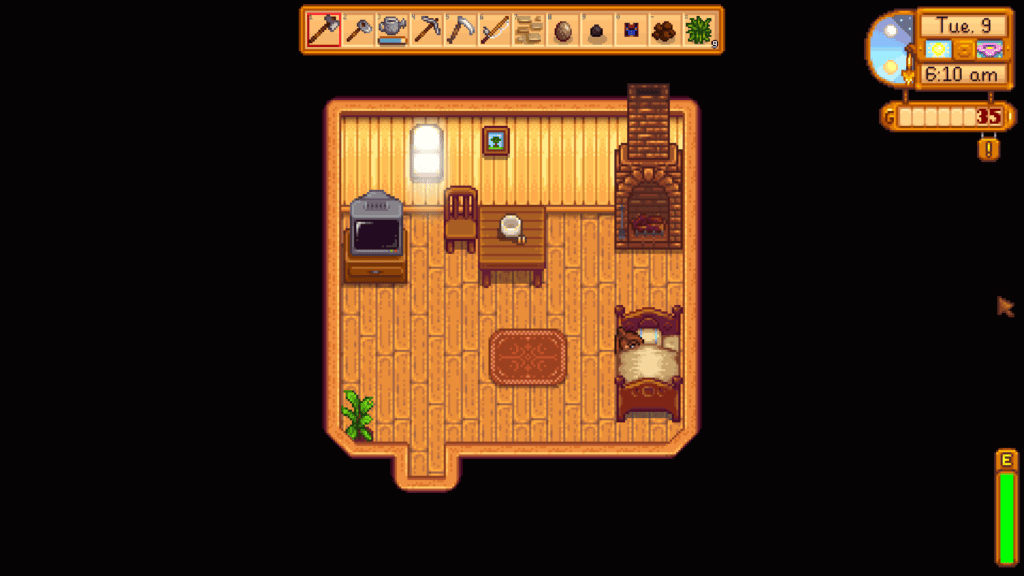
Content Patcher is one of the most essential Stardew Valley mods and one of the first you should download. It allows the game to load custom content without directly replacing original files. Many visual overhauls and seasonal mods rely on this framework to function properly.
Because so many other mods depend on it, it’s vital to install Content Patcher early to help prevent compatibility issues later. It runs quietly in the background and keeps your mod setup flexible and easy to manage.
Why you’ll love it:
- It’s required for many mods
- It’s Safe and lightweight
- It makes content changes easy
Compatibility
This mod is compatible with Stardew Valley 1.6.15 or later, and was last updated on January 24, 2026. At the time of writing, there are no known mod conflicts.
2. CJB Cheats Menu
Download: CJB Cheats Menu
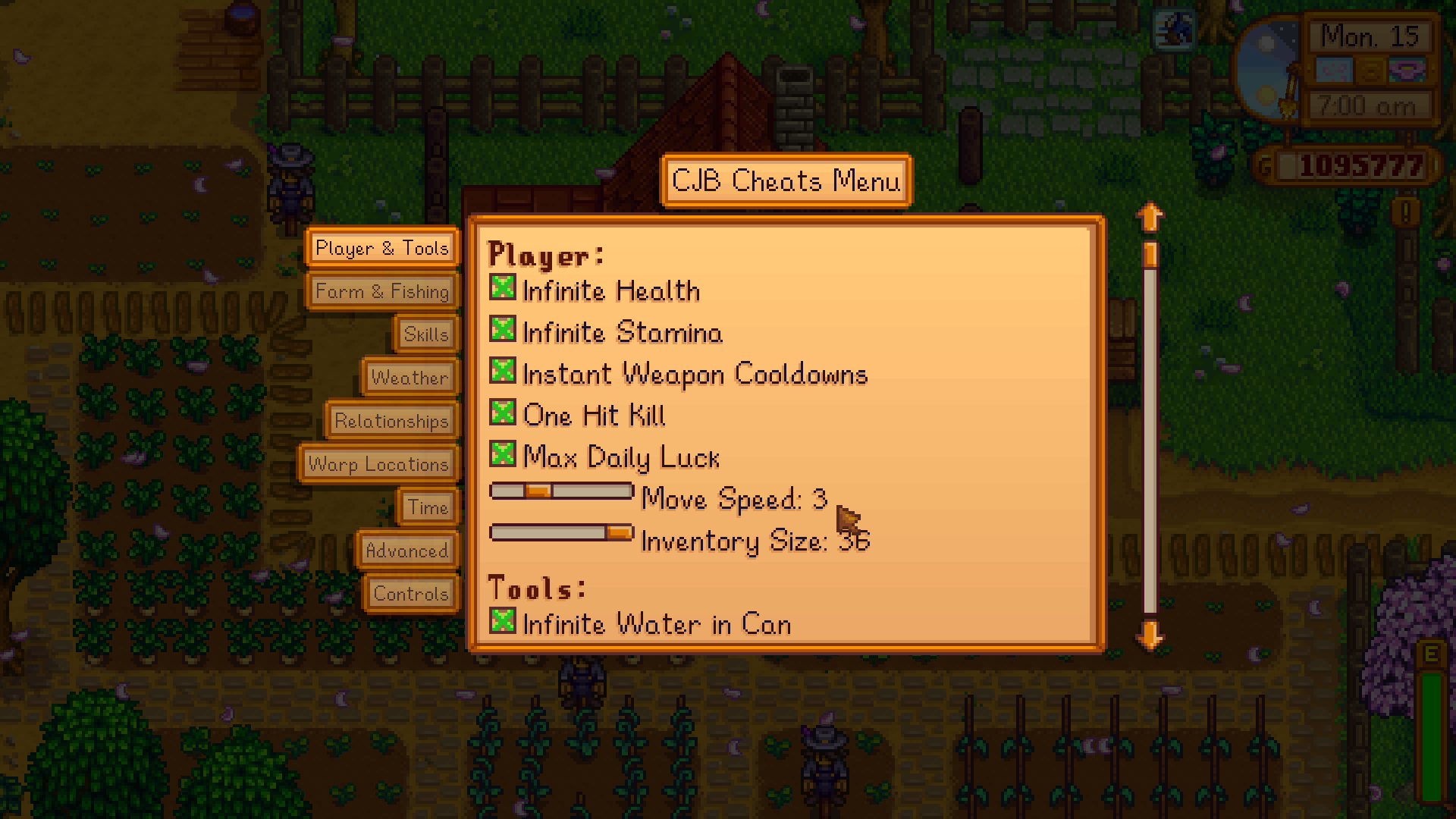
CJB Cheats Menu is a powerful quality-of-life mod with a fully featured cheat panel. This lets you adjust time, control weather, boost skills, manage relationships, and much more without leaving your save.
Like many players, I use this mod simply to reduce grind or fix small frustrations during long playthroughs. For example, I use it to obtain money and seeds, get infinite health and stamina, pause time, adjust the weather, and get tools. You can basically do anything with the CJB Cheats menu to get to your farming goal faster and skip the extensive grind.
The menu is clean, beginner-friendly, and highly customizable, making it one of the most downloaded Stardew Valley mods.
Why you’ll love it:
- Easy in-game cheat menu
- Highly customizable options
- Great for testing and sandbox play
- Huge time saver when needed
- Eliminates the extensive grind (one of the most frustrating aspects of Stardew Valley)
Compatibility
This mod is compatible with Stardew Valley 1.6.15 or later on Linux/macOS/Windows, both single-player and multiplayer. It was last updated on January 24, 2026.
3. Lookup Anything
Download: Lookup Anything
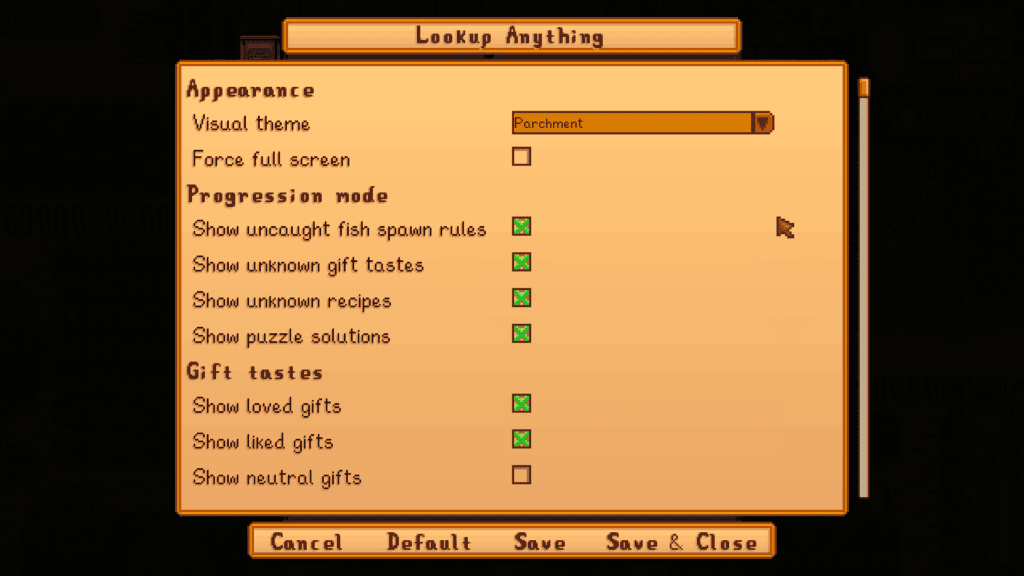
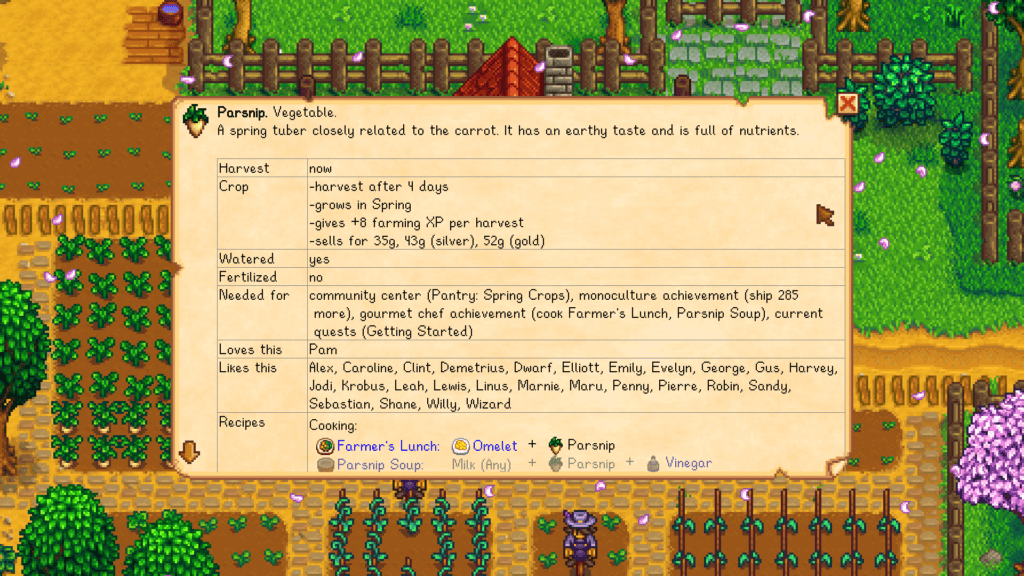
The Lookup Anything mod is a mod designed to show detailed information about whatever’s under your cursor when you press F1. For example, you can check crop data, villager preferences, machine outputs, and much more.
It’s like having the Stardew wiki built directly into your game. You can then use this information to manage your farm and other activities. This mod works on things in the world, your inventory, the calendar, game menus, shops, and more.
To use the mod, just place your cursor on an item and press F1. You’ll see all the information pertaining to it.
Why you’ll love it:
- Instant in-game information
- Reduces wiki searching
- Extremely powerful utility
Compatibility
This mod was last updated on January 12, 2026, so it is compatible with the latest game version.
4. Generic Mod Config Menu
Download: Generic Mod Config Menu
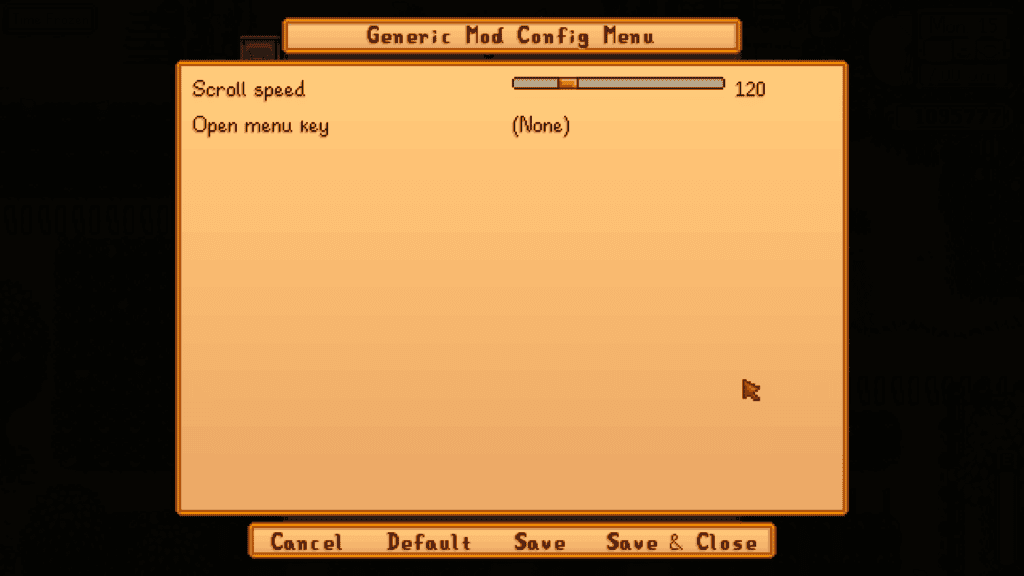
The Generic Mod Config Menu adds a simple in-game settings menu for supported mods, so you adjust options without digging through files. This is especially helpful for beginners who want quick control over their mod setup.
Instead of manually editing configuration files, you can tweak settings directly from the game interface, which saves time and reduces mistakes. Please note that this mod only works for mods designed to support the Generic Mod Config Menu. Once you make the changes, they’re live, and you don’t need to restart your game.
Why you’ll love it:
- Change mod settings in-game
- Beginner-friendly
- Saves time troubleshooting
Compatibility
This mod is compatible with Stardew Valley version 1.6.15, and it was last updated on October 18, 2025.
5. UI Info Suite 2
Download: UI Info Suite 2
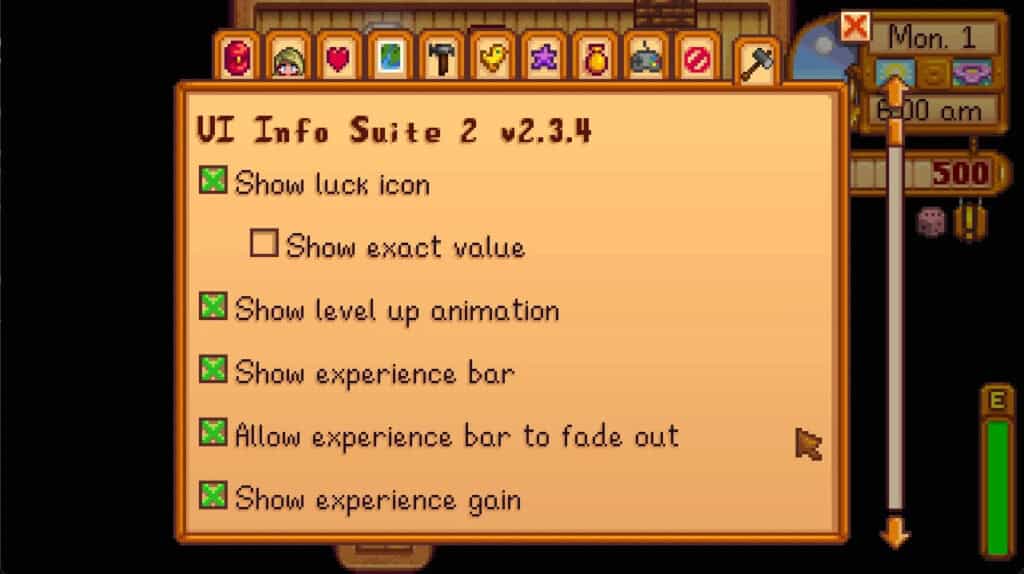
UI Info Suite 2 adds helpful quality-of-life indicators to your HUD, making daily farm management much smoother. It shows things like crop harvest readiness, tool ranges, experience gains, and more.
This mod doesn’t change the core gameplay. It simply gives you better information so you can play more efficiently.
Why you’ll love it:
- It offers better on-screen information
- It’s great for new players
- It improves daily efficiency
Compatibility
This mod is compatible with Stardew Valley version 1.6.15. It’s also compatible with the following Stardew Valley Mods
- NPC Map Locations by Bouhm
- Bigger Backpack by spacechase0
- Better Farm Animal Variety by Parite
6. Automate
Download: Automate
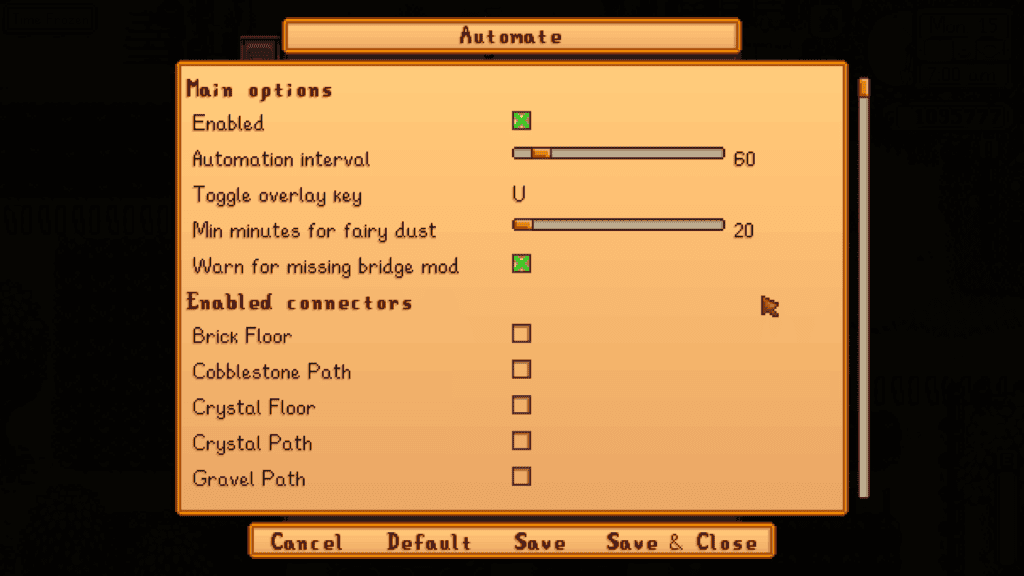
Automate is a fan-favorite quality-of-life mod designed to automatically pull raw items from the chest and push processed items into it. Simply connect machines to nearby chests for the process to occur. For example, furnaces, kegs, and preserves jars can pull materials directly from your storage chest.
As your farm grows, this mod becomes a massive time saver and reduces repetitive micromanagement. You won’t spend time manually pulling raw items from your chest to the required machines as the process becomes automated.
If you have multiple farms or a large farm, I highly recommend getting this mod.
Why you’ll love it:
- It automates machine workflows
- It saves tons of time
- It’s perfect for late-game farms
Compatibility
This mod is compatible with Stardew Valley 1.6.15 or later, and was last updated on January 12, 2026. At the time of writing, there are no known mod conflicts.
7. NPC Map Locations
Download: NPC Map Locations
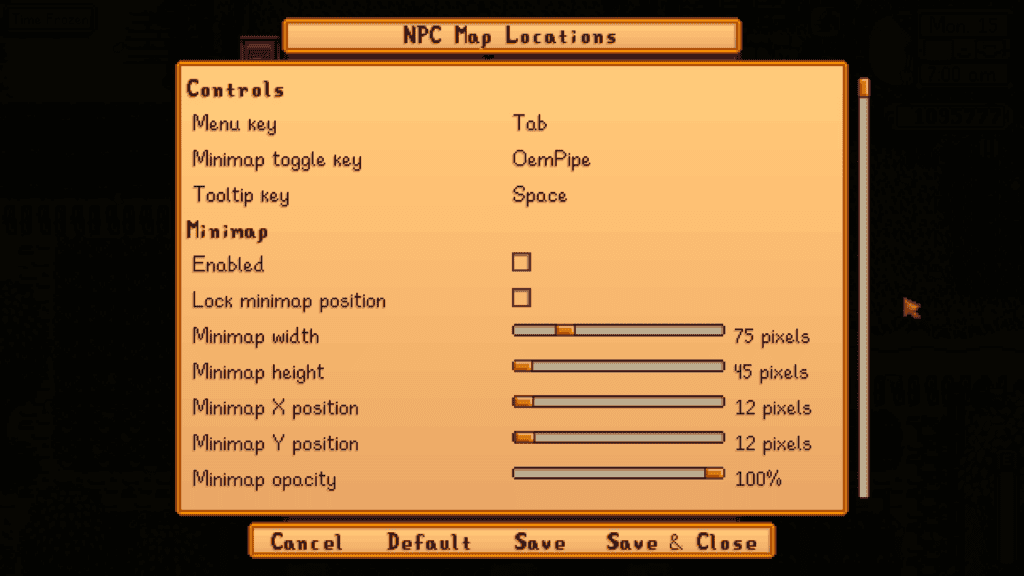
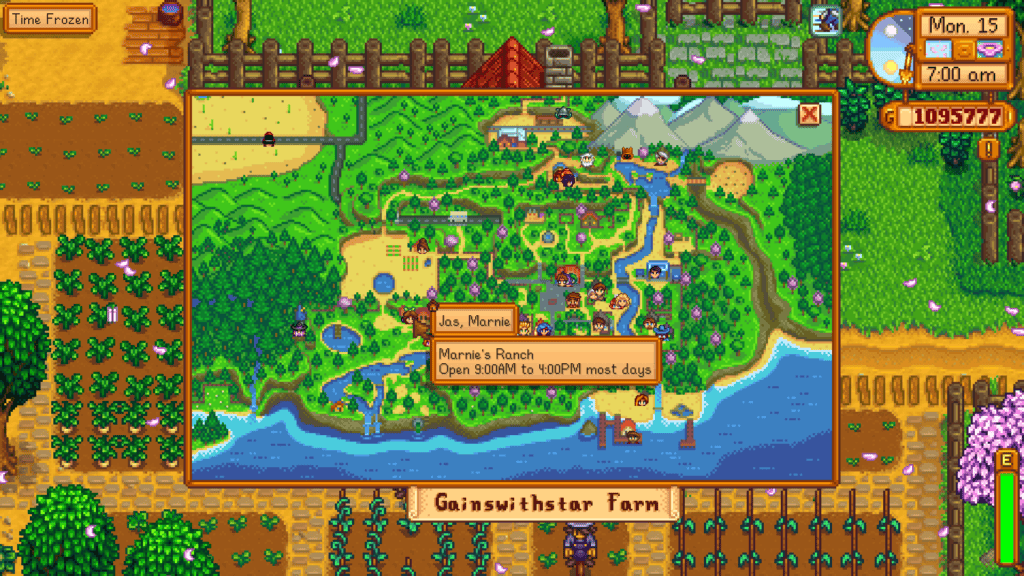
Have you ever wasted half your day looking for an NPC? With the NPC Map Locations mod, you can locate characters in a single click. This mod displays real-time villager positions directly on the world map, making it much easier to track down specific characters.
It’s one of the most efficient Stardew Valley mods for quality gameplay.
Why you’ll love it:
- It shows NPC locations live
- It’s great for gifting and quests
- It’s beginner-friendly
Compatibility
This mod is compatible with Stardew Valley 1.6.9 or later; Linux, macOS, and Windows. It works with single-player and multiplayer (must be installed by the host player, and also by any farmhand who wants to see NPCs on the map).
There are no known mod conflicts.
8. Tractor Mod
Download: Tractor Mod
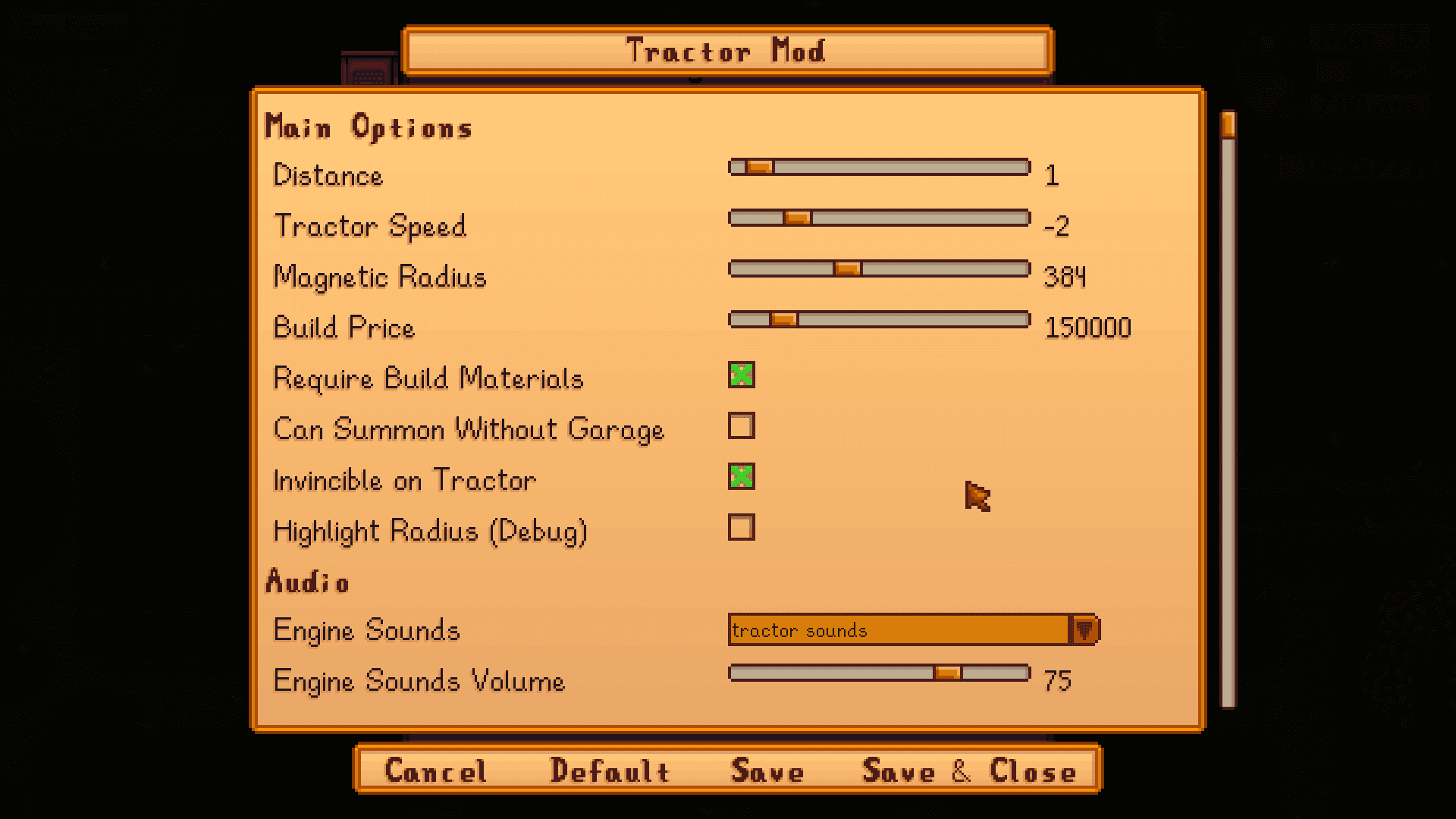
Farming in Stardew Valley using regular tools is time-consuming and strenuous. To make the process faster and more efficient, download the Tractor Mod. This game-changing quality-of-life upgrade lets you purchase and use a powerful tractor to handle large-scale farm work quickly.
Once unlocked, the tractor can till soil, plant seeds, water crops, harvest produce, clear debris, and more, all in a wide working radius.
This mod becomes especially valuable in the mid-to-late game when managing large farms starts to feel repetitive. It keeps the core Stardew experience intact while dramatically speeding up daily chores.
I honestly love using this mod even on small farms because it just makes farming easier and enjoyable. To use the tractor, buy the garage from Robin and wait for them to build it. Once you own it, get on the tractor, choose a tool, seeds, or fertilizer, and start farming.
Why you’ll love it:
- It’s a massive time saver on big farms
- It lets you handle multiple farm tasks at once
- You can customize the working radius
- It’s perfect for late-game efficiency
Compatibility
This mod is compatible with Stardew Valley 1.6.15 or later, and was last updated on January 24, 2026. This mod pairs well with the following:
- Pony Weight Loss Program (works with the tractor too);
- Tractor Engine Sound;
- Tractor Remodel;
- Walk Through Trellis.
Beginner Tips for Using Stardew Valley Mods
If you’re getting started with Stardew Valley mods, here are a few things to consider for a flawless process:
Always install SMAPI first
Most Stardew Valley mods rely on SMAPI to run properly. Before downloading anything else, make sure SMAPI is installed and launching your game correctly. Once SMAPI works, adding new mods becomes much smoother.
Start with a small mod list
It’s tempting to download everything at once, but start small to avoid conflict issues. Begin with essential quality-of-life mods, confirm your game runs fine, then slowly expand your collection. It will be easy to identify problems if you build slowly.
Read the mod requirements carefully
Many mods depend on frameworks like Content Patcher or other libraries. Always check the “Requirements” section on the download page so you don’t miss anything important.
Keep your mods updated
Game patches can break outdated mods. Every few weeks, check for updates to keep your setup stable and compatible with the latest Stardew Valley version.
Back up your save files
Before installing large mods or expansions, copy your save folder somewhere safe. If something goes wrong, you’ll be very glad you did.
Watch for mod conflicts
If your game starts acting strange after installing a new mod, remove the most recent download first. Conflicts usually come from overlapping mods that change the same features.
FAQs About Stardew Valley Mods
Are Stardew Valley mods safe to use?
Yes, Stardew Valley mods are generally safe when downloaded from trusted sources like Nexus Mods or official creator pages. Always read comments and requirements before installing, and keep your mods updated for the best stability.
Do I need SMAPI for Stardew Valley mods?
Most Stardew Valley mods require SMAPI to run. It acts as the loader that allows the game to read and manage mods properly. Without SMAPI, many popular mods will not work.
Can mods break my save file?
Mods rarely damage saves when installed correctly, but conflicts or outdated files can cause issues. It’s always smart to back up your save folder before installing large mods or making major changes.
Will mods slow down my game?
It depends. Lightweight quality-of-life mods usually have little to no performance impact. However, very large expansion mods or heavy visual overhauls may slightly increase loading times on lower-end systems.
Can I use Stardew Valley mods in multiplayer?
Many mods work in multiplayer, but all players typically need the same mods installed for the best experience. Some single-player utility mods may only affect the host.
Do Stardew Valley mods work on console?
No, mods are officially supported only on PC (Windows, Mac, and Linux). Console versions of Stardew Valley do not support SMAPI or most community mods.
Where should I download Stardew Valley mods?
The safest place to download mods is Nexus Mods or CurseForge, along with trusted creator Patreons and official modding communities. Avoid suspicious reupload sites filled with ads or outdated files.
Do I need Content Patcher for most mods?
Content Patcher is one of the most commonly required frameworks. Many visual and seasonal mods depend on it, so it’s a good idea to install it early in your mod setup.
Why isn’t my mod showing up in the game?
This usually happens when a required dependency is missing, the mod is placed in the wrong folder, or SMAPI isn’t launching the game. Checking the SMAPI console log often reveals the exact issue.
Can I remove mods mid-save?
Yes, many mods can be removed safely, especially visual or UI mods. However, large expansion mods may leave leftover data in your save. When in doubt, back up first.
Is modding Stardew Valley beginner-friendly?
Yes, Stardew Valley has one of the most beginner-friendly modding communities. With SMAPI installed and clear instructions followed, most players can start modding successfully in just a few minutes.
Conclusion
That’s it for the best Stardew Valley mods every player should have on their radar in 2026. With these mods, you can streamline daily farm work, add helpful UI upgrades, or expand Pelican Town with brand-new content. These must-have mods make it easy to tailor the game to your playstyle.
If you’re just getting started, begin with the essential frameworks and quality-of-life picks, then slowly build your mod list as you grow more comfortable. Stardew Valley’s modding scene is incredibly beginner-friendly, and once everything is set up, customizing your game becomes quick and addictive.
Be sure to bookmark this guide and check back often. We’ll continue updating this list with the latest and greatest Stardew Valley mods as the community keeps growing.
Happy farming! 🌱