10 Best Visual Stardew Valley Mods (2026 Ultimate Graphics Guide)
Do you wish to make your game more aesthetic and visually pleasing?
If so, you’ll need to download the best visual Stardew Valley mods.
Stardew Valley already has a charming art style, but the right mods can take your game from cozy to absolutely breathtaking. You can achieve softer colors, more realistic lighting, cuter animals, or do a full aesthetic overhaul to change the look and feel of your farm.
In this guide, we’ve rounded up the best visual Stardew Valley mods for 2026 that players are using to upgrade their graphics without hurting performance. These picks include everything from subtle vanilla-friendly recolors to dramatic lighting and environment transformations.
If you’re ready to give Pelican Town a serious glow-up, start with the must-have mods below.
RELATED POST: Best Stardew Valley Mods (2026) — Must-Have Mods for Every Player
Best Visual Stardew Valley Mods
If you’re new to modding, please note that most Stardew Valley mods require SMAPI to run. So, I highly recommend you download the mod before any on this list.
Here’s a link to the latest SMAPI Version
DaisyNiko’s Earthy Recolor
Download: DaisyNiko’s Earthy Recolor
This mod was last updated on 09 November 2024
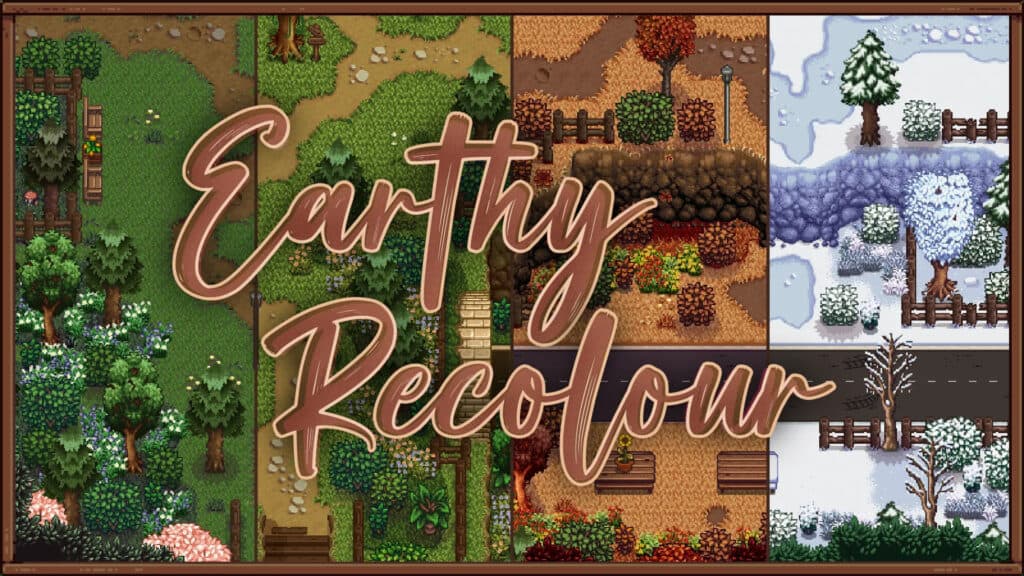
DaisyNiko’s Earthy Recolor is one of the most popular visual overhauls for Stardew Valley. It tones down the game’s bright vanilla palette into a softer, more natural hue. This mod replaces the default terrain, grass, and foliage colors with warmer, muted shades to make the valley feel more grounded and realistic without losing its cozy charm.
This recolor works beautifully across all seasons, giving spring and summer a gentle green look while fall and winter feel richer and more immersive. It’s also lightweight and performance-friendly, so it’s a safe choice for lower-end PCs.
Features:
- Soft, earthy terrain recolor
- Seasonal palette improvements
- Vanilla-friendly aesthetic
- Lightweight and performance safe
Requirements:
- SMAPI (I have a detailed guide on how to download SMAPI for Stardew Valley, so please check it out)
- Content Patcher
DaisyNiko’s Earthy Recolor is a must-have if you want a calmer, more natural Stardew Valley visual style without drastically changing the game’s original feel.
Vibrant Pastoral Redrawn
Download: Vibrant Pastoral Redrawn
This mod was last updated on 03 May 2025 and is compatible with Stardew Valley version 1.6.15.
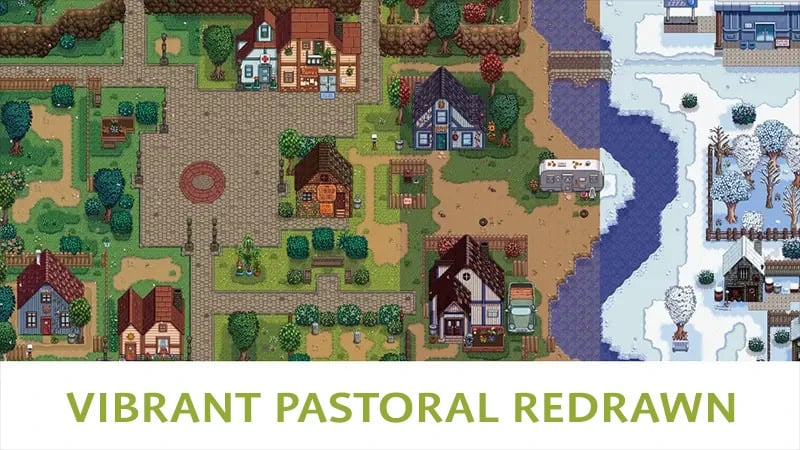
Vibrant Pastoral Redrawn is a beloved visual overhaul designed to refresh Stardew Valley’s colors. The mod introduces cleaner greens, richer environments, and carefully balanced tones to make the valley look more polished and vibrant.
The recolor touches most outdoor and indoor tilesheets, with some assets even redrawn for a smoother overall presentation. It also includes optional aesthetic features like terrain flower replacements and seasonal tweaks, giving players extra customization without complicating performance.
Because it stays close to the base game style, Vibrant Pastoral Redrawn is one of the best visual Stardew Valley mods to download in 2026.
Features:
- Vanilla-friendly full map recolor
- Cleaner, more vibrant palette
- Optional seasonal and terrain tweaks
- Some redrawn assets for polish
Requirements:
- The creator highly recommends using GMCM alongside the mod
Visible Fish
Download: Visible Fish
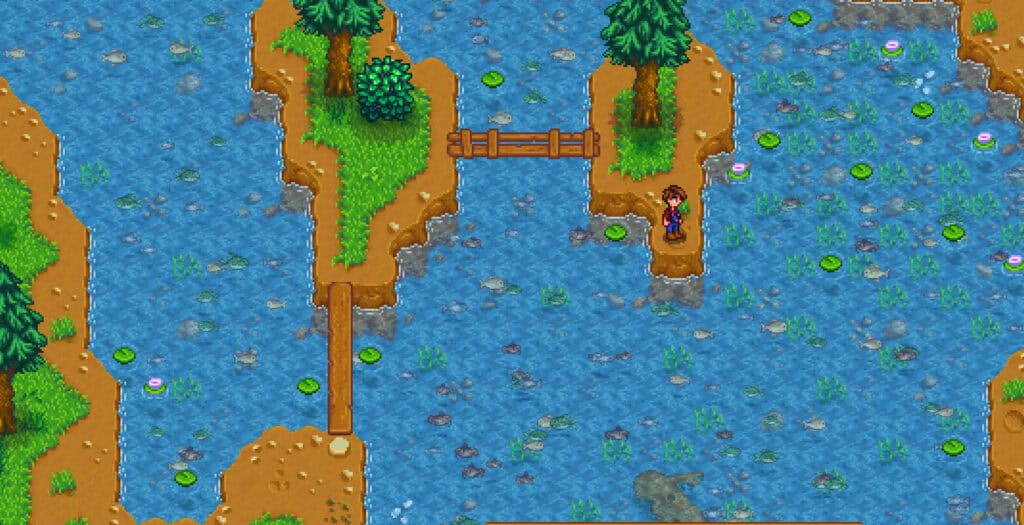
Visible Fish is a simple but incredibly satisfying visual mod that lets you see fish swimming in rivers, lakes, and the ocean before you cast your line. There’s nothing more frustrating in the vanilla game than fishing blindly. Luckily, this mod adds animated fish sprites to match the actual catchable fish for that location and season. This makes fishing feel far more immersive and easier.
The visuals blend smoothly with the vanilla art style, so nothing feels out of place. If you enjoy fishing efficiency or love taking scenic screenshots around Pelican Town’s waterways, this is one of the best visual Stardew Valley mods to get.
It has minimal impact on performance, and the mod works quietly in the background once installed.
Features:
- Shows real fish in water
- Location and season aware
- Vanilla-friendly visuals
- Lightweight and immersive
Compatibility:
This mod was last updated on 22 May 2024, and works with the latest Stardew Valley version 1.6.15. It has no requirements, just download it and drop it in your mods folder.
Soft Slow Seasons
Download: Soft Slow Seasons
The mod is compatible with Stardew Valley version 1.6.15 and it was last updated on 13 May 2025
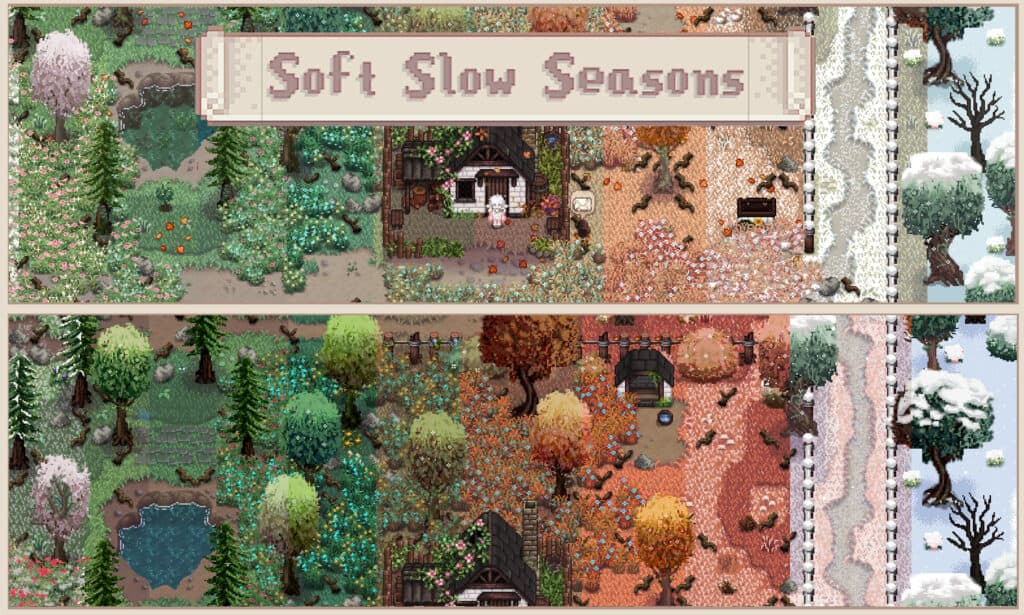
Soft Slow Seasons is a subtle but beautiful visual mod designed to smooth out Stardew Valley’s seasonal transitions for a more natural, immersive feel. Normally, when the seasons change, the environment changes abruptly, which is unrealistic. This mod introduces gradual color and foliage shifts to make the valley feel more alive and dynamic over time.
The mod lightly adjusts grass tones, tree colors, and environmental details across the year for a more realistic look and feel when a new season begins. Because the changes are soft and cohesive, this mod pairs extremely well with popular recolors like Earthy Recolor and Vibrant Pastoral.
I like using this mod because it has a minimal impact on performance.
Features:
- Gradual seasonal transitions
- Softer foliage and terrain changes
- Vanilla-friendly aesthetic
- Excellent recolor compatibility
Requirements:
More Grass
Download: More Grass
This mod was last updated on 21 March 2024. It’s compatible with the latest Stardew Valley version
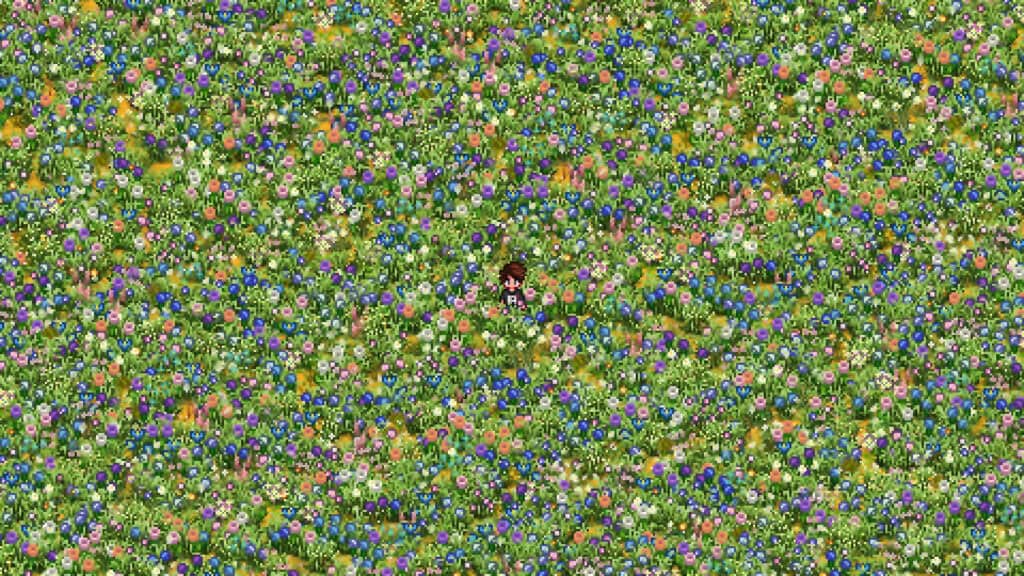
More Grass is a lightweight visual enhancement designed to increase the amount and density of decorative grass across the map. The mod subtly populates empty terrain with additional grass tufts, helping fields, paths, and forest areas look less sparse. It’s one of the best visual Stardew Valley mods you can use to make outdoor areas feel fuller and more natural.
Because the changes are purely visual and carefully balanced, the extra grass blends seamlessly into the environment. You can use this mod with most recolor mods, especially earthy or pastel palettes.
Features:
- Increased decorative grass density
- Fuller, more natural landscapes
- Vanilla-friendly integration
- Works well with recolors
Requirements:
Cute Valley
Download: Cute Valley
This mod was last updated on 04 December 2024. It’s compatible with the latest Stardew Valley version
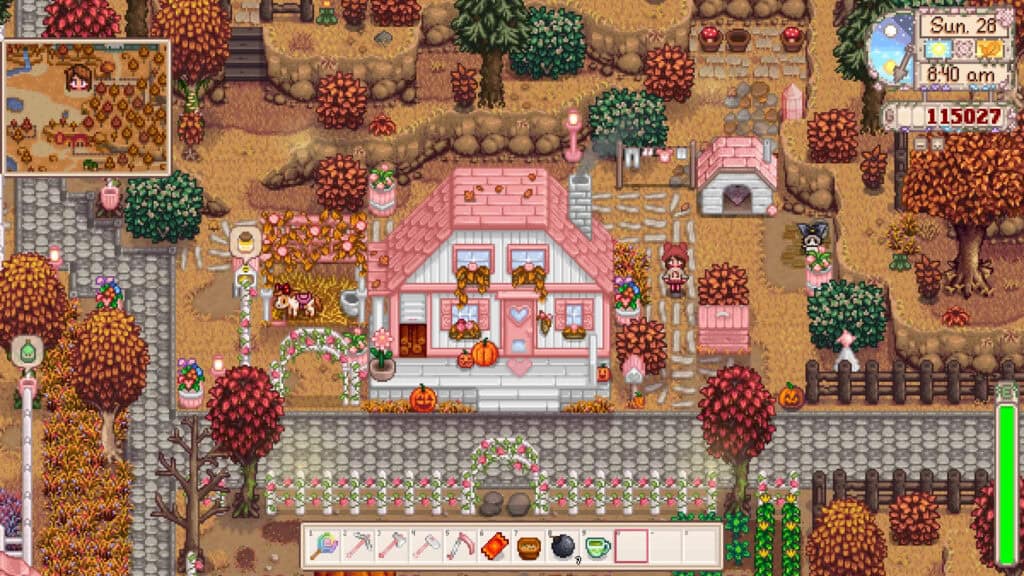
One of the best visual Stardew Valley mods for transforming your game into a whimsical and fairytale land is Cute Valley. This charming visual overhaul gives Pelican Town a softer, more whimsical look without completely straying from the game’s original style. The mod gently recolors terrain, foliage, and environmental details using lighter, pastel-leaning tones, like pink. This makes the entire valley feel brighter and more storybook-like.
Despite the cuter palette, the visuals remain clean and cohesive, so it doesn’t clash with most popular mods. Many players pair Cute Valley with seasonal and building overhauls to create a cozy cottagecore aesthetic across their save.
This is undoubtedly one of my favorite mods to use in 2026!
Features:
- Soft pastel recolor
- Whimsical, cozy aesthetic
- Vanilla-friendly style
- Lightweight and performance safe
Requirements:
Farm Animal Facelift
Download: Farm Animal Facelift
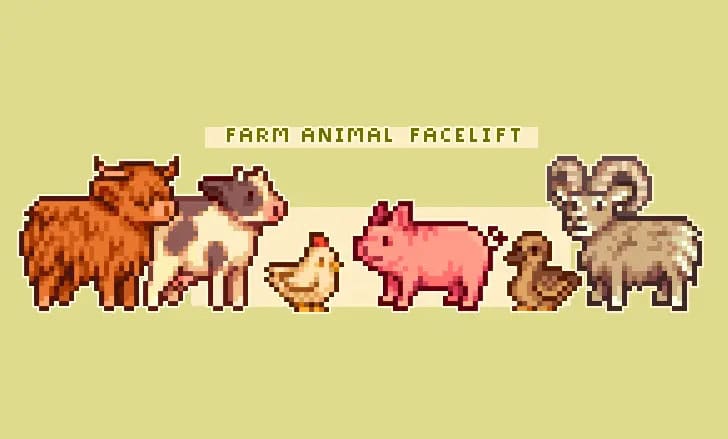
Farm Animal Facelift is a popular visual overhaul designed to make your livestock look cuter and more aesthetic. The mod refreshes Stardew Valley’s barn and coop animals with cleaner, more detailed sprites. It reworks animals like cows, goats, sheep, pigs, and chickens so they look softer, rounder, and more expressive.
You can also turn off the edits by choosing the option “vanilla”. I highly recommend using this visual mod on farms with large animal populations, so that the changes are more noticeable and visible.
Features:
- Redesigned barn and coop animals
- Vanilla-friendly style
- Cleaner, more expressive sprites
- Works well with recolors
Requirements:
Vanilla Facelift

Download: Vanilla Facelift
This mod is compatible with the latest Stardew Valley version and was last updated on 14 April 2024.
If you want a clean visual refresh, get the Vanilla Facelift mod. It enhances Stardew Valley’s original sprites by smoothing them out and making the art style consistent for every villager. The mod subtly improves character portraits and in-game sprites with smoother shading, refined details, and more polished expressions.
The result feels like an unofficial HD update to vanilla. Because the changes are conservative, Vanilla Facelift pairs well with most recolors, building overhauls, and seasonal mods without causing visual clashes.
It’s also lightweight and safe for most modded setups.
Features:
- Refined vanilla portraits and sprites
- Smoother shading and cleaner details
- Faithful to the original art style
- Highly compatible with other visual mods
Requirements:
- SMAPI
- Content Patcher
Golden Hour (Window Light)
Download: Golden Hour (Window Light)
This mod was last updated on 21 August 2024
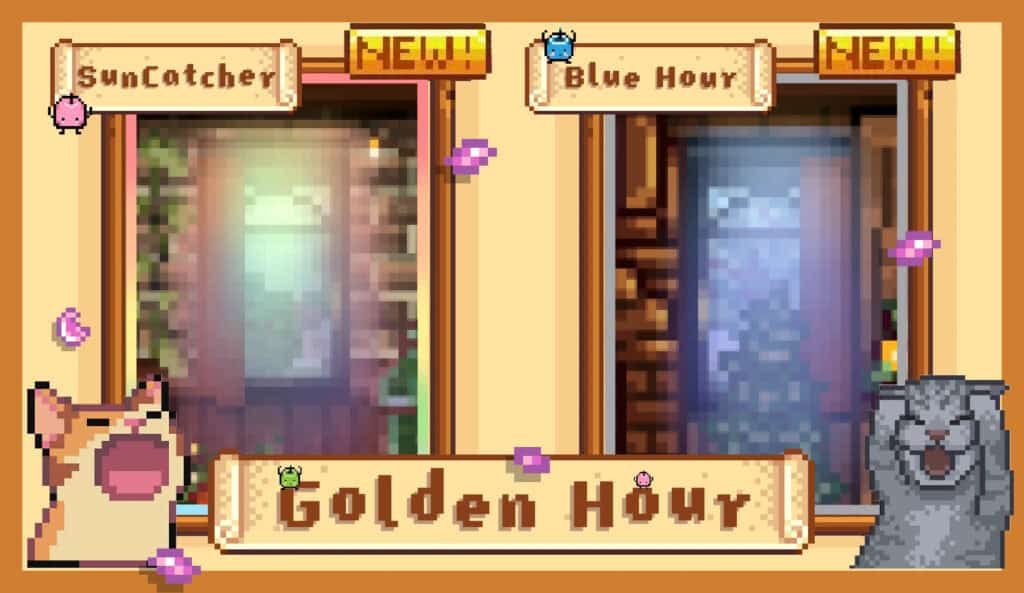
Golden Hour (Window Light) is a gorgeous lighting enhancement that replaces the vanilla window light with different aesthetic window light styles. These warm, sun-kissed beams of light pierce through interior windows, instantly making your farmhouse and buildings feel more cozy and atmospheric.
You can use this mod to shift the mood of rooms, especially during morning and late afternoon hours. The cinematic glow is subtle but very noticeable in screenshots. I recommend using this visual mod with furniture retextures and farmhouse overhauls for a more aesthetic feel.
Features:
- Warm window light beams indoors
- Cozy golden hour atmosphere
- Screenshot-friendly lighting
- Vanilla-friendly integration
Requirements:
Dynamic Reflections
Download: Dynamic Reflections
This mod was last updated on 11 January 2026, and it is compatible with Stardew Valley version 1.6.15.
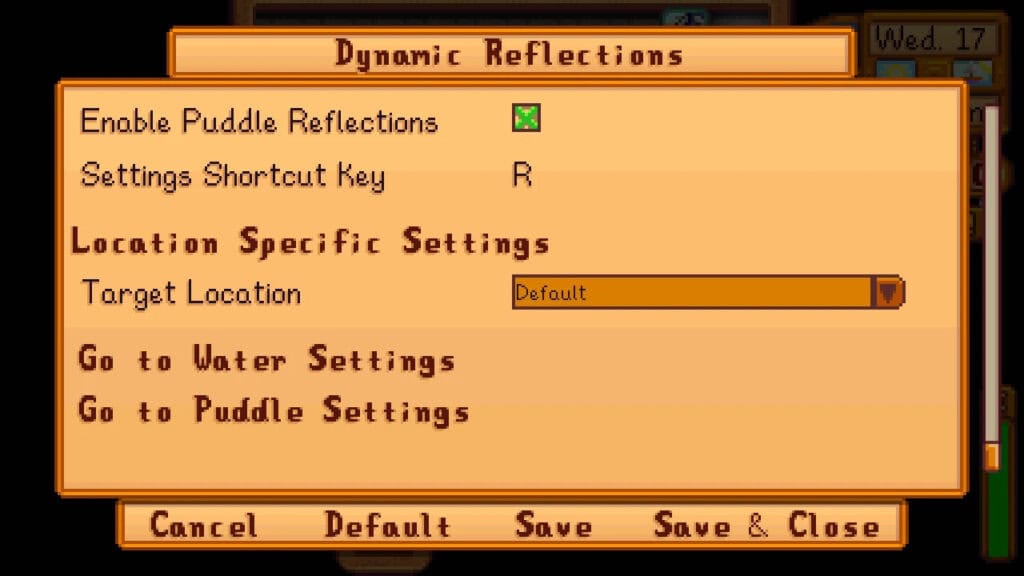
Dynamic Reflections is a stunning visual enhancement that adds realistic water reflections across Stardew Valley. The mod introduces subtle mirrored reflections of nearby environments, like rivers, lakes, and ponds, for a more immersive and polished look throughout the valley.
The effect is especially noticeable during different times of day and seasons, where lighting changes help the water feel more dynamic and responsive. Despite the visual upgrade, the mod is well-optimized and typically runs smoothly on most systems.
I would recommend using this mod alongside the Visible Fish for a fully upgraded water experience.
Features:
- Realistic water reflections
- Dynamic lighting interaction
- Immersive environmental detail
- Compatible with most visual mods
Requirements:
My Top 5 Visual Stardew Valley Mods
| Mod Name | Why I Use It |
|---|---|
| DaisyNiko’s Earthy Recolor | This is my go-to base recolor mod because it instantly tones down the harsh vanilla colors while keeping the cozy Stardew feel intact. It’s lightweight and works beautifully as the foundation of any visual mod stack. |
| Soft Slow Seasons | I use this to make seasonal changes feel more natural and immersive. The gradual transitions add a level of polish that makes the valley feel alive throughout the year. |
| Golden Hour (Window Light) | Interior lighting in vanilla can feel flat, so I use this mod to add a warm, cinematic glow through windows. This is great for taking screenshots, and it makes farmhouse builds look significantly better. |
| Dynamic Reflections | I know this is a subtle upgrade, but it just makes the environment look more aesthetic. The reflections add subtle realism that pairs perfectly with other environmental visual mods. |
| Visible Fish | This is a small but impactful immersion upgrade. Seeing fish in the water makes fishing areas feel alive and also helps with planning casts. |
FAQ: Best Visual Stardew Valley Mods
Do visual mods affect gameplay in Stardew Valley?
No. Most visual Stardew Valley mods are purely cosmetic and only change how the game looks. They typically don’t alter mechanics, balance, or save data.
Will visual mods slow down my game?
Most recolors and sprite edits are very lightweight, so they don’t slow down your game. However, heavier lighting or reflection mods may slightly impact performance on low-end PCs. Always check the mod description and test gradually.
Can I use multiple visual mods at the same time?
Yes, you can as long as the mods are compatible with each other. You cannot use multiple mods together that overwrite the same files. But you can use recolors, lighting mods, and animal overhauls, as they work well when combined.
What do I need to run visual mods in Stardew Valley?
Most visual mods require SMAPI and Content Patcher. These tools allow the game to load custom textures and visual changes safely.
Are visual mods safe for existing saves?
Yes. Because they are cosmetic, visual mods are generally safe to add or remove mid-save. Still, it’s smart to back up your save files before installing new mods.
Why do my visual mods not appear in-game?
If your visual mods don’t appear in-game, it’s because you’re missing requirements (like Content Patcher), incorrect folder placement, or an outdated SMAPI version. Always check the SMAPI console for red error messages.
Do visual mods work with Stardew Valley 1.6.15?
Many do, but not all. Always verify that the mod has been updated for Stardew Valley 1.6.15 or has been recently confirmed to work by the creator or community.
Can I use visual mods on multiplayer farms?
Yes. Visual mods are client-side, meaning each player can use their own. However, other players will only see the visuals if they have the same mods installed.
What’s the difference between a recolor and a sprite mod?
A recolor changes the colors of existing textures, while a sprite mod redraws the artwork itself with new details or designs.
Which visual mod makes the biggest difference?
Full recolors like Earthy Recolor or Vibrant Pastoral usually create the most noticeable visual change because they affect the entire environment.
Conclusion
These are some of the best visual Stardew Valley mods you can download for single and multiplayer. Most of these mods are beginner-friendly and have a low impact on gaming performance.
I’ll update this piece with more mods in the future. Try a few favorites from this list, test them in-game, and don’t be afraid to mix and match until your Stardew Valley looks exactly the way you want.