
23+ Must-Have Sims 4 Phone Replacements and Overrides for a Phone Makeover
Hey Simmers,
I use my Sim’s phone for pretty much everything, from texting friends and planning dates to traveling, taking photos, and managing their social life. Since Sims pull their phones out so often, I wanted something more interesting than the standard Base Game phone.
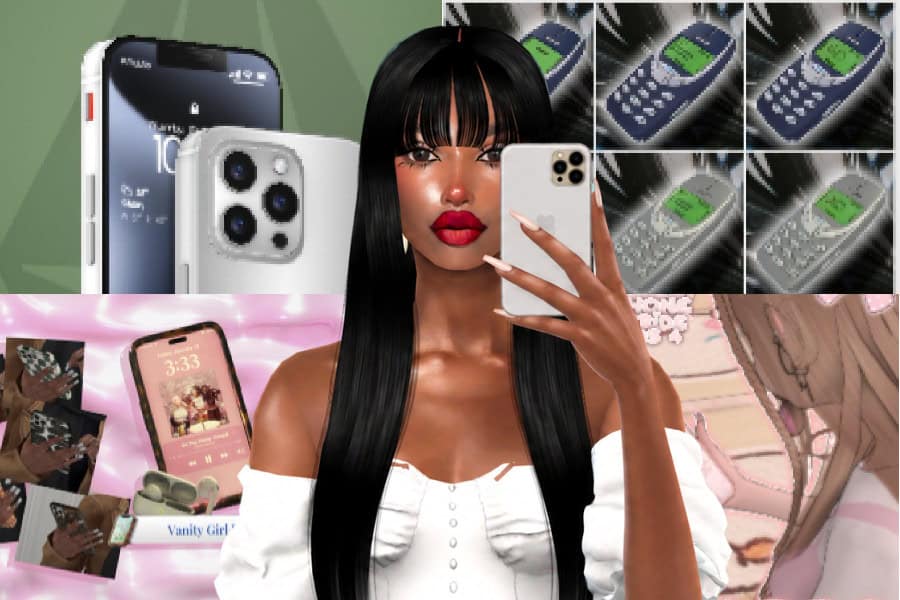
For this list, I’ve rounded up some of my favorite Sims 4 phone replacements and overrides to change how your Sim’s phone looks in-game. There are realistic smartphones inspired by iPhones and Samsung devices, cute flip phones, colorful cases, custom wallpapers, new app icons, and plenty of aesthetic options. Whether you want something realistic, Y2K-inspired, or completely personalized, there’s an override here for you.
READ MORE: 10+ Must-Have Sims 4 Phone Mods for Calls, Texts and Dating
Disclaimer
Please note: You can only use one phone replacement or override at a time. Installing multiple phone overrides can cause conflicts, missing textures, or prevent the replacement from working correctly. Before installing a new phone, remove any other phone replacement files from your Mods folder.
PlumbLine Pro Collection
Download: PlumbLine Pro Collection
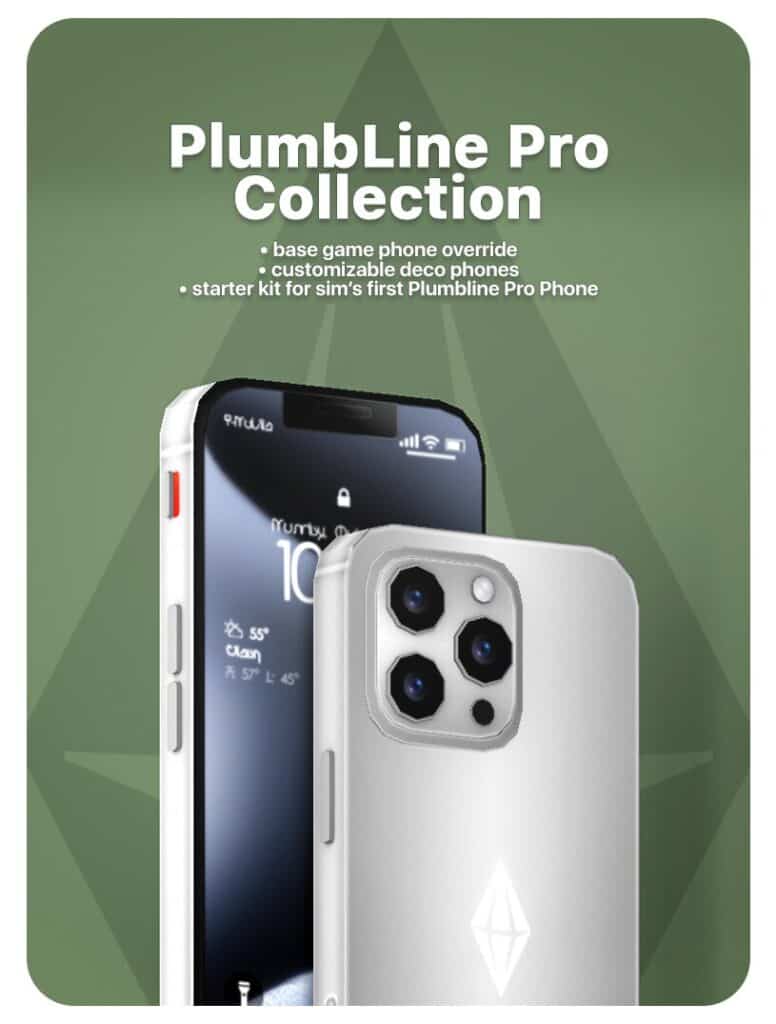
PlumbLine Pro Collection is a phone override and accessory set for replacing the standard EA phone with a more realistic smartphone. The phone comes with multiple screen variations for calls, messages, browsing, taking photos, playing games, and other everyday phone interactions.
This set also comes with two deco phones, a charging wire, a USB docking station, a phone packaging box, and a PSD file for customizing your own phone. It’s a great option if you want matching phone clutter alongside the functional override.
Note that the creator released PlumbLine Pro Phone Override V3 for players experiencing problems with the previous version. V3 is intended for patch 1.121 and above, so I recommend downloading the updated file if your game is fully patched.
Remember to only install one phone override at a time, so remove any other phone replacement before adding this one. This set is compatible with the base game.
Vanity Girl Phone Override & Mod
Download: Vanity Girl Phone Override & Mod
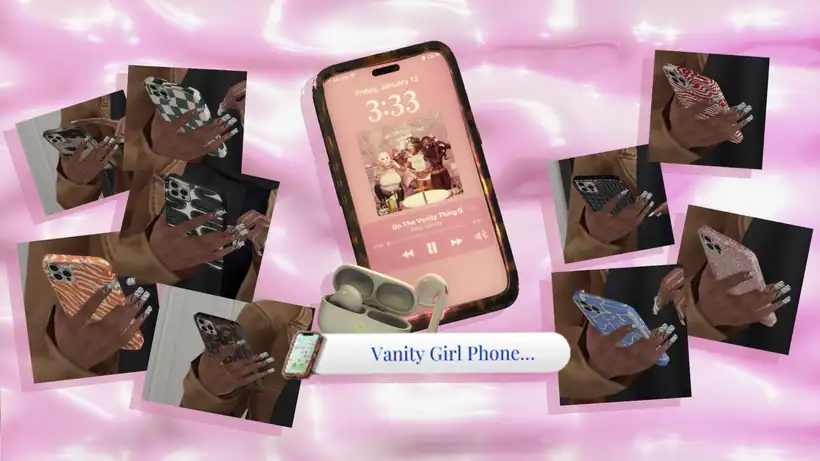
Vanity Girl Phone Override & Mod is a custom phone replacement with multiple patterned phone cases for adding more personality to your Sim’s phones. Alongside the override, you get a deco phone your Sims can pick up and use for poses, so it’s useful for screenshots and storytelling.
The mod also comes with two CAS items you can use separately or alongside the mod and two custom buffs. Your Sims can receive an Assured +1 moodlet after using the phone and a Content moodlet when noticing another Sim’s cute phone case.
You can place the deco items in your Sim’s inventory and remove them whenever you want.
SimPhone 16 – Phone Override
Download: SimPhone 16 – Phone Override
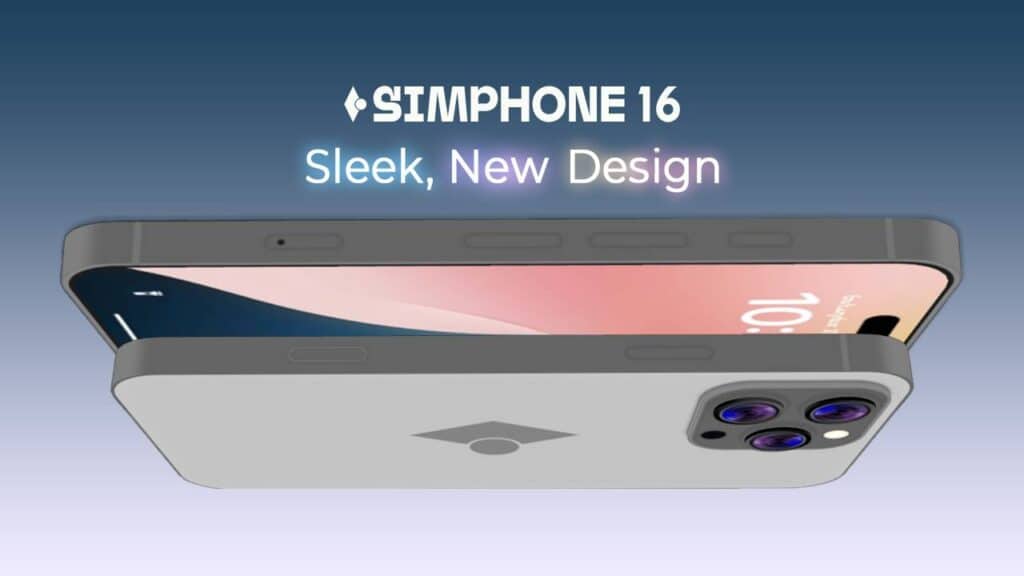
SimPhone 16 is a sleek phone replacement with over 60 cover options to choose from. The collection includes simple solid colors alongside hearts, florals, cow print, rainbows, gradients, celestial prints, stickers, stripes, and plenty of other patterns. This allows you to have a lot of variety in-game.
This override replaces both the old and new EA phones, and you’ll need the High School Years Expansion Pack for all swatches to appear. Make sure you only have one phone replacement installed at a time, as other phone overrides will conflict with this one.
Default Replacement Phone Nokia 3310
Download: Default Replacement Phone Nokia 3310
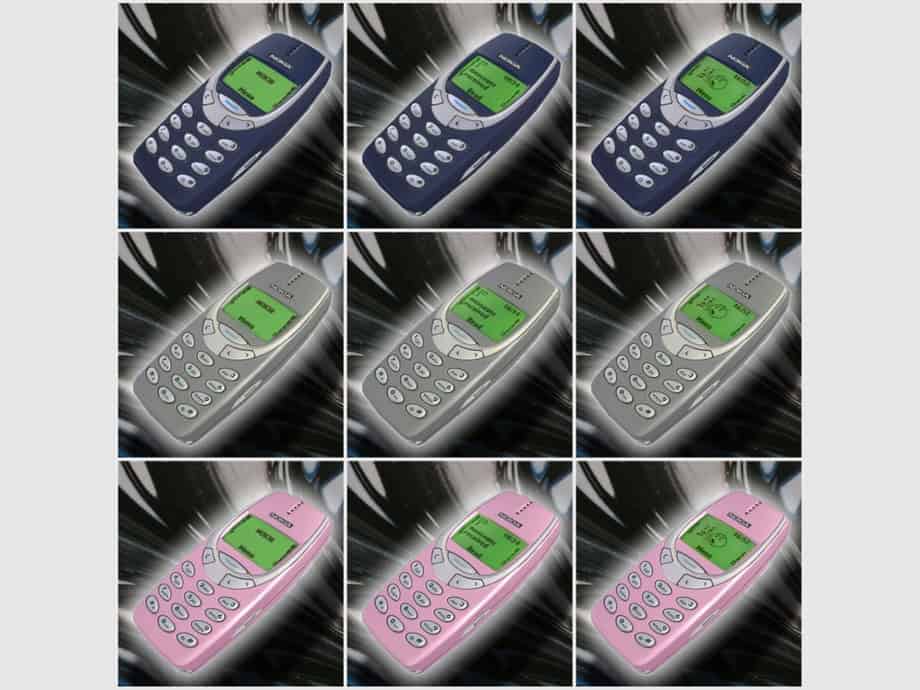
Default Replacement Phone Nokia 3310 is a phone override inspired by the legendary Nokia 3310. It’s one of my favorite Sims 4 phone replacements because of the nostalgic look and feel. It replaces the standard Sims 4 smartphone with the classic brick-style mobile phone, complete with its small screen and physical keypad.
You can choose from blue, grey, and pink case colors, with three different screen options available for each color. This brings the total to nine versions, so pick the combination you prefer.
Click on the attached link for more information on this Sims 4 phone replacements cc.
Pro Max Phone – MS2
Download: Pro Max Phone – MS2
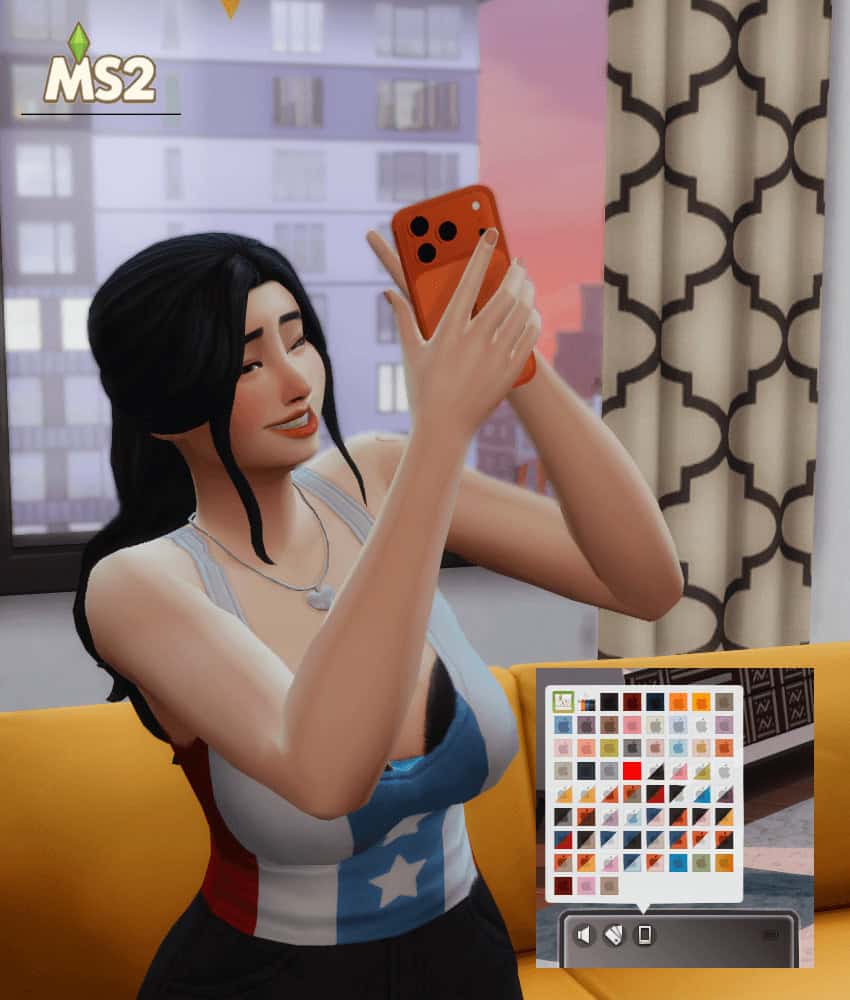
If you’re looking for a sleek, modern phone replacement, check out the Pro Max Phone – MS2. This smartphone override is inspired by the Pro Max style. It replaces the default Sims 4 phone with a slimmer, more realistic model and comes in a large selection of colors and patterns to match different aesthetics.
You can use this replacement with the base game. Since it’s a default override, make sure you only have one phone replacement installed in your Mods folder at a time.
Switch-a-Phone (Phone Override)
Download: Switch-a-Phone (Phone Override)
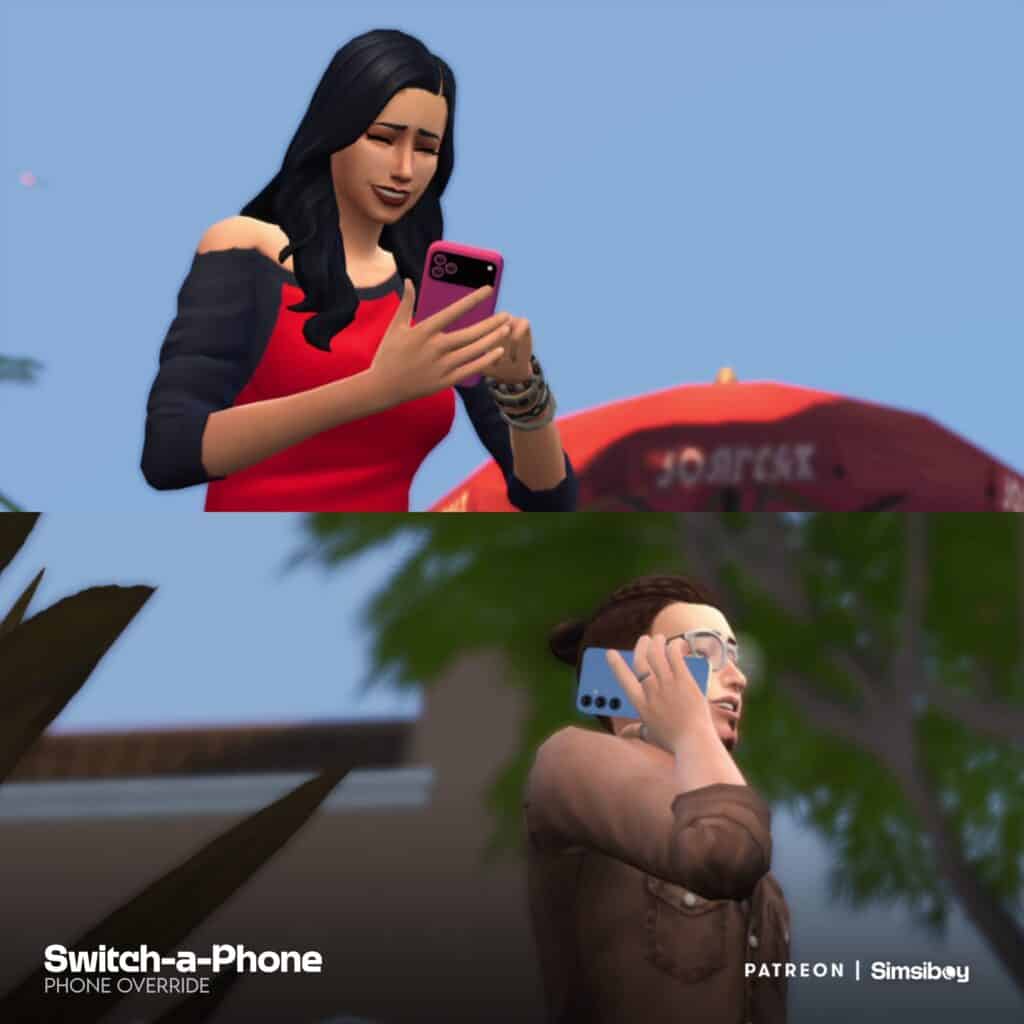
Switch-a-Phone (Phone Override) is a unique replacement for players who don’t want every Sim walking around with the same phone model. Instead, this override lets you use three different models, including Apple- and Android-style smartphones and a classic flip phone.
You can switch between the smartphone models through the phone case swatches by selecting a color with the corresponding Apple or Android logo. You’ll need to manually choose a phone for each Sim; otherwise, Sims will use the white iPhone option by default. The flip phone requires the High School Years Expansion Pack.
Keep in mind, the override only replaces the base game phone case swatches. Choosing a swatch without a phone logo can cause incorrect textures to appear. You may also see the custom case swatches inside the wallpaper menu due to how EA set up the phone customization system.
Cellphone Default Replacement
Download: Cellphone Default Replacement
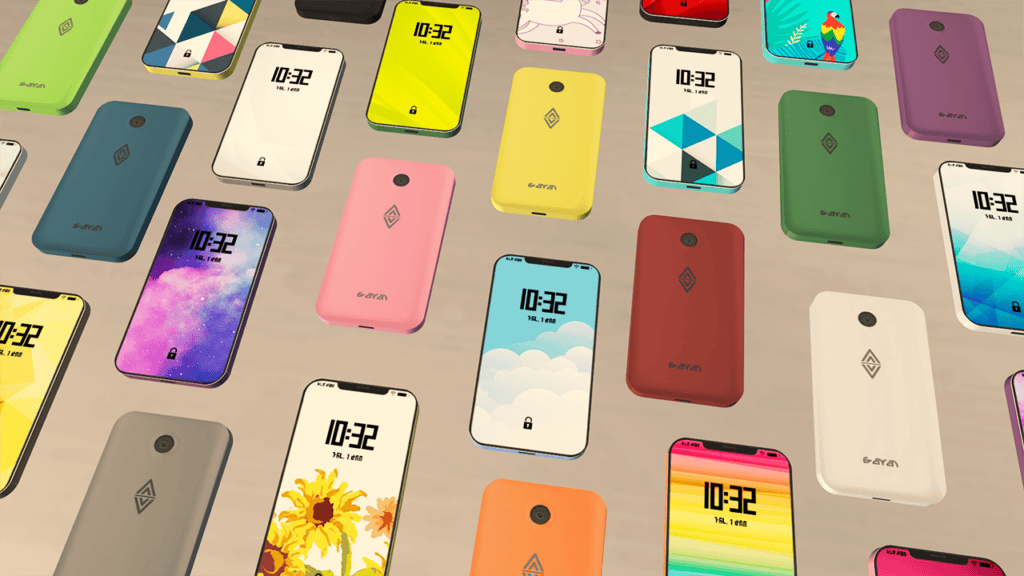
Cellphone Default Replacement is a modern smartphone override with 17 screen options and 14 cover options, so you can switch up both parts of the phone. The Sims 4 phone replacement adds the smartphone to the Buy catalog under Small Electronics for §300, and you can place it on community lots.
You’ll need Discover University to use this replacement, and you should only have one default phone override installed at a time. It’s also incompatible with the CEP-extra file named CEP-EXTRA_Cellphone, so delete this file before installing the replacement.
The December 2023 update fixed an issue where the phone sometimes wouldn’t appear as recolorable with the Design Tool. If you want to personalize the phone further, the creator also provides a PSD file. You can use it to create custom screen backgrounds using pictures of loved ones, pets, or anything else you want displayed on your Sim’s phone.
Apple iPhone 17/18 Pro Max
Download: Apple iPhone 17/18 Pro Max
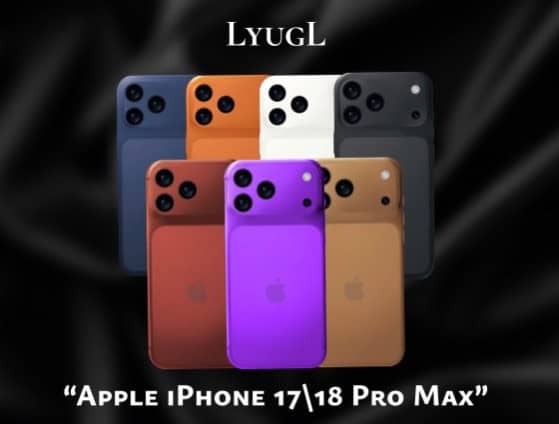
Apple iPhone 17/18 Pro Max is a default phone replacement with two modern iPhone models to choose from. The override comes with seven options in total, including four iPhone 17 Pro Max versions and three iPhone 18 Pro Max versions in colors like orange, purple, white, blue, and black.
If you’re looking for up-to-date Sims 4 phone replacements, I highly recommend this set. Make sure you install only one version in your Mods folder at a time to avoid conflicts with the other replacements. Note that the download page is in Russian, but downloading the phone replacement is pretty straightforward.
My Melody Phone Override
Download: My Melody Phone Override
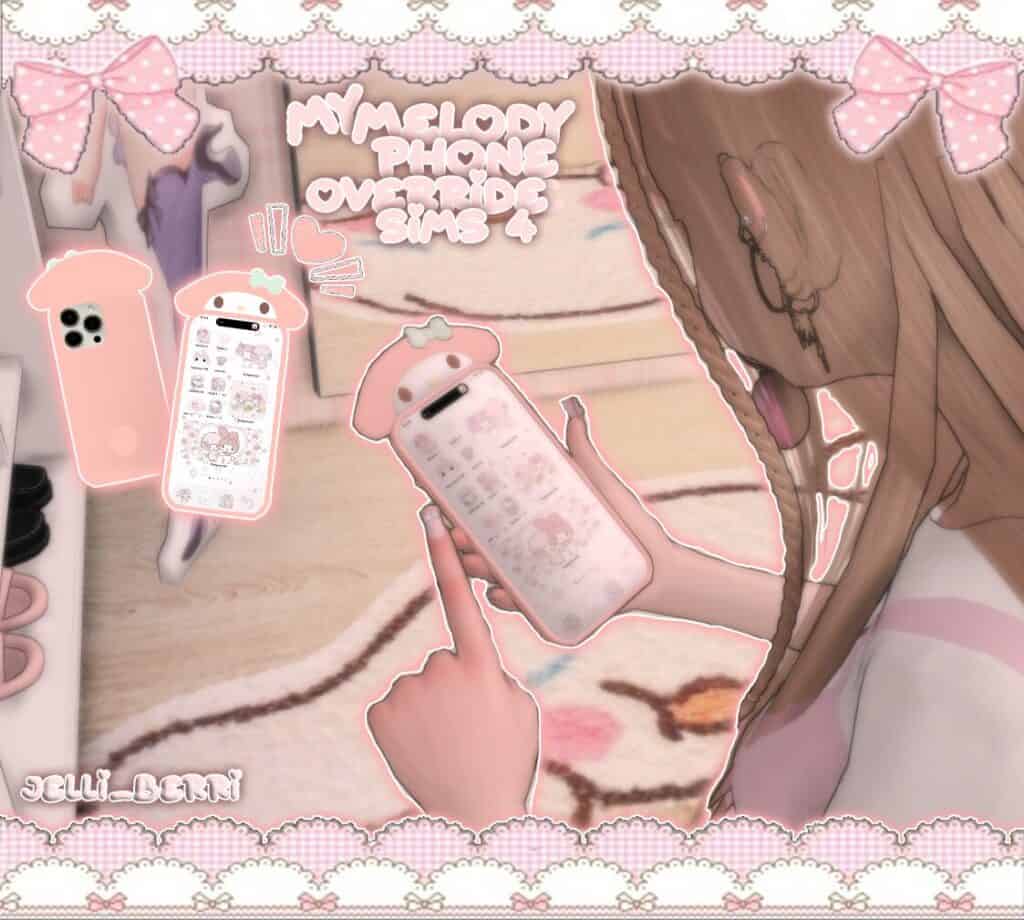
If you’re looking for a cute phone replacement, check out the My Melody Phone Override. This pink Sanrio-inspired option is covered in My Melody details. It replaces the standard EA phone with a custom pink model and matching My Melody screen, making it perfect for pastel, kawaii, or Sanrio-inspired Sims.
You can only have one phone override installed in your game at a time, so remove any other Sims 4 phone replacements from your Mods folder before installing it.
This set is compatible with the base game, meaning you won’t require additional EPs to use it.
RELATED POST: 27+ Best Sims 4 Kawaii CC for Adding Cuteness to Your Gameplay
My Sweet Piano Phone Override
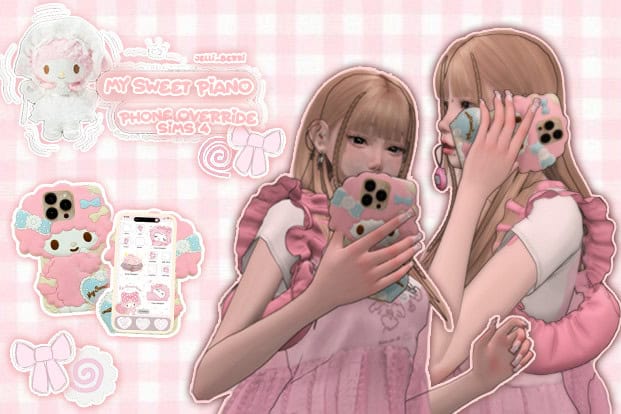
Download: My Sweet Piano Phone Override
My Sweet Piano Phone Override is a cute pastel phone replacement inspired by the Sanrio character My Sweet Piano. The phone comes in a soft pink color with an adorable My Sweet Piano case and a matching themed screen, making it perfect for kawaii, pastel, and girly Sims.
You can only have one phone override installed in your game at a time. Simply place the file in your Mods folder to install it.
Kuma Bear Phone
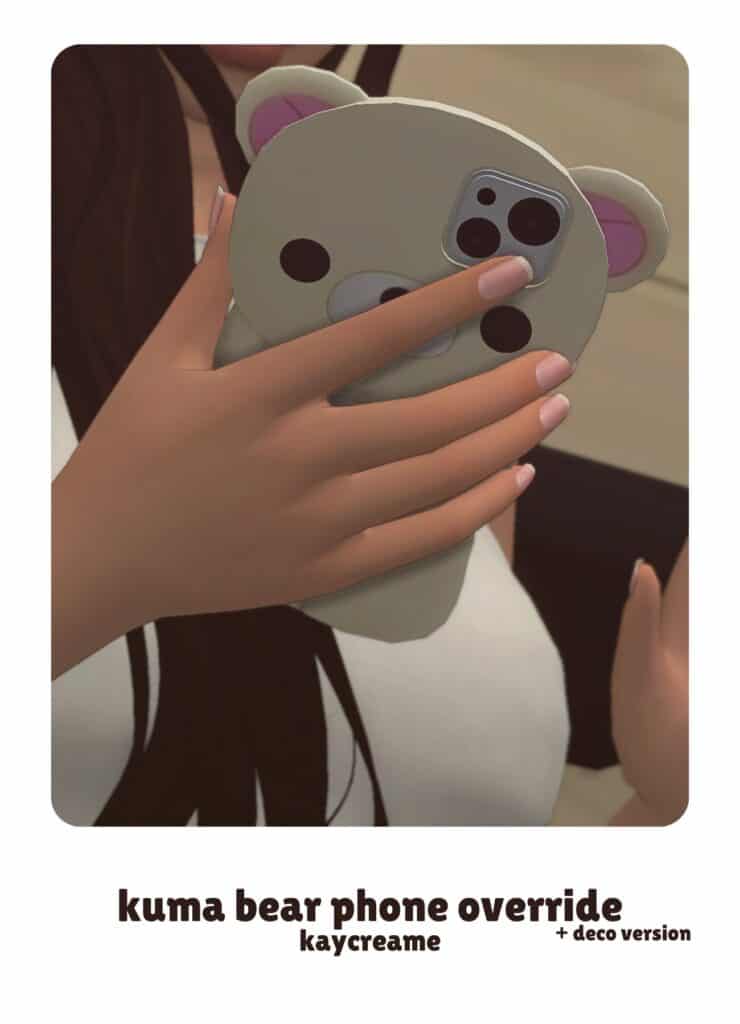
Download: Kuma Bear Phone
Kuma Bear Phone is an adorable bear-shaped phone override with rounded ears, a cute bear face, and a modern camera setup on the back. It’s a fun option for cute, kawaii, or cozy Sims who need something more playful than the standard in-game phone.
The download also comes with deco versions you can use in builds, and you can recolor the home screen for further customization.
Momo CC – Cutie Phone Override
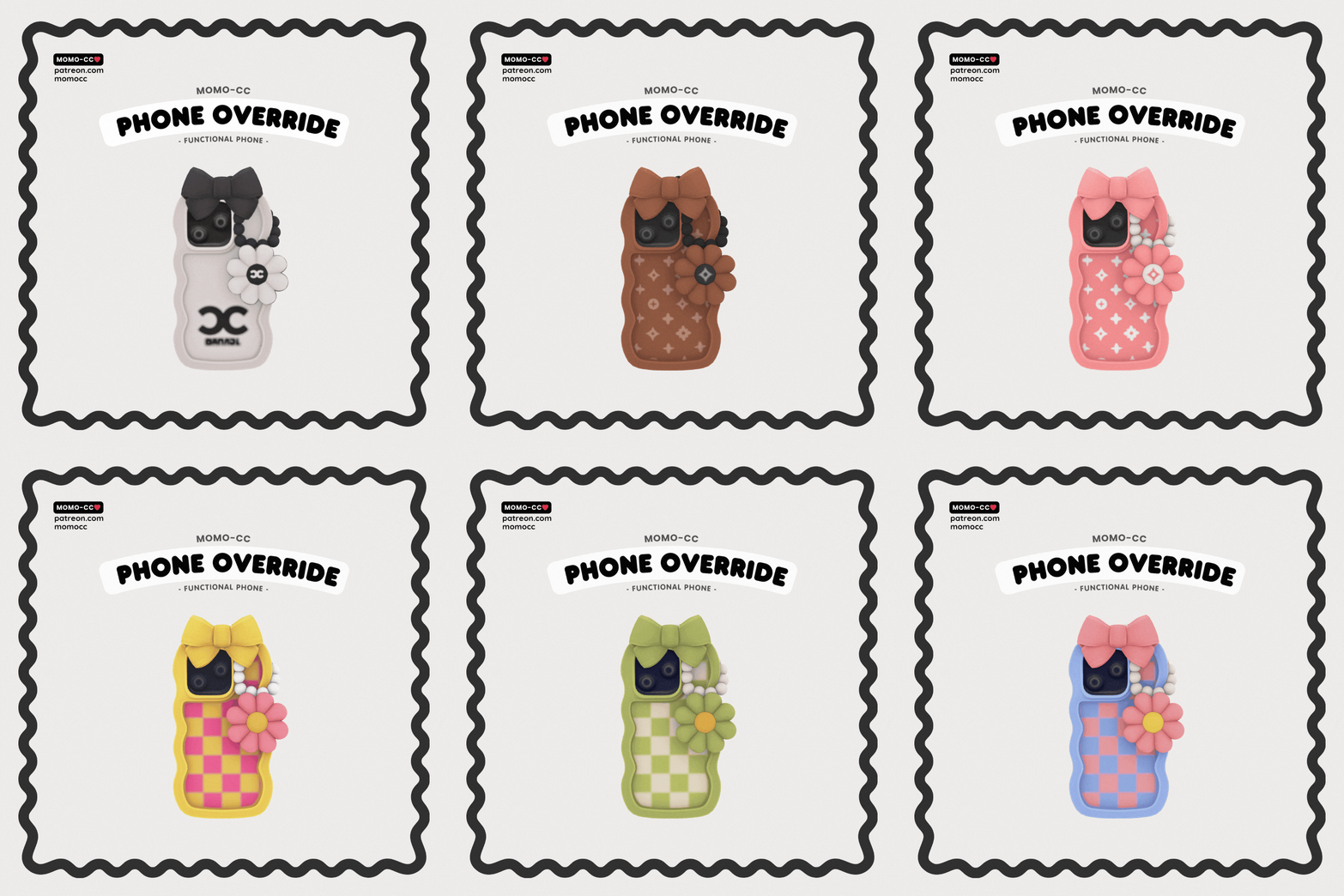
Download: Momo CC – Cutie Phone Override
Momo CC – Cutie Phone Override is a functional phone replacement made for players who want something much cuter than the standard Sims 4 phone. It replaces the usual phone with a playful model decorated with a wavy phone case, oversized bow, and dangling flower charm. The nine colorful swatches range from soft pastels to brighter shades, so you have plenty of options for different Sims and aesthetics.
Phone overrides conflict with each other, so you should only have one installed at a time.
Sims 4 Phone Overrides
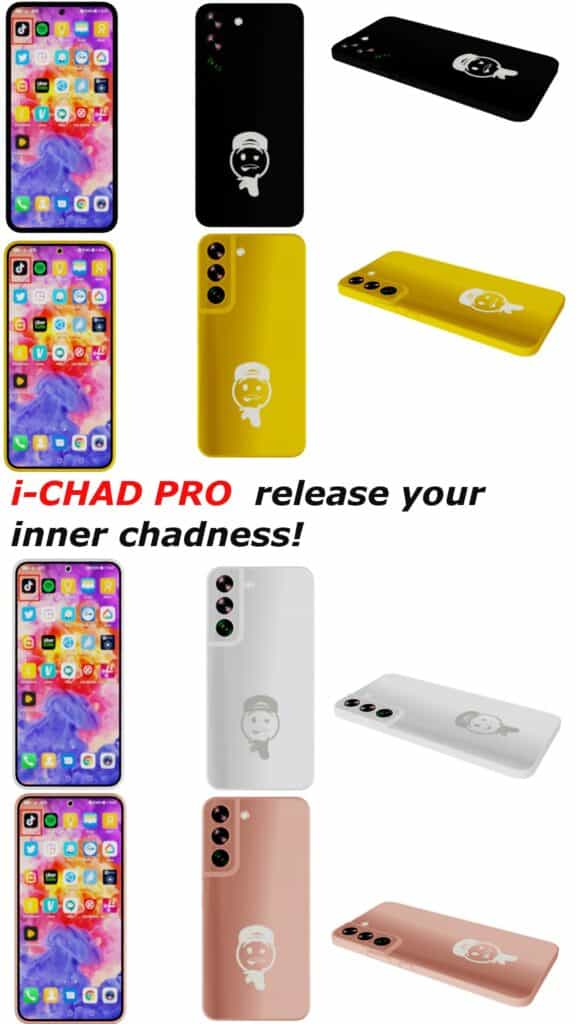
Download: Sims 4 Phone Overrides
Sims 4 Phone Overrides are modern smartphone replacements inspired by a sleek Android-style phone. The phone has a slim shape, triple-camera setup, colorful app-filled screen, and a small character graphic on the back. It’s a great option if you want to replace the standard Sims 4 phone with something more realistic and current.
The download comes with six separate color packages:
- Black
- Blue
- Gold
- Rose Gold
- White
- Yellow
Remember to install just one color in your Mods folder and remove any other phone overrides first.
My Phone 15 Pro Max Phone Override
Download: My Phone 15 Pro Max Phone Override
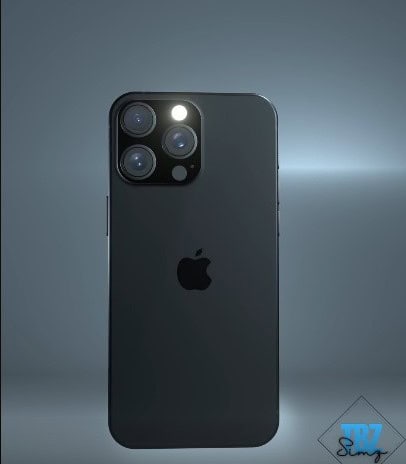
My Phone 15 Pro Max Phone Override is a modern replacement for the standard Sims 4 phone, and it’s modeled after the iPhone 15 Pro Max. It comes with four swatches, so you have a few colors to choose from while keeping the realistic smartphone look. The phone is fully functional, meaning your Sims can use it normally for calls, texts, social interactions, and other phone activities.
The download also comes with a deco version you can use as clutter around your Sim’s home. Search “TBZ” in Build/Buy Mode to locate it quickly.
Bear Cellphone
Download: Bear Cellphone
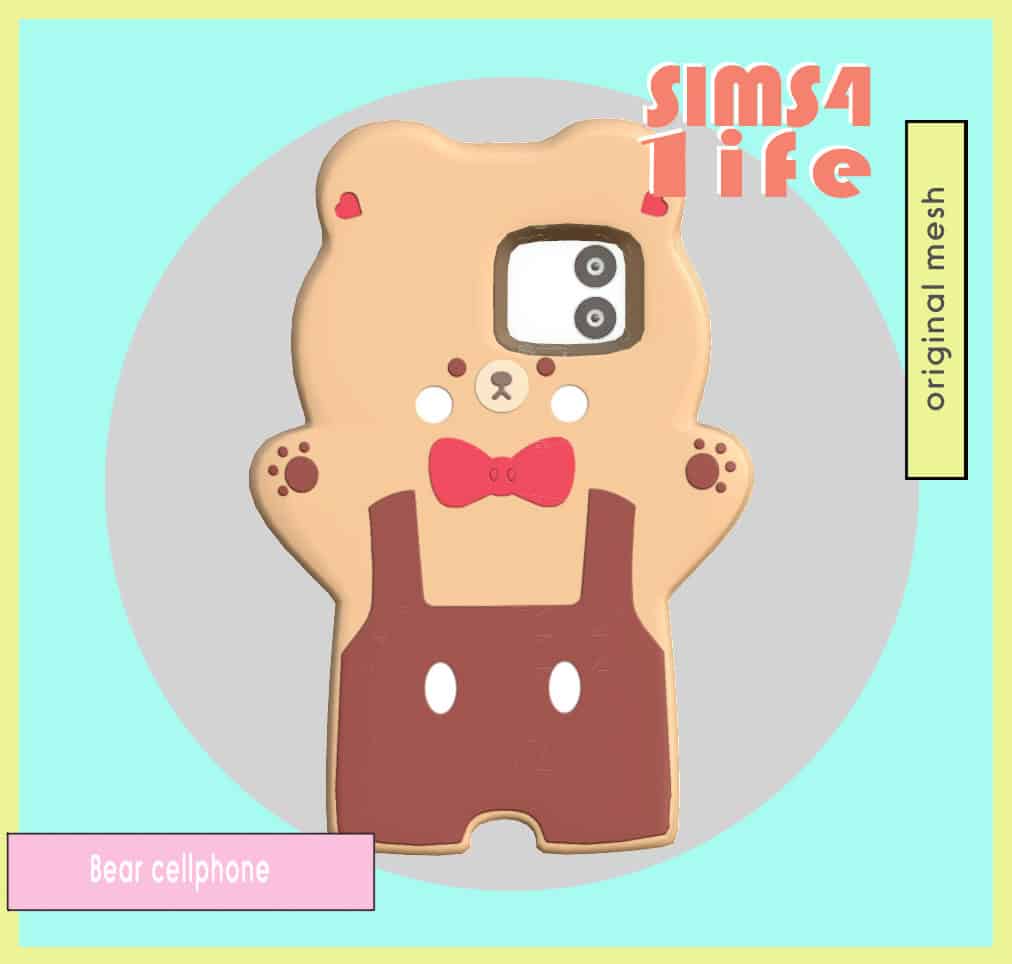
Bear Cellphone is a cute phone override shaped like a little bear, and it’s a fun alternative to the standard Sims 4 smartphone. The bear holds the phone screen in its belly, while the back has an adorable face, paws, heart details, and overalls. It comes in two color options: pink and light brown.
There’s also a deco version if you want to use the bear phone as clutter in your builds. Click on the attached link for more information on this set.
SimsiPhone 2
Download: SimsiPhone 2
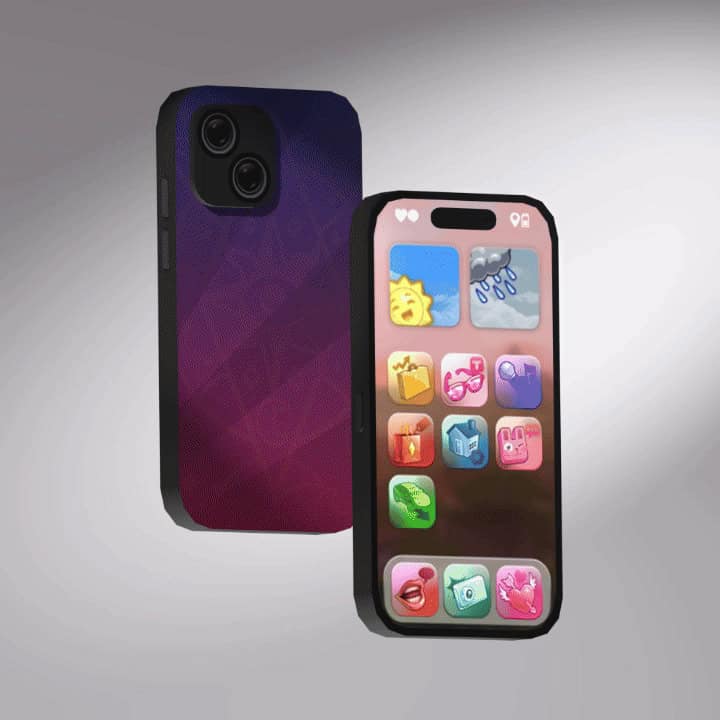
If you’re looking for a customizable phone replacement, SimsiPhone 2 is a great option. This Sims 4 phone replacement replaces the standard Sims 4 phone with a modern smartphone complete with an updated FreezerOS interface, colorful app icons, and a sleek shape.
You can customize the phone with a huge collection of case swatches, including solid colors, florals, patterns, graphics, stickers, and photo-covered options. This makes it easy to choose a phone matching your Sim’s style, whether you’re creating a cute, colorful, minimalist, or alternative aesthetic.
The creator also improved the phone model for smoother edges and better visuals in-game. Just note, some case swatches require the High School Years Expansion Pack.
BTS Samsung S20 – Replacement, Decorative, Functional
Download: BTS Samsung S20 – Replacement, Decorative, Functional
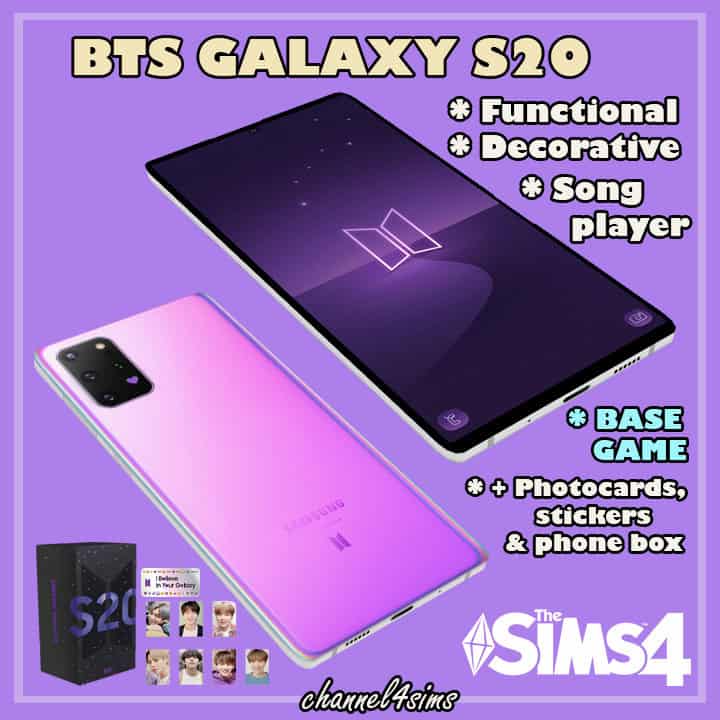
BTS Samsung S20 is a phone replacement and decorative CC set made for BTS fans. The main replacement swaps the standard Sims 4 phone for a Samsung S20-inspired phone with BTS styling. The set also comes with 25 phone swatches, so you have plenty of different BTS-inspired looks to choose from.
You also get decorative versions of the phone, a decorative flipped phone, BTS phone boxes, stickers, photocards, and a functional song player. The song player works like a radio, making it a fun addition to a BTS fan’s bedroom or music setup.
Keep these points in mind:
- The phone replacement applies to every Sim in your game.
- Remove the “channel4sims – BTS phone override” file from your Mods folder if you no longer want to replace the default phone.
- The functional song player works like a radio.
- The creator removed the visual music effect from the song player for a cleaner appearance.
Phone Override
Download: Phone Override
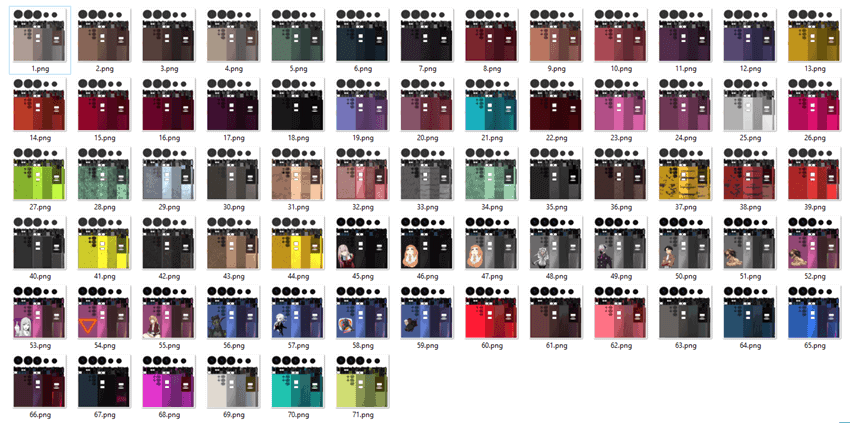
Phone Override is a complete replacement for the standard Sims 4 cellphone, with a new phone model and 71 case textures to customize its appearance. The cases range from simple solid colors to brighter patterns and themed options, so you can switch up the look depending on your Sim’s aesthetic.
You can also choose between three phone themes — Peony and Rose, Anime, and Standard — with seven new textures in each. Since this is an override, don’t install it alongside other Sims 4 phone replacements because the files will conflict.
To install:
- Create a folder named “Overrides” inside your Mods folder.
- Place files requiring priority, such as texture replacements and fixes, inside this folder.
- Open the !SER_KISYAN_Phone_screen_override folder and choose only one screen override option.
- Install !SER_KISYAN_Phone_case_override.
- Install !SER_KISYAN_Phone_Mesh Override.
- Only use one phone theme/override option at a time.
iPhone 11 Pro Max
Download: iPhone 11 Pro Max
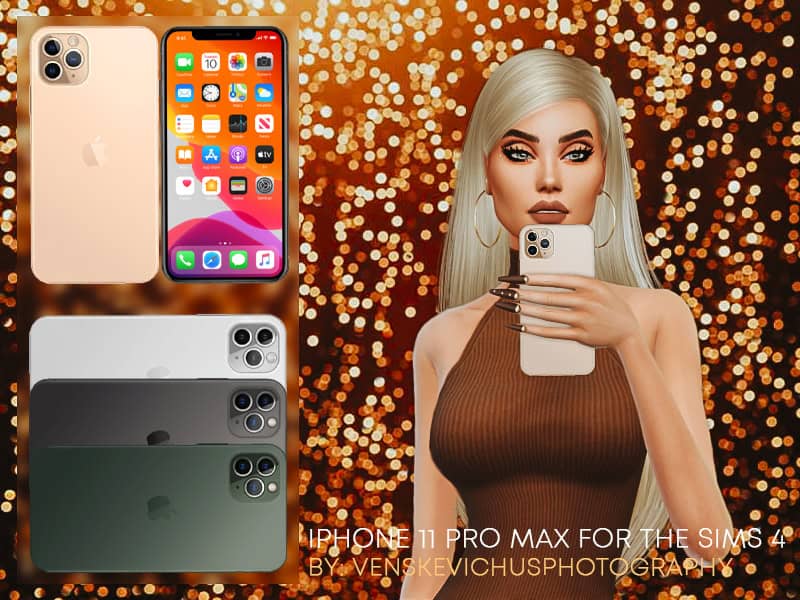
iPhone 11 Pro Max is a default phone replacement modeled after the real-world smartphone. It replaces the standard Sims 4 phone, making your Sim’s calls, texting, browsing, and other phone animations look more realistic.
The phone comes in four classic color options:
- Gold
- Silver
- Space Gray
- Midnight Green
Note that the game only displays one phone color at a time, so you should install only one of the four color options.
Functional Phone Override – Marbles
Download: Functional Phone Override – Marbles
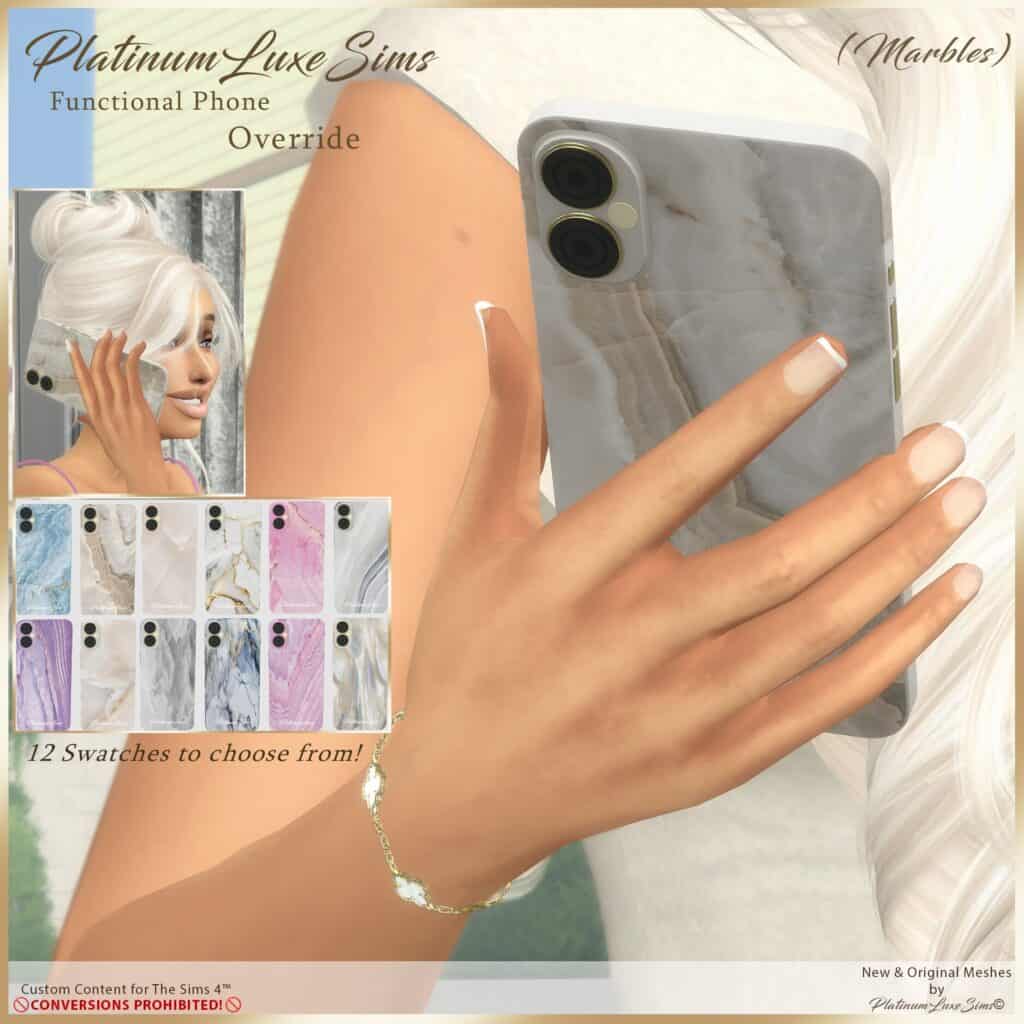
Functional Phone Override – Marbles is a phone replacement with a soft marble aesthetic. It replaces the phone your Sims normally use in-game with a marble-textured one in 12 swatches, including blue, white, gray, purple, and pink options with different veining and metallic details.
This is undoutedly one of my favorite Sims 4 phone replacements since it looks sleek and modern in-game. Remember that you can switch between the 12 marble versions whenever you want.
Sims iFlip (Phone Override)
Download: Sims iFlip (Phone Override)
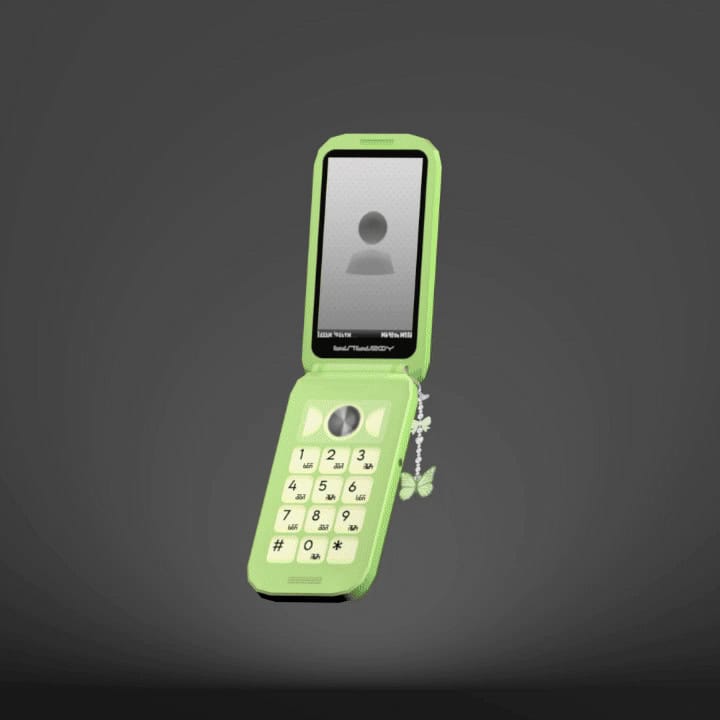
Sims iFlip is a phone override for players who want to replace the modern smartphone with a nostalgic flip phone. The open clamshell style comes with a physical keypad, small screen, and multiple colorful case swatches, making it perfect for Y2K-inspired gameplay.
The override only uses the Base Game phone case swatches, so avoid choosing cases from High School Years since the textures will appear incorrectly. Swatches with phone charms have a green dot, making them easy to identify.
RELATED POST: 30+ Best Sims 4 Y2K CC Finds for 2025
Aesthetic Phone + Icon Override
Download: Aesthetic Phone + Icon Override
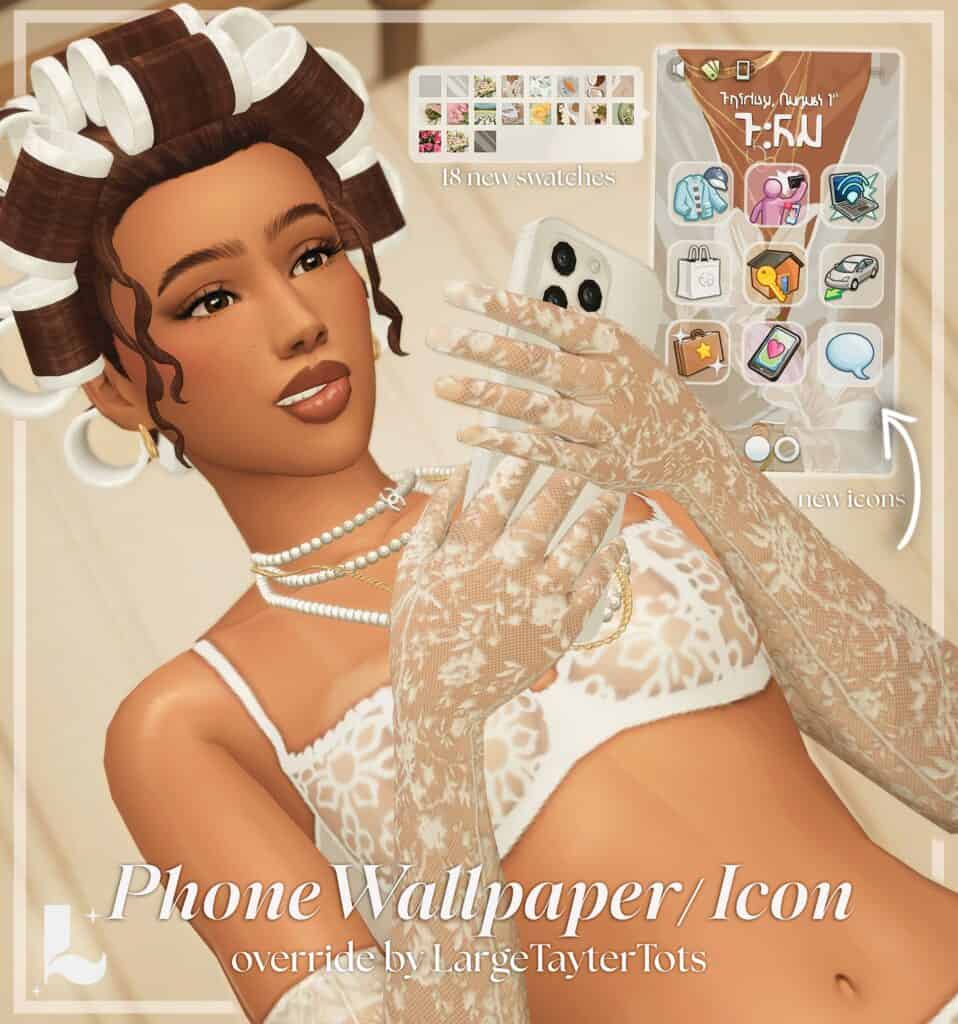
Aesthetic Phone + Icon Override is a phone replacement for creating a softer, more aesthetic in-game interface. It comes with 18 wallpaper swatches and also overrides the phone’s app icons, so the interface matches the new aesthetic.
Note that the first default wallpaper cannot be replaced, but you can choose from the remaining wallpaper options in-game. The creator recommends using ApricotRush’s Phone Case Default Replacement or Simkoos’ Plumbline Pro Collection if you want compatible phone cases.
Sims 4: Phone Wallpaper Override
Download: Sims 4: Phone Wallpaper Override
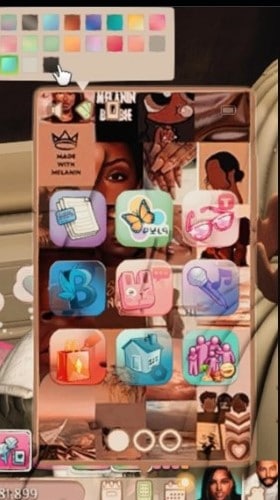
Completing this list is Sims 4: Phone Wallpaper Override, a fun customization option for refreshing the standard phone interface without changing the physical phone your Sim carries. It replaces the regular backgrounds with a variety of stylish wallpapers, ranging from colorful collages and patterns to more aesthetic options.
You can switch between the available backgrounds whenever you want to match your Sim’s personality, style, or current aesthetic. This works especially well if you enjoy personalizing individual Sims and want their phones to feel a little less generic.
FAQ on Sims 4 Phone Replacements and Overrides
What is a Sims 4 phone override?
A phone override replaces the default phone model, appearance, wallpaper, icons, or other visual elements your Sims use in-game. Some options replace the entire phone, while others only change specific parts of the interface.
Can I use multiple Sims 4 phone replacements at the same time?
Usually, no. If two overrides replace the same game files, they can conflict. Most creators recommend keeping only one phone replacement in your Mods folder at a time.
Can I use a phone model override with a wallpaper override?
Sometimes. A physical phone replacement and wallpaper replacement may work together if they modify different game files. Always check the creator’s instructions, especially if either download also replaces wallpapers or icons.
Why isn’t my Sims 4 phone override working?
Check whether you have another phone override installed first. Conflicting replacement files can prevent the new phone from displaying correctly. You should also make sure you extracted the downloaded files and placed the required package files in your Mods folder.
Why does my phone case look strange after installing an override?
Some overrides only support specific Base Game or expansion-pack case swatches. Choosing an unsupported case can cause stretched, misplaced, or incorrect textures. Follow the creator’s instructions when selecting phone cases.
Do phone overrides change how the phone works?
Most phone overrides are primarily visual replacements, so your Sim can continue using the usual phone interactions. However, some downloads may include additional functional objects or other extras, so check the individual description before installing.
Can different Sims have different phone overrides?
Generally, a default phone replacement applies across your game rather than to one individual Sim. You may still be able to customize cases, wallpapers, or swatches depending on the override you install.
How do I remove a Sims 4 phone override?
Delete the override’s package file from your Mods folder. If you want to install another default replacement, remove the old one first to prevent conflicts.
Conclusion
That’s it for my favorite Sims 4 phone overrides! Since Sims use their phones constantly, replacing the standard model is such a small change, but it can make everyday gameplay feel more personalized.
You can go realistic with an iPhone or Samsung replacement, bring back the Y2K era with a flip phone, or focus on customization with new wallpapers, cases, and app icons. Just remember to check which files each download replaces before combining overrides, and keep only one replacement when creators specifically require it.
I’ll keep adding new Sims 4 phone overrides to this list whenever I come across options worth downloading, so feel free to check back for more.
Packs this post uses
- The Sims 4 High School Years · Expansion Pack · PC/Mac EA app code on Amazon
- The Sims 4 Discover University · Expansion Pack · PC/Mac EA app code on Amazon
As an Amazon Associate we earn from qualifying purchases. Codes redeem in the EA app on PC or Mac.