
20+ Best Minecraft Multiplayer Mods to Download in 2026
Hey guys!
I’ve been looking for ways to make playing Minecraft with friends more exciting, and one thing I’ve noticed is how much the right mods can improve the multiplayer experience.
Sometimes, you want to create a private party with your friends, share your inventory and progress, or simply make it easier to find each other while exploring. You might even want to ride the same horse, send messages across long distances, or use funny emotes to interact with other players.
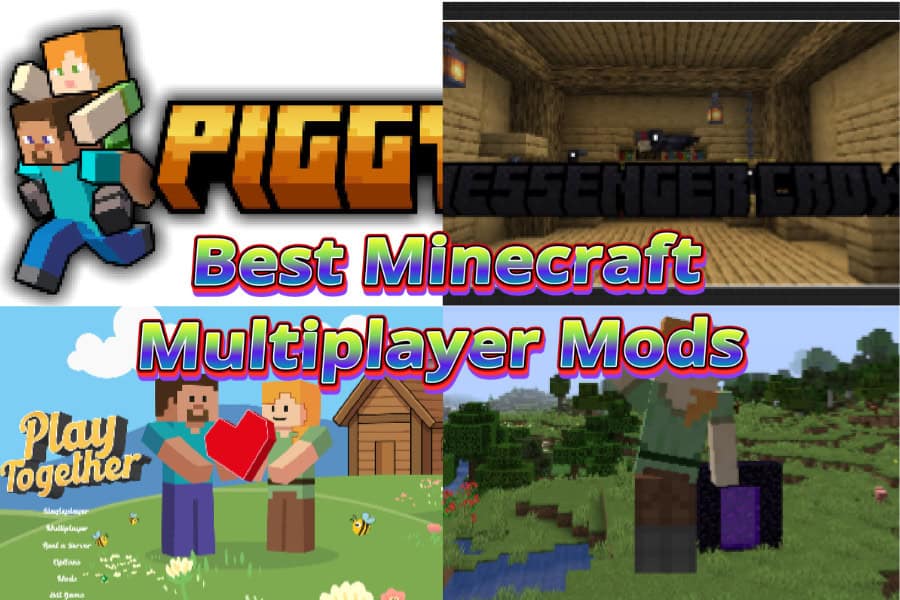
Luckily, there are plenty of Minecraft multiplayer mods you can download to make playing with friends more enjoyable. I’ve rounded up some of the best options, including party management systems, multiplayer communication tools, shared progression mods, and fun additions for cooperative gameplay.
Enjoy!
READ NEXT: 20+ Best Minecraft Farming Mods for Realistic Farming (2026)
Essential Mod
Download: Essential Mod
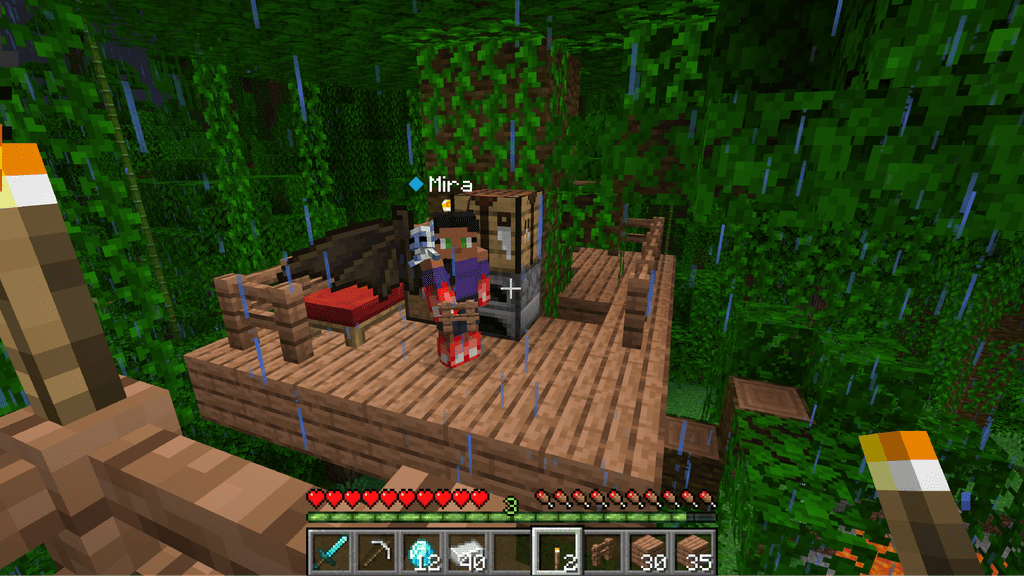
Essential Mod lets you host Minecraft worlds for free and invite your friends to play without setting up a dedicated server. You can create group chats, share pictures, send invitations, and stay connected with other players directly in the game.
The mod also comes with a skin manager, customizable outfits, cosmetics, and emotes to personalize your character. You can switch between accounts, change skins, take and edit screenshots, and use an advanced zoom tool.
Essential Mod supports Minecraft Java Edition and works with Fabric and Forge on supported versions. Use it alongside other mods and modpacks, provided your friends install the same mods before joining your world.
e4mc
Download: e4mc
e4mc is one of the best Minecraft multiplayer mods and it’s used worldwide. It lets you open your Minecraft LAN world to friends anywhere in the world without setting up a dedicated server. The mod uses reverse tunneling technology to make your local world accessible over the internet through a shareable public domain.
To use the mod, simply install it, open your Minecraft world to LAN, and copy the public domain generated alongside your local port. Share the address with your friends so they can join your world.
Note that only the host needs to install e4mc, so your friends can connect using vanilla Minecraft without downloading additional software. The mod is also open source and requires no complicated network configuration or port forwarding.
Simple Voice Chat
Download: Simple Voice Chat
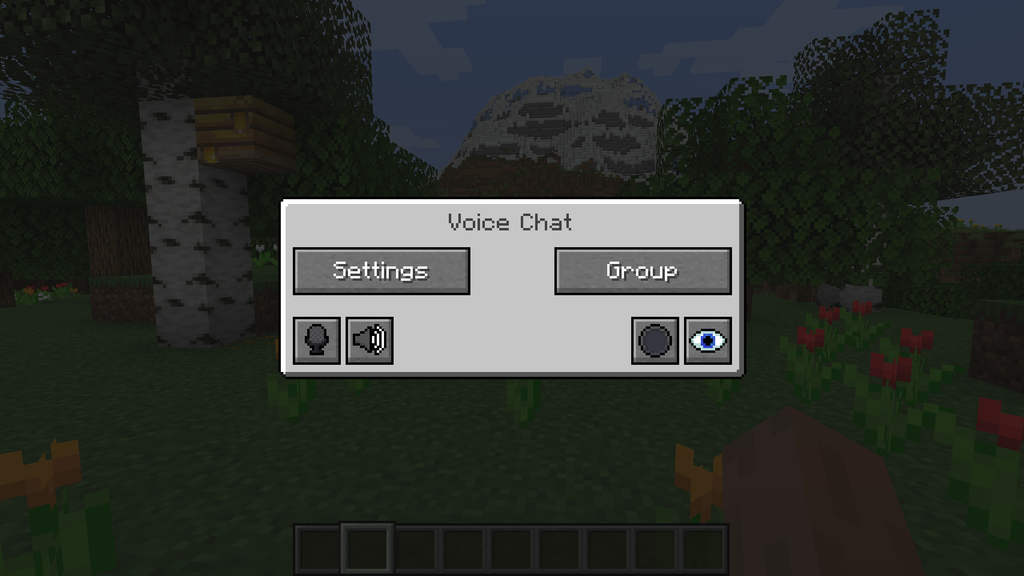
Simple Voice Chat is a mod designed to help you communicate with other Minecraft players using proximity-based voice chat. You can hear nearby players, whisper during conversations, or create private groups to talk with friends even when you’re far apart in the game.
The mod supports push-to-talk and voice activation, with adjustable microphone volume, noise suppression, and 3D audio for more realistic conversations. You can also create password-protected groups, adjust individual player volumes, and record conversations with separate audio tracks.
To access the voice chat menu, press V on your keyboard. From here, you can adjust your audio settings, mute your microphone, and manage group conversations.
The mod supports Fabric, Forge, NeoForge, and several server platforms. Note that server owners must configure voice chat and open the required UDP port (24454 by default) for it to work properly.
Waystones
Download: Waystones
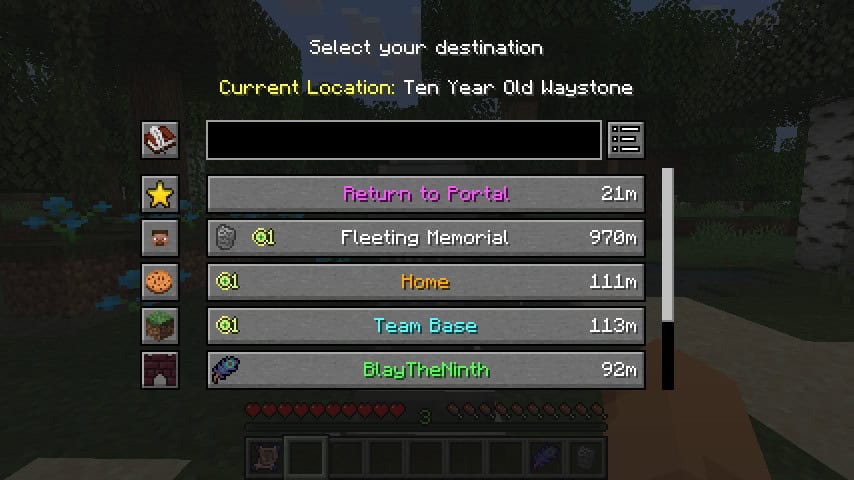
Waystones is one of the best Minecraft multiplayer mods for travelling. It adds teleportation blocks you can use to travel between different locations in your Minecraft world. Once you activate a waystone, you can return to it using another waystone, a Warp Scroll, or a rechargeable Warp Stone.
You can craft Waystones, Warp Plates, and Warp Scrolls to make traveling easier. The mod also adds waystone structures to villages and lets you create shared teleportation points for friends on multiplayer servers.
For multiplayer gameplay, you can set up community hubs, connect team bases, and travel between locations without relying on /warp or /home commands. You can also enable an optional teleport button in your inventory for quicker access.
You’ll need to install the Balm library alongside this mod. Minecraft 26.1 and newer versions also require Shogi.
Open Parties and Claims

Download: Open Parties and Claims
Open Parties and Claims lets you claim chunks of land, protect your builds, and create player parties in Minecraft. You can manage your territory, prevent unwanted players from modifying your structures, and organize groups for multiplayer adventures.
The mod also lets you force-load chunks and customize protection settings for individual players or parties. This mod integrates with Xaero’s Minimap and World Map, allowing you to view and manage claimed areas directly from your map. You can also use commands like /oclaims to manage land claims and /oparties to organize player groups.
Remember, the mod is currently in beta, so you may encounter occasional bugs or changes as development continues.
Chained Together – Multiplayer
Download: Chained Together – Multiplayer
Chained Together – Multiplayer is a cooperative Minecraft modpack inspired by the game Chained Together. You and a friend must explore, fight enemies, and survive while physically connected by a chain.
At the start, you’ll find a chain in your inventory, which you can use to bind yourself to another player. Once connected, you must coordinate every movement, from running and jumping to fighting mobs and avoiding traps. You can only break the chain using dragon’s breath, so you’ll need to work together until then.
The modpack also includes challenging dungeons, powerful bosses, legendary weapons, magical abilities, and hidden treasures. It’s one of the best Minecraft multiplayer mods for fun exploration.
This multiplayer modpack is designed for Minecraft Java Edition 1.20.1 using Forge.
Plasmo Voice

Download: Plasmo Voice
Plasmo Voice adds proximity-based voice chat to Minecraft, allowing you to communicate with other players using your microphone. It uses 3D positional audio, so voices sound louder when players are nearby and gradually become quieter as they move farther away.
The mod includes
- Push-to-talk and voice activation options
- Adjustable voice distances
- Noise suppression
- Individual player volume controls.
You can also enable sound occlusion to muffle voices through blocks or directional audio to make conversations feel more realistic. Press V in-game to access the voice chat settings, where you can select your microphone, adjust the activation threshold, and customize audio controls.
Plasmo Voice supports Fabric, Forge, and NeoForge clients, along with several server platforms, including Paper and Folia. Players without the client-side mod can still join supported servers, but they won’t be able to use voice chat. The mod also supports add-ons for additional functionality, including group voice channels.
Xaero’s Minimap
Download: Xaero’s Minimap
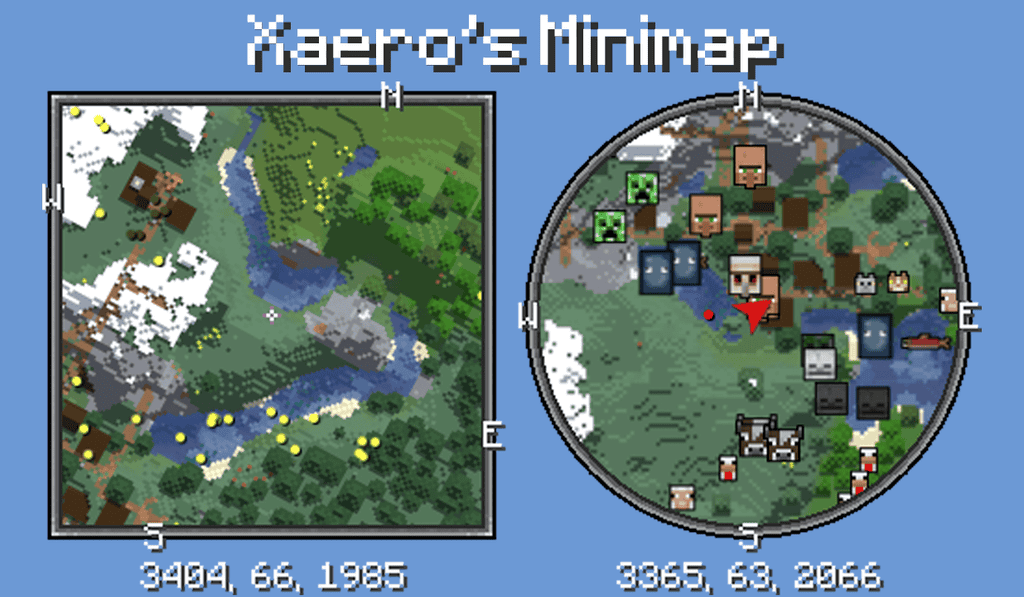
Xaero’s Minimap is a mod that adds a customizable map to the corner of your Minecraft screen, making it easier to navigate your surroundings, track nearby players, and locate mobs. The map blends with Minecraft’s vanilla aesthetic while offering several customization options, including square and circular layouts, adjustable zoom levels, and different map sizes.
You can create waypoints to mark important locations, such as your base, villages, farms, and mining spots. These markers appear on your minimap and in the game world, helping you find your way back after exploring. The mod also includes a cave mode for navigating underground areas and an entity radar for identifying nearby creatures and players.
Other useful options include terrain shading, customizable map colors, and the ability to enlarge the minimap by pressing Z. You can also pair it with Xaero’s World Map for a more detailed navigation experience.
Xaero’s Minimap offers two editions: Full and Fair-Play. The Fair-Play edition is designed for multiplayer servers with stricter PvP rules. The mod runs primarily on the client side, so you generally don’t need to install it on your server.
Xaero’s World Map
Download: Xaero’s World Map
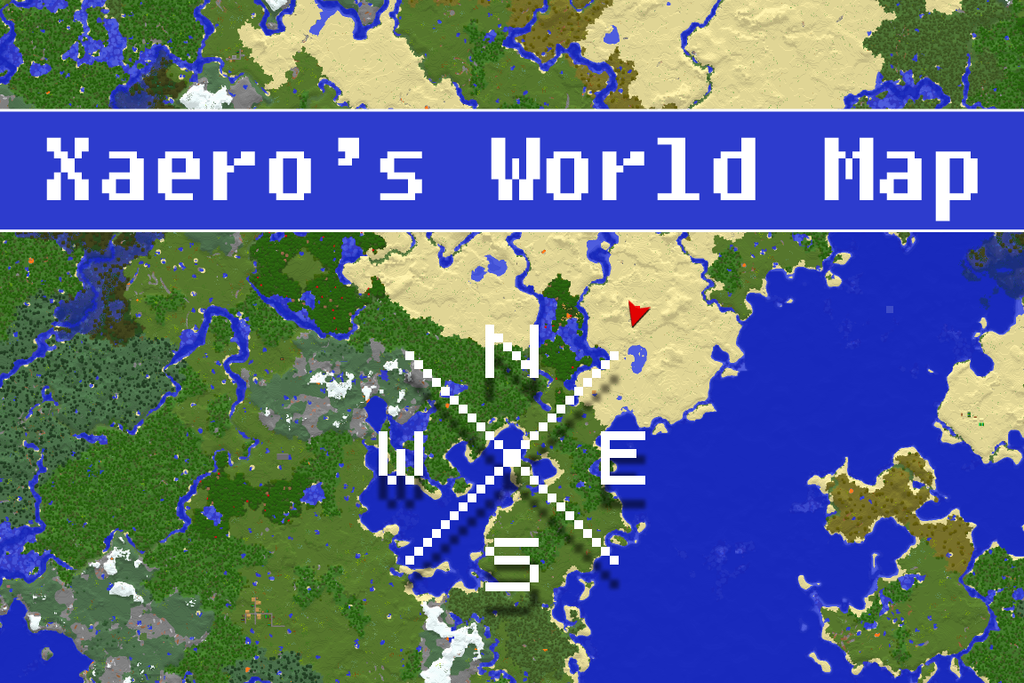
Xaero’s World Map is a mod that adds a full-screen map to Minecraft, allowing you to explore and navigate your world without relying on traditional paper maps. The map automatically records the terrain you’ve explored, making it easier to revisit locations, track your progress, and plan future adventures.
You can open the map by pressing M, move around using your mouse, and zoom in or out to examine different areas. The mod works in single-player, multiplayer, and Minecraft Realms, making it a useful addition to your multiplayer experience.
You can use Xaero’s World Map on its own, but pairing it with Xaero’s Minimap provides a more complete navigation system. The mod is primarily client-sided, so server installation is optional unless you need additional server-specific functionality.
Lootr
Download: Lootr
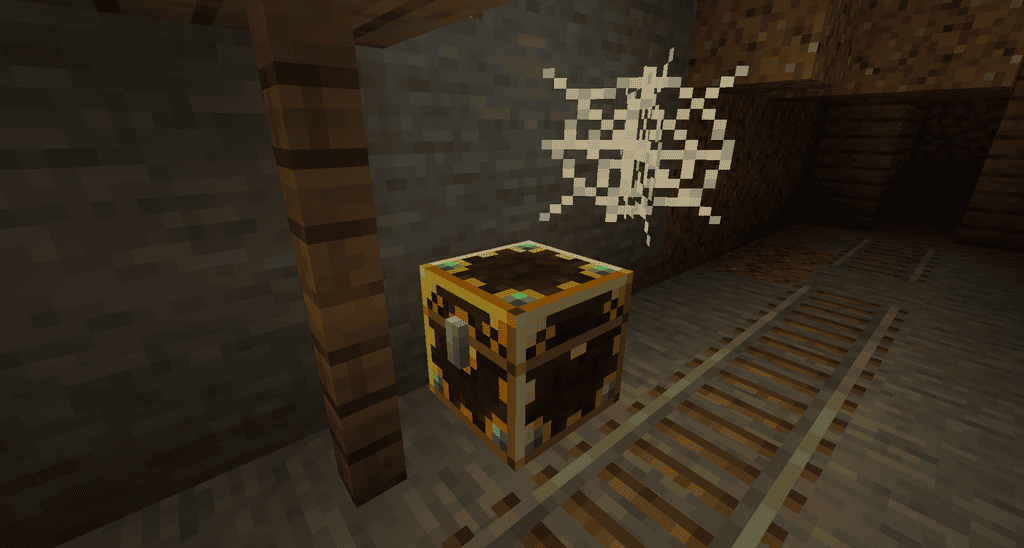
Lootr is one of the most useful Minecraft multiplayer mods. It transforms how loot chests work in Minecraft multiplayer, ensuring every player gets their own rewards when exploring structures. Instead of racing your friends to open treasure chests first, each player receives a separate inventory containing loot generated specifically for them.
The mod supports different containers, including regular chests, trapped chests, barrels, shulker boxes, and minecarts with loot tables. These containers have a distinct appearance, changing from gold to blue once you’ve opened them. This makes it easy to identify which chests you’ve already explored.
Lootr also encourages players to revisit existing structures rather than constantly generating new chunks in search of untouched treasure. This can help reduce world size, especially on busy multiplayer servers.
You must install Lootr on both the server and client for it to work properly. Keep in mind that removing the mod also removes containers converted by Lootr, so it’s worth backing up your world before making changes.
Head over to the description for a detailed YouTube video on how to install, configure, and use Lootr in your Minecraft world.
Open Parties and Claims – Essentials
Download: Open Parties and Claims – Essentials
Open Parties and Claims – Essentials makes managing multiplayer parties, land claims, and player permissions easier in Minecraft. It’s an add-on for the Open Parties and Claims mod, introducing customizable commands, private party chats, and more detailed control over claimed areas.
With this mod, you can create shorter commands for frequently used actions, making it easier to manage your multiplayer world without typing lengthy instructions. You can also communicate with party members through dedicated chat commands.
This is one of themost useful Minecraft multiplayer mods for survival servers where players share resources, build bases, and need protection against unwanted changes to their property.
You’ll need Open Parties and Claims installed to use this add-on. The newer 2.2+ interface also requires KotlinForForge on the client. Check the download page for the supported Minecraft versions and additional installation requirements.
Better Party
Download: Better Party
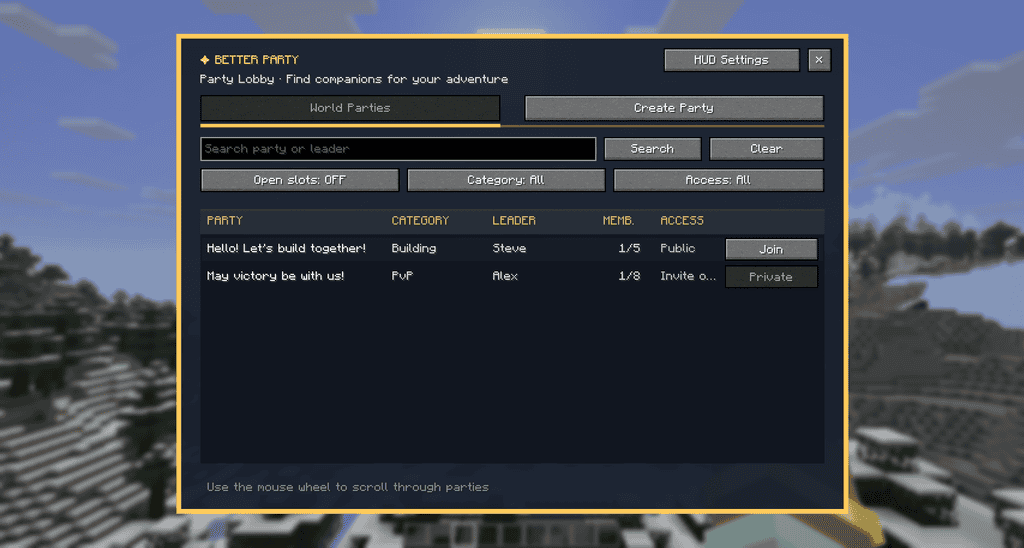
Better Party introduces an MMORPG-style party system to Minecraft, allowing you to create groups, communicate with teammates, and manage multiplayer adventures more efficiently. You can create public or private parties, invite friends, assign roles, and organize groups of 2 to 10 players, depending on the server’s limits.
The mod includes a party finder where you search for active groups by name, leader, category, or available slots. You can also create password-protected parties or choose an invite-only setup for private multiplayer sessions.
The mod integrates with Minecraft’s vanilla scoreboard team system, allowing compatible systems to recognize your party members.
Better Party is ideal for players who enjoy cooperative survival, dungeon exploration, PvP battles, and multiplayer building projects. It works in singleplayer worlds, LAN worlds, and dedicated servers. For multiplayer use, you’ll need to install Better Party on both the server and participating clients.
Chat Heads

Download: Chat Heads
Chat Heads adds player profile pictures next to messages in the Minecraft chat window, making it easier to identify who’s talking during multiplayer sessions. This means you can quickly recognize players by their Minecraft character heads instead of trying to remember their usernames.
This simple visual improvement is especially useful on busy servers where multiple players send messages simultaneously. It makes conversations easier to follow without changing the vanilla chat system.
Chat Heads is a client-side mod, meaning you don’t need to install it on the server for it to work. You can also customize its settings using Cloth Config and Mod Menu for Fabric, although these aren’t required for the mod to function.
Note that Chat Heads is incompatible with newer versions of OptiFine, particularly around Minecraft 1.20.1. The creator recommends using Sodium instead. Some servers may also require adjustments to the sender detection settings for player heads to display correctly.
Multiplayer for New Players

Download: Multiplayer for New Players
Multiplayer for New Players makes playing Minecraft online easier by introducing a collection of mods designed for multiplayer gameplay. Instead of setting up a traditional server, you can use this modpack to enjoy online adventures with friends.
The modpack focuses on creating a fun and accessible multiplayer experience, especially for beginners who aren’t familiar with complicated server setups.
It also adds guns for exciting battles, giving you more ways to compete against other players. Another interesting addition is the Create mod, which lets you build automated farms, machines, and mechanical systems. You can work with friends to design complex contraptions, automate resource production, and develop impressive builds.
If you’re new to Minecraft multiplayer and want a straightforward way to play with friends, this modpack is worth checking out.
Play Multiplayer in Single Player

Download: Play Multiplayer in Single Player
Play Multiplayer in Single Player lets you experience multiplayer-style gameplay in your Minecraft singleplayer world without setting up a traditional server. Designed for Minecraft Forge 1.12.2, this utility mod allows you to create and switch between multiple player identities within the same world.
Each identity has its own inventory, location, health, experience points, and saved progress. For example, you can create one character for building and another for survival adventures without losing progress on either profile.
When you launch a world, an identity selection screen appears, allowing you to choose an existing character or create a new one. To switch characters, simply leave the world and select a different identity before re-entering.
This mod is particularly useful for map creators, server administrators, and players who want to test multiplayer scenarios alone. You can simulate different player experiences, manage multiple characters, and experiment with local multiplayer setups without maintaining a dedicated server.
Play Together – Multiplayer, Shared Life, Inventory, and Progression
Download: Play Together – Multiplayer, Shared Life, Inventory, and Progression
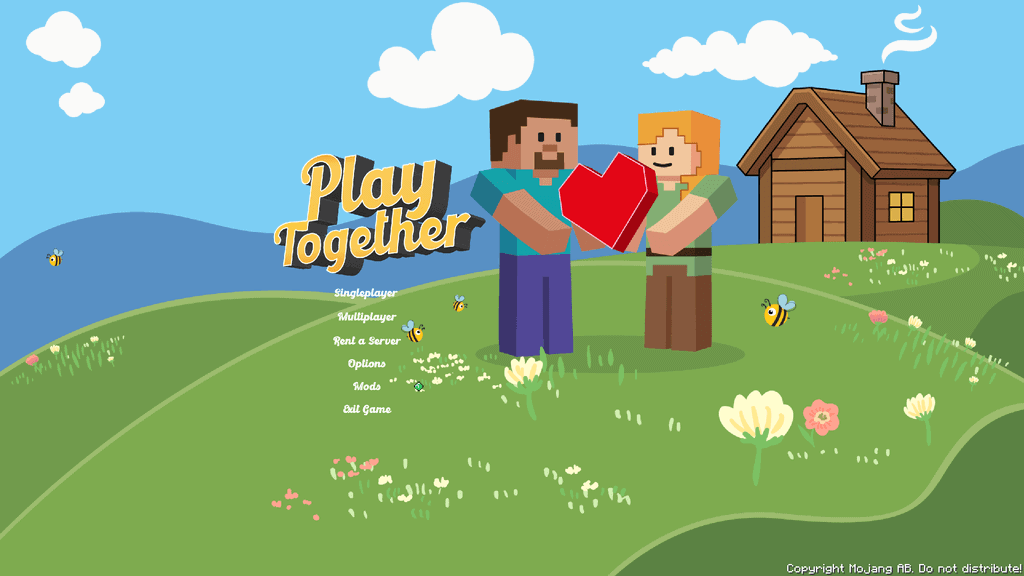
Play Together – Multiplayer, Shared Life, Inventory, and Progression transforms Minecraft multiplayer into a cooperative survival experience where everyone shares the same health, inventory, and achievements. This means you and your friends must work together to survive, explore, and complete challenges.
Note that each player’s actions affect the entire group. A poor decision during combat or exploration can cause your teammates to die or lose their items. This makes teamwork, communication, and careful planning essential, especially when exploring dangerous areas.
The modpack also includes additional content to make multiplayer adventures more exciting. You’ll encounter new animals, diverse biomes, generated structures, and dangerous dungeons to explore with friends.
If you’re planning to install this modpack, the creator recommends allocating at least 5GB of RAM to the Minecraft client for smoother performance. For multiplayer servers, a minimum of 6GB of RAM is recommended, although larger groups may require more.
This is one of the best Minecraft multiplayer mods for players who enjoy cooperative survival challenges and want a multiplayer experience where everyone shares the risks, rewards, and progression.
Messenger Crow
Download: Messenger Crow
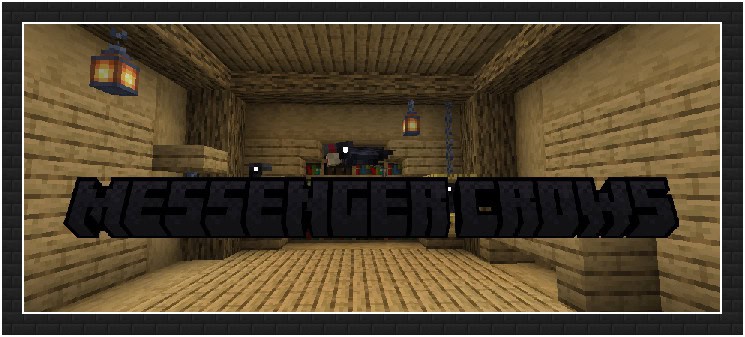
Messenger Crow introduces a unique way to communicate and trade with other players in Minecraft using adorable messenger crows. These birds can transport messages and items across long distances, making them useful for multiplayer servers where players live far apart.
You can tame a crow using beetroot and send it to another player with a scroll containing up to three lines of text and one item. Each crow is connected to a scarecrow, which acts as its home and prevents it from wandering too far.
The mod also includes several interesting additions:
- Messenger Crows: Tameable birds used to deliver messages and items between players.
- Scrolls: Store written messages and items for long-distance trading.
- Scarecrows: Spawn messenger crows when activated with flint and steel.
- Feathered Fan: A useful item you can flap to extinguish flames when you’re on fire.
- Phantom Crows: Special crows created when lightning strikes an ordinary crow.
Messenger Crow requires GeckoLib to function. Note that the Minecraft 1.21.1 version is reported as not working in multiplayer, so check for updates before installing it on a server.
Emotecraft (Forge)
Download: Emotecraft (Forge)
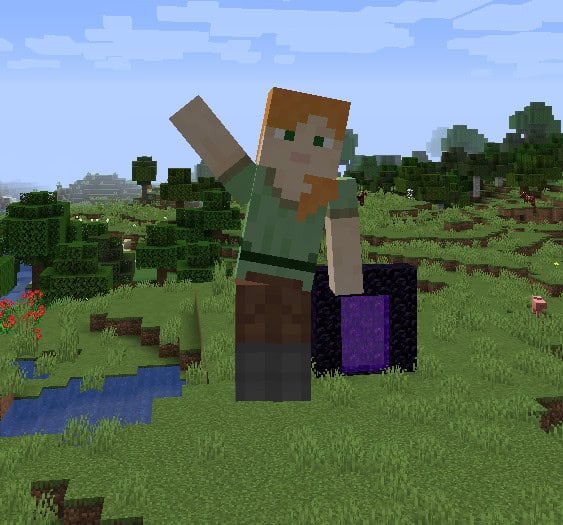
Emotecraft (Forge) is a mod that adds fun animations and emotes to Minecraft, allowing players to express themselves beyond the usual character movements. You can wave at friends, perform different gestures, and create custom animations to make multiplayer interactions more entertaining.
The mod comes with several customization options, including:
- Built-in Emotes: Access ready-made animations, such as waving, to interact with other players.
- Custom Emotes: Create personalized animations and use them in your Minecraft world.
- Emote Creation Tools: Design custom movements using Blender or Blockbench.
- Server Synchronization: Automatically sync emotes with other players without manually sharing files.
- Emote Selection Wheel: Press B to open a convenient menu and select your preferred animation.
You can use Emotecraft on multiplayer servers, including servers running different supported mod loaders.
Riding Partners
Download: Riding Partners
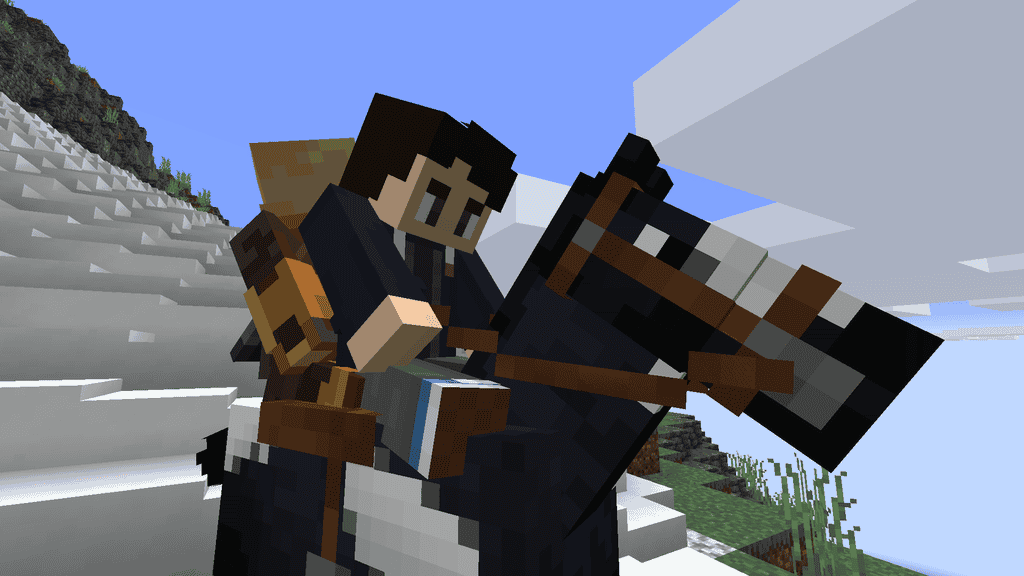
Riding Partners allows two players to ride the same horse in Minecraft, making multiplayer exploration more enjoyable and convenient. Instead of traveling separately or finding individual horses, you and a friend can share one mount while exploring different biomes, villages, and other locations.
One player takes the role of the rider and controls the horse’s movements, while the second player sits behind as a passenger. You can switch positions at any time, allowing both players to take turns controlling the horse.
The mod includes the following features:
- Allows two players to mount the same horse simultaneously.
- Gives the main rider complete control over the horse’s movements.
- Lets the passenger sit comfortably without controlling the horse.
- Allows players to switch between rider and passenger positions at any time.
Riding Partners is a great addition to multiplayer survival worlds, especially for friends who enjoy exploring together. It also makes traveling across long distances more convenient since you don’t need separate horses for every player.
Piggyback
Download: Piggyback
Piggyback lets Minecraft players carry each other on their backs, adding a fun and interactive element to multiplayer adventures. Instead of sitting awkwardly on another player’s head, your character rides naturally on their back, making the experience more realistic.
To use the mod, simply right-click a crouching player with an empty hand to hop onto their back. The person carrying you controls the movement.
The mod includes several interesting features:
- Piggyback Riding: Carry another player on your back using a natural riding posture.
- Player Stacking: Stack multiple players on top of each other to create a human tower.
- Multiplayer Support: Enjoy piggyback rides with friends in multiplayer worlds.
- Movement Restrictions: The carrier cannot turn around to look behind while carrying someone, similar to riding a boat.
- Adjustable Movement Speed: Enable an optional setting to slow down players while carrying someone.
Piggyback is a great choice for players who enjoy cooperative adventures, multiplayer challenges, and funny interactions with friends.
FAQ on Minecraft Multiplayer Mods
1. What are Minecraft multiplayer mods?
Minecraft multiplayer mods are modifications designed to improve how players interact in shared worlds. They can add new communication tools, party systems, shared inventories, custom animations, and other mechanics for cooperative gameplay.
2. What are the best Minecraft multiplayer mods for playing with friends?
Some of the best options include Better Party, Open Parties and Claims, Emotecraft, Lootr, and Xaero’s Minimap. These mods improve teamwork, communication, exploration, and resource collection.
3. Can I play Minecraft multiplayer without creating a dedicated server?
Yes. Minecraft allows you to open singleplayer worlds to LAN, and certain mods make it easier to connect with friends over the internet. Some multiplayer setups also allow you to host games directly from your computer without renting a dedicated server.
4. What Minecraft mods allow players to share inventories?
Certain cooperative mods and modpacks support shared inventories or progression. For example, Play Together is a multiplayer modpack designed around shared health, inventory, and achievements.
5. Can Minecraft multiplayer mods improve communication between players?
Yes. Mods such as Chat Heads, Better Party, and Messenger Crow introduce different communication options. These include improved chat interfaces, private party communication, and transporting written messages between players.
6. Are there Minecraft multiplayer mods for protecting builds?
Yes. Open Parties and Claims allows players to claim areas of their worlds and manage access permissions. This helps protect buildings, storage areas, and other important structures from unwanted modifications.
7. Can I use Minecraft multiplayer mods in Survival Mode?
Yes. Many multiplayer mods are designed specifically for Survival Mode. They can improve exploration, resource collection, teamwork, and communication without removing the core survival experience.
8. Do Minecraft multiplayer mods affect game performance?
Some mods can increase memory usage or server workload, especially those adding complex mechanics, new entities, or extensive multiplayer systems. Lightweight utility mods generally have a smaller performance impact. The effect depends on your hardware, mod selection, and number of players.
9. Can I use multiple Minecraft multiplayer mods together?
Yes. You can install multiple multiplayer mods to create a more customized experience. However, mods that modify similar systems, such as inventories, player permissions, or party management, may conflict. It’s best to test them before adding them to an established world.
10. Are there Minecraft multiplayer mods for roleplaying?
Yes. Mods such as Emotecraft, Piggyback, and Messenger Crow can make roleplaying more entertaining. They allow players to perform animations, carry friends, and exchange messages or items through interactive mechanics.
11. What Minecraft mods make exploring with friends easier?
Xaero’s Minimap, Xaero’s World Map, Better Party, and Riding Partners are useful for multiplayer exploration. They provide navigation tools, teammate location options, and ways to travel together.
12. How do I install Minecraft multiplayer mods?
Follow these steps to install Minecraft multiplayer mods:
- Download the mod from a trusted website such as CurseForge or Modrinth.
- Install the required mod loader, such as Forge, Fabric, or NeoForge.
- Open your Minecraft installation directory and locate the
modsfolder. - Move the downloaded mod file into the folder.
- Install any additional dependencies listed on the mod’s download page.
- For mods requiring server installation, add the appropriate files to the server’s mods folder.
- Launch Minecraft using the correct modded profile and test the mod.
Always check the installation instructions to determine whether the mod needs to be installed on the client, server, or both.
Conclusion
That’s it for my list of the best Minecraft multiplayer mods to download in 2026. I’ve included a variety of options to help you communicate with friends, manage multiplayer parties, share resources, and explore your worlds together.
I think mods like Better Party, Lootr, and Xaero’s Minimap are especially useful for survival servers where teamwork and exploration are important. For something more entertaining, Emotecraft, Piggyback, and Riding Partners are great additions for creating fun moments with friends.
Before downloading any of these mods, make sure you check the supported Minecraft versions, required mod loaders, and installation instructions. I hope this list helps you find some exciting multiplayer mods to try in your next Minecraft adventure. Happy gaming.