25+ Best Sims 4 Ear Presets CC for Unique and Custom Ear Shapes in CAS
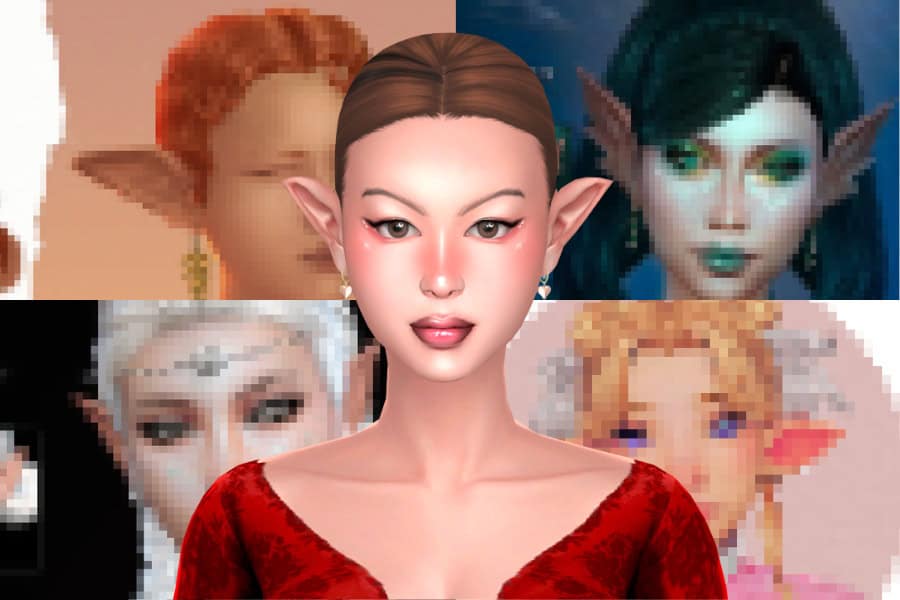
If you’re looking for a simple way to change your Sim’s facial structure, Sims 4 ear presets are a great place to start. These presets replace the default ear shapes in Create-a-Sim, letting you quickly apply new ear structures without manually sculpting them.
In this list, you’ll find some of the best Sims 4 ear presets that add new ear shapes, fantasy designs, and unique profiles to CAS. You can use these presets to make your Sims look more distinct or natural, depending on the vibe you’re going for.
RELATED POST: 29+ Best Sims 4 Nose Presets CC For Enhanced Character Creation And Diverse Looks
Experimental Presets and Sliders
Download: Experimental Presets and Sliders
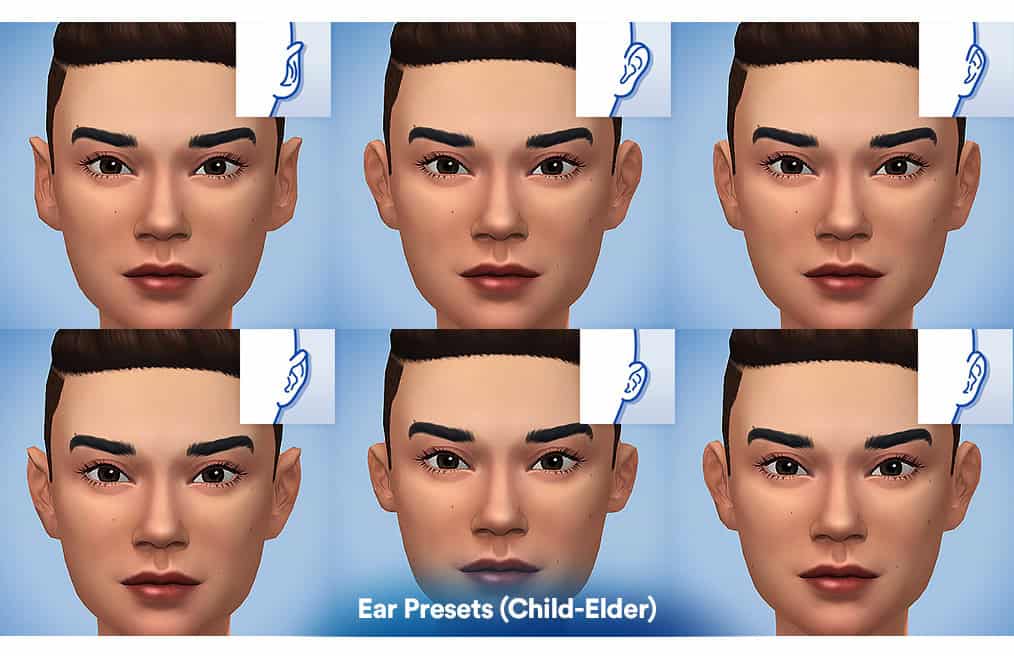
Experimental Presets & Sliders adds six ear presets and several CAS sliders to your game. The six different ear shapes are designed for Sims aged child to elders, and they appear in the Ear Presets section in CAS.
The mod also includes additional sliders for finer adjustments. The Ear Up/Down slider lets you move the ears vertically by dragging them in profile view. The Facial Asymmetry slider allows slight left or right facial variation.
You’ll also find Finger Thickness and Hand Size sliders, which adjust finger width and overall hand proportions. This is one of the most efficient presets you can download for more detailed Sim customization.
Ear Presets 01–03
Download: Ear Presets 01–03
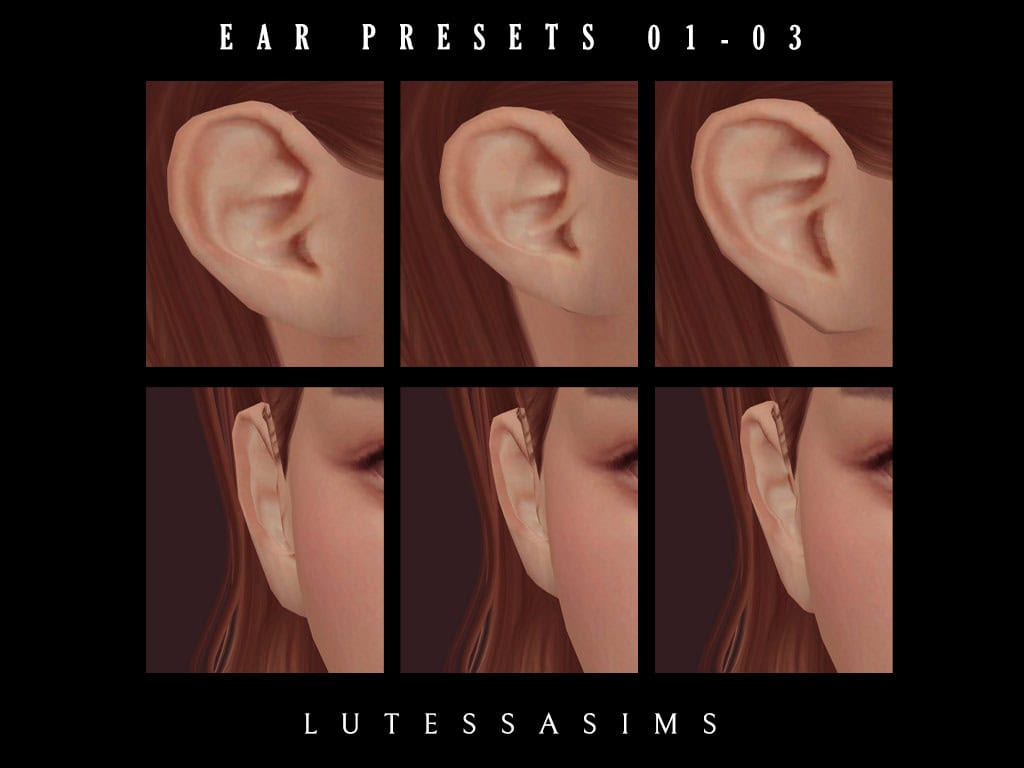
Ear Presets 01–03 features three ear presets that change your Sim’s overall ear shape. The presets create subtle variations in ear curve, helix shape, and lobe structure, giving you more options when refining a Sim’s side profile.
They’re available for male and female Sims aged from child to elder. I like using these to create more natural-looking and realistic ear shapes in CAS.
Ear Pack + Dev Kit II (Venus)
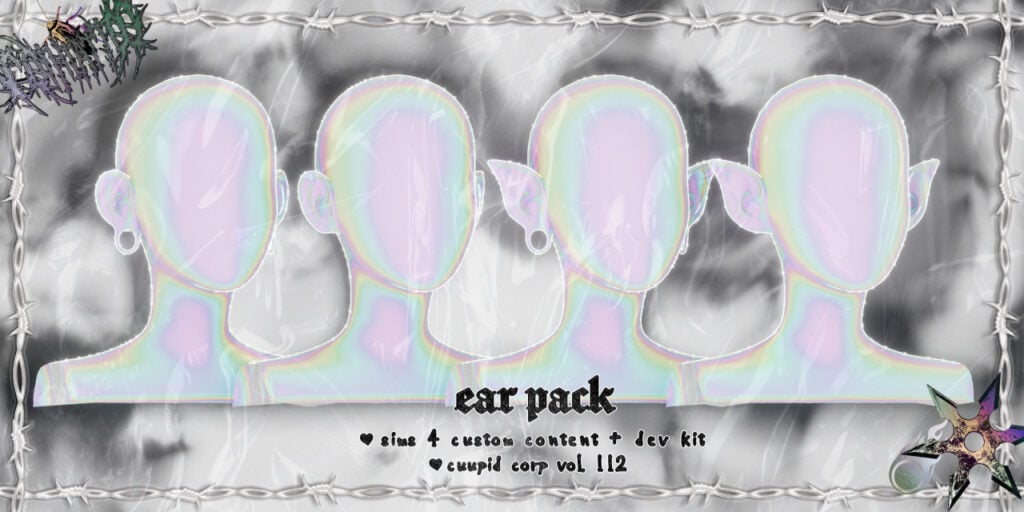
Download: Ear Pack + Dev Kit II (Venus)
If you’re looking for more variety in your Sim’s ear shapes, check out the Ear Pack + Dev Kit II (Venus). This Sims 4 ear presets pack adds four distinct options to your base game. The set includes Human, Human Gauge, Elf, and Elf Gauge ears, giving you both realistic and fantasy looks depending on the Sim you’re creating.
Polycounts range from 2.7k to 3.4k, making the ears detailed while still usable for regular gameplay.
Galactic Ear Presets
Download: Galactic Ear Presets
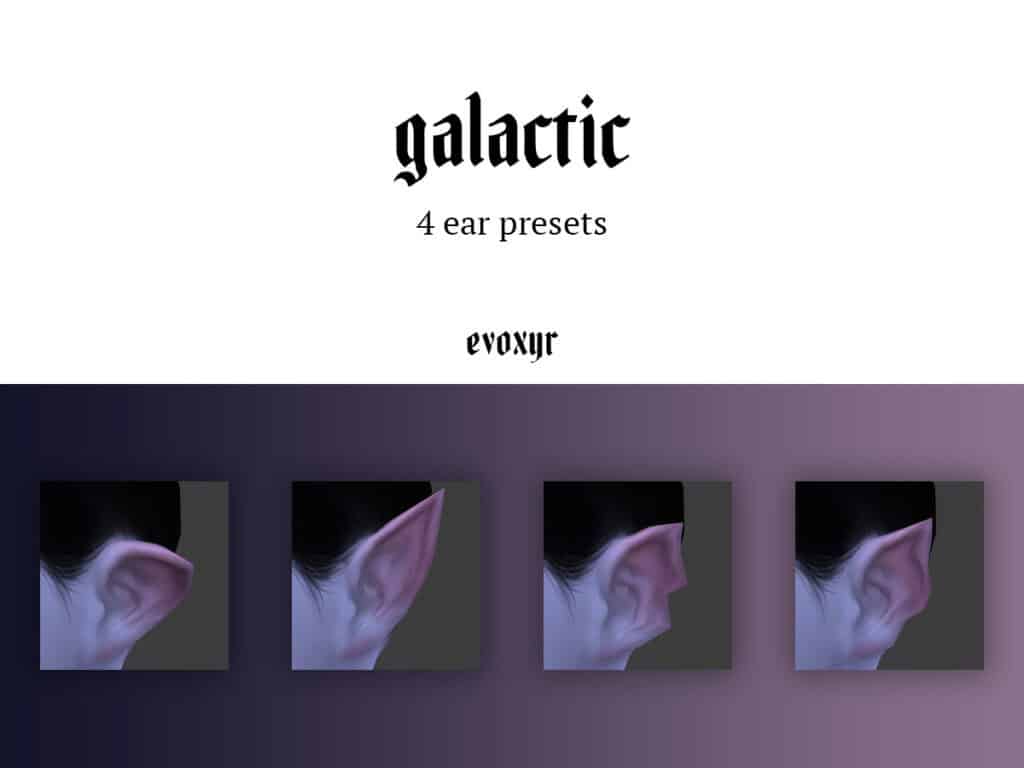
The Galactic Ear Presets pack contains four pointed Sims 4 ear presets designed for fantasy or alien-style Sims. The presets feature sharp, elongated ear shapes that stand out more than standard EA ears.
They’re enabled for all genders and frames, with Preset 05 available for all ages and Presets 06–08 available for children to elders. If you’re into occult or vampire gameplay, I highly recommend you get this pack.
RELATED POST: Must-Have Sims 4 Vampire CC for the Best Looking Vampires (2025 Update)
Ear Preset 2
Download: Ear Preset 2
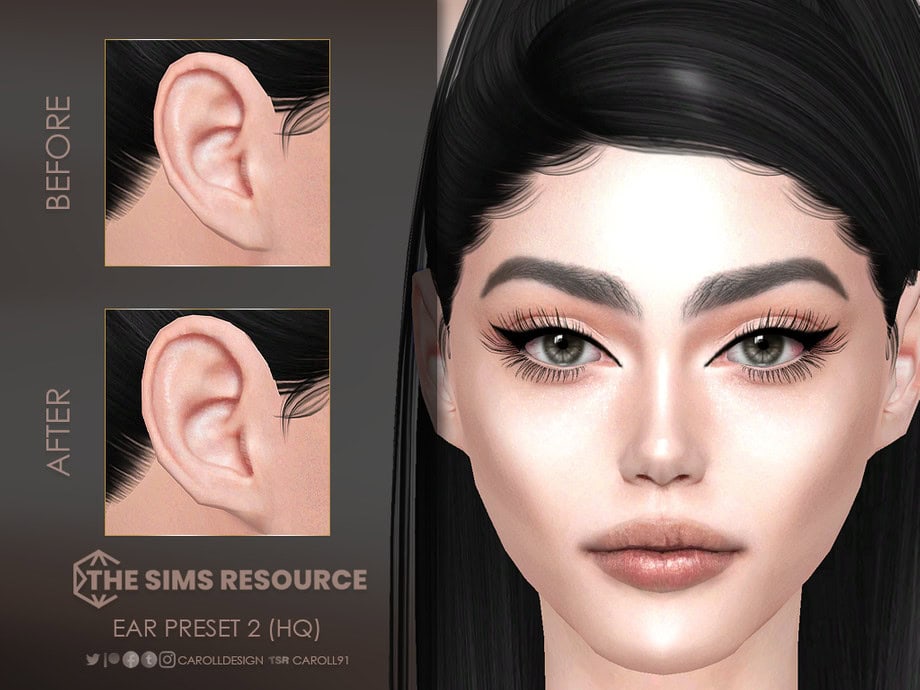
Ear Preset 2 is a medium-sized ear preset designed for female Sims. It comes with a small earlobe and a smooth outer curve. Use this to create natural-looking Sims for your family gameplay.
The preset is available for Sims aged teens to elder and works with most occult types except werewolves. The preset is also compatible with the HQ mod, delivering clear images in CAS.
Three Elvish Ear Presets
Download: Three Elvish Ear Presets
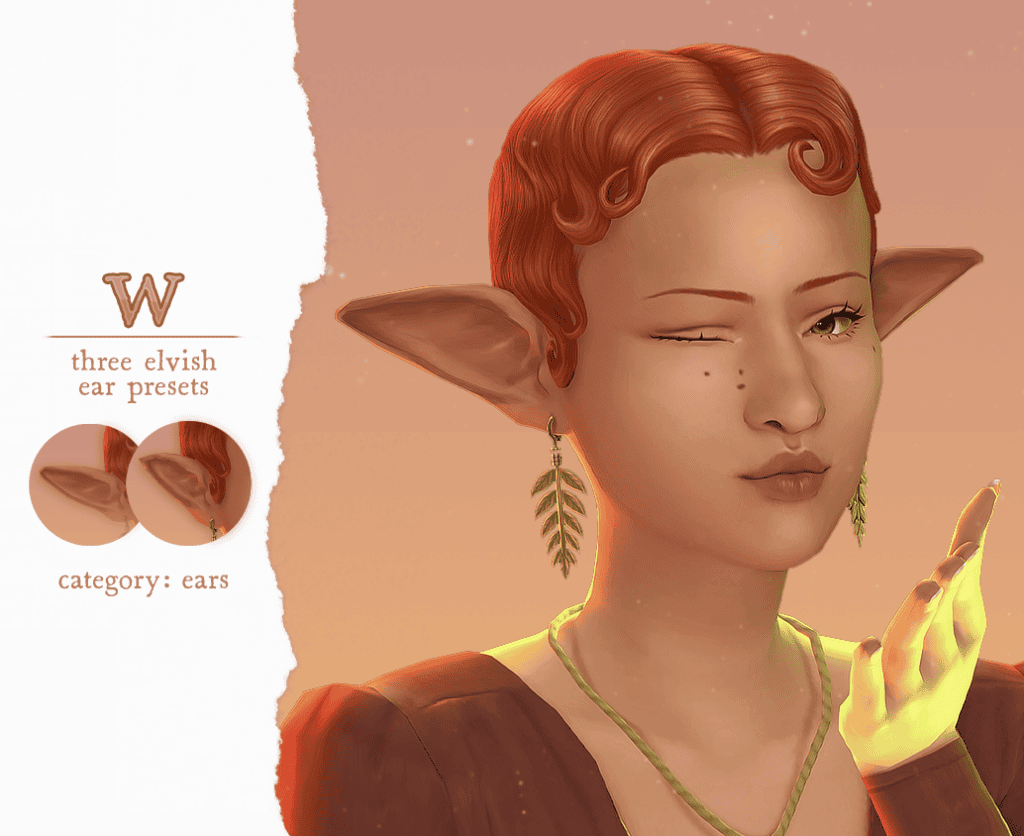
The Three Elvish Ear Presets set comes with three pointed ear shapes designed for fantasy-style Sims. Each preset varies slightly in length and angle, giving you a few different elven looks. I found the middle-sized one the most natural-looking in CAS. Note that all three presets may clip with certain hairs.
They’re enabled for both male and female frames and work with humans, aliens, spellcasters, mermaids, vampires, and fairies. The presets appear in the Ear Presets section in CAS.
Life’s a Beach Ear Preset N8
Download: Life’s a Beach Ear Preset N8
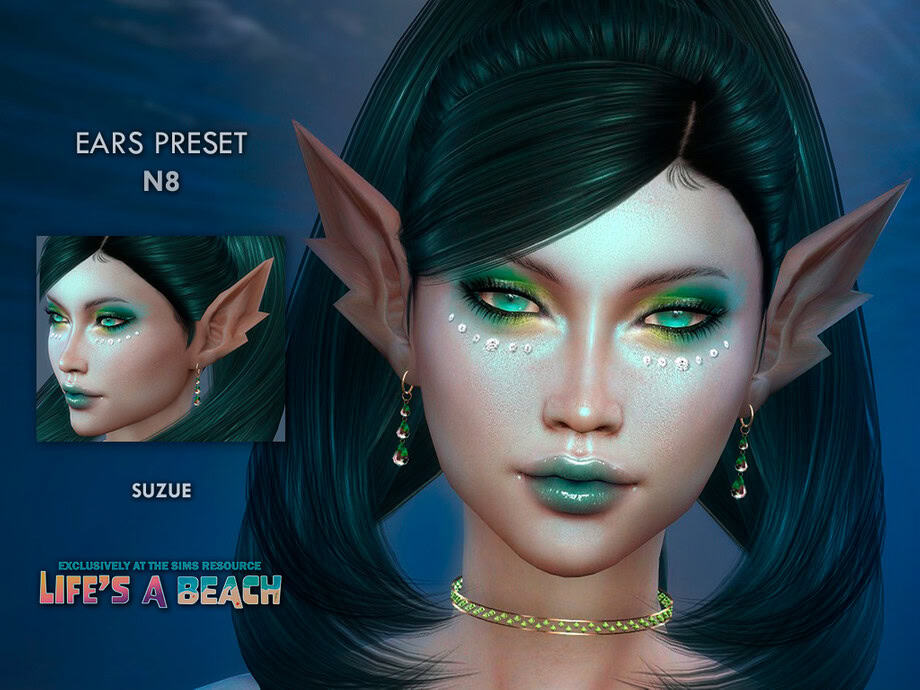
Life’s a Beach Ear Preset N8 is a sharp, fantasy-style ear preset with long, pointed tips to give your Sim a distinctive elven profile. I love how the shape is more dramatic than standard EA ears, making it a great choice for occult or fantasy characters.
It’s available for male and female Sims. I tested them in CAS, and while they do look crisp, they clip with certain hair meshes. Just find the one that fits perfectly.
Gauged Ears Mod + Simple Tunnel Earrings
Download: Gauged Ears Mod + Simple Tunnel Earrings
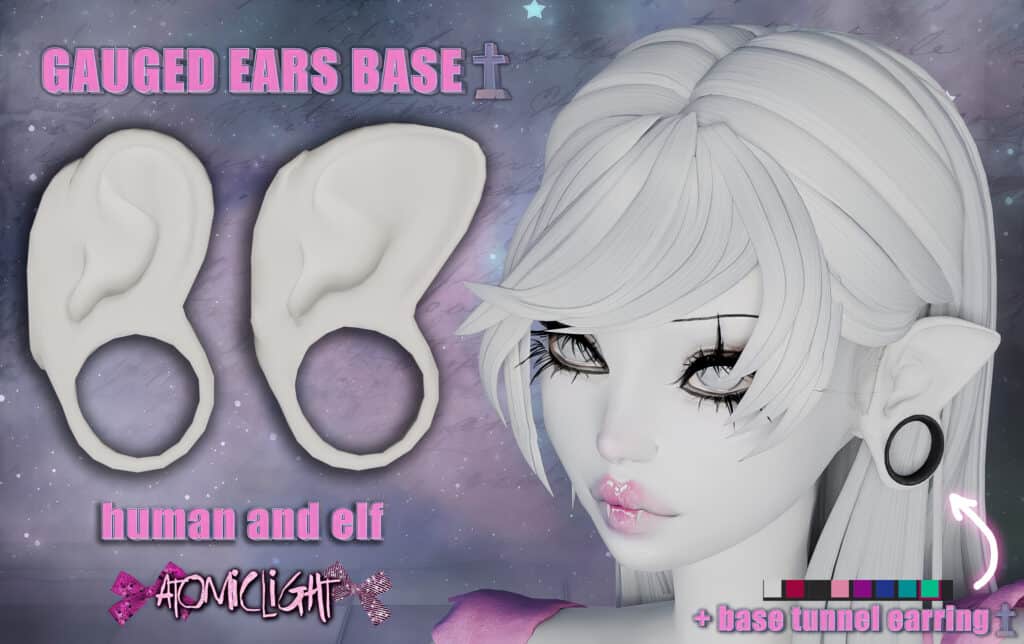
The Gauged Ears Mod contains stretched ear meshes designed for Sims who want gauge piercings. The mod includes both human and elf ear versions, so you can choose between creating realistic Sims or fantasy characters.
The ear meshes appear in the Occult Skin Details category, while the tunnel earrings are found in the earrings category. These earrings are available in 8 swatches.
The set is unisex and compatible with the base game, meaning it doesn’t require additional EPs to use. I tested this mod in CAS, and the gauged ears look quite natural and realistic.
RELATED POST: 33+ Best Sims 4 Jewelry CC: Earrings, Bracelets, Rings, Necklaces
Stretched Ears 1
Download: Stretched Ears 1
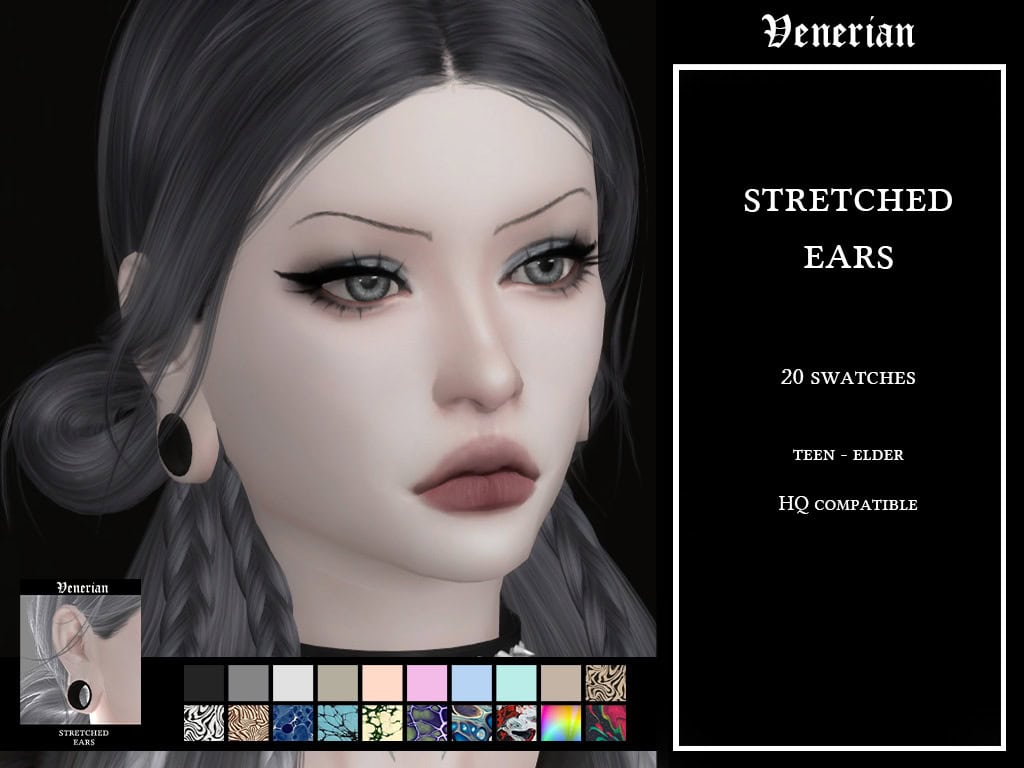
Stretched Ears 1 by Venerian is a pack with stretched ear lobes designed for Sims with gauge piercings. In CAS, the shape creates a wide tunnel opening that pairs well with plug or tunnel-style earrings.
This set includes 20 swatches, so you have multiple ear options to fit your style. It’s available to teens and elders and currently works on feminine frames.
Six Dwarfish/Elvish Ear Presets
Download: Six Dwarfish/Elvish Ear Presets
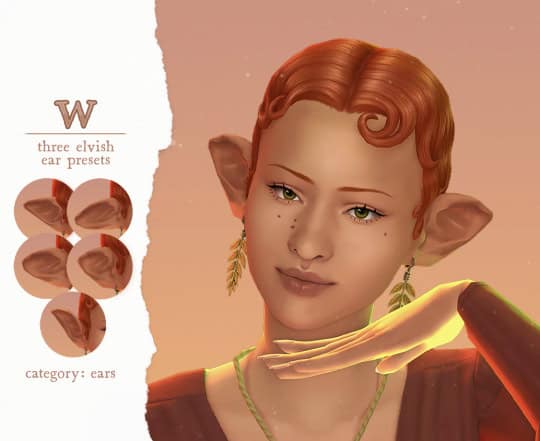
Six Dwarfish/Elvish Ear Presets adds six fantasy-style ear shapes to your mods folder. These Sims 4 ear presets are designed for elves, dwarves, or other occult Sims. The set includes a mix of sizes and styles, with two larger ears, three smaller shapes, and one curved upward design.
The presets are enabled for both male and female frames. I styled my Sim with this set in-game and used it on humans, aliens, spellcasters, fairies, mermaids, and vampires.
Ear Presets Collection
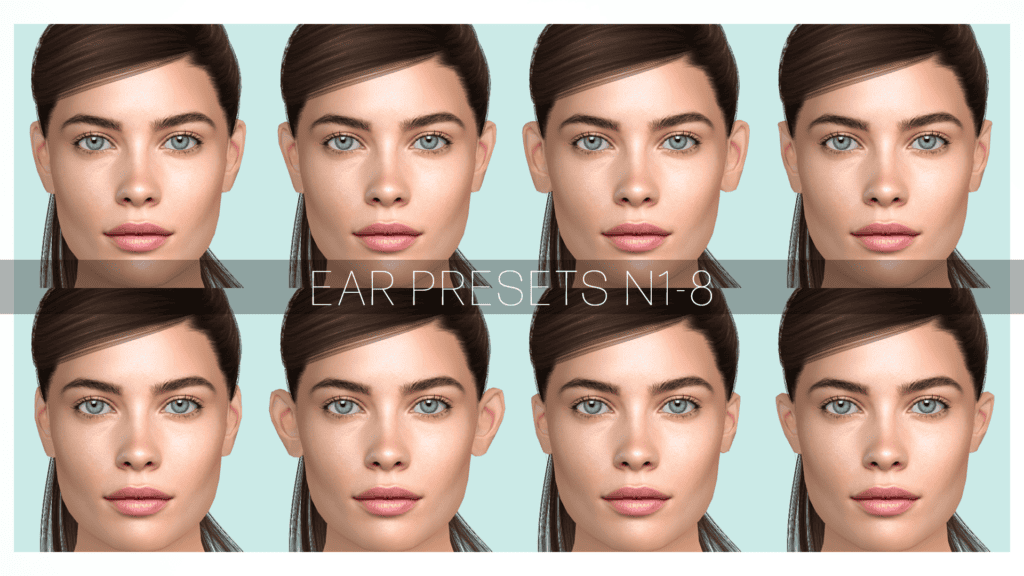
Download: Ear Presets Collection
Ear Presets Collection features eight non-default ear presets for creating human, natural Sims. Each preset slightly changes the ear curve, size, and angle, making it easier to create distinct facial profiles.
The presets work for all genders and frames. They’re also slider compatible. I loved how the different presets helped create more natural variation among my Sims.
Ear Preset N7
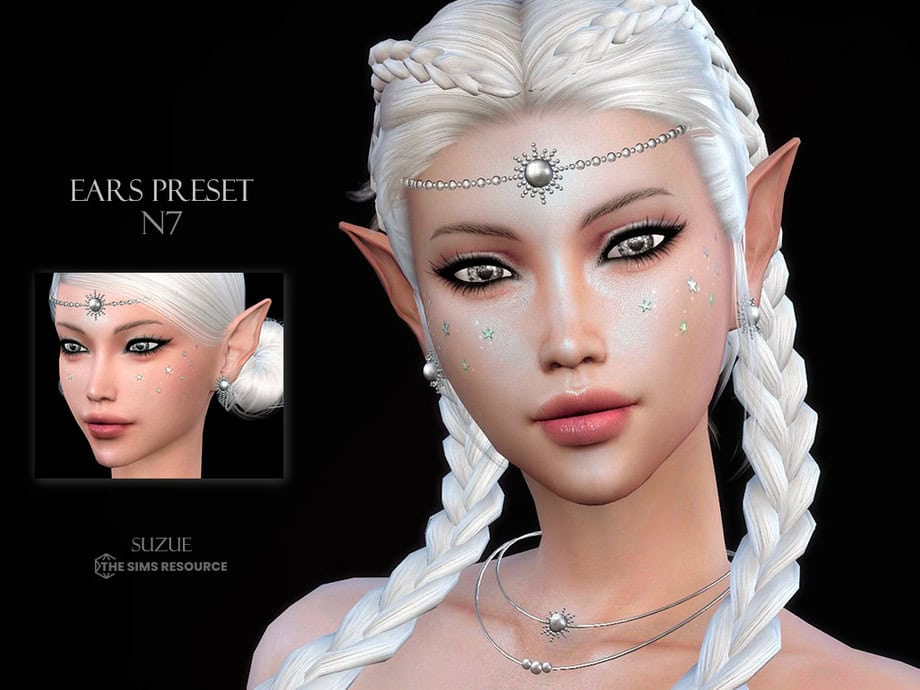
Download: Ear Preset N7
If you’re looking for a sharp, fantasy-style ear shape, use the Ear Preset N7 by Suzue to replace your Sim’s base game ears. This preset features long, pointed ears that taper outward, which is ideal for creating elves, fae, or other occult-inspired Sims.
The preset is available for all ages. It appears in the ear presets section in CAS, letting you quickly apply the shape without manually sculpting the ears.
RELATED POST: 50+ Best Sims 4 Fairy CC: Wings, Outfits, Makeup, and Accessories for your Game
Pointed Ear Presets V1
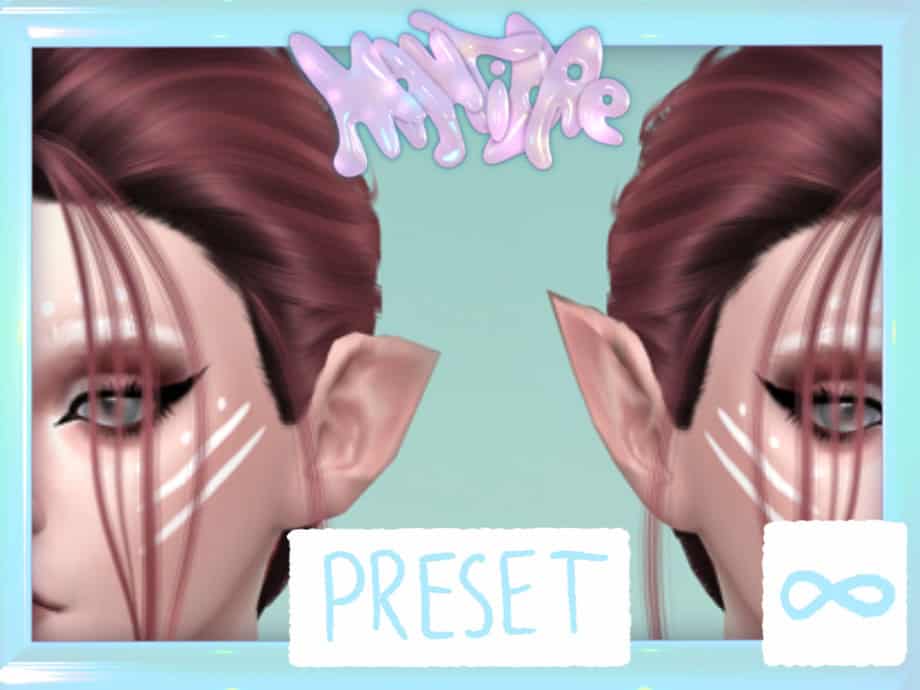
Download: Pointed Ear Presets V1
Pointed Ear Presets V1 includes two custom pointed-ear shapes designed for Sims who need a sharper, fantasy-style ear profile. The presets include both upward and backward-angled variations, giving you more flexibility when shaping elven or occult characters.
These Sims 4 ear presets appear in the ear preset section in CAS and can be adjusted for size and angle using ear sliders. They work with all occult types, including aliens and vampires, and won’t appear on randomly generated Sims.
Different Types, Different Shapes: ed-1
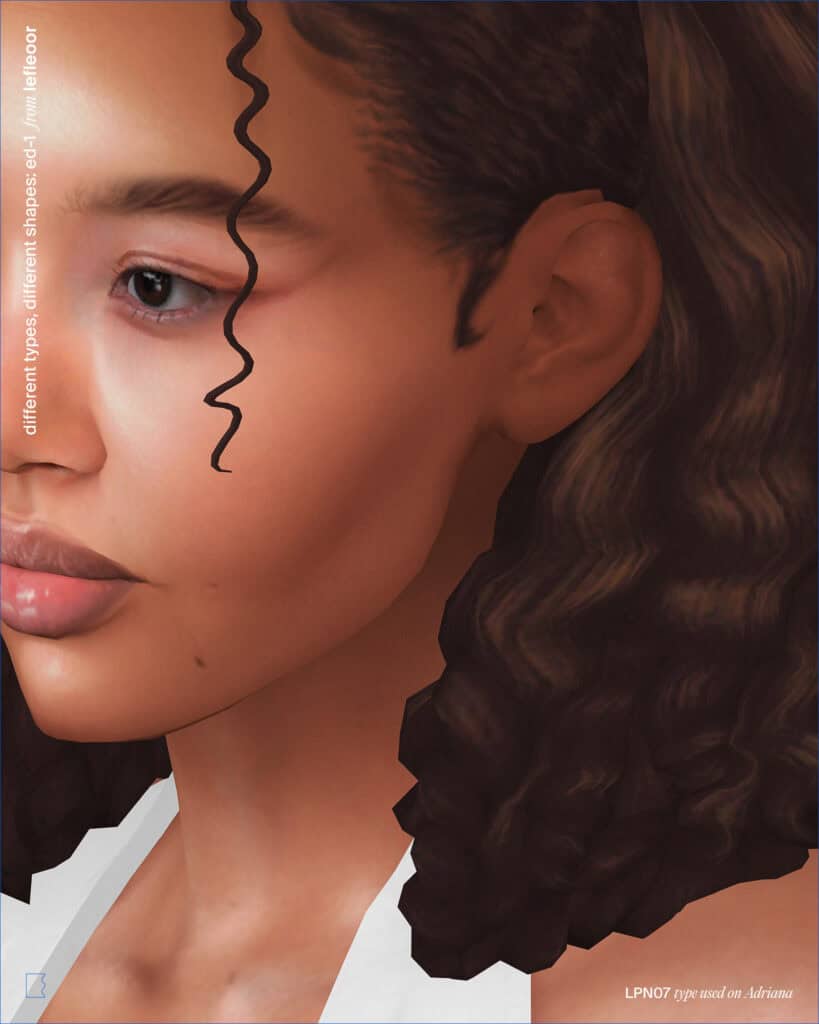
Download: Different Types, Different Shapes: ed-1
Different Types, Different Shapes: ed-1 includes eight ear shapes for feminine frames and eight for masculine frames. You’ll find both low-poly and high-poly versions to suit your PC specs.
These ears appear in the accessories category (nose ring slot), while the included presets hide the default EA ears and can be found in the ear form category in CAS. The set is compatible with the base game and looks stunning in CAS.
Cute Cow Ears
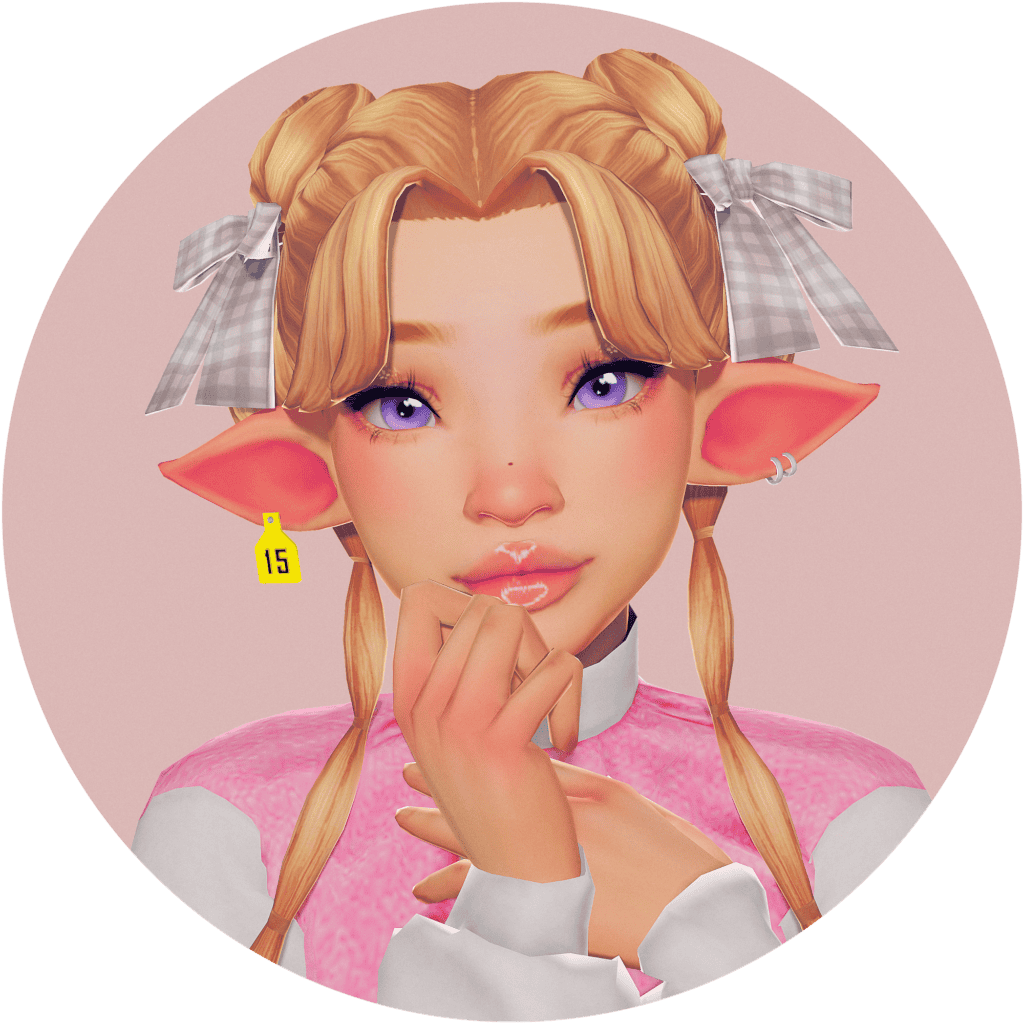
Download: Cute Cow Ears
Cute Cow Ears is a pack of cow-shaped ears, ideal for creating a playful, farm-inspired look. The set includes four ear variations with slightly different shapes and sizes, along with four inner ear texture options for added detail.
The ears appear in the occult brow category in CAS and come with matching cow tag earrings inspired by real livestock ear tags. You’ll also find an ear overlay with five color options to help blend the inner ear shading with different skin tones.
Commission: Frieren Ears
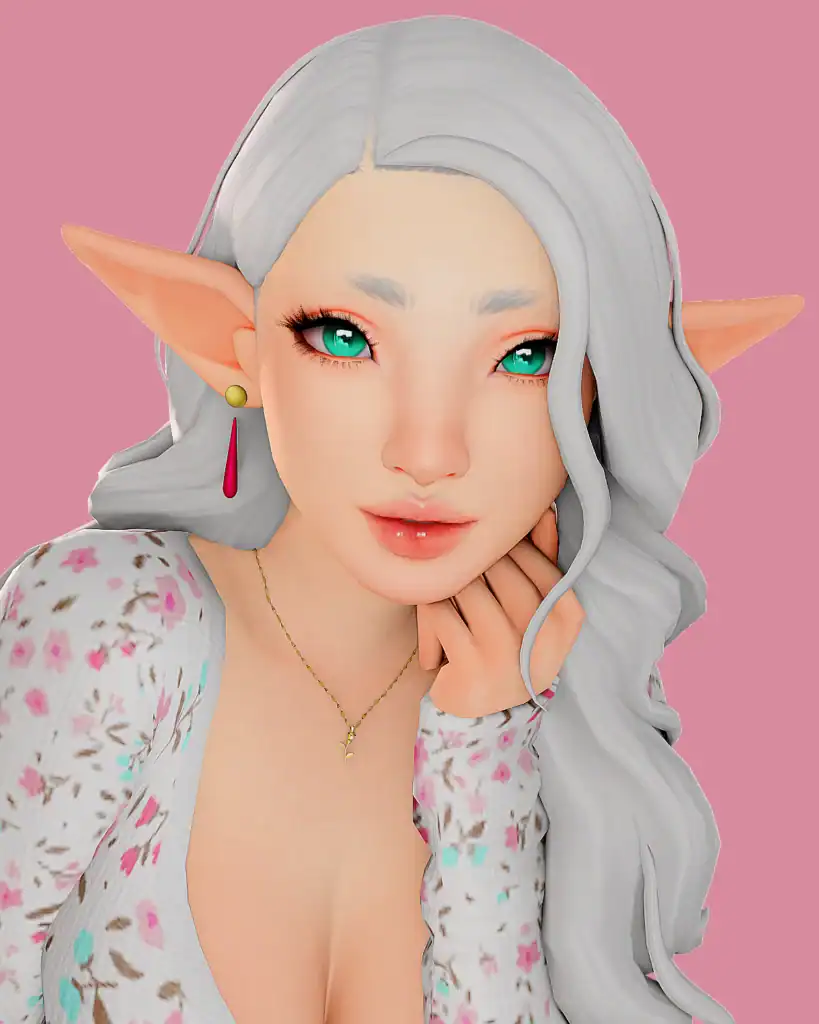
Download: Commission: Frieren Ears
Frieren Ears are anime-style pointed ears inspired by the character Frieren. The ears have a long, tapered shape that works well for elf or fantasy Sims.
The set includes two ear swatches and a matching earring accessory. The ears appear in the occult brow category, while the earrings appear in the earrings section in CAS. This CC is compatible with HQ settings, giving crisp images in CAS.
I Heard That Set
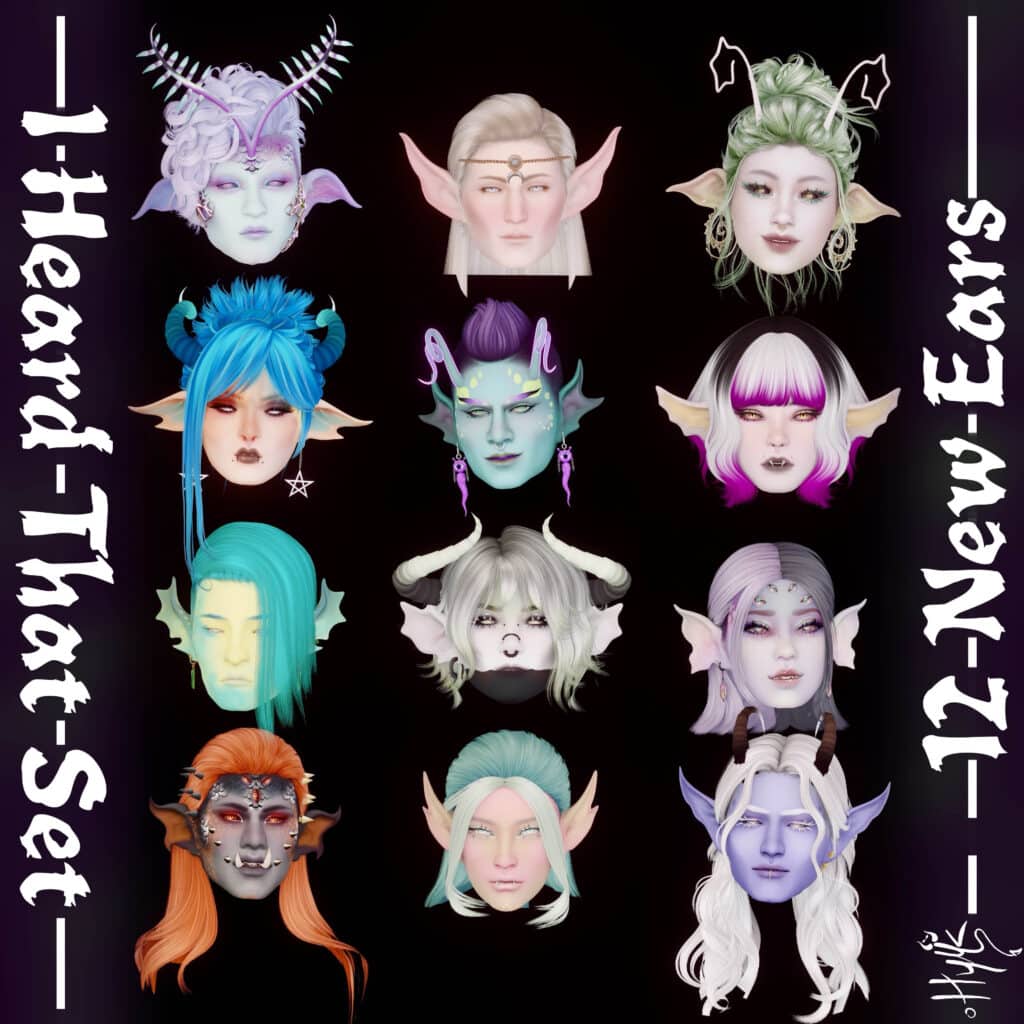
Download: I Heard That Set
I Heard That Set is one of the largest Sims 4 ear presets, and it contains a wide range of shapes, from long elven ears to curved demon-style ears and aquatic-inspired fins. This gives you more variety when creating supernatural characters.
Please note that these ears require CMAR’s No Ears mod to work properly. The pack is compatible with earrings since the earlobes remain unchanged. This set is designed for multiple occult types.
RELATED POST: Best Sims 4 Supernatural CC: Witches, Demons, Magic & Paranormal Gameplay
Higher Ears – Avatar
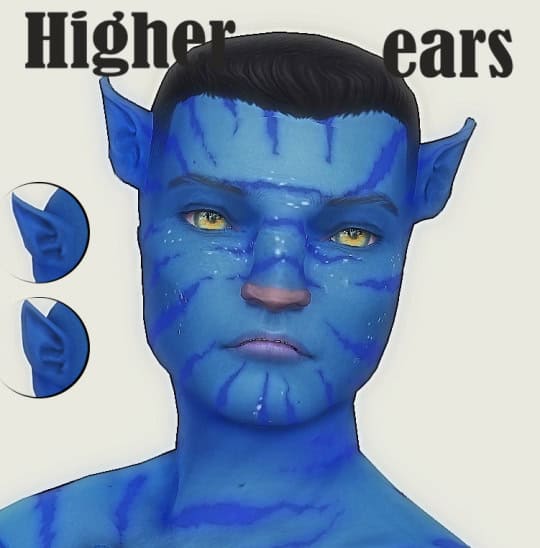
Download: Higher Ears – Avatar
Higher Ears: Avatar are pointed ears inspired by Na’vi from Avatar. They’re positioned higher on the head and come in four versions, with two positioned higher than the others to accommodate different head shapes.
The ears work for all genders, and are available for Sims aged teens to elders. The mesh is included and works with all skin tones, making it easy to use for Avatar-inspired or other sci-fi Sims.
Human Ears and Elf Ears
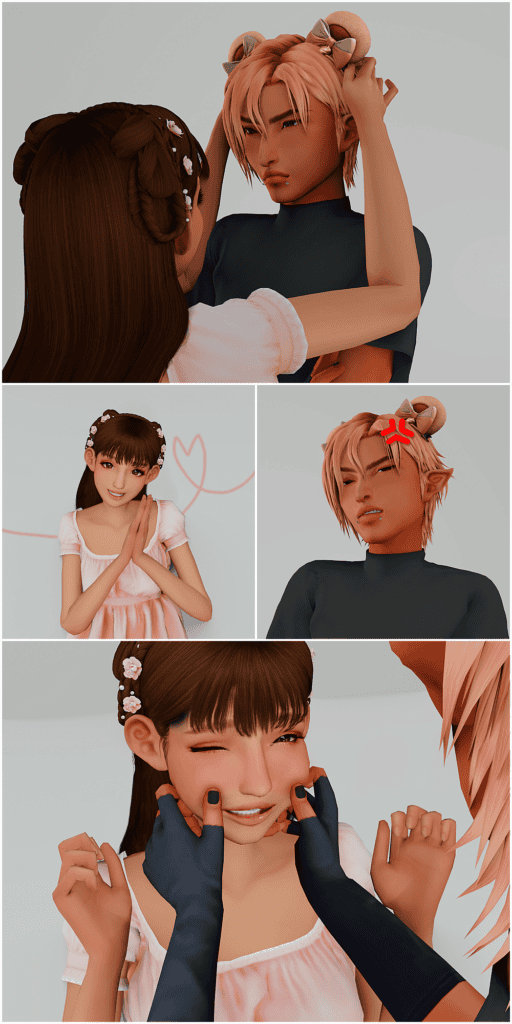
Download: Human Ears and Elf Ears
The Human Ears and Elf Ears collection features two ear meshes: a standard human ear and a pointed elf ear for fantasy characters.
Both items are found in the Skin Details category in CAS. The set works for male and female Sims and is compatible with typical gameplay and customization. This set is designed with a low poly, making it usable even by low-end PCs without compromising performance.
Aries Set (Updated)
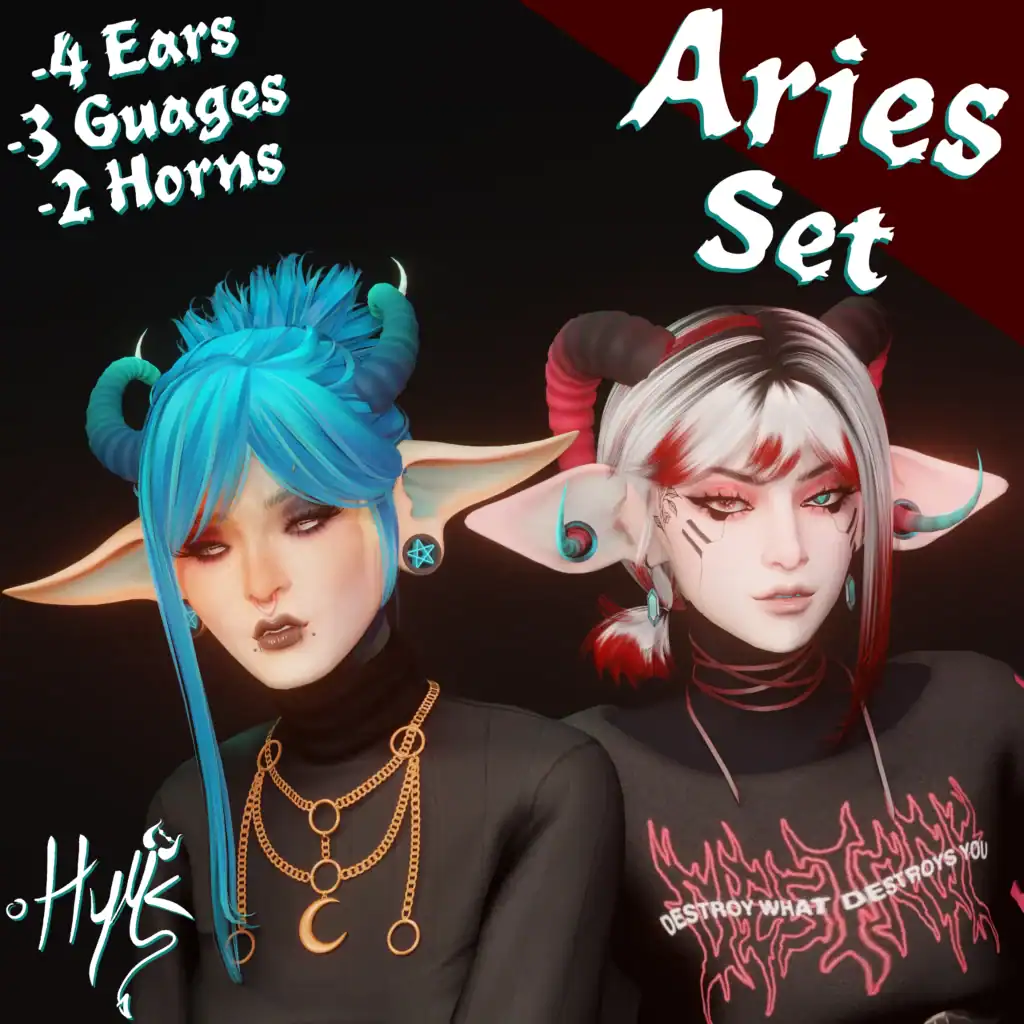
Download: Aries Set (Updated)
Aries Set is a collection of fantasy ears, gauges, and horns designed for occult or alternative-style Sims. This set includes four ear meshes, three ear gauges, and two horn options, allowing you to create demon, punk, or supernatural characters.
The pieces are unisex, and many of the ear meshes are compatible with most earrings. I used this Sims 4 ear preset in-game and had to use the ring version to keep the earrings working properly.
The set also includes multiple gauge styles, such as Billi Plug, Penta Plug, and Arie Plug, each available in several swatches. For best results, the creator recommends using Cmar’s No Ears mod so the custom ear meshes display correctly.
Ears Preset 6 HQ
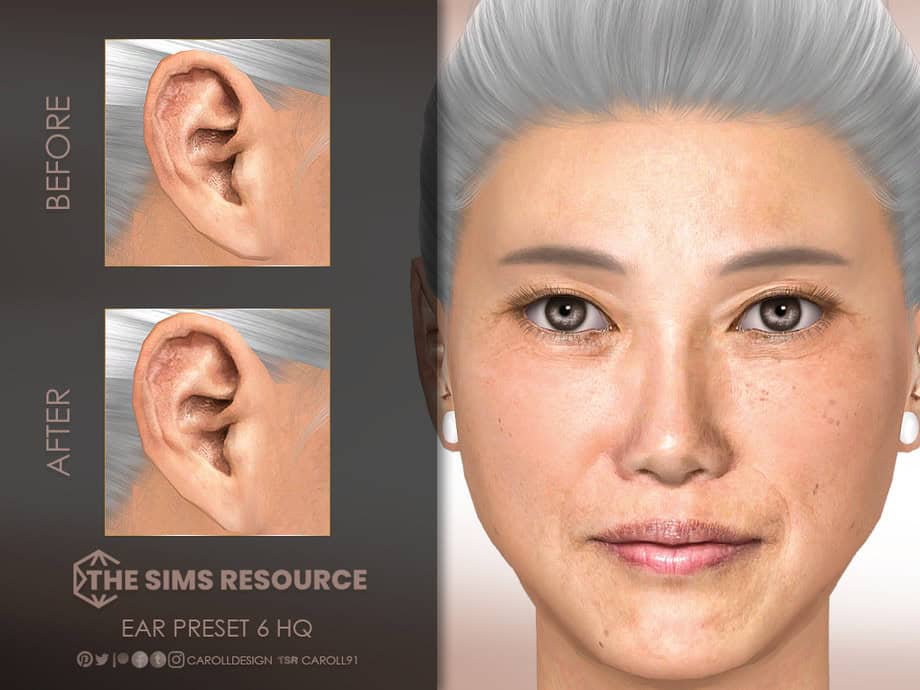
Download: Ears Preset 6 HQ
Ears Preset 6 HQ is a medium-sized ear preset designed for female Sims. The shape features a smaller earlobe, giving Sims a more natural-looking ear profile.
This preset is available for Sims aged teens to elders and works with most occult types, except werewolves. It is also HQ mod compatible, giving you clear images when taking screenshots in CAS.
Supernatural Ear Preset #2
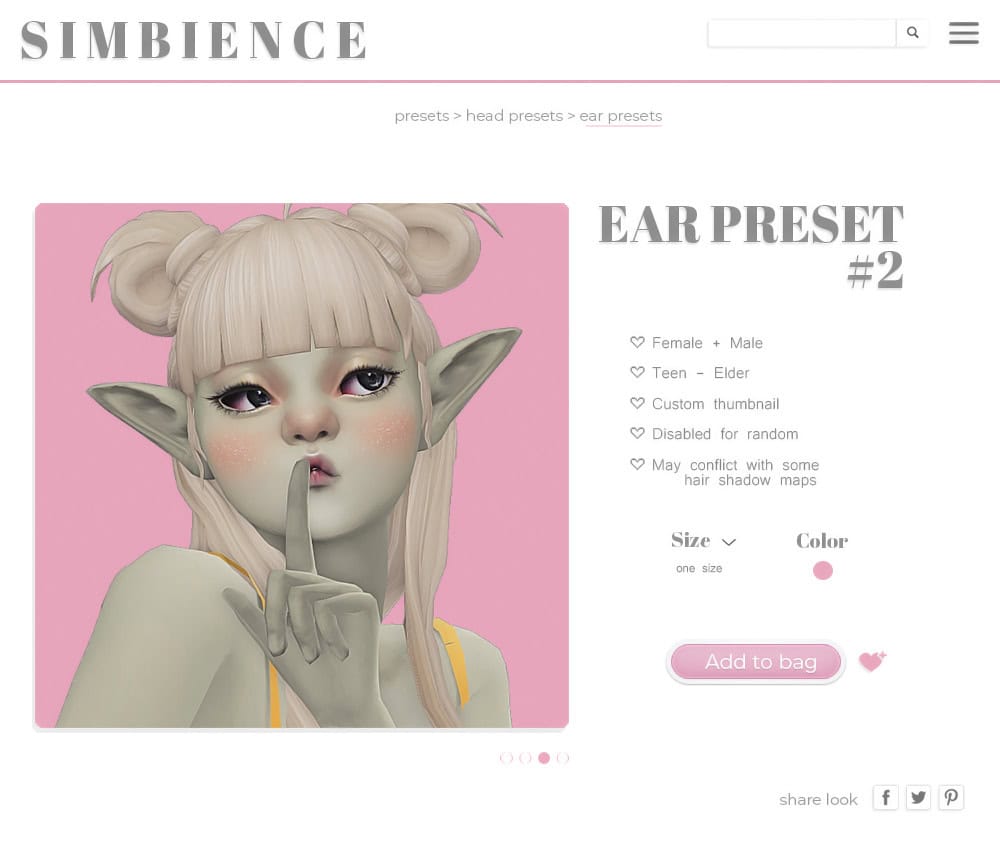
Download: Supernatural Ear Preset #2
Supernatural Ear Preset #2 by Simbience adds pointed fantasy ears with long, slightly angled tips to your mods folder.
The preset works for male and female Sims from teens to elders and includes a custom CAS thumbnail for easy identification. During testing, I noticed clipping issues with some hair shadow maps, so choose the right hair to avoid this.
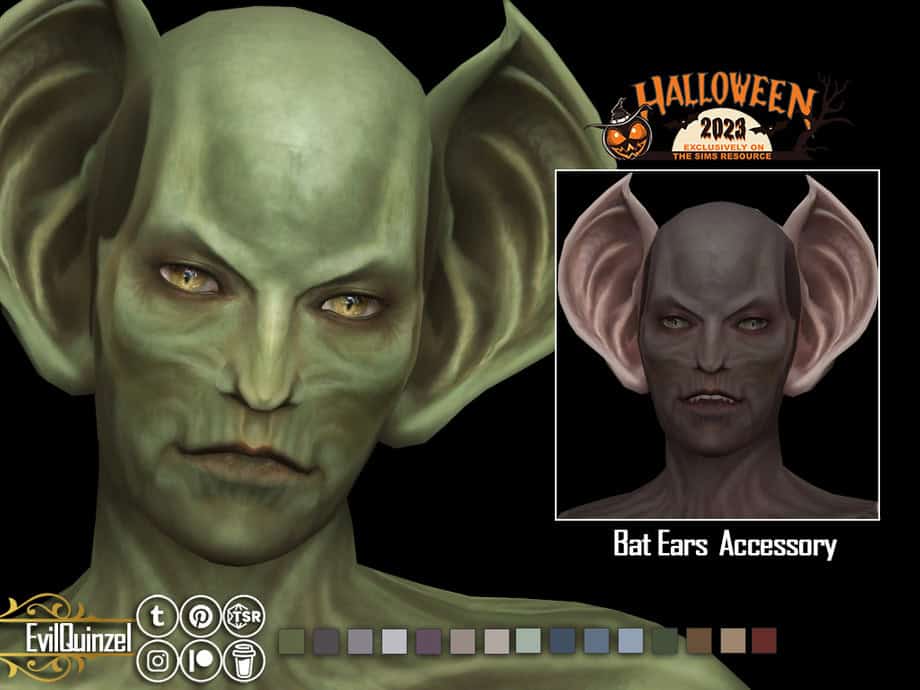
Bat Ears
Download: Bat Ears
If you want dramatic bat-like ears for your occult Sims, get this Sims 4 cc. It adds a large, curved ear accessory inspired by vampire and creature designs to CAS. The sculpted shape flares outward with deep inner ridges for a more monstrous or supernatural appearance.
You can use this preset to create demons, vampires, or fantasy characters. This Sims 4 ear preset is available in 15 swatches. You’ll find it in the hat category in CAS and it’s available for male and female Sims aged teens to elders. It works with all occult species.
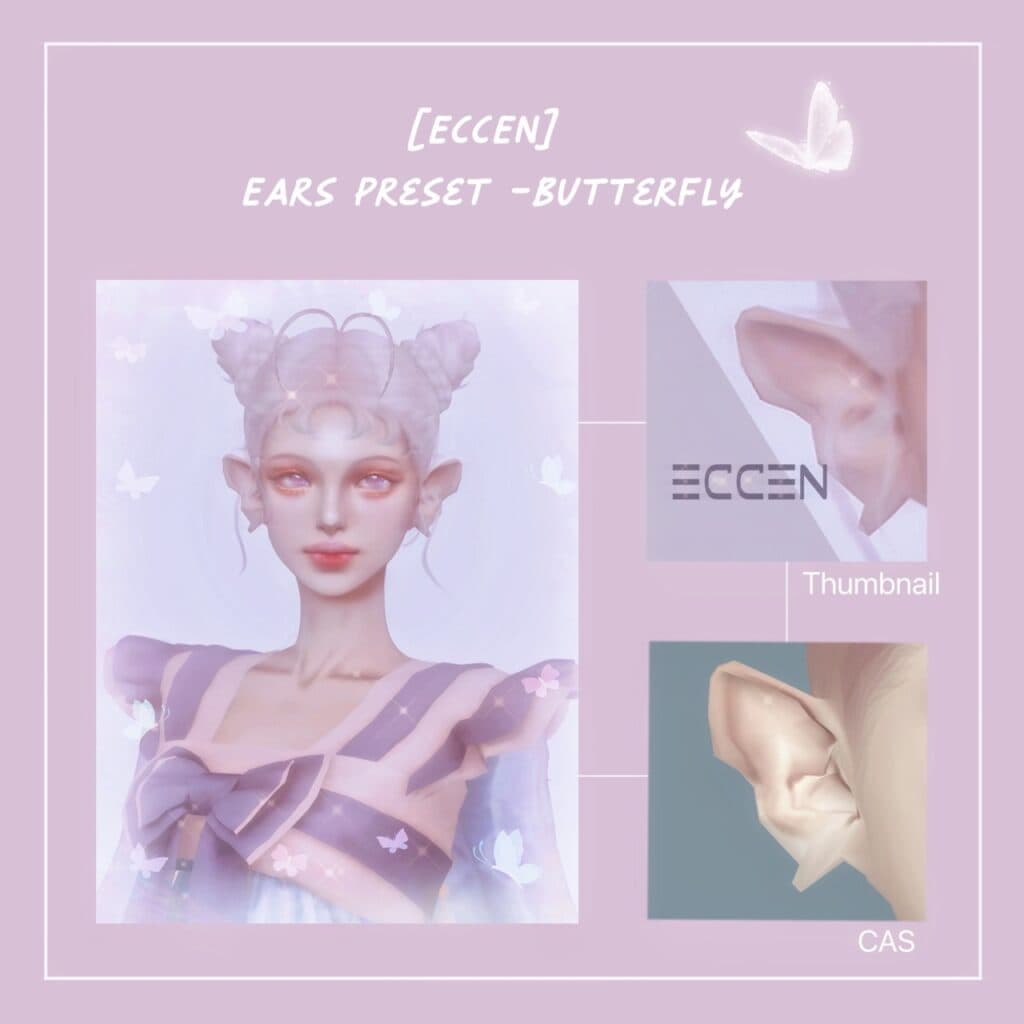
Butterfly Ears Preset
Download: Butterfly Ears Preset
Butterfly Ears Preset features a soft upward curve with a slightly folded inner ridge. These light, whimsical Sims 4 ear presets suit magical or supernatural characters.
The preset works well with fantasy skin overlays, fairy wings, and other occult-themed CC, making it a good option for creating ethereal or storybook-style Sims.
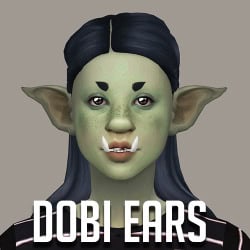
Goblin Ears Set
Download: Goblin Ears Set
This Goblin Ears set adds several fantasy ear shapes designed for goblin, elf, or creature-style Sims to your game. The pack includes multiple variations:
- Dobi Ears
- Elvion Ears
- 2Hump Ears
- Sunray Ears
- Elfin Ears
- LilGoblin Ears
Head over to the description for more information on this Sims 4 ear preset.
FAQ On Sims 4 Ear Preset
What are ear presets in The Sims 4?
Ear presets change the base shape of a Sim’s ears in Create-a-Sim. Instead of manually sculpting ears with sliders, presets apply a custom ear structure instantly. They’re a great choice for players who want a distinct look without the manual labor.
Where do ear presets appear in CAS?
Most ear presets appear in the Ear Presets section under the Head/Ears category. Some creators place ear meshes in Skin Details or in Accessories (such as earrings) instead.
What is the difference between ear presets and ear accessories?
Ear presets replace the Sim’s actual ear shape. Ear accessories are separate items placed over the ear, usually found in the earrings, skin details, or hat category.
Do ear presets require a mesh?
Some do. If the preset uses a custom mesh, the creator usually includes it with the download. If not included, you’ll need to download the mesh separately.
Why aren’t my ear presets showing up in CAS?
This usually happens when:
- Mods and CC aren’t enabled in the game settings
- The file is placed in the wrong folder
- A required mesh or mod is missing
- The preset conflicts with another CAS item
Do ear presets conflict with hairstyles or accessories?
Sometimes. Certain hairstyles may clip into large fantasy ears, and some presets may conflict with earrings, hats, or hair shadow maps.
Can I use multiple ear presets at once?
No. A Sim can only use one ear preset at a time, but you can combine it with ear accessories or overlays depending on the creator’s setup.
Do ear presets affect performance?
Most presets are lightweight and won’t impact performance. High-poly fantasy ears or accessory ears may use more polygons, but the difference is usually minimal.
Conclusion
That’s it from us. We know Sims 4 ear presets are an easy way to push your Sim’s facial customization further. With the right presets installed, you can quickly create unique characters without spending time manually sculpting ears in CAS. Just place the files in your Mods folder, enable Mods and CC in your game settings, and you’re ready to start experimenting with different ear shapes.