
24+ Best Sims 4 Goth Overrides and Default Replacements: UI, CAS Loading Screens and Interface Replacements
Hey Simmers,
I’ve been putting together a lot of goth-inspired content lately, and I realized CAS items and clothing aren’t the only ways to bring the aesthetic into your game. You can completely change how The Sims 4 looks with custom loading screens, CAS backgrounds, map replacements, and other visual overrides.
For this list, I’ve rounded up some of my favorite Sims 4 goth overrides and default replacements. There are dark loading screens, spooky animated options, gothic CAS rooms, grunge backgrounds, and even a realistic Forgotten Hollow map overhaul. Whether you want something subtly dark or a full gothic makeover, there are plenty of options to customize your game.
READ MORE: 34+ Best Sims 4 CAS Background CC to Enhance Your Game Experience
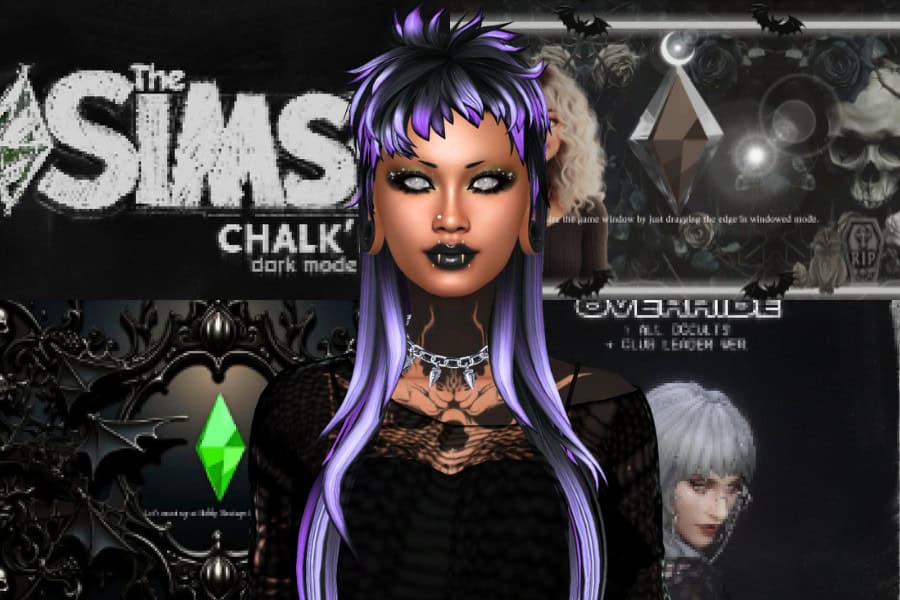
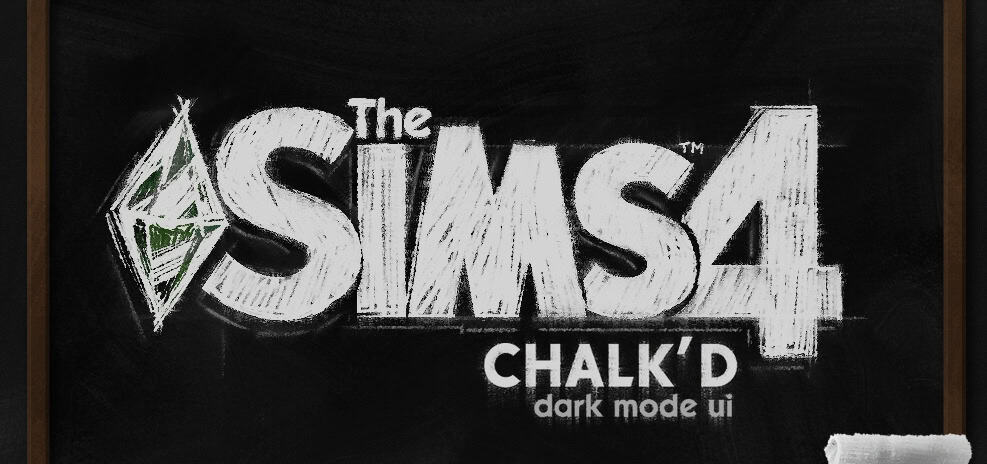
Chalk’d UI – The Sims 4 Dark Mode Mod
Download: Chalk’d UI – The Sims 4 Dark Mode Mod
Chalk’d UI – The Sims 4 Dark Mode Mod is a complete dark-mode overhaul for the game’s interface. It recolors major UI elements with a black and charcoal color scheme, making it a great addition to a goth-themed game.
The mod covers multiple areas of the interface and also comes with optional replacements for the main menu, loading screens, splash screen, and phone icons. You can pick and choose some of these files depending on how much of your game you want to change.
To install:
- Remove any older versions of Chalk’d UI and clear your game cache before installing an update.
- Download and extract the Chalk’d UI ZIP file into your Mods folder.
- Install the latest version of UI Cheats Extension and make sure it loads after Chalk’d UI.
- Read the README file inside the _CONFIG folder before choosing your files.
- If a folder has the
__prefix, choose only one file from inside it to avoid duplicates. - Remove folders for any conflicting mods you already use.
- For the loading screens, install only one option.
- Choose the appropriate splash screen version for your game language.
This is one of the best Sims 4 goth overrids you can add to your 2026 alternative gameplay.
RELATED POST: 66+ Irresistible Sims 4 Goth CC To Unleash Your Dark Side (2026 Update)
Girly Goth Part 1&2 – The Sims 4 Loading Screens
Download: Girly Goth Part 1&2 – The Sims 4 Loading Screens
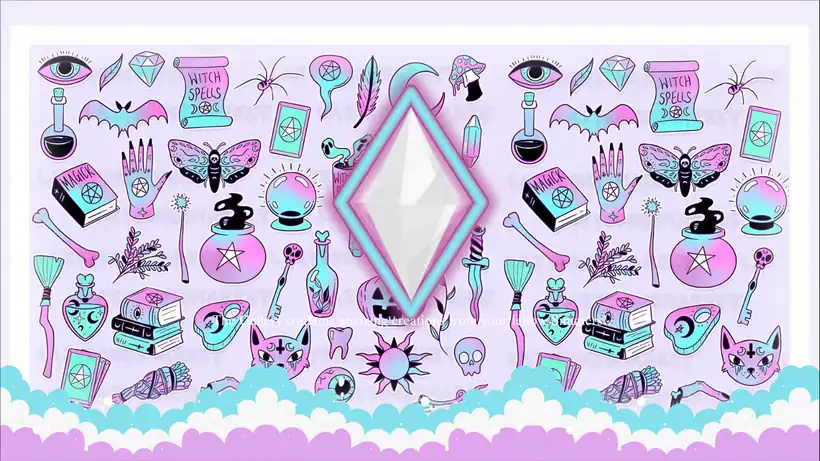
Girly Goth Part 1&2 – The Sims 4 Loading Screens are pastel goth replacements for the standard loading screen. They’re a good choice for Simmers who love the goth aesthetic but still want something colorful and cute.
The collection comes with two different backgrounds.
- One uses a witchy pattern filled with potion bottles, spell books, crystals, bats, skulls, moths, tarot-inspired artwork, and other occult details.
- The other has a softer celestial print covered in black bats, moons, and stars against a pink and purple background.
You can also choose between different Plumbob styles, so you have some control over how the final loading screen looks in-game. The creator updated the files for newer Sims 4 patches, so make sure you download the updated version.
Mystical Main Menu Replacements
Download: Mystical Main Menu Replacements
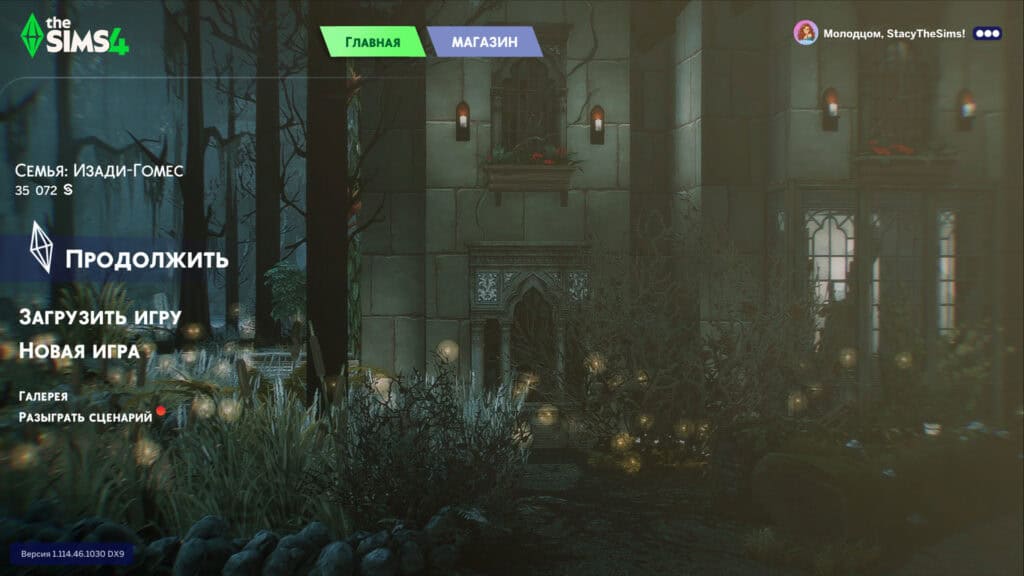
Mystical Main Menu Replacements are gothic replacements for The Sims 4 main menu. Instead of opening your game to the usual background, you’ll see a dark, overgrown mansion surrounded by trees, plants, stone walls, candles, and eerie lighting.
The download comes with five versions of the gothic mansion, each using a slightly different angle and atmosphere. I love how the scenery looks abandoned and mysterious without making the menu too dark to navigate. It fits perfectly if you’re playing with vampires, spellcasters, occult Sims, or simply want your entire game to match a goth aesthetic.
RELATED POST: 24+ Best Sims 4 Main Menu Overrides for 2025 + How to Install & FAQs
The Raven’s Web: Loading Screen
Download: The Raven’s Web: Loading Screen
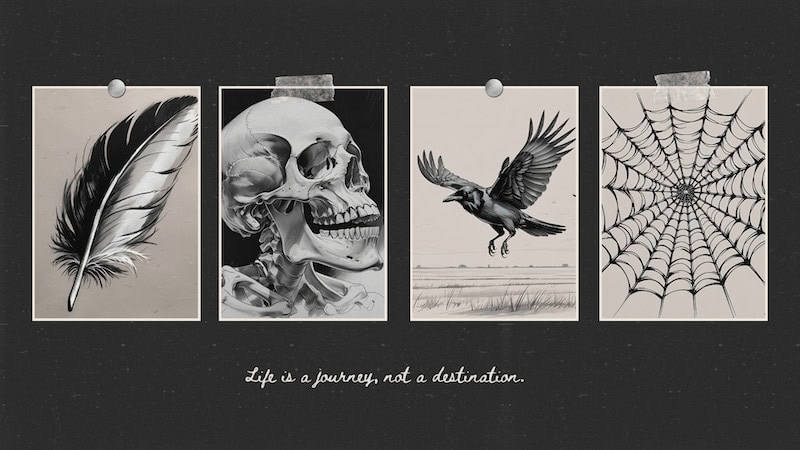
If you’re looking for a darker loading screen with a simple gothic aesthetic, The Raven’s Web: Loading Screen is a great option. It replaces the standard Sims 4 loading screen with monochrome artwork of a feather, skull, raven, and spiderweb.
The black-and-white illustrations sit against a dark background with the phrase “Life is a journey, not a destination” underneath. I like how minimal this one is compared to some of the more detailed Sims 4 goth overrides on this list. The skull, raven, and web still keep the gothic theme clear.
Goth Family – Premades Replacement Mod
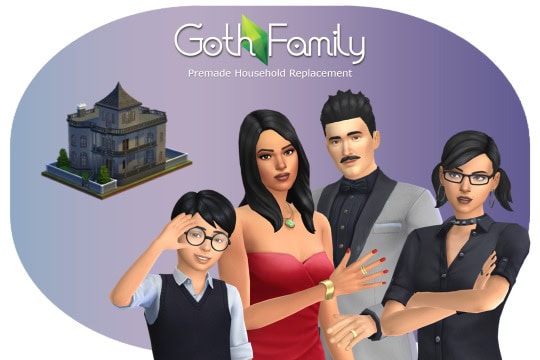
Download: Goth Family – Premades Replacement Mod
Goth Family – Premades Replacement Mod is a default replacement for the Goth household. It ensures Bella, Mortimer, Cassandra, and Alexander will automatically appear with the replacement versions when you start a new game.
The download comes with two options. You can restore EA’s original Goth family or use the creator’s personal remake.
- The original option brings back the older Maxis versions while keeping the family relationships intact.
- The remake updates their appearances and outfits while also adding likes and dislikes and a custom household thumbnail.
I especially like the remake since I prefer the Goth family’s older aesthetic. You’ll also have plenty of outfits for each family member across different outfit categories.
Goth Galore Optional ShadowMap Replacement
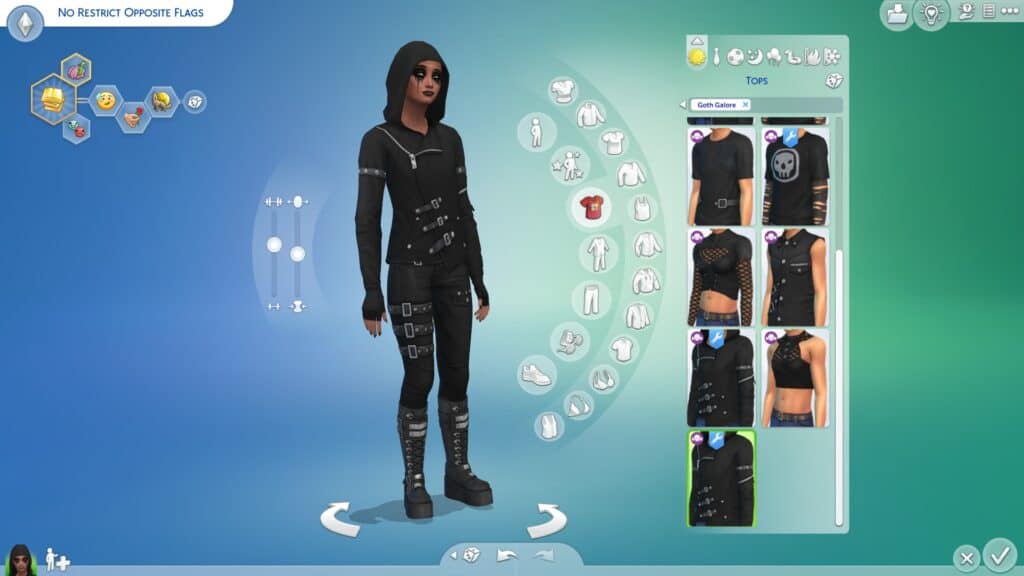
Download: Goth Galore Optional ShadowMap Replacement
Goth Galore Optional ShadowMap Replacement is an override for clothing from the Goth Galore Kit. It adjusts the shadow maps used by several CAS items, helping them work more naturally across different frames instead of relying on the original restrictions.
The Sims 4 goth override mainly removes frame restrictions from selected clothing, so Sims can wear opposite-frame items while keeping the appropriate shadow map. This gives you more freedom when styling masculine, feminine, transgender, or gender-nonconforming Sims with pieces from the Goth Galore collection.
The creator also adjusted the Allow for Random settings, with most makeup disabled for random townies. Keep in mind outfit safety isn’t guaranteed, so some combinations may still have clipping or visual issues.
You’ll need the Goth Galore Kit to use the clothing overrides. This set is compatible with the base game, meaning you won’t require additional EPs to use it.
Chalk’d Plumbob Override (Fairy Update)
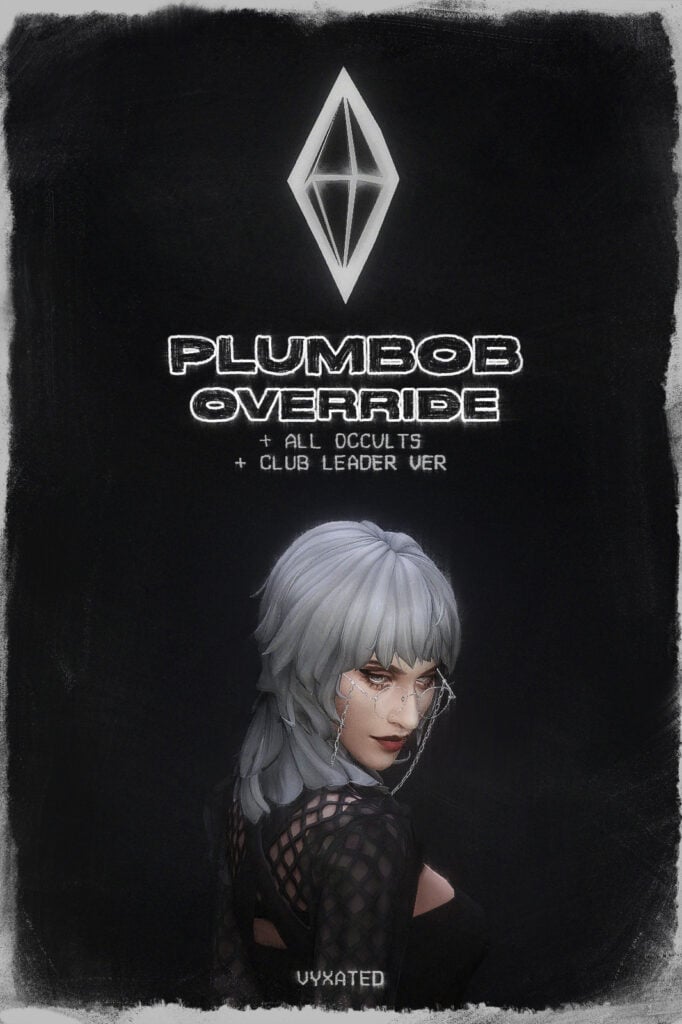
Download: Chalk’d Plumbob Override (Fairy Update)
If you’re looking for a darker alternative to the classic green Plumbob, check out the Chalk’d Plumbob Override. This sleek replacement is made to complement the Chalk’d UI mod. It swaps the usual Plumbob for a smaller black-and-white version with a sharp, minimal look, which works really well with goth and alternative gameplay setups.
The override reduces the Plumbob to around 50–60% of its original size and covers regular Sims, occult Sims, and club leaders. Note that occults keep their individual identifiers, so aliens, mermaids, Servos, spellcasters, vampires, werewolves, and other supported Sims are still easy to distinguish. There’s also a separate club leader version with a small crown above the Plumbob.
You can install the merged version or download the separated files and remove any packs you don’t own. You’ll require the regular Sim Plumbob for the occult and club leader versions to display correctly, while club leader Plumbobs require Get Together.
The creator has also updated the override for fairies.
Gothic Skull Vibes – The Sims 4 Loading Screen
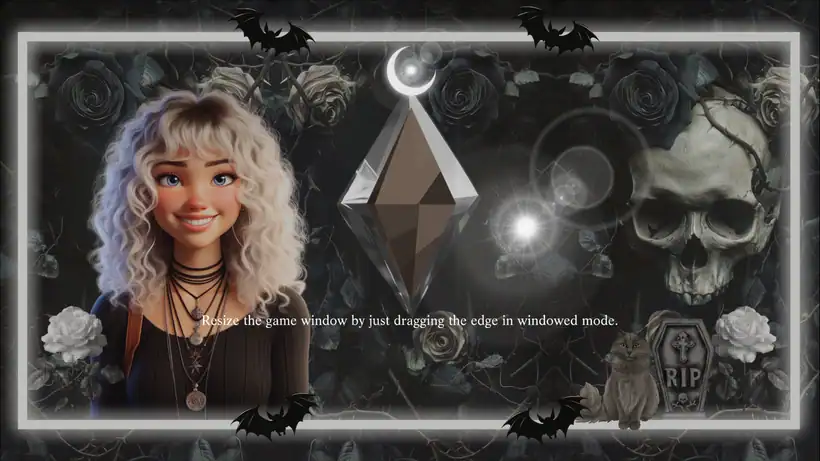
Download: Gothic Skull Vibes – The Sims 4 Loading Screen
Gothic Skull Vibes – The Sims 4 Loading Screen is a default replacement with a dark, grungy aesthetic. The background combines black roses, skulls, bats, skeletons, a tombstone, and other gothic imagery with a Sim illustration on the left.
The darker artwork surrounds the Plumbob in the center, while your usual loading screen tips still appear across the screen. I like this option for a goth save because it changes the entire mood of the loading screen without removing the familiar Sims 4 elements.
Note that the replacement was created around a 1920 × 1080 screen resolution. Installation is simple: place the package file directly into your Mods folder like regular CC.
Sims 4 Goth Loading Screens
Download: Sims 4 Goth Loading Screens
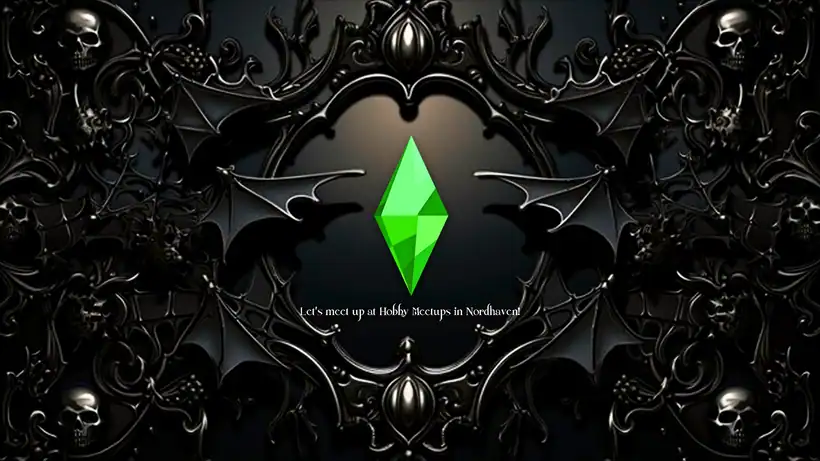
Sims 4 Goth Loading Screens is a collection of five dark replacements for changing the standard loading screen into something much moodier. Each option has its own gothic aesthetic, so you can choose one to match your current save.
These are the 5 Sims 4 goth overrides you’ll find:
- An ornate black gothic frame surrounded by skulls and bats
- A dramatic red-and-black background filled with skulls and roses
- A dark, foggy forest surrounded by tall trees
- A black-and-white gothic scene with a castle, birds, bare trees, and a mysterious figure
- A creepy monochrome forest with a hooded skeletal figure
All five retain the Plumbob and loading tips in the center, so the screen still feels like The Sims 4 while fitting a darker aesthetic.
Sims 4 Loading Screen – Mist & Maple
Download: Sims 4 Loading Screen – Mist & Maple
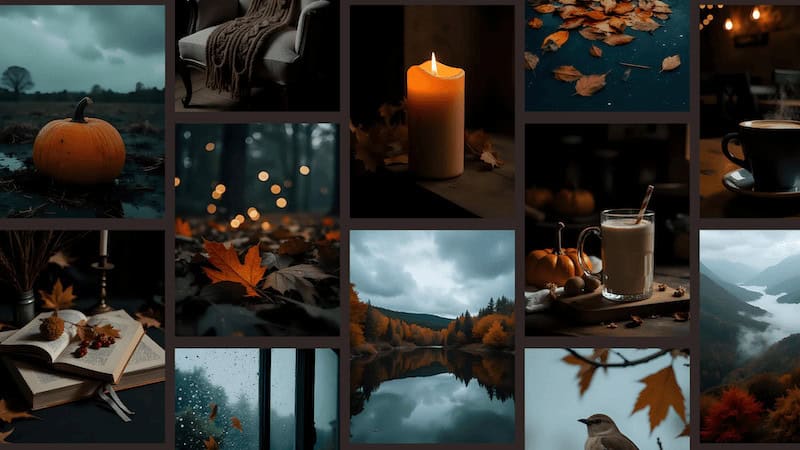
Sims 4 Loading Screen – Mist & Maple is an autumn-inspired replacement that brings a cozy but dark atmosphere to your game. It replaces the standard blue loading screen with a collage of pumpkins, candles, golden leaves, rainy windows, misty forests, books, and other seasonal imagery.
The soft orange, brown, and dark blue tones are perfect for fall gameplay, especially if you’re playing through a cozy October save or want something moodier without going fully gothic. Remember to only use one loading screen mod at a time.
RELATED POST: 24+ Best Sims 4 Fall Outdoor CC for Autumn Vibes
Gothic Aesthetic Castle – Loading Screen
Download: Gothic Aesthetic Castle – Loading Screen
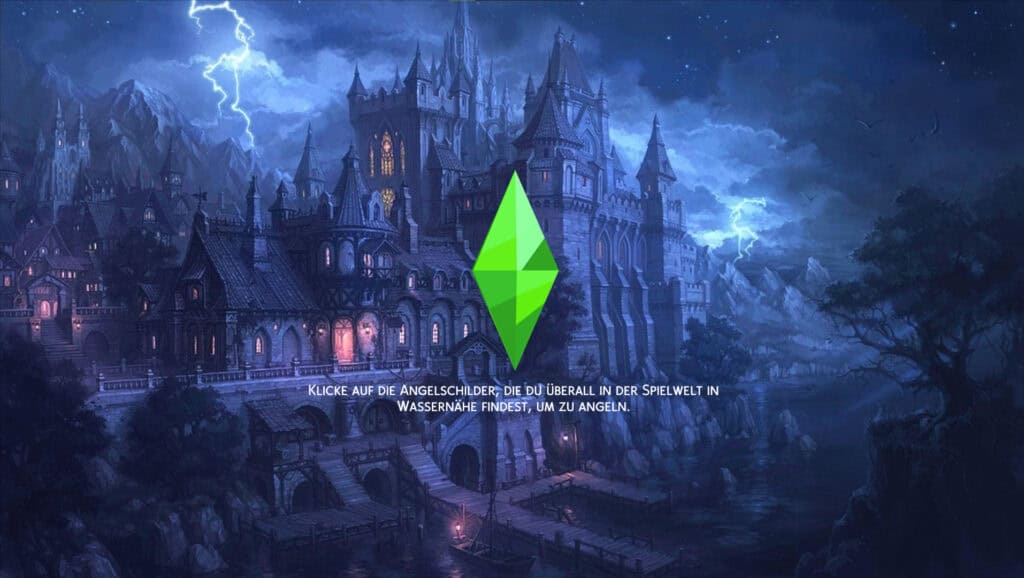
If you’re looking for a dramatic loading screen for a gothic or supernatural save, check out Gothic Aesthetic Castle – Loading Screen. This dark replacement is centered around a huge gothic castle at night. It features deep blue scenery, glowing windows, a lightning-filled sky, mountains, and surrounding forest that create a mysterious fantasy atmosphere.
The standard green Plumbob and loading tips remain in the center, so it still feels like The Sims 4 while making your loading screen far more immersive.
Gothic Aesthetic – Loading Screen
Download: Gothic Aesthetic – Loading Screen
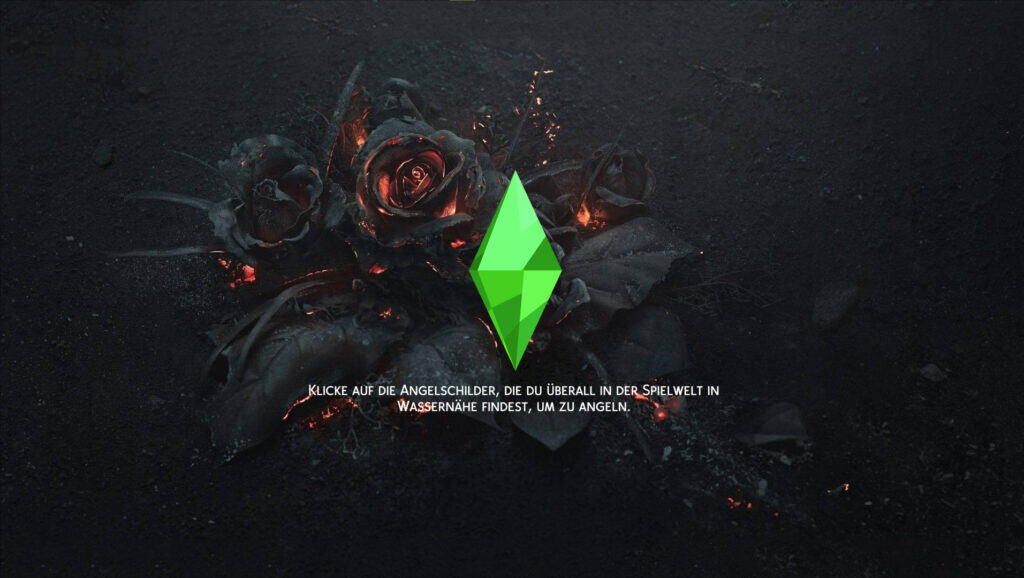
Gothic Aesthetic – Loading Screen is a dark replacement covered in black roses, skulls, scattered petals, and glowing red accents. The mostly black background creates a moody look, while the red roses add just enough color to make the screen stand out.
The standard green Plumbob and loading tips remain visible in the center, making this a great option for gothic, vampire, occult, or darker gameplay. Head over to the description to access more information on this Sims 4 Goth overrides cc.
Bella & Mortimer Goth Loading Screens
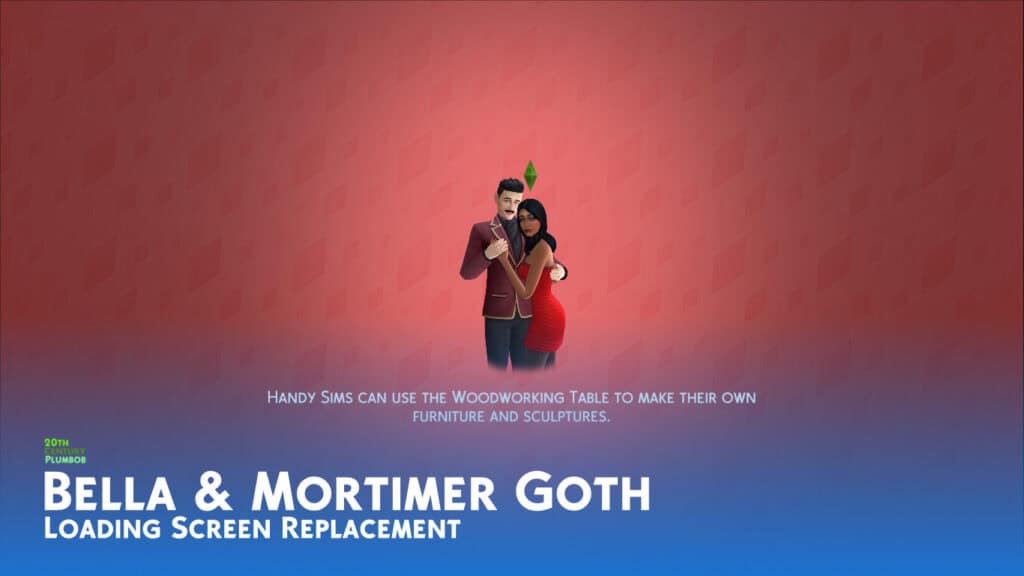
Download: Bella & Mortimer Goth Loading Screens
Bella & Mortimer Goth Loading Screens are Sims 4 goth overrides centered around one of the most iconic couples in The Sims franchise. Instead of the usual spinning 2D Plumbob, you’ll see Bella and Mortimer Goth posing together with a small 3D Plumbob rotating above Bella’s head.
This download comes with three background options: the original blue loading screen, a red Plumbob background, and the classic white loading screen. The set is compatible with the base game.
The Sims 4 Spooky Hill – Halloween Loading Screen
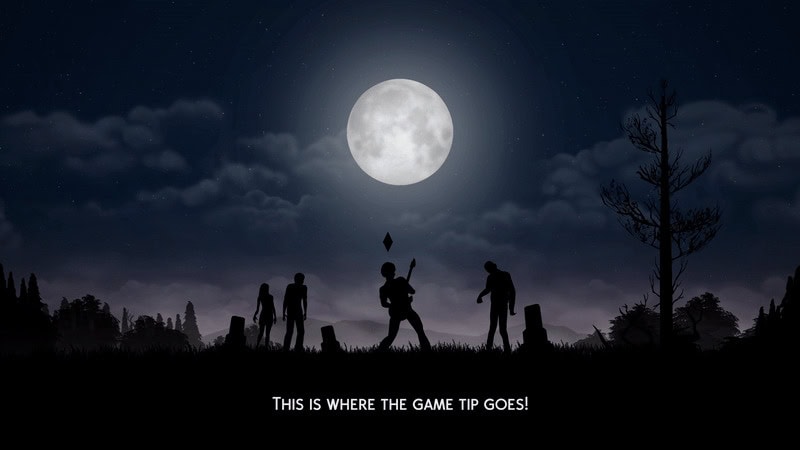
Download: The Sims 4 Spooky Hill – Halloween Loading Screen
The Sims 4 Spooky Hill – Halloween Loading Screen is a dark, atmospheric replacement perfect for gothic, occult, or Halloween-themed gameplay. It transforms the standard loading screen into a moonlit cemetery scene with cloudy skies, gravestones, trees, bats, and silhouettes of Sims wandering through the landscape.
Unlike a static replacement, this loading screen randomly cycles through 12 different scenes whenever your game loads. This keeps the spooky scenery varied while maintaining the same eerie nighttime aesthetic throughout.
Dark Academia Loading Screens
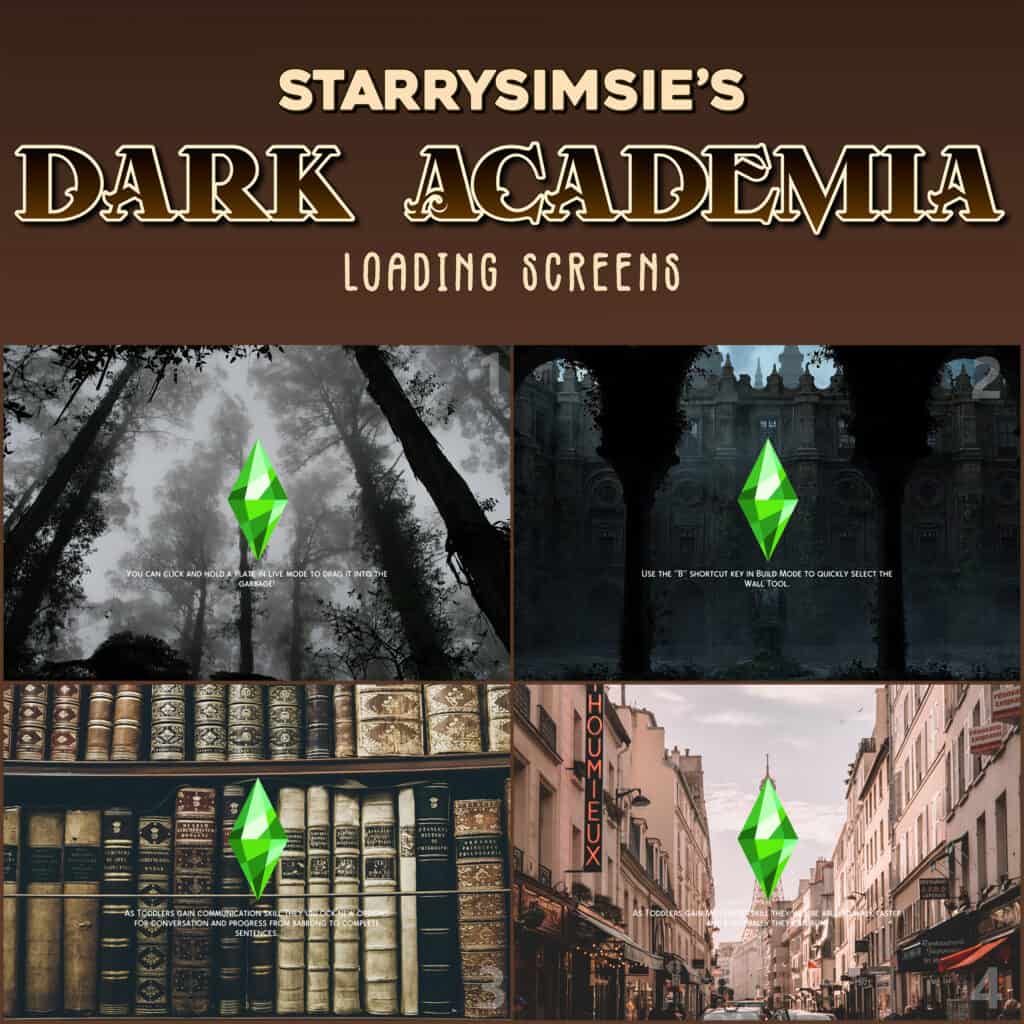
Download: Dark Academia Loading Screens
Dark Academia Loading Screens are a collection of 10 Sims 4 goth overrides inspired by moody academia, nighttime scenery, and atmospheric landscapes. The options include towering library shelves, misty forests, old architecture, moon phases, Paris at night, dramatic clouds, city skylines, starry skies, and more.
Each option has the classic green plumbob in the center, so the screens still feel connected to The Sims 4 while adding a darker aesthetic. I love how the downloads are numbered to match the preview images, making it easy to choose your favorite.
RELATED POST: Must-Have Sims 4 Dark Academia CC for Vintage, Scholarly & Cozy Saves
GhostFace Loading Screen
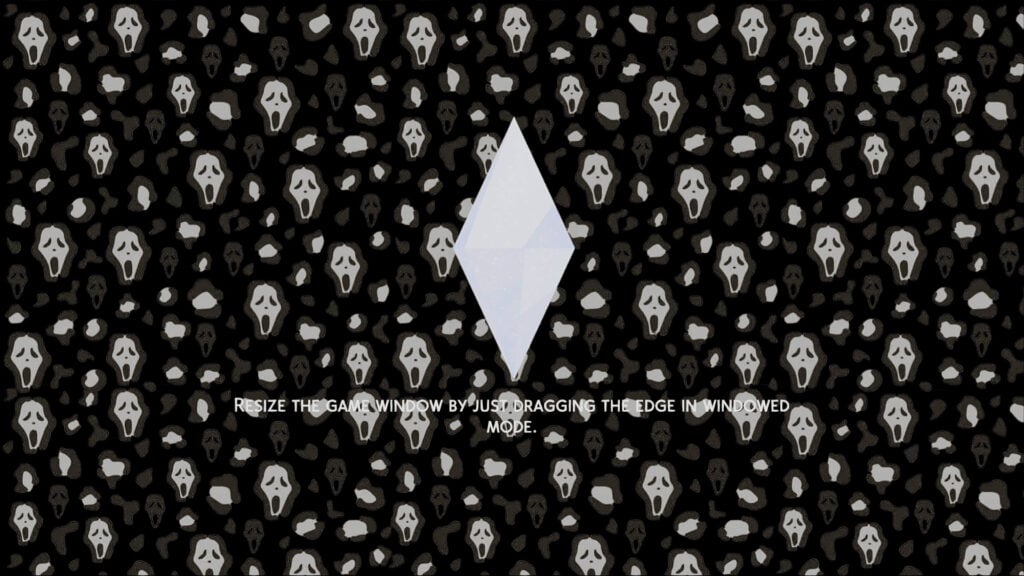
Download: GhostFace Loading Screen
GhostFace Loading Screen is a spooky replacement covered in repeating Ghostface masks against a black background. The monochrome pattern creates a fun horror-inspired look while the white plumbob remains centered on the screen.
This is a great choice for horror-themed saves, Halloween gameplay, or anyone who loves the Scream aesthetic. The Sims 4 goth overrides cc is compatible with the base game.
Haunted Animated Loading Screen
Download: Haunted Animated Loading Screen
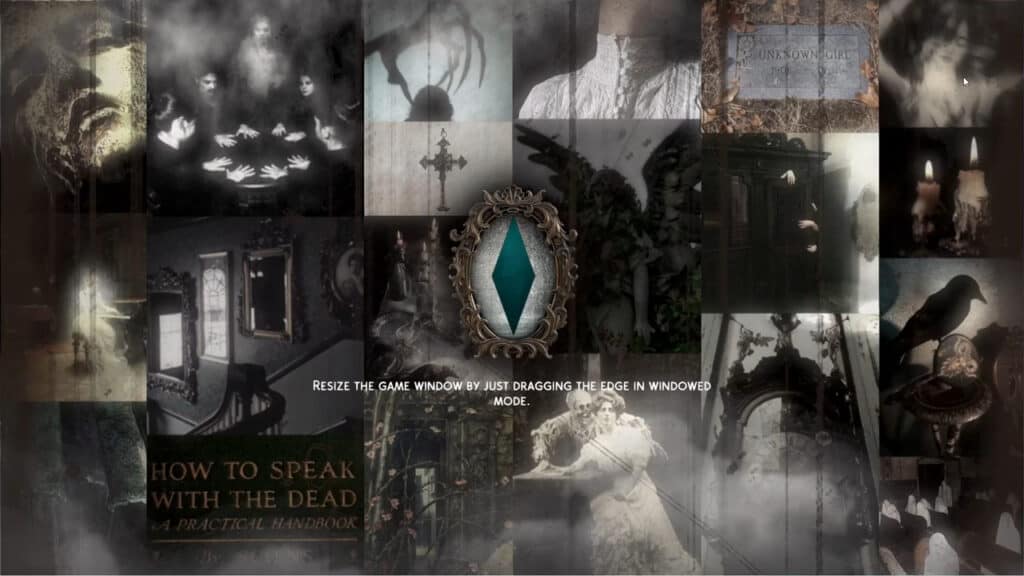
Haunted Animated Loading Screen is a dark, supernatural replacement created as a thank-you gift. It’s a black-and-white gothic collage filled with eerie imagery, candles, ravens, statues, and other haunted details, with the plumbob displayed inside an ornate frame in the center.
Unlike a standard static replacement, this loading screen is animated, making it a great option if you want something more atmospheric while your game loads. You can only have one loading screen override in your Mods folder at a time.
To delete, remove the package file and the .localthumbcache file from your Sims 4 folder.
Sims 4 CAS Background – Gothic Castle
Download: Sims 4 CAS Background – Gothic Castle
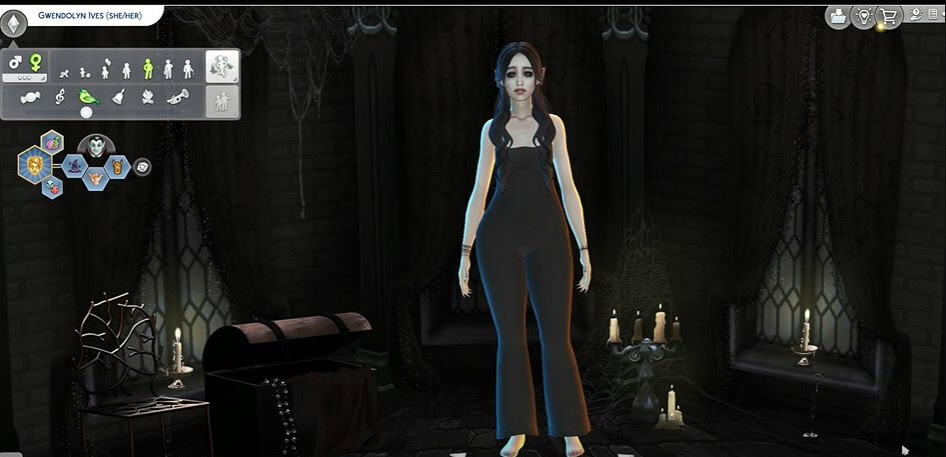
Sims 4 CAS Background – Gothic Castle is a dark replacement for turning Create-a-Sim into an eerie gothic room. The space has stone walls, tall stained-glass windows, cobwebs, antique furniture, and glowing candles for a moody castle atmosphere.
I recommend using this background when creating vampires, witches, spellcasters, goth Sims, and other supernatural characters. The creator also uses Helgatisha’s CAS room lighting in the preview images, which you can download separately if you want a similar lighting effect.
In Phases CAS Room
Download: In Phases CAS Room
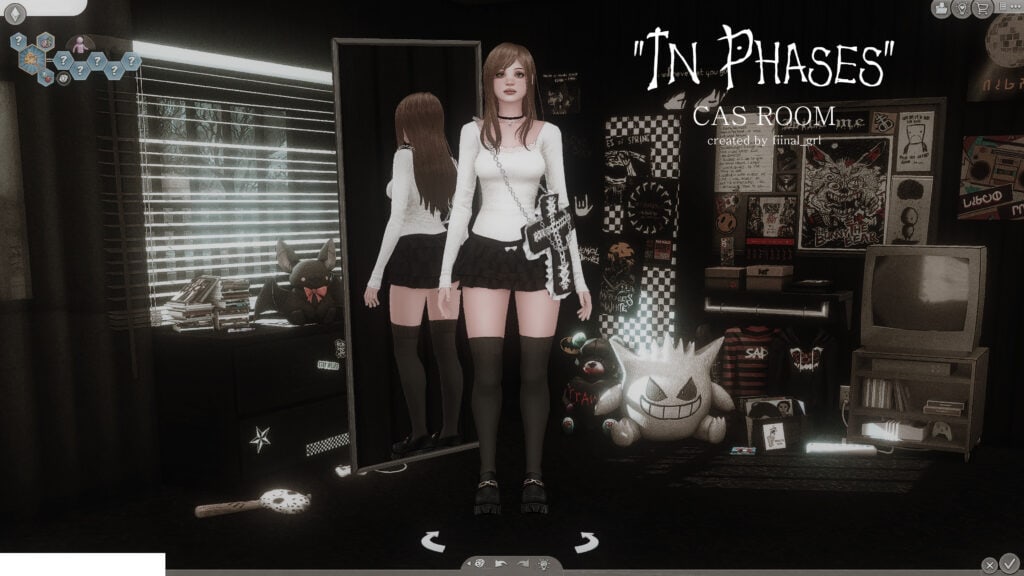
In Phases CAS Room is a dark alternative CAS background with a grungy bedroom setup. The room comes with a full-length mirror, checkerboard wall art, posters, books, an old TV, plushies, and plenty of clutter for an emo-inspired aesthetic.
The creator notes that you should expect Infant, toddler, and child Sims to appear as though they’re floating in this CAS room. According to them, the background isn’t broken; this happens because of the style of CAS room used.
Simangelz CAS Background
Download: Simangelz CAS Background
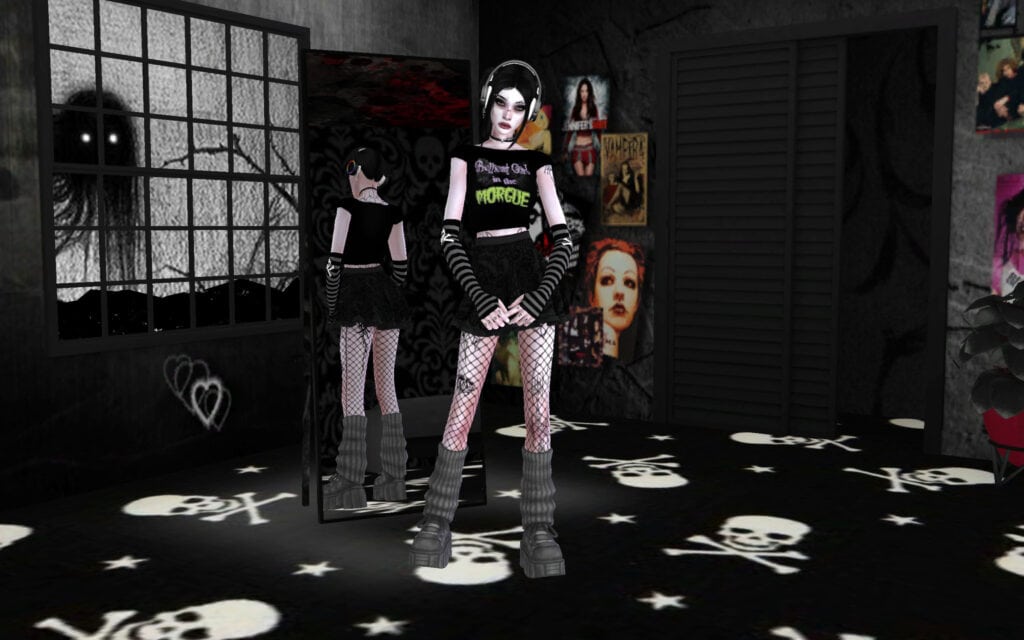
Simangelz CAS Background is a dark alternative CAS room with black walls, skull and cross patterns across the floor, a large industrial-style window, a mirror, and various posters covering the walls. There are also My Chemical Romance and Amy Lee posters on the opposite side of the room.
Note that this background is a recolor of LittlDica’s CAS background. Click on the attached link for more information on this Sims 4 Goth overrides cc.
Witchy/Goth Bedroom CAS Background
Download: Witchy/Goth Bedroom CAS Background
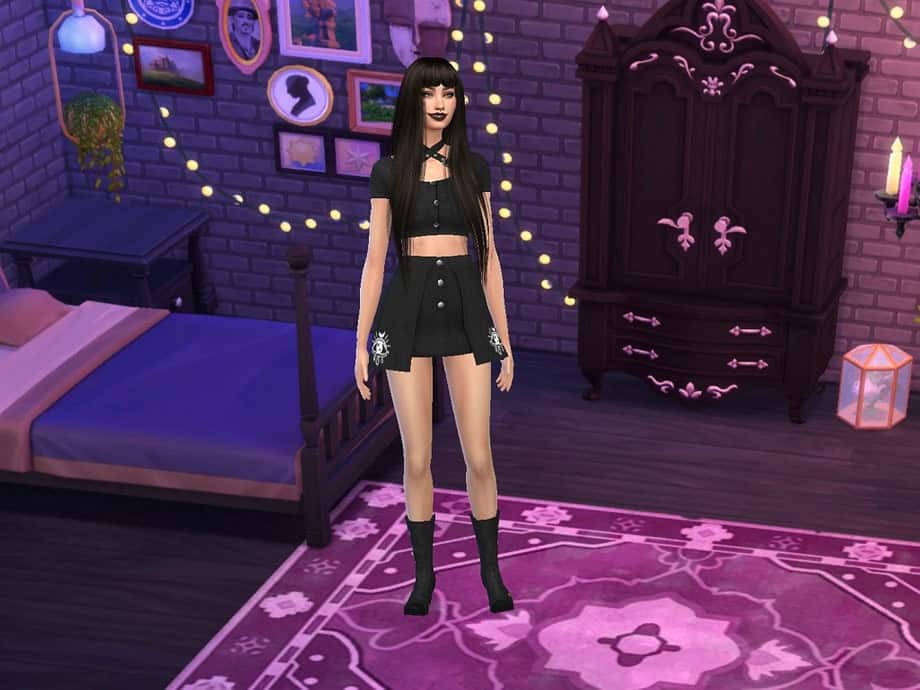
If you’re looking for a dark CAS room with a cozy witchy vibe, Witchy/Goth Bedroom CAS Background is a great option. It transforms CAS into a purple-lit gothic bedroom complete with a black bed, ornate wardrobe, framed wall art, string lights, candles, and a large celestial rug.
The mix of deep purple lighting and black furniture works perfectly for witches, vampires, goth Sims, and other supernatural or alternative CAS creations. To install it, simply place the downloaded file in your Mods folder.
RELATED POST: Must-Have Sims 4 Witch CC for Halloween (2025 Update)
Dark Forest CAS Background
Download: Dark Forest CAS Background
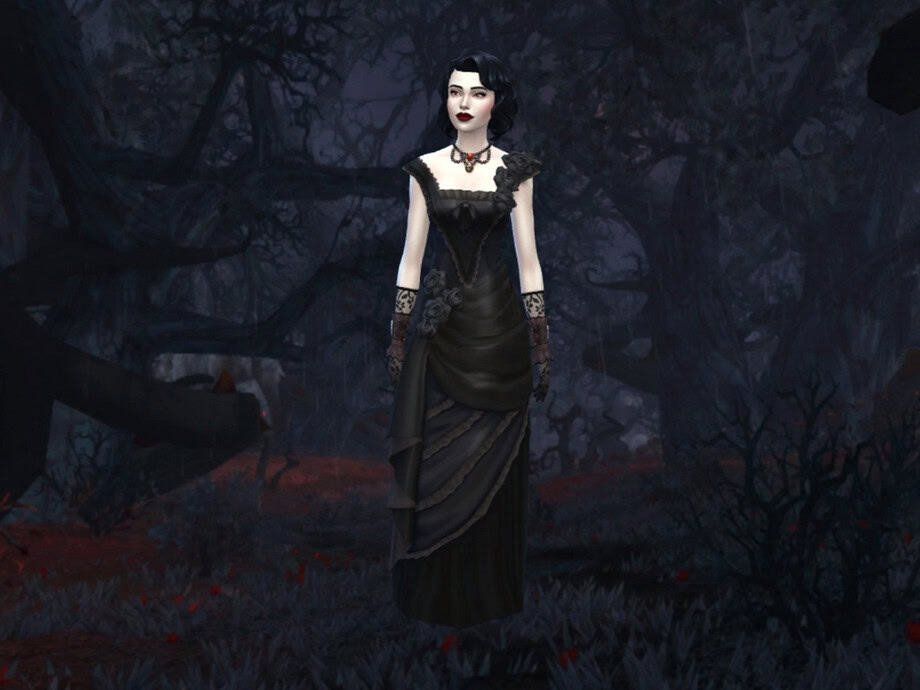
Dark Forest CAS Background is a moody CAS replacement inspired by the dark woods of Gilneas from World of Warcraft. It places your Sim in a shadowy forest filled with twisted trees, deep blue and purple tones, and subtle red details on the ground.
The background is perfect for gothic, vampire, witch, or other supernatural Sims. To use this Sims 4 Goth overrides cc, place the file directly in your Mods folder without putting it too deep inside subfolders.
Grunge CAS Background
Download: Grunge CAS Background
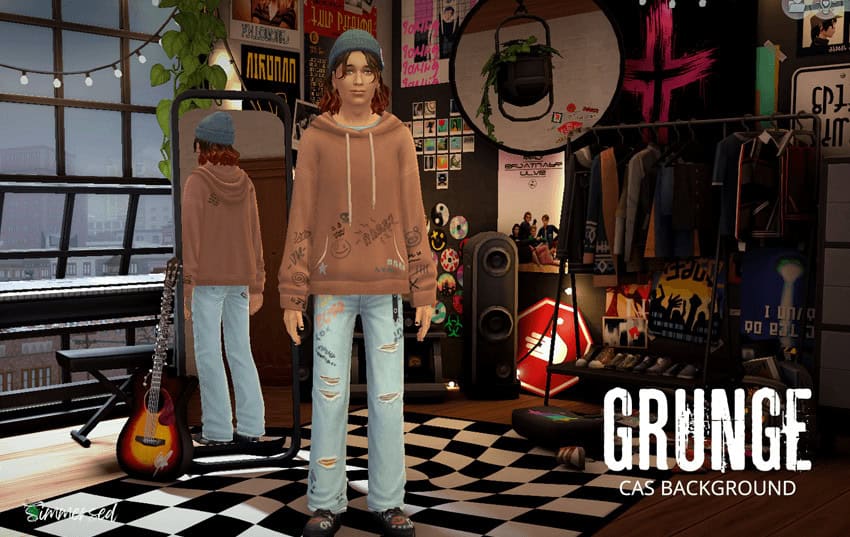
Grunge CAS Background is a default replacement, and it turns the standard CAS screen into a cluttered, alternative bedroom. The room comes with a black-and-white checkered floor, band posters, wall art, clothing racks, a guitar, speakers, plants, string lights, and plenty of grungy decor.
It’s a great backdrop for punk, goth, emo, and alternative Sims, especially if you want your CAS screenshots to have more personality. The creator notes that the colors may look slightly different if you don’t use the same ReShade settings. This background is compatible with the base game.
Forgotten Hollow Reimagined – Realistic Map Overhaul
Download: Forgotten Hollow Reimagined – Realistic Map Overhaul
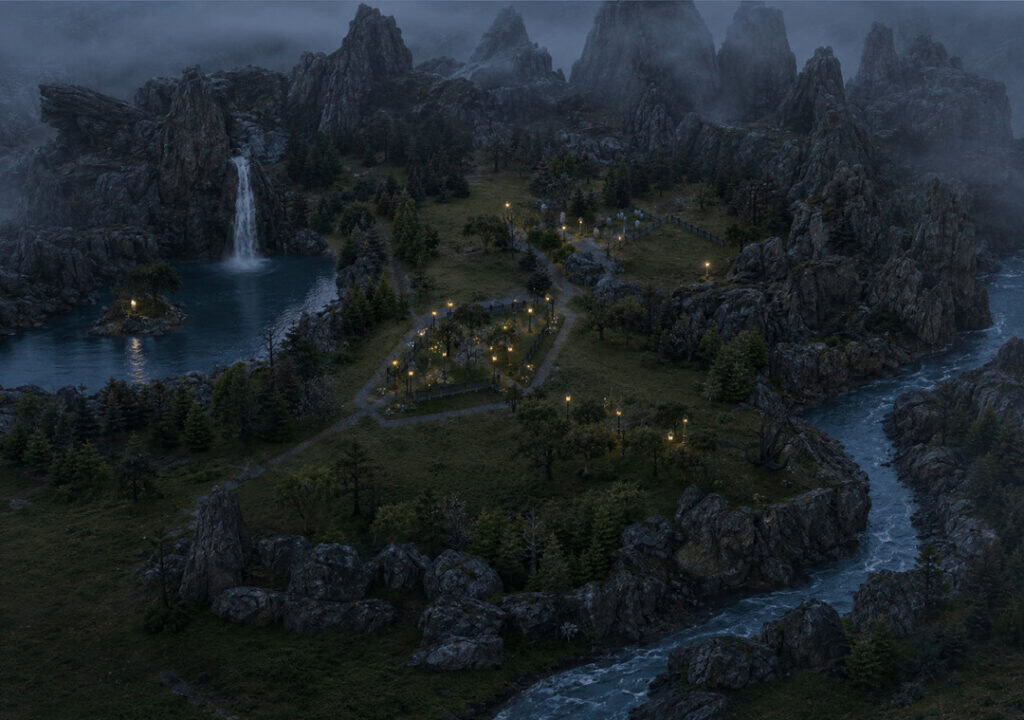
Forgotten Hollow Reimagined – Realistic Map Overhaul is a map replacement for transforming Forgotten Hollow into a darker and more realistic gothic world. It adds dense forests, dramatic mountains, winding waterways, detailed roads, and an atmospheric European-inspired landscape while keeping the original world layout recognizable.
I recommend using this overhaul for vampire and supernatural gameplay, especially if you want Forgotten Hollow to feel more ancient, isolated, and immersive. Remember to get the Sims 4 Vampires Game Pack.
FAQ on Sims 4 Goth Overrides and Default Replacements
What are Sims 4 goth overrides?
Sims 4 goth overrides replace existing visual elements in your game with darker or gothic alternatives. Depending on the download, you can replace loading screens, CAS backgrounds, maps, and other default game visuals.
What is the difference between an override and regular custom content?
Regular CC normally adds new items alongside EA content, while an override replaces something already in the game. For example, a custom CAS background replaces the standard Create-a-Sim background rather than adding another selectable background.
Can I use multiple Sims 4 loading screens at once?
No. You should generally keep only one loading screen replacement in your Mods folder at a time. Installing multiple replacements for the same game resource can cause conflicts.
Can I have multiple custom CAS backgrounds installed?
No. CAS backgrounds are default replacements, so you should only have one installed at a time. Remove your current CAS background before switching to another one.
How do I install Sims 4 goth overrides?
Download and extract the file if necessary, then place the .package file in your Sims 4 Mods folder. Always read the creator’s installation instructions because some overrides have specific requirements.
Can Sims 4 overrides break after an update?
Yes. Game updates can sometimes affect overrides and default replacements. If something looks wrong after updating The Sims 4, check the creator’s download page for an updated version.
Do Sims 4 overrides permanently change my game?
No. Most overrides can be removed by deleting their package file from your Mods folder. Once removed, the game should return to its original version of the replaced element.
Can I use goth overrides with other Sims 4 CC and mods?
Yes, in most cases. The main thing to avoid is installing two files meant to replace the same resource. For example, don’t install two different CAS backgrounds simultaneously.
Why isn’t my custom CAS background or loading screen showing up?
Make sure custom content and script mods are enabled in your game settings, confirm the file is correctly placed in your Mods folder, and check for another override replacing the same resource. You may also need to delete the localthumbcache.package file before restarting your game.
Conclusion
That’s it for this list. Sims 4 goth overrides are an easy way to take the aesthetic beyond your Sims and transform the game itself. All you need is a dark CAS room, spooky loading screen, or atmospheric map replacement to make everything feel more cohesive when you’re creating gothic, vampire, witch, punk, or alternative stories.
I included a mix of styles in this list, from Ghostface and haunted loading screens to gothic castles, grunge CAS rooms, and a reimagined Forgotten Hollow. Just remember to check each creator’s instructions before installing any of the mods in your PC.
Packs this post uses
- The Sims 4 Get Together · Expansion Pack · PC/Mac EA app code on Amazon
- The Sims 4 Vampires · Game Pack · PC/Mac EA app code on Amazon
As an Amazon Associate we earn from qualifying purchases. Codes redeem in the EA app on PC or Mac.