40+ Must-Have Sims 4 Halloween Loading Screens For Spooky Gameplay (2026 Update)
I’ve added 20+ new Sims 4 Halloween loading screens for your 2026 spooky gameplay.
Did you know you can transform your entire Sims 4 UI to suit your mood and aesthetic?
This spooky season, give your Sims 4 a scary makeover with stunning Sims 4 Halloween loading screens. You can turn your game’s user interface into an eerie graveyard, haunted mansion, or cute pumpkin-themed backdrop.
Below, I’ve rounded up must-have Sims 4 Halloween loading screens that will set the mood every time you start the game. The collection features both dark and whimsical options, some filled with ghostly charm, and others glowing with autumn warmth.
If you’re new to using loading screens in the base game, I’ve included a quick FAQ section below. If not, jump straight to the best Sims 4 Halloween loading screens and start customizing your setup.
For more ways to refresh your game’s look, you can also check out my collection of Sims 4 Main Menu Overrides.
Helpful tip: Enable mods in The Sims 4 by checking the boxes for ‘Enable Custom Content and Mods’ and ‘Script Mods Allowed’ in Game Options.
Looking for the perfect CC for your Sims?
Try our Free Sims 4 Mod & CC Finder to discover thousands of mods instantly. Search by category, creator, or style to find exactly what you need!
Best Sims 4 Halloween Loading Screens for 2026
Halloween Loading Screen
Download: Halloween Loading Screen
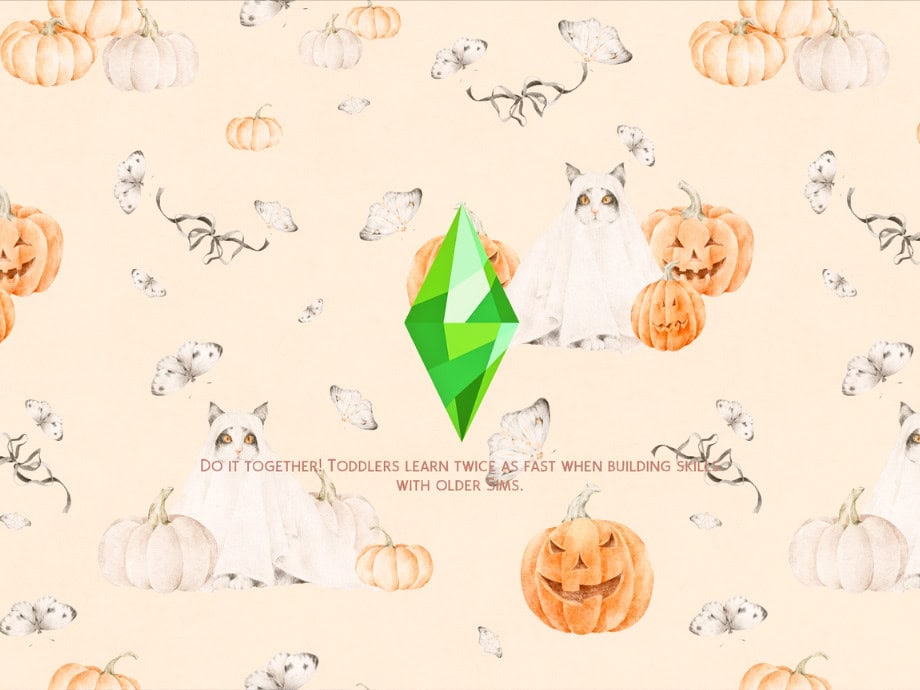
Halloween Loading Screen is a cute, spooky replacement for the default Sims 4 loading screen. It has a light cream background decorated with orange jack-o’-lanterns, white pumpkins, tiny ghosts, and twisted black branches. The soft colors and playful Halloween illustrations make it perfect for players who prefer a subtle, cozy Halloween aesthetic over dark and creepy designs.
The classic green Plumbob remains in the center, so you still get the familiar Sims 4 look, but with a festive twist.
RELATED POST: How to Change Sims 4 CAS Backgrounds, Loading Screens, and Menu Overrides
Boo! Animated Halloween Loading Screen
Download: Boo! Animated Halloween Loading Screen
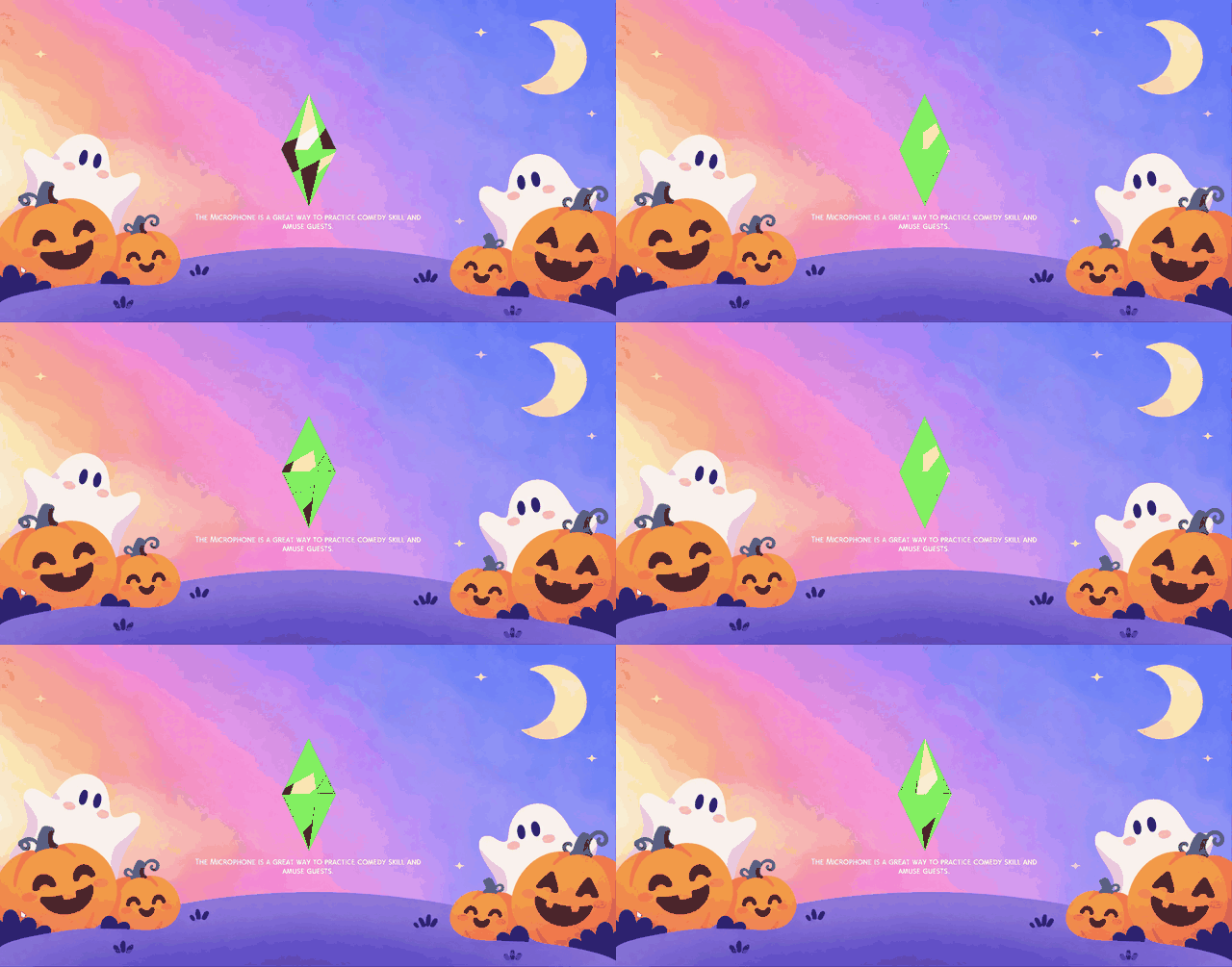
Boo! Animated Halloween Loading Screen is an adorable option for players who love a cute, colorful Halloween aesthetic. It’s made with a dreamy pastel background with pink, purple, orange, and blue gradients, along with smiling pumpkins, floating ghosts, twinkling stars, and a crescent moon.
The animated elements bring the design to life while keeping the overall look soft and playful. I especially love the little ghosts peeking out from behind the pumpkins. This background is a great choice for those who want something festive, but not creepy.
RELATED POST: 32+ Must-Have Sims 4 Halloween CC Finds for 2026: Furniture, Outdoor Decorations, Costume
Halloween Loading Screens
Download: Halloween Loading Screens
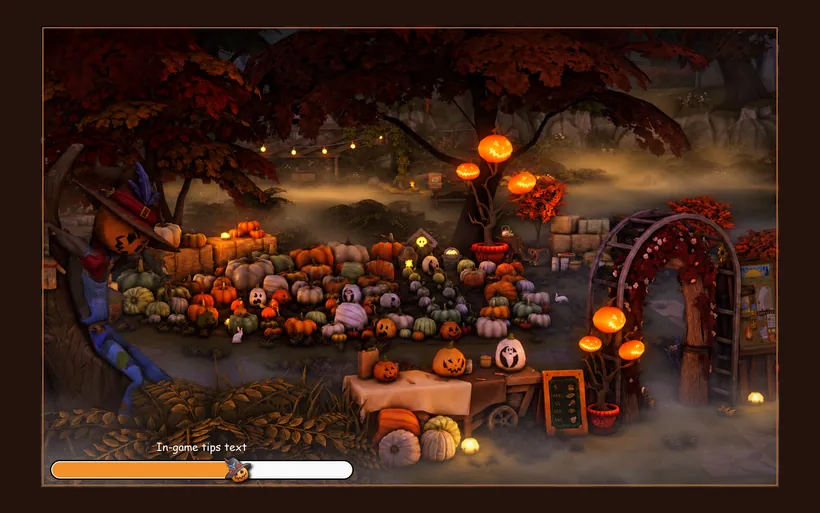
Halloween Loading Screens is a collection of three animated loading screens designed to add a spooky atmosphere to your game.
- The first design shows a black cat wearing a skeleton costume, sitting beside a glowing candle in a dimly lit room. You’ll also spot a raven perched near the window, with autumn leaves outside.
- The second option captures a cozy pumpkin patch filled with colorful pumpkins, glowing lanterns, autumn trees, and misty surroundings.
- The third design takes a darker approach with a golden statue, red autumn trees, and a foggy courtyard.
Each version has its own animation, including moving cat eyes, glowing pumpkin lights, and atmospheric lighting. All three Sims 4 Halloween loading screens come with a loading bar and in-game tips, which appear in your selected game language.
RELATED POST: Must-Have Sims 4 Halloween Decor to Get You in the Spirit
Halloween Horror Loading Screens
Download: Halloween Horror Loading Screens
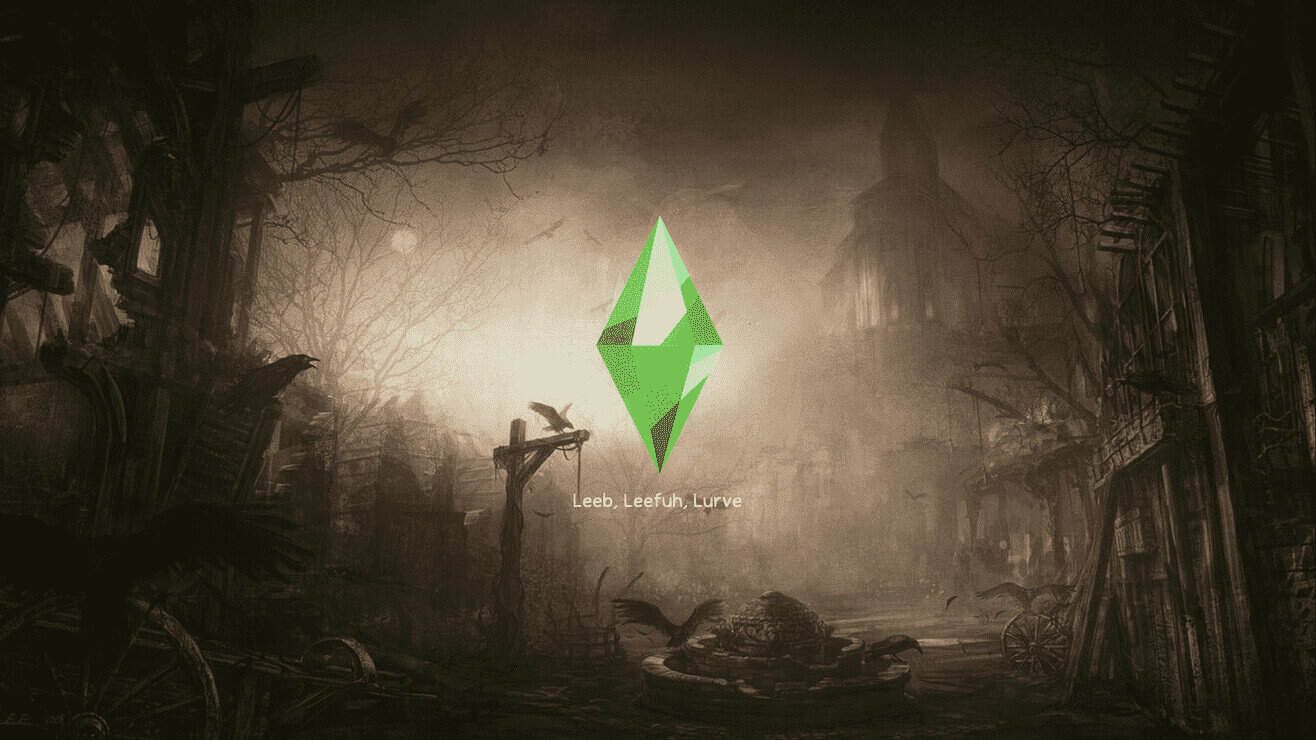
If you’re looking for something genuinely creepy for your game, Halloween Horror Loading Screens is a great choice. This collection includes several horror-inspired designs, from foggy forests with twisted trees and abandoned buildings to eerie characters and dark, unsettling backgrounds.
I especially love the misty forest design, with its muted colors, overgrown surroundings, and mysterious atmosphere. I recommend this set to players who enjoy haunted houses, supernatural gameplay, and darker Halloween aesthetics.
Remember to install only one loading screen at a time and place the package file no more than one subfolder deep in your Mods folder.
Halloween Loading Screen
Download: Halloween Loading Screen
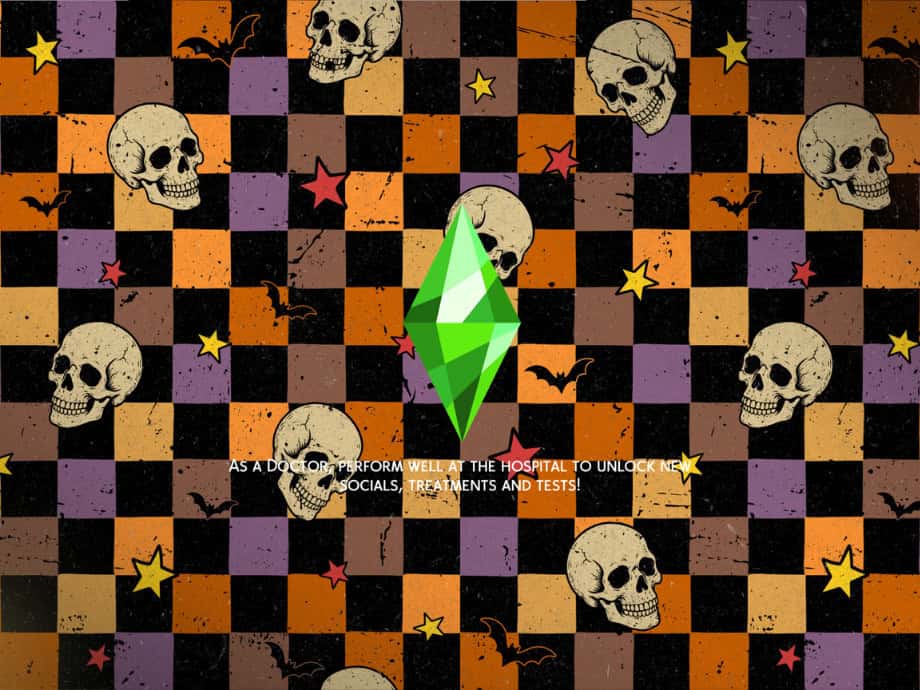
Halloween Loading Screen is a colorful, spooky replacement for the default Sims 4 loading screen. It has a checkered background in orange, purple, black, and brown, decorated with vintage-style skulls, flying bats, and bright yellow and red stars.
I love the retro Halloween aesthetic, especially the slightly distressed textures and bold colors. It’s a fun choice if you prefer classic Halloween decorations over realistic, creepy designs. The familiar green Plumbob also remains in the center.
This Sims 4 Halloween loading screen is compatible with the base game, meaning you won’t require additional EPs to use it.
Spooky Attic Opening Screen Override
Download: Spooky Attic Opening Screen Override
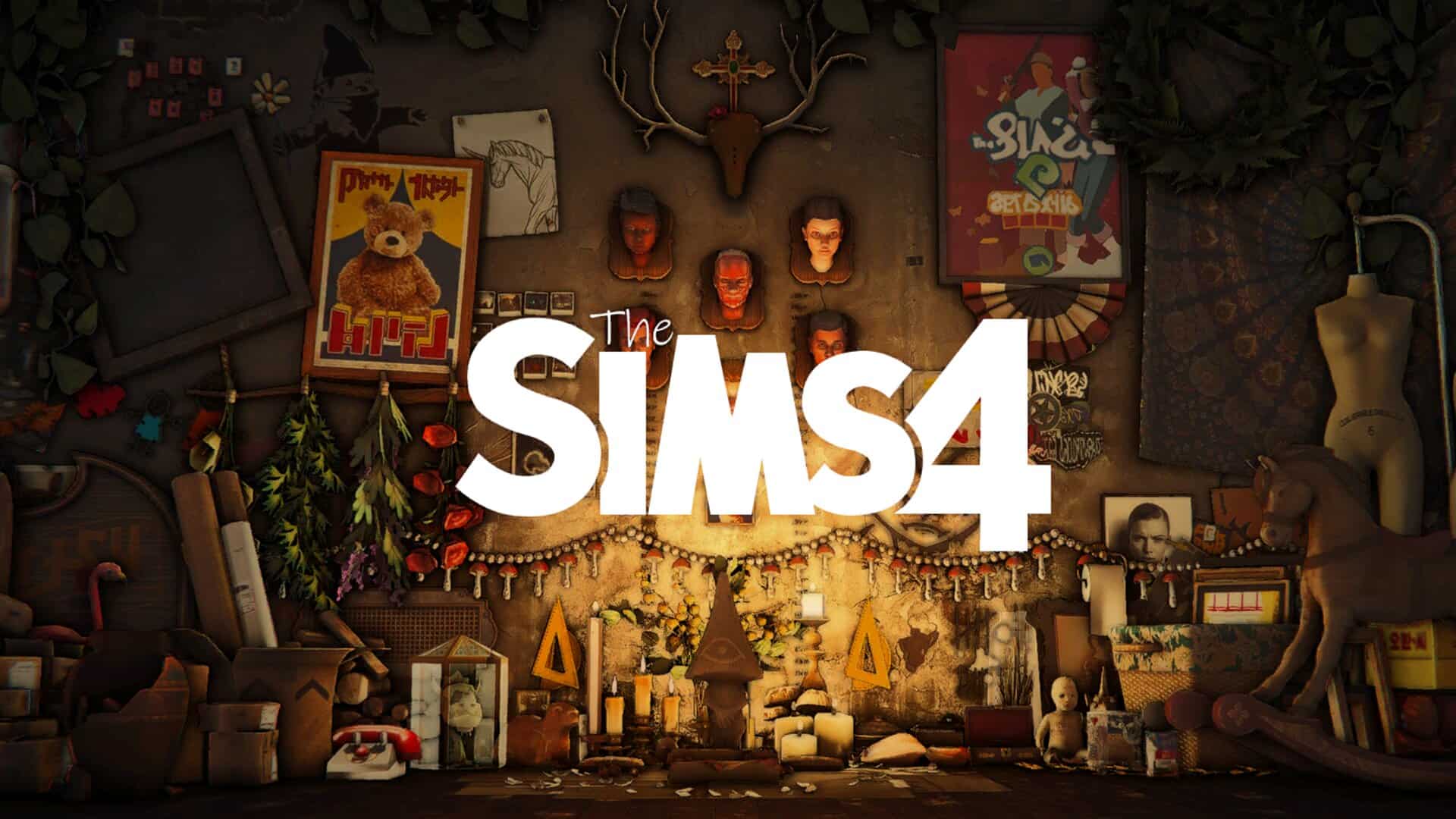
Spooky Attic Opening Screen Override is a cluttered, Halloween-inspired replacement for the default Sims 4 opening screen. It transforms the background into a mysterious antique shop attic filled with candles, vintage furniture, old books, creepy portraits, unusual decorations, and gothic ornaments.
I love how much detail goes into this design, from the glowing candles and scattered objects to the strange wall decorations and antique statues. The familiar Sims 4 logo remains in the center, surrounded by all the spooky clutter.
Spooky Suck Loading Screens
Download: Spooky Suck Loading Screens
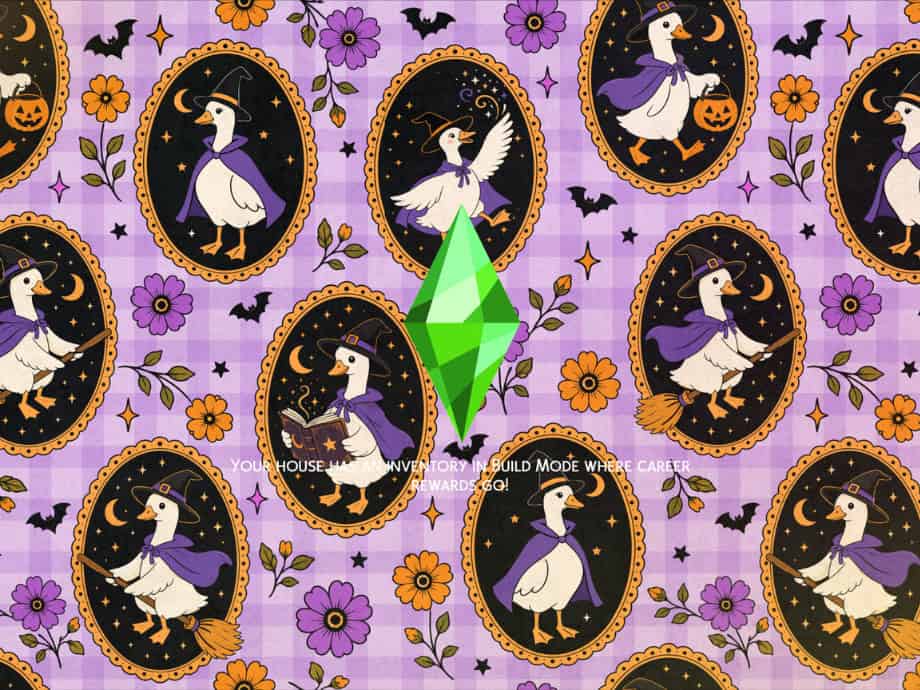
Spooky Suck Loading Screens is an adorable Halloween-themed replacement with a playful, witchy aesthetic. It has a purple checkered background decorated with cute white ducks dressed as witches, wearing pointed hats and purple capes.
Each duck appears inside a decorative gold frame, with some riding broomsticks, carrying pumpkin buckets, or holding spellbooks. You’ll also spot colorful flowers, tiny bats, crescent moons, and sparkling stars scattered across the background.
I love the combination of purple, orange, and black.
RELATED POST: 30+ Spooktacular Sims 4 Halloween CC Finds for 2025: Costumes, Builds, Pumpkin
Haunted Halloween Castle- Loading Screen
Download: Haunted Halloween Castle- Loading Screen
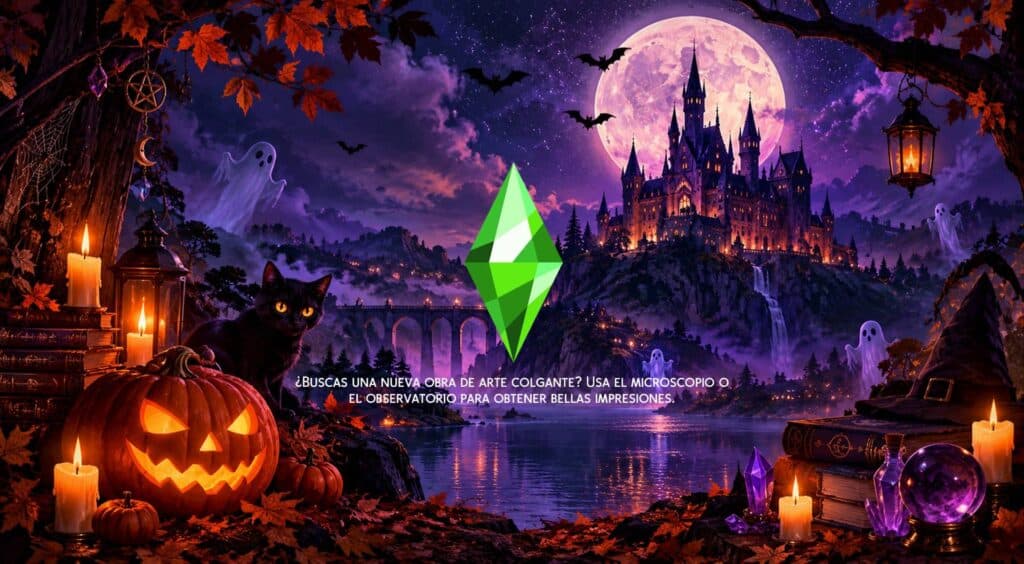
If you’re looking for a magical yet spooky Halloween background, the Haunted Halloween Castle is a beautiful choice. It’s a towering gothic castle overlooking a lake, with a massive glowing full moon, purple skies, flying bats, and floating ghosts.
In the foreground, you’ll spot a glowing jack-o’-lantern, a black cat with bright yellow eyes, flickering candles, spellbooks, and a crystal ball. The vibrant purple and orange colors create a gorgeous witchy atmosphere, perfect for Halloween and supernatural gameplay.
Since this is a Sims 4 Halloween loading screen override, you can only have one installed at a time. Simply extract the ZIP file and place the package file in your Mods folder.
Pastel Halloween Loading Screen
Download: Pastel Halloween Loading Screen
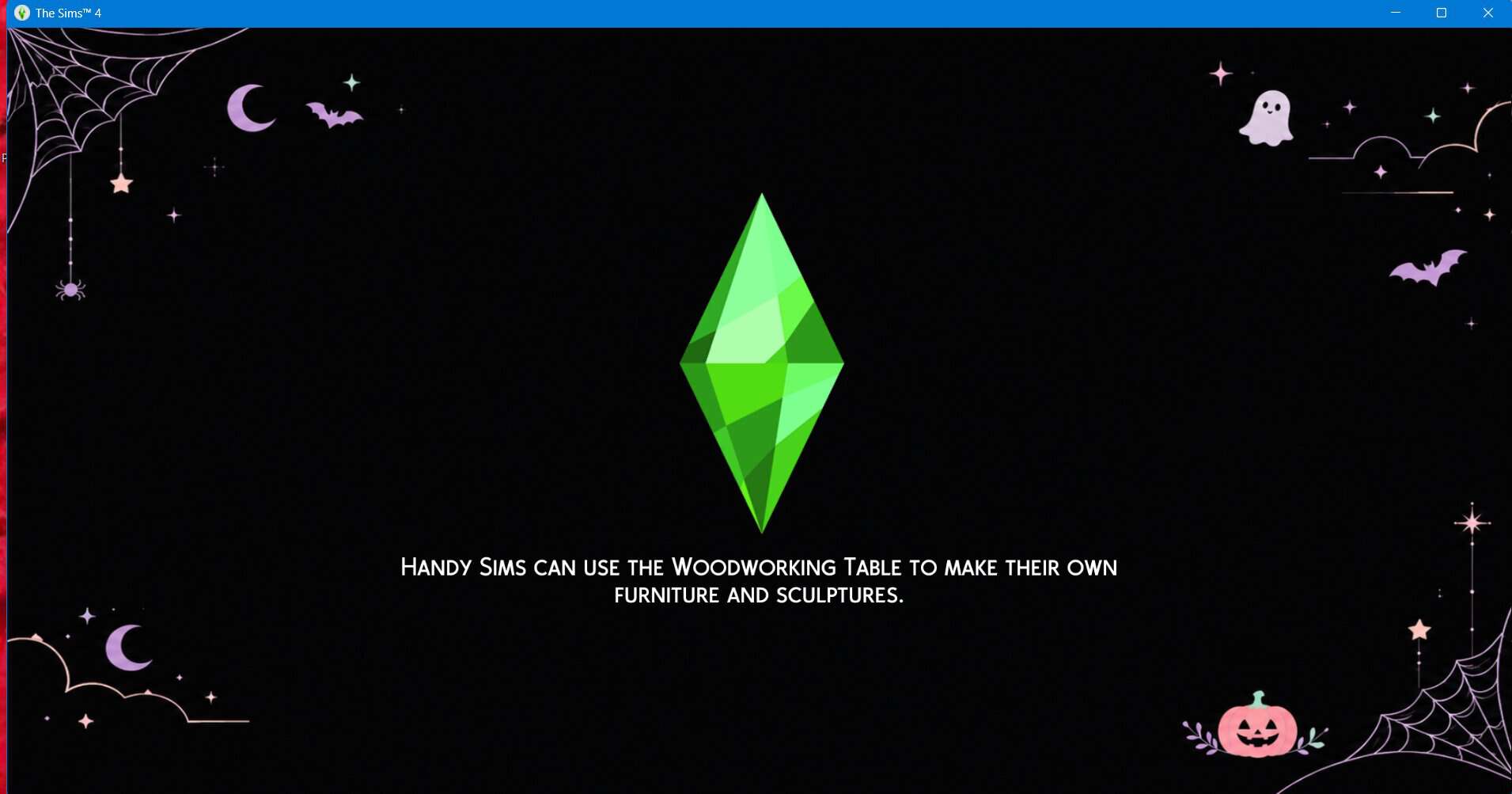
Pastel Halloween Loading Screen is a minimalist Halloween-themed replacement with a cute pastel goth aesthetic. The solid black background is decorated with soft pink, lavender, and mint accents of tiny ghosts, bats, crescent moons, pumpkins, stars, and delicate spiderwebs.
I love how simple and clean this design looks. The Halloween decorations sit around the edges, leaving plenty of space in the center for the spinning Plumbob and loading text. It’s perfect if you want something festive without a busy background.
To install this Sims 4 Halloween loading screen:
- Download the .package file.
- Place it in Documents > Electronic Arts > The Sims 4 > Mods.
- Enable Custom Content and Mods in your game settings.
- Remove any other custom loading screens from your Mods folder.
- Restart your game to see your new Halloween loading screen.
Halloween Party Loading Screen
Download: Halloween Party Loading Screen
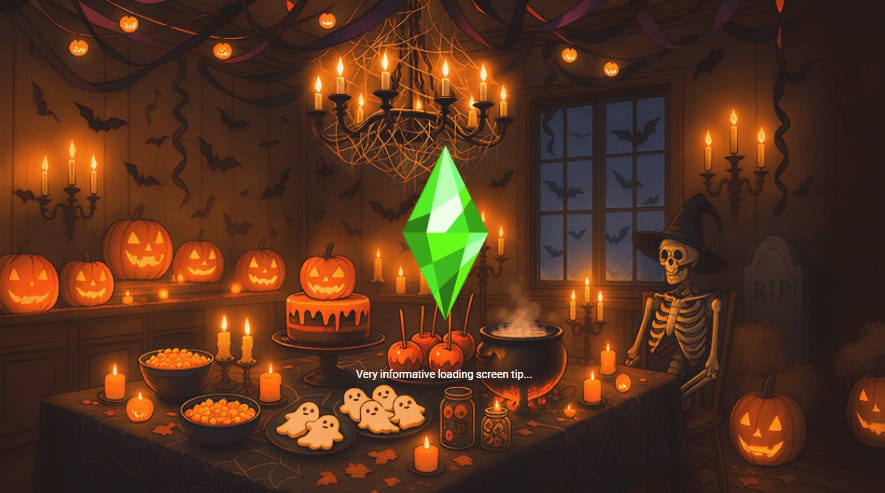
Halloween Party Loading Screen is a spooky, cozy replacement inspired by a haunted Halloween celebration. It shows a dimly lit party room decorated with glowing jack-o’-lanterns, flying bats, cobwebs, and a candlelit chandelier.
The table is packed with various Halloween treats, including ghost-shaped cookies, bowls of candy, a pumpkin cake, and a bubbling cauldron. You’ll also spot a skeleton wearing a witch’s hat sitting beside a gravestone.
I love the warm orange lighting and all the little Halloween details. It’s a great choice for Simmers who want a festive loading screen with a slightly creepy atmosphere.
Sims 4 Halloween Loading Screens
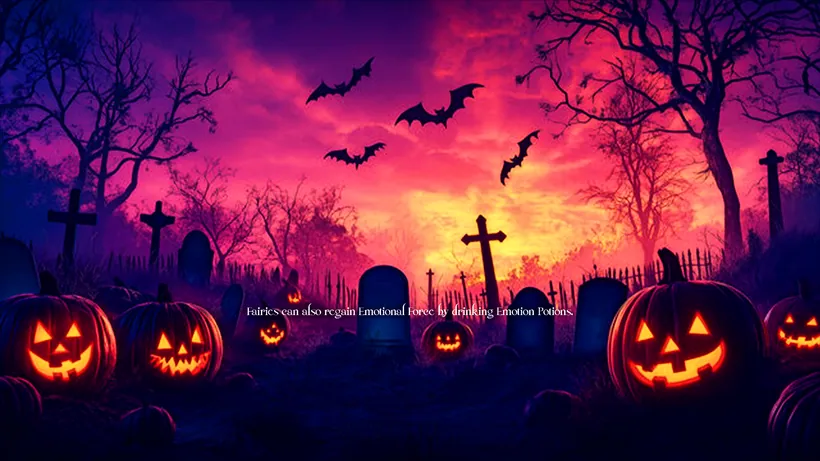
Download: Sims 4 Halloween Loading Screens
Sims 4 Halloween Loading Screens is a collection of 18 spooky backgrounds perfect for celebrating Halloween in your game. The designs range from cozy autumn scenes with glowing pumpkins and warmly lit cottages to eerie graveyards, haunted houses, and dark forests.
You’ll find vibrant purple and pink graveyards with flying bats, mysterious blue haunted houses surrounded by fog, and creepy red cemeteries illuminated by massive full moons.
There’s a great mix of cute, atmospheric, and genuinely creepy designs, so you can choose a loading screen to match your Halloween aesthetic. Just remember to install one loading screen at a time to avoid conflicts.
Loading Screen The Sims 4 – Halloween
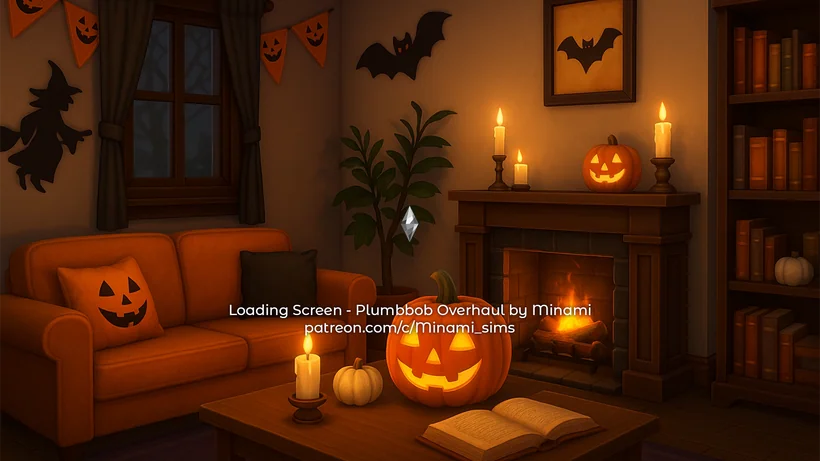
Download: Loading Screen The Sims 4 – Halloween
Loading Screen The Sims 4 – Halloween is a collection of six cozy, Halloween-themed loading screens designed with warm lighting, glowing pumpkins, and festive decorations.
The collection includes beautifully decorated living rooms, a cozy kitchen with ghost-shaped cookies, a charming autumn cottage covered in string lights, and a Halloween-themed gaming setup.
Each Sims 4 Halloween loading screen has a soft orange glow, with details like candles, bats, jack-o’-lanterns, and Halloween wall decorations. I love how the backgrounds capture the fun, cozy side of Halloween without looking too scary.
You can choose from six different designs to match your preferred aesthetic.
Cute Ghost Halloween Loading Screen
Download: Cute Ghost Halloween Loading Screen
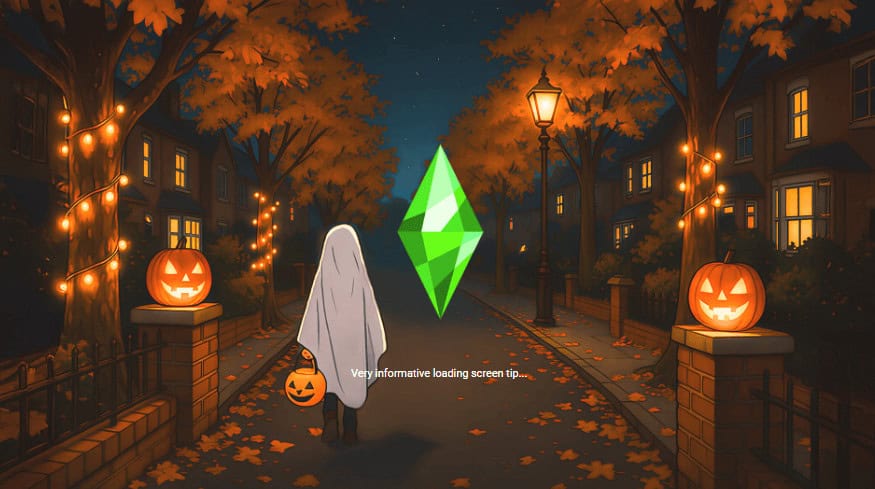
Cute Ghost Halloween Loading Screen is an adorable loading screen replacement featuring a little ghost heading out for trick-or-treating on a cozy autumn evening.
The background shows a quiet neighborhood lined with glowing streetlights, orange autumn trees, and houses with warmly lit windows. You’ll also find carved jack-o’-lanterns, falling leaves, and fairy lights wrapped around the trees.
I love how the little ghost carries a pumpkin candy bucket, making the entire scene feel playful rather than scary. It’s a great choice if you prefer cute Halloween aesthetics with a slightly spooky atmosphere.
Remember to only have one custom loading screen installed in your Mods folder at a time. Installing multiple loading screen replacements can cause conflicts, resulting in broken visuals, overlapping backgrounds, or the game displaying the wrong loading screen.
Nat’s Spooky Loading Screens
Download: Nat’s Spooky Loading Screens
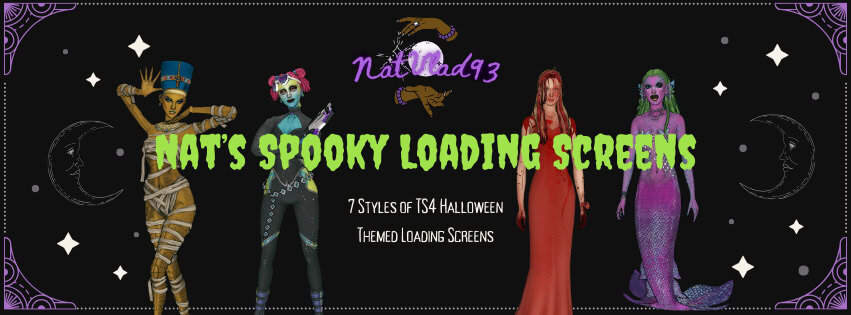
Nat’s Spooky Loading Screens is a collection of seven Halloween-themed loading screens inspired by supernatural characters, fantasy creatures, and iconic horror movies.
The collection includes the following designs:
- Ancient Queen – An Egyptian-inspired scene with a royal mummy aesthetic.
- Carrie – A fiery scene inspired by the classic horror movie.
- Fairy – A magical fairy surrounded by glowing purple and blue scenery.
- Siren – Two versions featuring enchanting mermaid-inspired scenes.
- Vampire – Two versions showcasing dark, gothic vampire aesthetics.
- Sea Witch & Disney Princess – Two underwater scenes inspired by Ursula.
- Alien – Three versions featuring mysterious extraterrestrial scenes.
Each design places the plumbob in the center of the screen, while the original white loading text remains visible. Some designs also come with alternate versions, so you can choose the scene you prefer. This Sims 4 Halloween loading screen set is compatible with the base game.
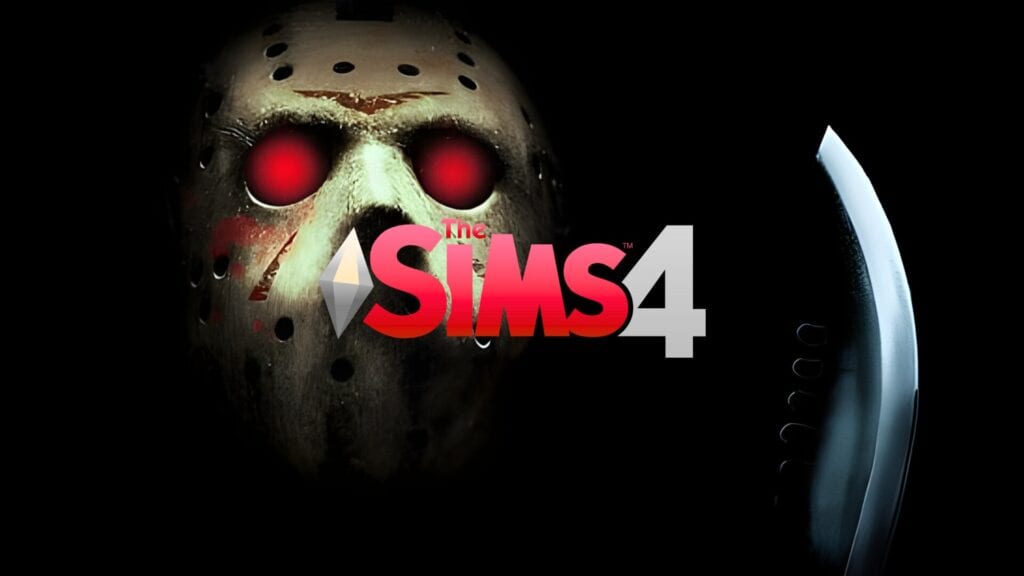
Jason Voorhees Screen Collection
Download: Jason Voorhees Screen Collection
Jason Voorhees Screen Collection is a horror-themed set inspired by Friday the 13th, one of my favorite childhood horror movies. The collection includes a custom loading screen covered in Jason Voorhees’ iconic hockey masks, complete with blood splatters and red accents. You’ll also find a matching main menu override with Jason’s mask, glowing red eyes, a machete, and the Friday the 13th logo.
I love how the dark background and bloody details capture the terrifying atmosphere of the movie. It’s a great choice if you want something genuinely creepy for your Sims 4 Halloween setup.
For the custom main menu to work, you must have the SimMattically – RefreshedMainMenu3 BASE package installed. You must also keep the #, $, or $# symbols and the numbers at the end of the main menu file name. These are necessary for SimMattically’s main menu mod to display the background correctly in your game.
Click on the attached link for more information on this Sims 4 Halloween screen collection, including installation instructions and download requirements.
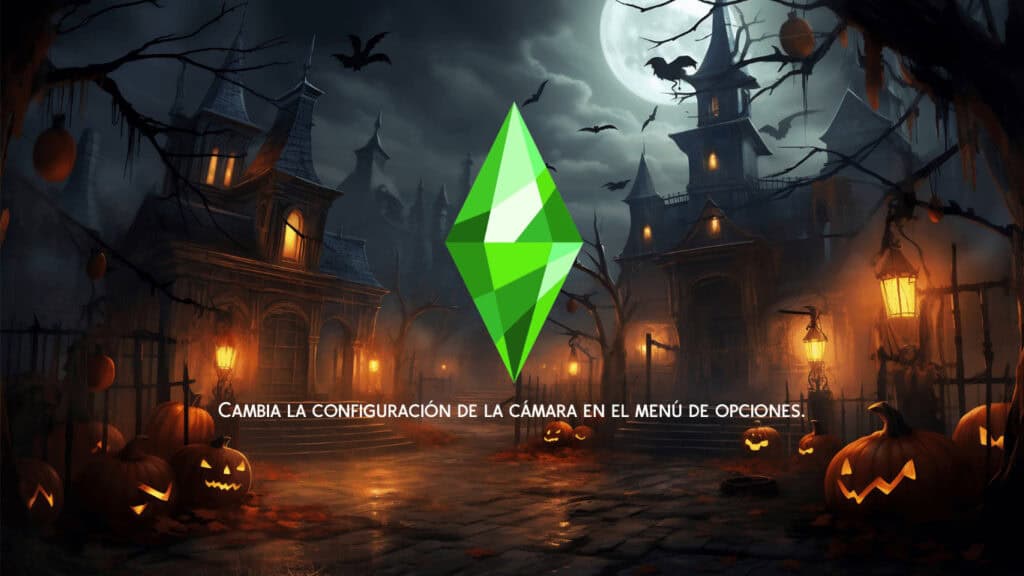
Loading Screen Override Halloween Night 6
Download: Loading Screen Override Halloween Night 6
Loading Screen Override Halloween Night 6 is a spooky replacement screen with a haunted village surrounded by glowing jack-o’-lanterns, eerie Victorian-style houses, and twisted trees.
The background has a dark blue sky illuminated by a full moon, flying bats, and warm orange streetlights. The misty streets and glowing windows create a mysterious atmosphere without making the scene too scary. This Sims 4 Halloween loading screen is perfect for players who prefer a classic haunted-house aesthetic with a touch of cozy Halloween charm.
Make sure you remove any existing custom loading screens first, as having multiple loading screen overrides installed can cause conflicts and prevent your game from loading correctly.
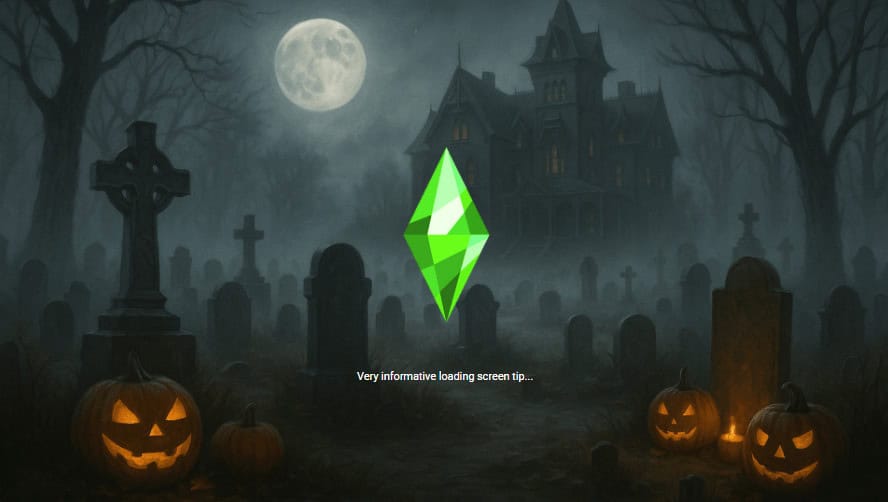
Halloween Loading Screen 1
Download: Halloween Loading Screen 1
Halloween Loading Screen 1 is a spooky replacement screen with a foggy graveyard, an abandoned Victorian mansion, and glowing jack-o’-lanterns scattered among old tombstones.
The background has a cool blue-gray color palette, with a bright full moon illuminating the haunted mansion and bare trees. I love how the thick fog makes the graveyard look mysterious and unsettling, especially with the glowing pumpkins in the foreground.
I recommend this Sims 4 Halloween loading screen to players who prefer a darker, more traditional horror aesthetic over cute and colorful Halloween designs.
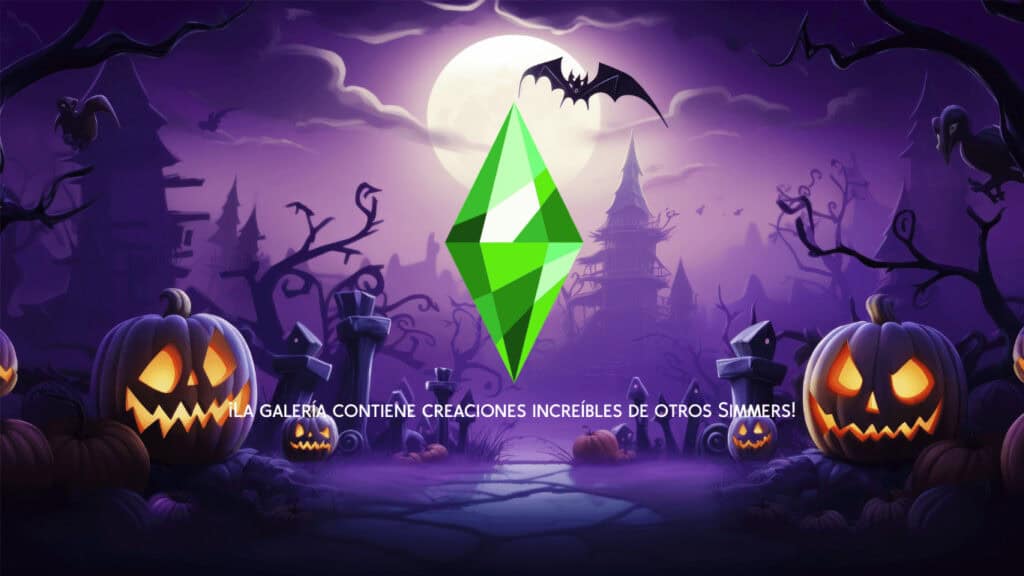
Loading Screen Override Halloween Night 4
Download: Loading Screen Override Halloween Night 4
Loading Screen Override Halloween Night 4 is a vibrant purple Halloween-themed replacement screen with glowing jack-o’-lanterns, twisted trees, flying bats, and a mysterious haunted castle in the distance.
The background has a stunning mix of violet, lavender, and deep purple shades, with a bright full moon illuminating the spooky landscape. I love how the glowing pumpkins stand out against the darker surroundings, creating a magical yet slightly eerie atmosphere.
This Sims 4 Halloween loading screen is a great choice for adding a witchy aesthetic to your game.
RELATED POST: Must-Have Sims 4 Witch CC for Halloween (2025 Update)
IT Screen Collection
Download: IT Screen Collection
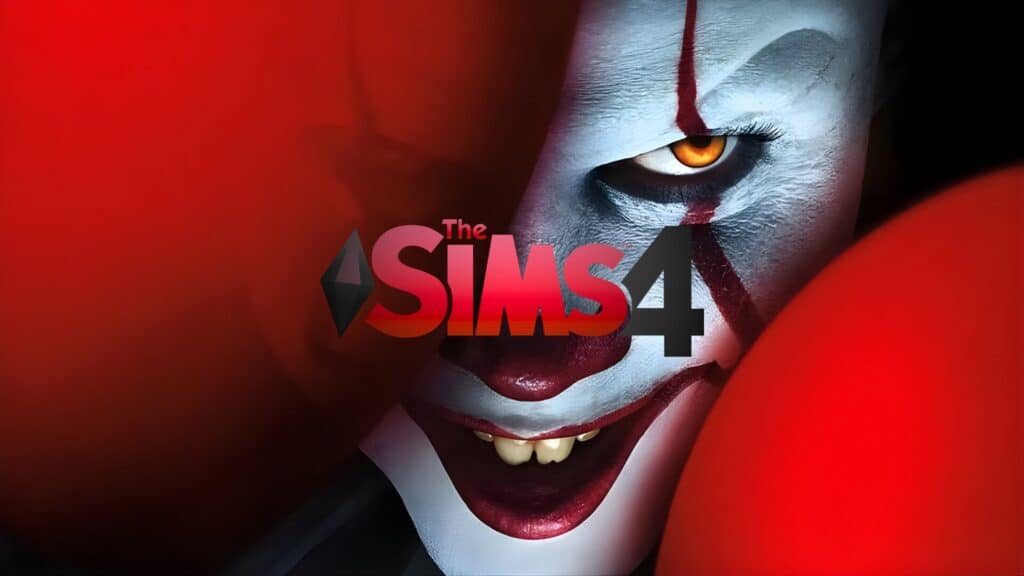
IT Screen Collection is one of the coolest Sims 4 Halloween loading screen sets I’ve seen. Inspired by the horror movie IT, this collection brings Pennywise the Dancing Clown into your game with his terrifying smile, glowing yellow eyes, and signature red makeup.
The collection contains several screen designs, including a close-up of Pennywise’s face, his creepy eyes, and a custom main menu with a red-and-black horror aesthetic. I love how the creator has incorporated the Sims 4 logo into the designs, making everything look like an actual horror-themed game.
If you’re a fan of Stephen King’s IT or love genuinely creepy Halloween aesthetics, this collection is worth checking out.
To use the custom main menu, you must have the SimMattically – RefreshedMainMenu3 BASE package installed. You also need to keep the ##, #, or $# symbols and the numbers at the end of the main menu file name, as these allow the background to display correctly in-game.
Loading Screens Halloween
Download: Loading Screens Halloween
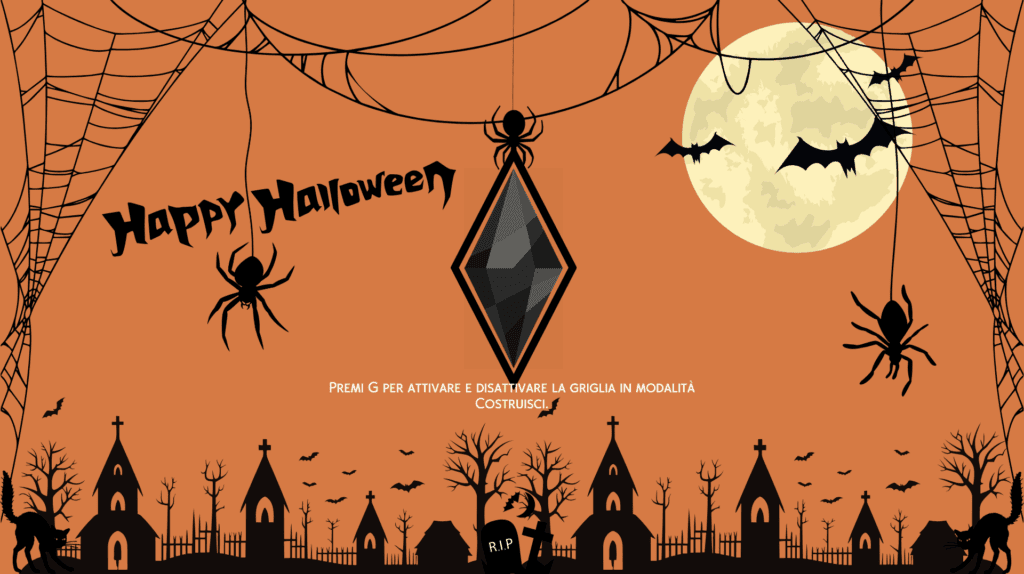
Loading Screens Halloween is a collection of six spooky loading screen replacements designed to bring the Halloween spirit into your Sims 4 game.
The collection includes a mix of colorful and dark designs, from an orange background decorated with spiderwebs, bats, and a full moon to a black-and-white skeleton-themed screen with skulls and a creepy jack-o’-lantern. You’ll also find eerie graveyards, glowing pumpkins, haunted houses, and a purple witchy scene illuminated by a bright yellow moon.
I love the variety in this collection because you can switch between cute Halloween designs and darker, more mysterious backgrounds depending on your mood.
Note that these Sims 4 Halloween loading screens don’t change the game’s original plumbob, so you’ll still see it while your game loads. Just remember to install only one loading screen replacement at a time to avoid conflicts.
Halloween Loading Screen 2
Download: Halloween Loading Screen 2
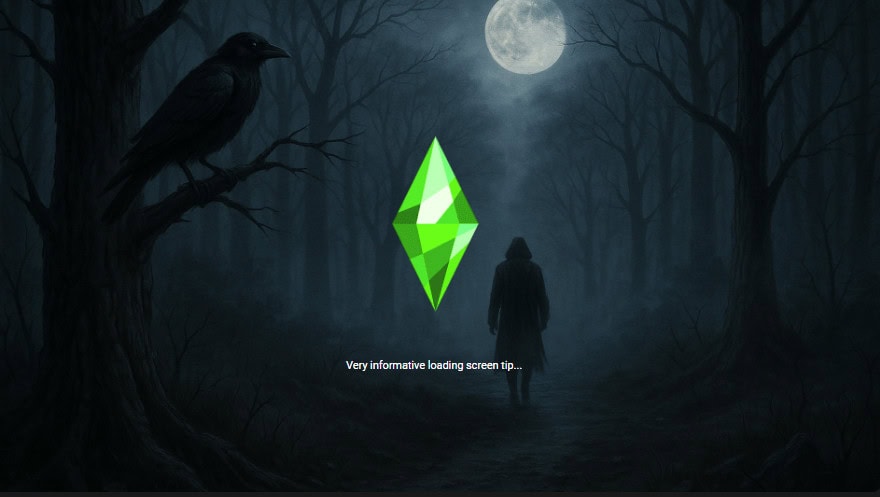
Halloween Loading Screen 2 is a creepy replacement screen with a mysterious hooded figure standing alone in a dark, foggy forest. The background has towering bare trees, a large black raven perched on a branch, and a glowing full moon illuminating the narrow woodland path.
The entire scene uses deep blue and gray tones, creating a cold, unsettling atmosphere. I especially love the shadowy figure in the distance because it makes you wonder who they are and what they’re doing in the middle of the forest.
This Sims 4 Halloween loading screen is perfect for players who love psychological horror, mysterious forests, and darker Halloween aesthetics. If the screen stops working after a game update, check the creator’s page for an updated version.
Loading Screen Override Halloween Night 2
Download: Loading Screen Override Halloween Night 2
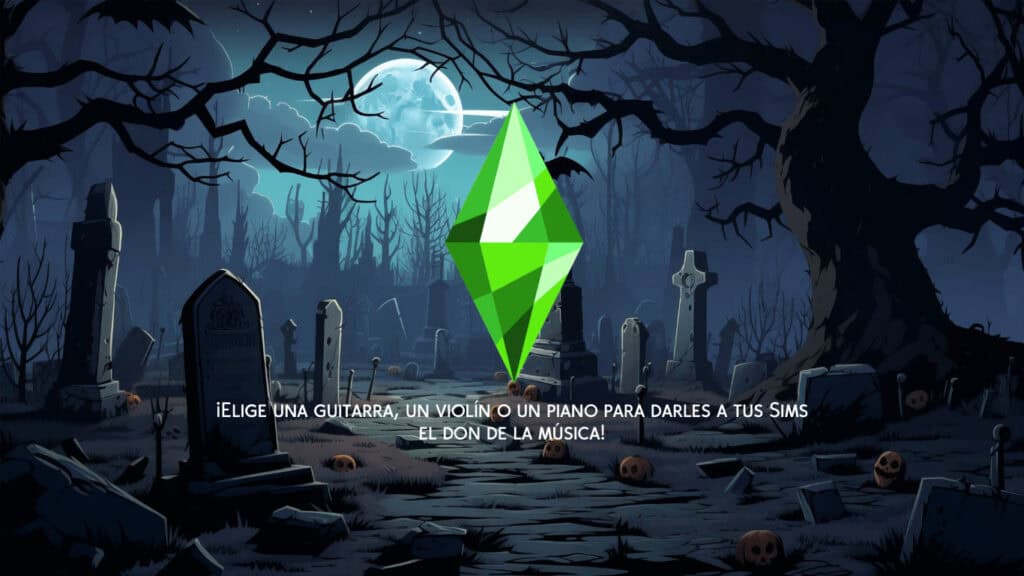
Loading Screen Override Halloween Night 2 is a spooky replacement screen with a moonlit graveyard surrounded by twisted, leafless trees. The background has old tombstones, scattered skulls, broken gravestones, and a winding stone pathway leading deeper into the cemetery.
This Sims 4 Halloween loading screen is perfect for players who prefer haunted graveyards, gothic scenery, and mysterious Halloween aesthetics.
To use this loading screen, unzip the downloaded ZIP file and place the .package file directly into your Sims 4 Mods folder without adding any extra subfolders. Make sure you only have one custom loading screen installed at a time to avoid conflicts and loading issues.
Best Sims 4 Halloween Loading Screens for 2025
Halloween Opening Screen Overrides
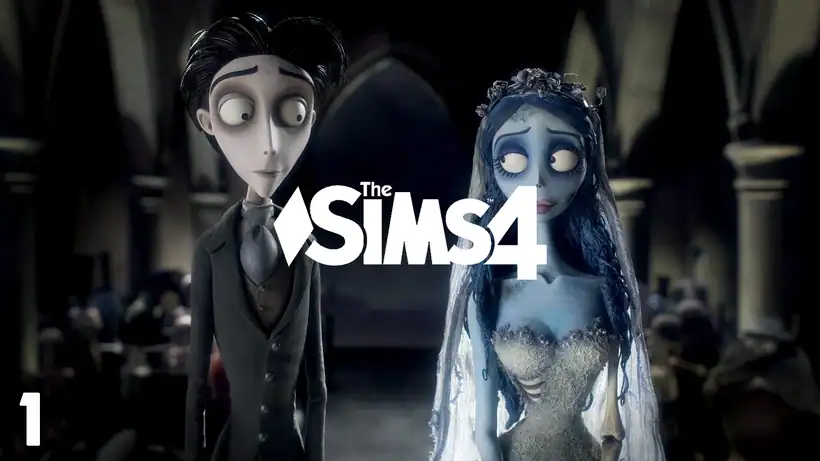
This Sims 4 Halloween loading screen collection by aylluresims is a must-have in 2025. It features multiple themed backdrops inspired by spooky favorites like Corpse Bride and Groom, Beetlejuice, and Coraline.
The scenes in each collection are quite eerie and scary, which is the perfect touch for your Halloween gameplay. Before adding this loading screen to your game, please download the NO INTRO mod. It removes the default opening screen, allowing the Halloween opening scenes to display properly.
Halloween/Autumn Loading Screens
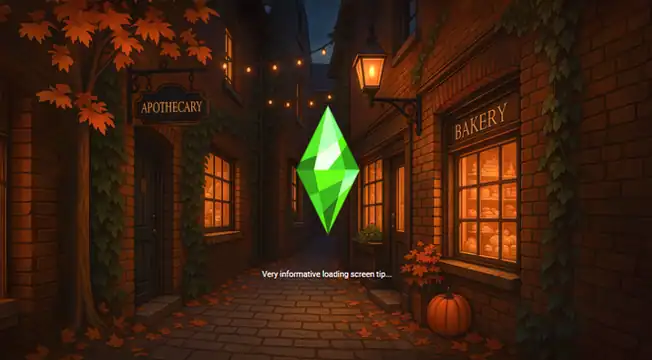
If you prefer a charming fall aesthetic over jump scares, this cozy Halloween loading screen is perfect. It’s set in a candle-lit alley lined with ivy-covered brick walls, glowing lanterns, and a pumpkin by the bakery door.
The pack has several less scary loading screens, some with skeletons and ghosts, and others without. Pick your favorite and add it to your mods folder. Remember, you can have only one loading screen in your game.
For more autumn-themed loading screens, check out our roundup of Must-Have Sims 4 Fall Loading Screens.
Witchy Halloween Loading Screens
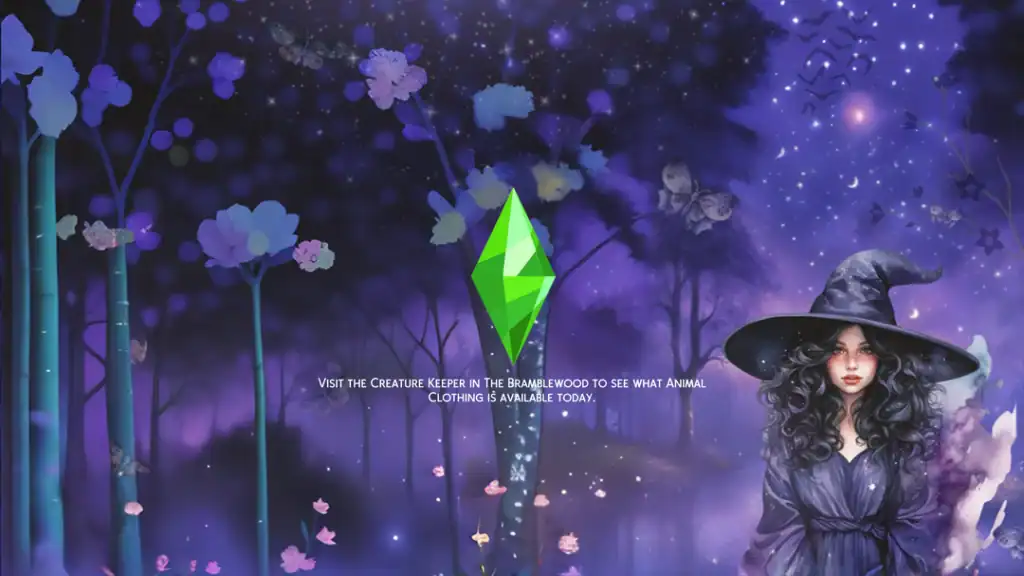
Isn’t this STUNNING! It’s set under a starry violet sky with a dark-haired witch surrounded by glowing trees, soft butterflies, and gentle moonlight. The cool purples and midnight blues blend beautifully with the green plumbob, creating an enchanting transition into your game.
The pack has three loading screens, and you’ll find the links at the bottom of the post.
The Halloween Candle
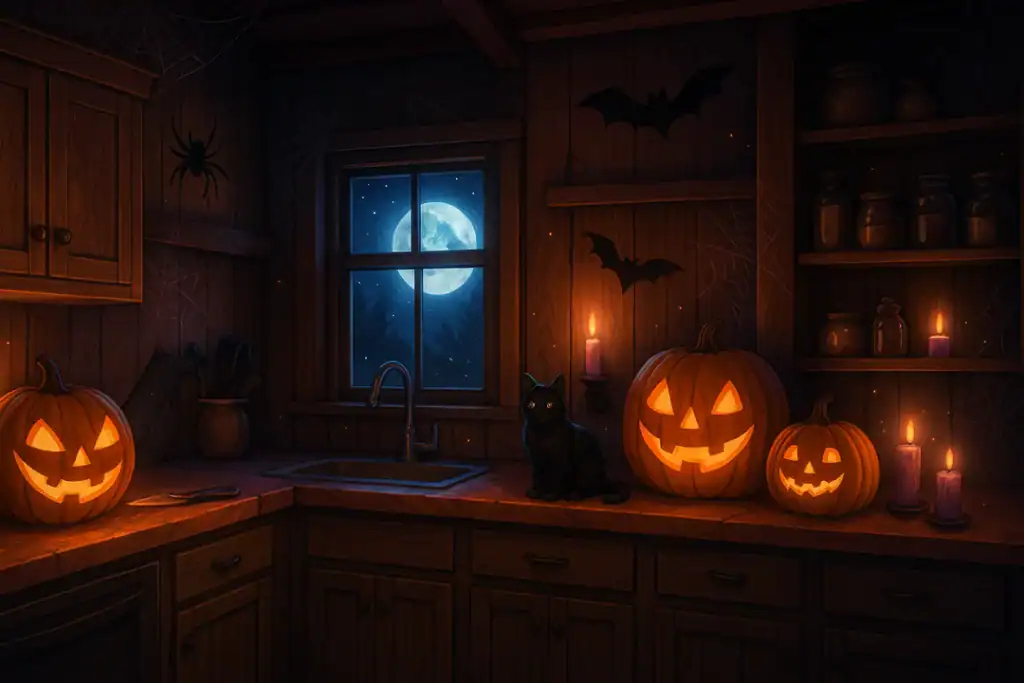
This NEW Sims 4 Halloween loading screen is the perfect addition to your spooky 2025 setup. It’s cozy and spooky, bringing the perfect mix of comfort and creepiness to your user interface.
Designed by Dana in early September, this backdrop adds a fresh, spooky twist to your game. The warm wooden kitchen glows with flickering candles, carved pumpkins, and a watchful black cat under the full moon, feels like a witch’s cottage in the middle of October.
If you love decorating your Sims’ homes for Halloween, I highly recommend getting this backdrop.
Spooky Bubble Loading Screen Set

This set includes four custom bubble-styled loading screens for Halloween. The soft pink tones and candy–coated look make it stand out from typical dark Halloween themes, giving your Sims 4 a more playful and pop-inspired twist. It’s perfect for players who love horror references but still want their game to look cute.
If you like your Halloween aesthetic with a dose of pink chaos, this loading screen is for you. Be sure to join the creator’s Patreon as a free member to access the download link.
Zombie Halloween Loading Screen

Download: Zombie Halloween Loading Screen
For players who love true horror visuals, this maxis match Zombie Halloween loading screen is a must-try. The eerie graveyard scene shows a hand rising from the ground beneath a full moon, surrounded by mist and ancient tombstones. I find the screen unsettling in the best way!
So, if you want creepy, atmospheric, and guaranteed to get you in the Halloween spirit, grab this one.
Note: Zombie CC Maxis Match is custom content with a zombie theme, designed to fit the classic Maxis style of the game.
Halloween Loading Screens
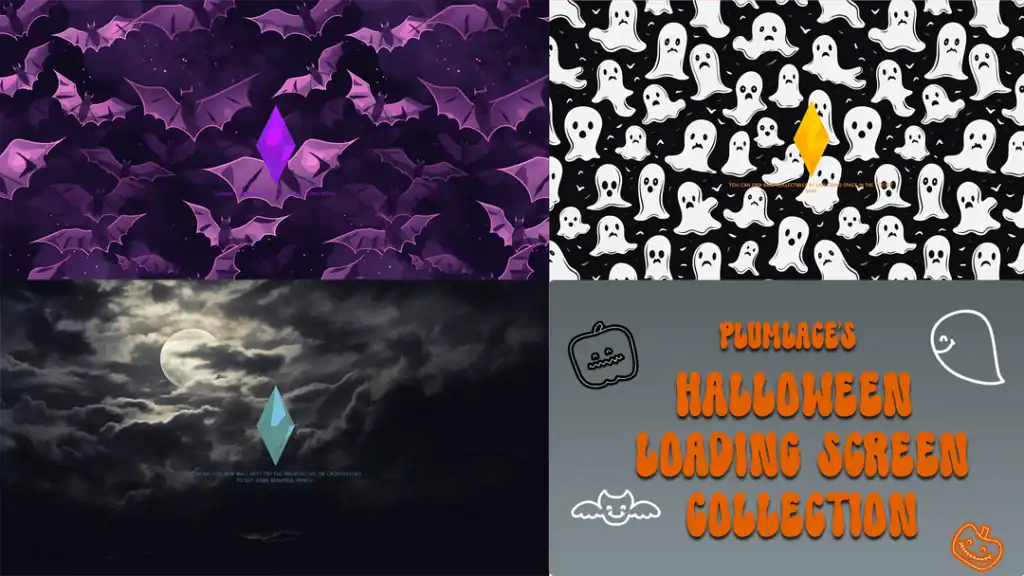
This playful set by Plumlace brings together some of the cutest and spookiest Sims 4 Halloween loading screens in one bundle. There’s one with cartoon ghosts and fluttering purple bats and another with a moody moonlit sky. You can easily switch up your aesthetic anytime during the season.
Coraline LS

One of the greatest Halloween movies ever made, Coraline, inspires this beautifully eerie set of Sims 4 Halloween loading screens. If you love story-driven saves, these screens are perfect for setting a creepy yet cinematic mood every time you start your game.
The pack includes eight different loading screens, each capturing a slightly different take on Coraline’s haunting world. Switch them up throughout October to match your favorite eerie aesthetic and keep your gameplay feeling fresh and festive.
Haunted Animated Loading Screen
This Halloween loading screen is unlike any other on the list; it’s ANIMATED! The shaking plump bob, shifting colors, and eerie motion instantly bring your Sims 4 to life as the game loads. It’s the perfect way to add an extra layer of atmosphere to your spooky gameplay this October.
If you’re interested in more custom animations for your game, check out our roundup of the Best Sims 4 Animations Packs.
October Custom Loading Screens
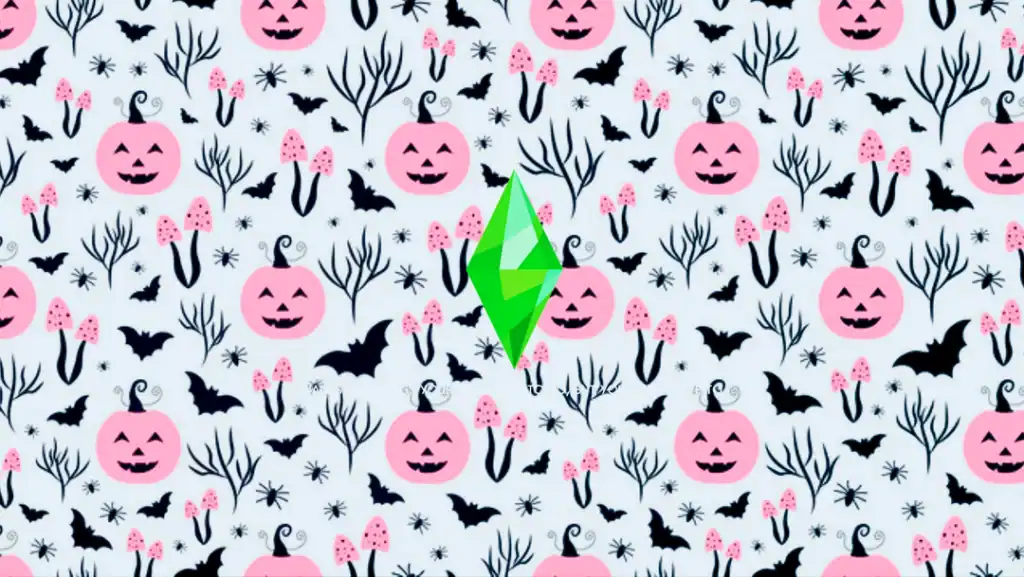
Designed by Goddess Gamez, the October Custom Loading Screens are exactly what you need to turn your Sims 4 UI into a spooky yet charming space. The collection includes six unique swatches, each with its own Halloween-inspired vibe.
The pink-themed designs featuring bats and grinning pumpkins are definite standouts for a softer, more playful Halloween aesthetic. Just remember: only install one loading screen at a time to avoid conflicts in your Mods folder.
Fall Opening Screen Override
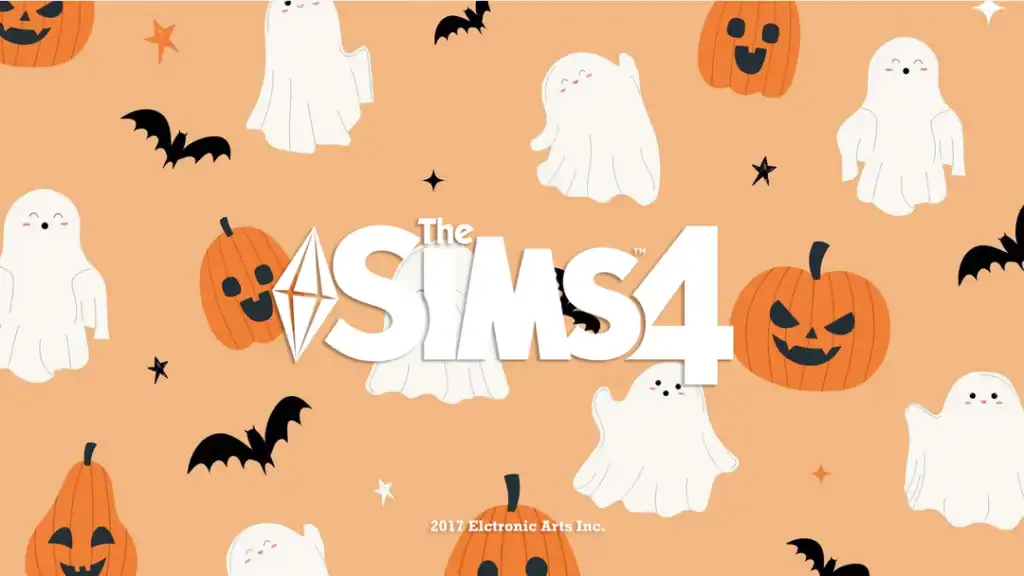
Want something SWEET? Grab this adorable Halloween loading screen. It features smiling ghosts, carved pumpkins, tiny stars, and fluttering bats on a warm orange background to instantly brighten your UI.
It’s the kind of screen that gives your Sims 4 a festive but cheerful Halloween look. So you can use it for cozy saves, family gameplay, or fall aesthetics without the fright.
Can I Make You Scream?
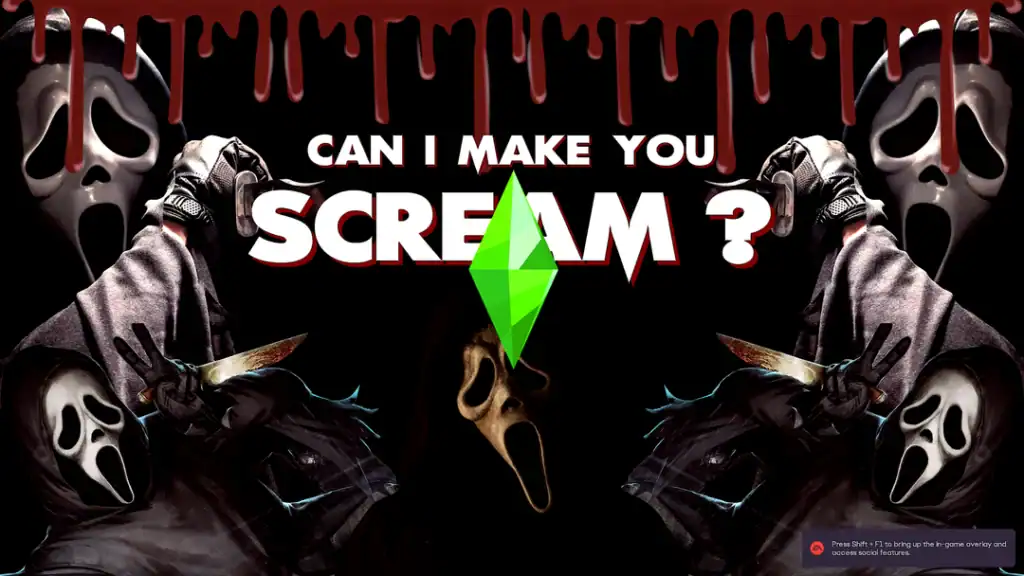
Turn your Sims 4 startup into a full-blown horror movie moment with this chilling loading screen. Inspired by the Scream franchise, it features the iconic masked figure surrounded by eerie lighting, dripping blood graphics, and the haunting question: “Can I make you scream?”
It’s bold, dark, and unapologetically terrifying, the ultimate choice for players who want their Halloween gameplay to feel like a slasher flick. Pair it with spooky mods or haunted houses for the full cinematic effect. We have a wide selection of Sims 4 Horror Mods for scary and creepy gameplay.
Skull Opening Screen Override

For those who want something simple and scary, this Sims 4 Halloween loading screen is an exceptional choice. It’s a repeating black-and-gray pattern of skulls and hearts, giving your Sims 4 a dark but stylish look without being over the top.
I’ recommend using it to keep your layout clean, minimal, and festive.
Spooky Loading Screen
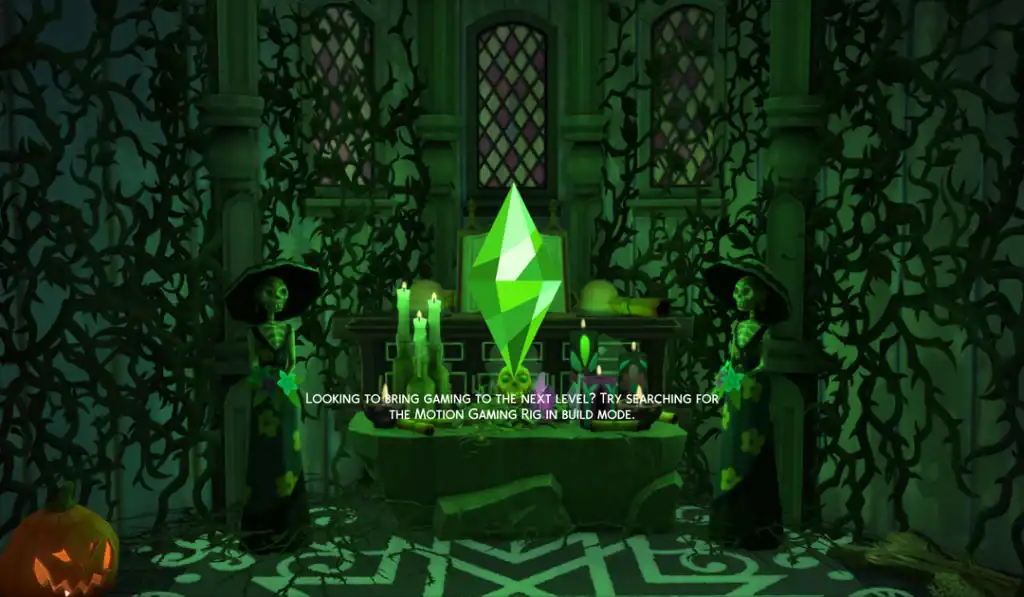
If you’re running an occult or spellcaster save, this loading screen one will fit right in. It’s hauntingly beautiful with glowing green candles, a carved pumpkin, and skeletal figures. All these create the perfect eerie atmosphere for your Sims 4 Halloween setup.
There are two versions of the loading screen -one with white tips and another with green. Choose the one you’d like for your gameplay and add it to your mods folder.
Nat’s Spooky Loading Screens
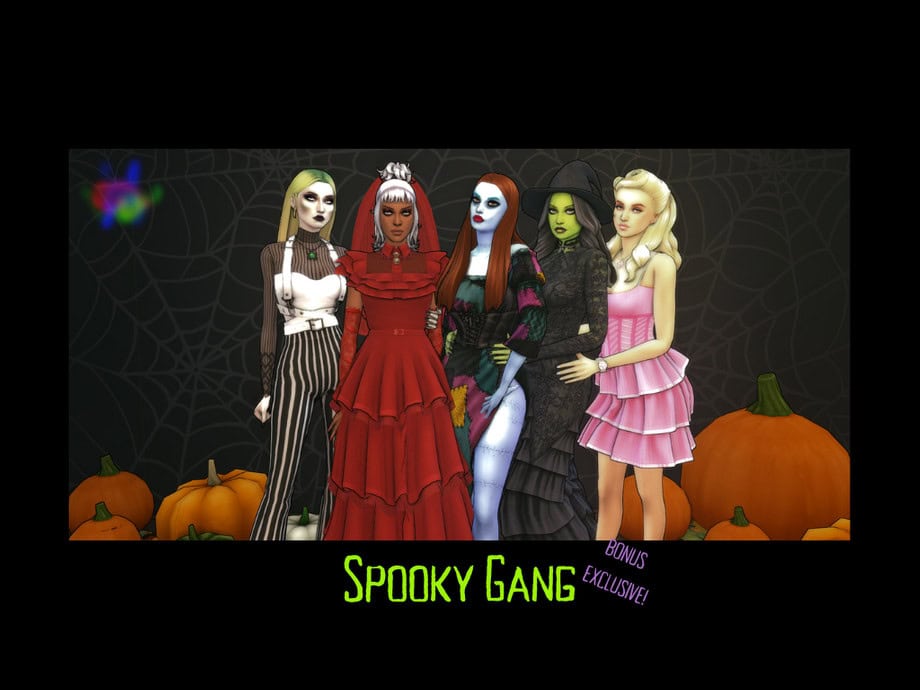
Download: Nat’s Spooky Loading Screens
The Spooky Gang Loading Screen is part of a collection of seven Halloween-themed loading screens. This one in particular features the Spooky Gang, a fabulous lineup of Sims dressed in their best Halloween looks.
It’s a great way to finish off your Halloween collection with something vibrant and stylish. If you enjoy themed gameplay or want your startup to feel like a Halloween fashion show, this one’s a must-have.
Witch Halloween Loading Screen
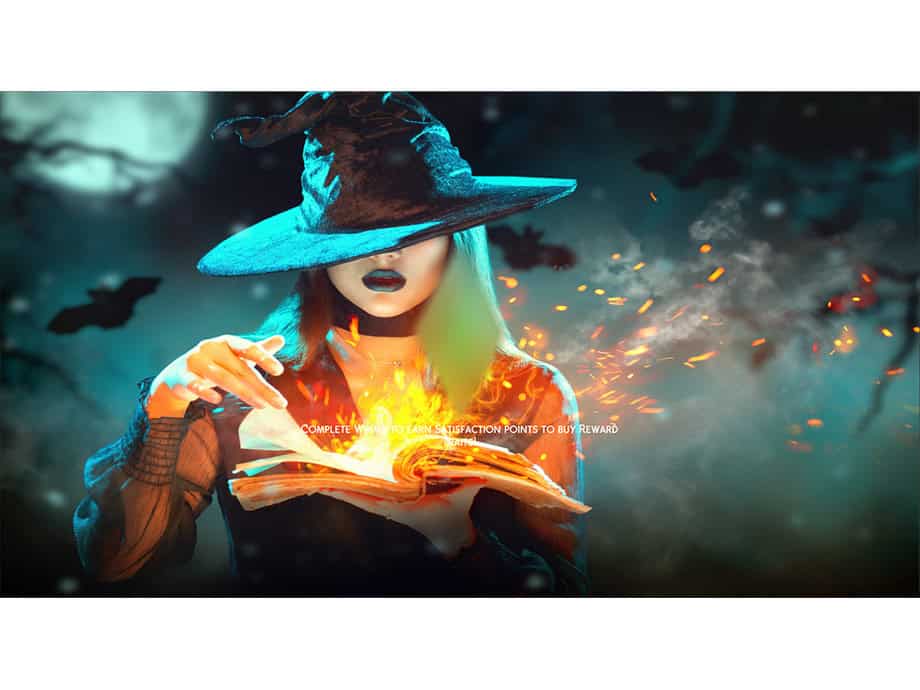
Download: Witch Halloween Loading Screen
The Witch Halloween Loading Screen is the ultimate backdrop for witches and spellcasters. It features a spellcaster in a classic black hat, her face half-hidden as glowing embers rise from an enchanted book.
The moody lighting, swirling smoke, and blue-green background make it feel like you’re stepping straight into a dark fantasy world. Pair this with other witchy or magical mods to complete your spooky gameplay.
Jack-O-Latern Halloween Loading Screen

Download: Jack-O-Latern Halloween Loading Screen
Nothing says Halloween quite like a pile of glowing jack-o’-lanterns. This Sims 4 loading screen lights up your UI with carved pumpkins, flickering candles, and an eerie forest backdrop.
If you’re looking for an instant cozy-but-spooky atmosphere, download this. It keeps things classic yet cinematic this Halloween season.
Graveyard Halloween Loading Screen

Download: Graveyard Halloween Loading Screen
Set a chilling tone in your base game with this Graveyard Halloween Loading Screen. It’s dark, atmospheric, and looks like the opening scene of a classic horror film. I’d use this for haunted saves, occult gameplay, or anyone looking to embrace the eerie side of fall.
Forest Loading Screen

Download: Forest Loading Screen
How about something hauntingly subtle and atmospheric? This Sims 4 Halloween loading screen captures the stillness of a foggy forest just before nightfall. The creeping sunlight creates an unsettling, beautiful glow, which is the perfect backdrop for supernatural or mystery-themed gameplay.
Add this to your 2025 spooky setup if you love Halloween aesthetics but prefer something subtle and realistic over bright or cartoony themes.
Ghost Face Loading Screen
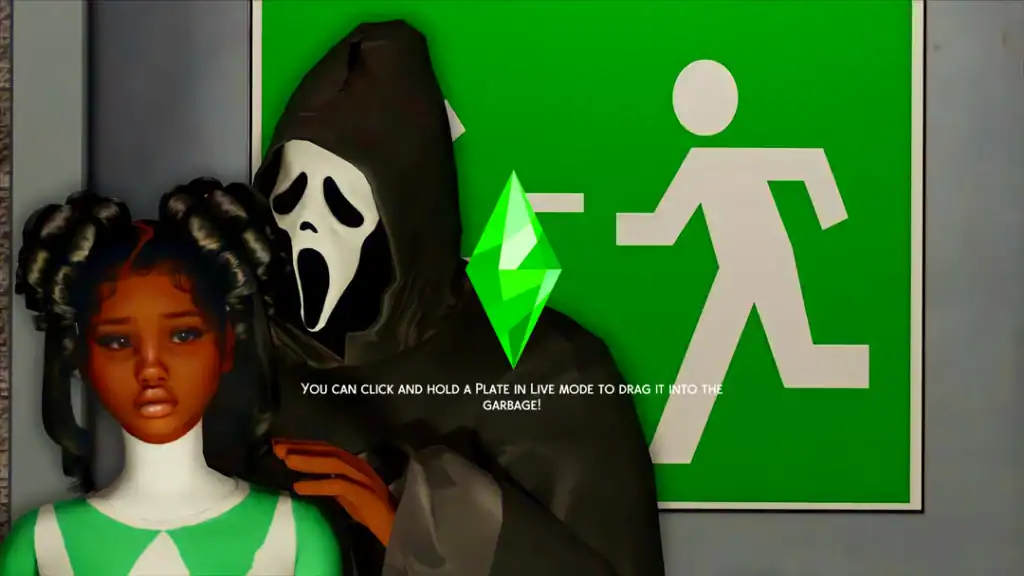
This Sims 4 Halloween loading screen delivers the perfect mix of scary and funny. Featuring the iconic masked figure creeping up behind a terrified Sim, it’s both chilling and oddly cinematic. The bright green backdrop adds a pop of color, which makes it stand out from the usual dark Halloween themes.
It’s a great option if you want your game to load with a dose of Halloween humor, but equal parts creepy and entertaining.
Halloween Gift Loading Screen
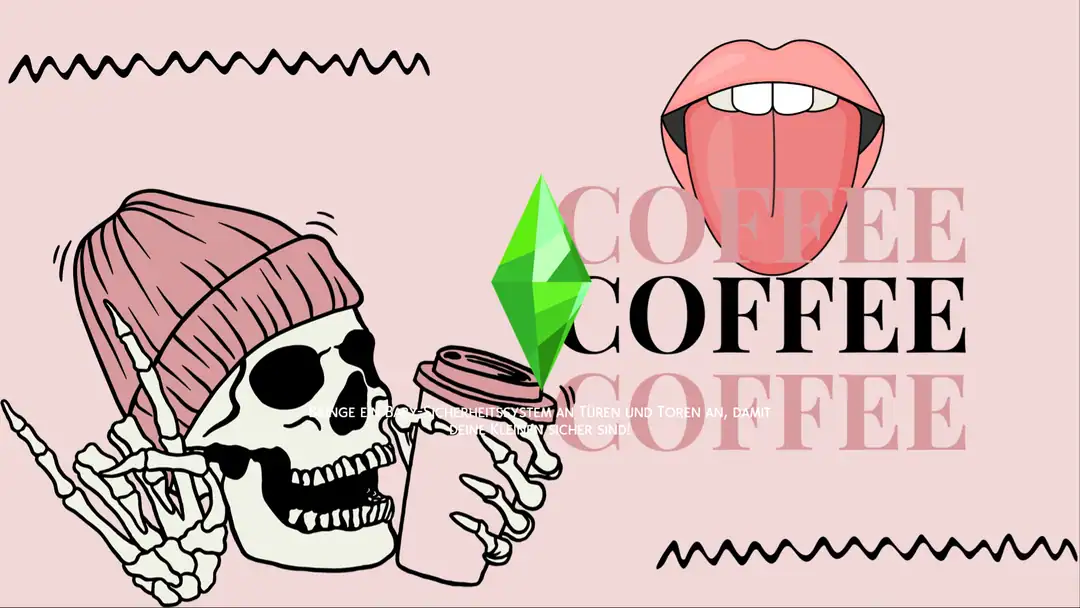
Featuring six loading screens, this pack is among my favorite Sims 4 Halloween loading screens. It’s designed for Simmers who love their Halloween aesthetic with a bit of sass.
The Spooky Coffee one is a standout option. It features a pink background, a skeleton in a beanie sipping coffee, and bold “COFFEE” text. It’s the perfect mix of spooky and stylish. Remember to add only one loading screen to your mods folder to avoid conflicts with the game.
Minimal Gothic Sims 4 Loading Screen
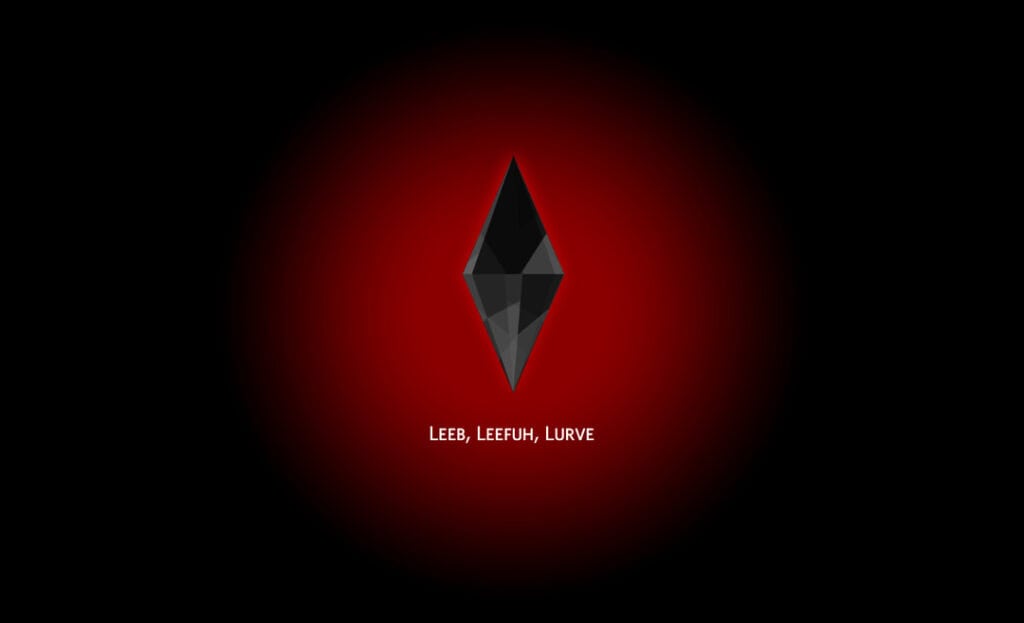
I LOVE how minimal this loading screen is! It replaces the signature green plumbob with a shadowy black one that glows against a deep red gradient. Despite its simplicity, it feels haunting and cinematic, perfect for darker gameplay styles.
It’s especially ideal for vampire, occult, or supernatural saves, giving your game an eerie gothic edge without going over the top. Sometimes, less really is more.
Religious Gothic Loading Screen

The Religious Gothic Loading Screen blends eerie minimalism with gothic beauty. Featuring two veiled figures holding lambs against a dark backdrop, it gives off an unsettling, almost ritualistic aura that’s both haunting and artistic.
The muted tones and symbolic imagery make it perfect for occult or story-driven gameplay. It’s more cinematic than scary, adding a layer of mystery and reverence that fits right into your Halloween aesthetic.
The Last of Us Part 2 Loading Screen

Download: The Last of Us Part 2 Loading Screen
This Sims 4 Halloween loading screen draws inspiration from The Last of Us Part II. It transforms your UI into a haunting, overgrown world of decay and silence. The forest shadows, abandoned cabins, and forgotten cars set the tone for eerie storytelling and survival-style gameplay.
Isn’t this backdrop quite UNSETTLING? I’d use it for dystopian or story-driven gameplay. The natural lighting adds just enough realism to feel immersive without being overbearing.
Bat & Liffy Loading Screen
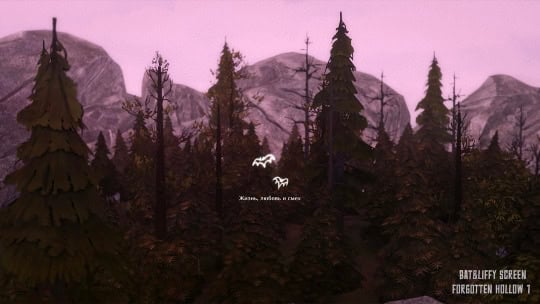
Created by Liffika, this Bat & Liffy loading screen is inspired by the mysterious Forgotten Hollow world. It’s eerie and creepy, which falls perfectly into your Halloween interface.
I’d use it for supernatural or vampire-themed saves and give your game that misty, haunted touch without being too dark or cluttered. It’s Simple, eerie, and beautifully stylized.
Halloween Set

Bring a Tim Burton energy to your 2025 Halloween gameplay with this Halloween set. It contains multiple Halloween-themed backdrops designed with skeletons, ghosts, and Jack-o’-lanterns. The entire scene in each loading screen is bathed in eerie violet tones and creepy vibes. Only download one of the loading screens to add to your mods folder.
Life & Death Expansion Pack

For those with the Life and Death EP, you need to add this loading screen to your gameplay. It’s set under a pale full moon, with a reaper-like figure standing among eerie gravestones and skeletal trees, surrounded by ghostly shapes emerging from the fog. The atmosphere is chilling but cinematic, and is ideal for supernatural, gothic, or horror-themed gameplay.
FAQ: Sims 4 Halloween Loading Screens
1. What are Sims 4 Halloween loading screens?
Sims 4 Halloween loading screens are custom replacements for the default loading screen in The Sims 4. They include spooky designs like haunted houses, glowing pumpkins, graveyards, witches, ghosts, and other Halloween-inspired backgrounds.
2. How do I install Sims 4 Halloween loading screens?
Download your preferred loading screen and extract the ZIP file if necessary. Move the .package file into your Sims 4 Mods folder, located in Documents > Electronic Arts > The Sims 4 > Mods. Restart your game to see the new screen.
3. Can I use multiple Halloween loading screens at once?
No. You should only install one custom loading screen override at a time. Installing multiple replacements can cause conflicts, prevent the correct background from appearing, or lead to loading issues.
4. Why is my Sims 4 Halloween loading screen not working?
Your loading screen may not work because of outdated files, conflicting overrides, or incorrect installation. Remove any other custom loading screens, check for updated versions, and make sure the .package file is in your Mods folder.
5. Do Sims 4 Halloween loading screens affect gameplay?
No. Halloween loading screens are cosmetic replacements. They change the background displayed while your game loads but don’t add new interactions, animations, or gameplay mechanics.
6. Can I change my Sims 4 loading screen whenever I want?
Yes. You can switch between different Halloween loading screens whenever you like. Simply remove your current loading screen file, replace it with another one, and restart your game.
7. Are Sims 4 Halloween loading screens free to download?
Many Halloween loading screens are available for free on platforms like CurseForge, Tumblr, and Patreon. Some creators may offer early access or exclusive downloads to paying supporters.
8. Will a custom Halloween loading screen slow down my game?
Most loading screen replacements have little to no noticeable impact on performance. However, outdated or conflicting files may cause loading problems, so always use updated downloads from trusted creators.
9. Can I use Halloween loading screens all year round?
Absolutely! Halloween loading screens aren’t limited to October. You can keep your favorite spooky background installed throughout the year, especially if you enjoy gothic, horror, or supernatural aesthetics.
10. How do I remove a Sims 4 Halloween loading screen?
Open your Mods folder, locate the custom loading screen .package file, and delete it. You can also delete the localthumbcache.package file from your main Sims 4 folder to clear cached mod data. Restart your game to restore the default loading screen.
11. Can Sims 4 Halloween loading screens break after game updates?
Yes. Major Sims 4 updates can sometimes affect custom loading screen overrides. If your loading screen stops working after an update, check the creator’s download page for a newer version.
12. Where can I find cute or scary Sims 4 Halloween loading screens?
You can find Halloween loading screens on CurseForge, Patreon, and Tumblr. Creators offer everything from cute pumpkin patches and cozy autumn scenes to creepy graveyards, haunted forests, and horror movie-inspired designs.
Conclusion
That wraps up my list of the best Sims 4 Halloween loading screens for 2026! Each one adds a spooky, festive, or cinematic twist to your game, whether you love cozy pumpkin nights, eerie graveyards, or gothic dreamscapes.
Halloween only comes once a year, so it’s the perfect time to give your Sim’s UI a seasonal makeover. Remember to install only one loading screen mod at a time to avoid conflicts, and keep your Mods folder organized in case you want to swap them out later.
For more Halloween-themed downloads, check out my posts on Sims 4 Halloween Poses, Best Sims 4 Halloween Costume, and Sims 4 Halloween CC Finds. Use this to make your entire gameplay feel like one big spooky celebration.
Packs this post uses
- The Sims 4 Life & Death · Expansion Pack · PC/Mac EA app code on Amazon
As an Amazon Associate we earn from qualifying purchases. Codes redeem in the EA app on PC or Mac.