Best Sims 4 Lighting Mods to Enhance Graphics
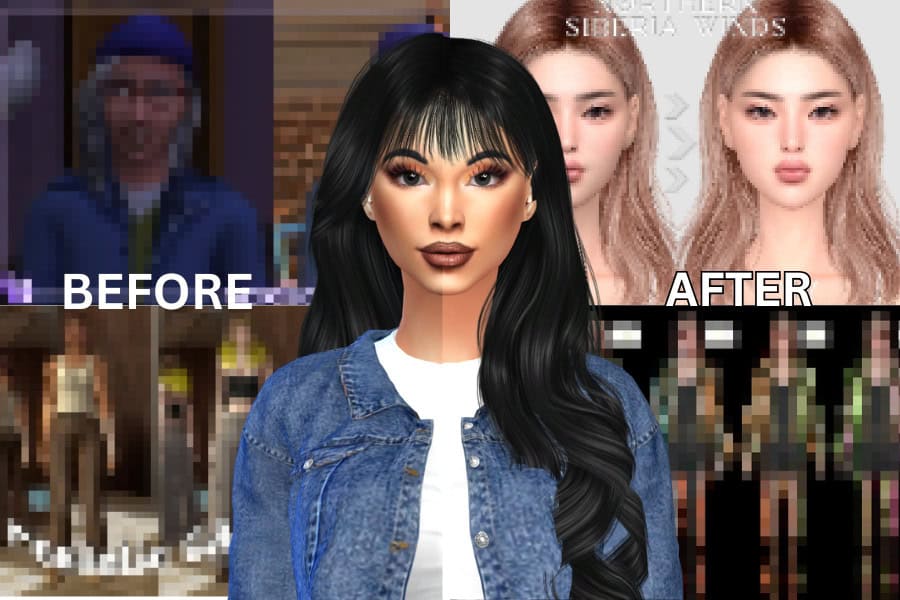
Have you noticed that builds and CAS looks from popular content creators appear more vibrant, polished, and realistic, and wondered how they achieved that look?
The answer is Sims 4 lighting mods.
While The Sims 4 has a great art style, the default lighting can look flat. Indoor spaces often lack depth, the bright midday sun washes out colors, and nighttime sometimes feels gray instead of atmospheric.
Sims 4 lighting mods change all of this by adding richer tones, softer daylight, sharper shadows, and more realistic ambient light across worlds. Below, I’ve compiled a list of the best Sims 4 lighting mods if you want a more dramatic, cinematic look.
And if you want to take it one step further, check out my latest post on Best Sims 4 ReShade Presets for mindblowing graphics.
If you’re new to using lighting mods, I’ve answered a few commonly asked questions below. Otherwise,
Click here to jump straight to the best Sims 4 lighting mods.
Looking for the perfect CC for your Sims?
Try our Free Sims 4 Mod & CC Finder to discover thousands of mods instantly. Search by category, creator, or style to find exactly what you need!
FAQ: Sims 4 Lighting Mods
Do Sims 4 lighting mods affect performance?
No, they don’t. Most Sims 4 lighting mods enhance aesthetic appeal and realism without significantly affecting performance on most computers. They’re lightweight and only change sky textures, sun color, or in-game shaders, so they typically have minimal impact on the game.
However, if you use a high-end reshade with depth of field and bloom, you may notice slower performance on low-end PCs or laptops.
How do I install Sims 4 lighting mods?
To install Sims 4 lighting mods in your game, follow these steps:
- Download the mod from the creator’s site (usually .package files).
- Unzip the file if it is compressed in a folder.
- Place the .package file into:
Documents > Electronic Arts > The Sims 4 > Mods - Make sure mods are enabled in Game Options → Other → “Enable Custom Content and Mods.”
- Restart the game so the new lighting loads correctly.
Lighting mods don’t require scripts or special settings, and you can remove them anytime by deleting the file from your Mods folder. Just remember to only keep one lighting mod installed at a time.
Are lighting mods the same as ReShade or GShade presets?
No. Lighting mods change how the game engine renders light in worlds, lots, and objects. GShade and ReShade are external post-processing tools that customize the game’s lighting, requiring more computer performance.
You can use both together to enhance the appearance of your game.
Do lighting mods work in every world?
Most world lighting mods only affect EA worlds, not custom save files or modded worlds. Some mods enhance specific locations (such as Oasis Springs or Sulani), while others apply global lighting changes to the entire in-game lighting.
Do lighting mods break after updates?
Occasionally. Most mods, including lighting, need updates after a major patch. If your game looks overly bright, too dark, or the sky turns neon colors after an update, remove the lighting mod until the creator posts a fix.
Can I use multiple lighting mods at once?
No. It’s recommended not to install multiple lighting overhaul mods simultaneously, as they’ll conflict due to modifying the same game files. Pick one main lighting mod at a time and pair it with a preset for extra effects.
Is it safe to use lighting mods in gameplay saves?
Yes. Lighting mods are visual only and don’t affect Sims, lots, or game data. You can install or remove them at any time without losing your saves.
Do lighting mods make nights darker?
Some do. Many creators release optional “darker nights” or “midnight realism” versions, which provide more realistic shadows. Others brighten nighttime slightly so you can see details without reshade.
What you get boils down to your preference.
Are indoor and outdoor lighting affected differently?
Indoor lighting depends mostly on build mode light sources, while outdoor lighting changes with the world’s sun direction, shadows, and sky color. Some lighting mods improve both, but Reshade presets usually help interiors look warmer, cleaner, and less washed out.
Do lighting mods work in Laptop Mode?
Most won’t. The lighting mods are designed for optimal use in non-laptop mode for better performance. So, if you want improved lighting, disable Laptop Mode in settings.
Do I need ReShade or GShade for lighting mods to work?
No. Lighting mods work on their own, even without filters. But you can use a preset on top to make lighting look sharper, more colorful, or more cinematic.
DISCLAIMER
You can only use ONE lighting mod at a time. Most lighting mods edit the same world and shader files, so having more than one in your Mods folder will cause conflicts. This can lead to overly bright worlds, pitch-black terrain, strange sky colors, or broken shadows.
If you want to switch to a different lighting mod, remove the previous one from your Mods folder first, then restart your game.
Best Sims 4 Lighting Mods
Here are the best Sims 4 lighting mods to download in 2025:
Even Better In-game Lighting Mod

This default in-game lighting mod adds brighter and cleaner lighting to your Sim’s indoor and outdoor environments. It comes in three versions – bright, average, and dark. The lighting mod affects your game’s brightness without lamps.
The Even Better In-Game Lighting Mod is compatible with the base game, and it causes no performance issues. Please pair it with the creator’s GENTLE CAS LIGHTING MOD for better results.
Sunblind Lighting Overhaul

The Sunblind Lighting Overhaul by Softerhaze replaces default blue sun rays with warmer, more realistic exterior lighting. With this installed, expect vivid, color-shifting sunsets and sunrises, more realistic daytime lighting, and late at night, you’ll get ultra-dark, desaturated lighting and shadows.
It’s one of the best Sims 4 lighting mods out there, especially when it comes to removing EA’s harsh blue light. So don’t hesitate to add this to your mods file.
Luumia’s No Gloom / No Blu
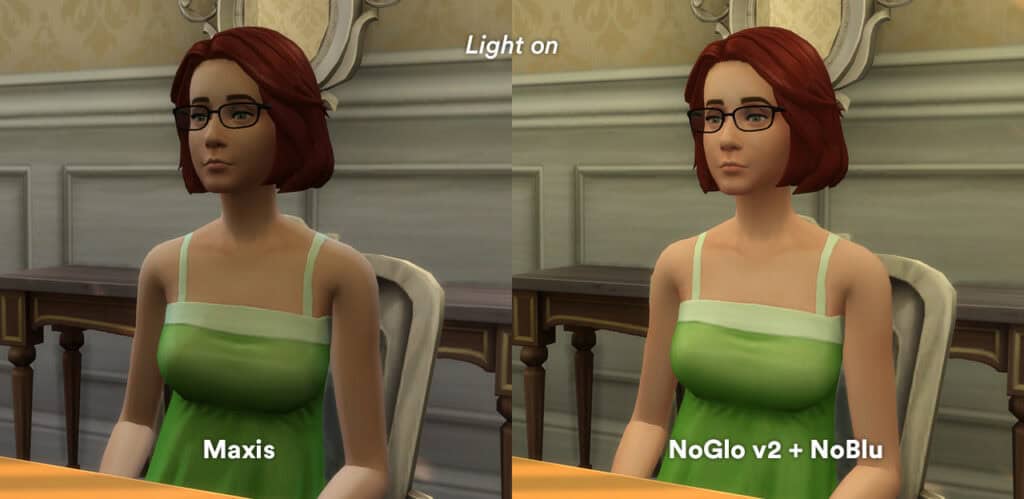
The default game adds a blue or gray filter over indoor spaces, especially during certain times of day. No Gloom and No Blu removes those tints and brightens interiors, making skin tones look cleaner and walls less dull.
I like using this lighting mod to take CAS or gameplay screenshots inside homes. It instantly improves clarity without changing the rest of the game’s lighting. The mod has been updated to work with the latest EA patch, so remove any previous versions from your mod file. Please carefully read the instructions in the post before adding this to your game.
Into the Light
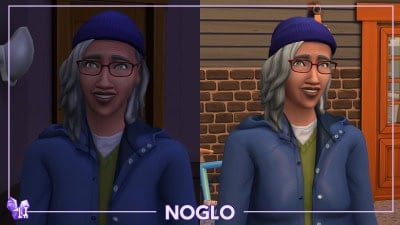
This Sims 4 lighting mod is designed to remove the blue aura that surrounds Sims in any space (especially dark spaces). Your Sims transform into a lighter, less corpse-like version, perfect for taking CAS pictures and slice-of-life storytelling.
To get the most out of this lighting mod, pair it with the creator’s Out Of The Dark mod. This removes the blue light from the rest of the game, ensuring your world looks bright and realistic.
CAS Lighting Mod
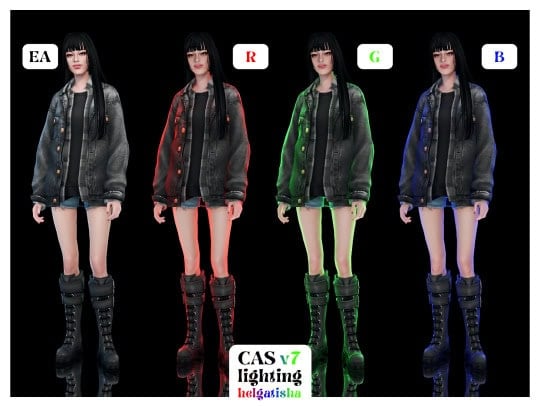
This mod replaces the default Create-A-Sim lighting with sharper, brighter studio lights that make skin tones, hair, and clothing textures look much clearer. There are three versions: red, green, and blue. Use either to highlight details for CAS screenshots and CC previews.
Remember, you can install only one version at a time. This Sims 4 lighting mod is compatible with the base game and cats, dogs, and horses.
Realistic CAS Room Lighting
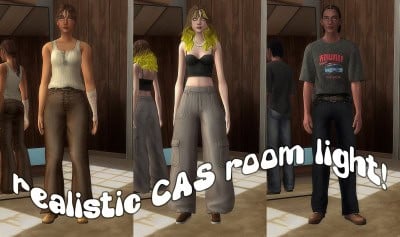
If you enjoy creating Sims in CAS and want a great lighting option, this is my go-to choice. It’s more moody and warm and works exceptionally well with most Sims 4 CAS backgrounds, especially rooms. The difference the mod creates with your portraits and CAS screenshots is breathtaking!
Jenjgolem CAS Lighting Mods
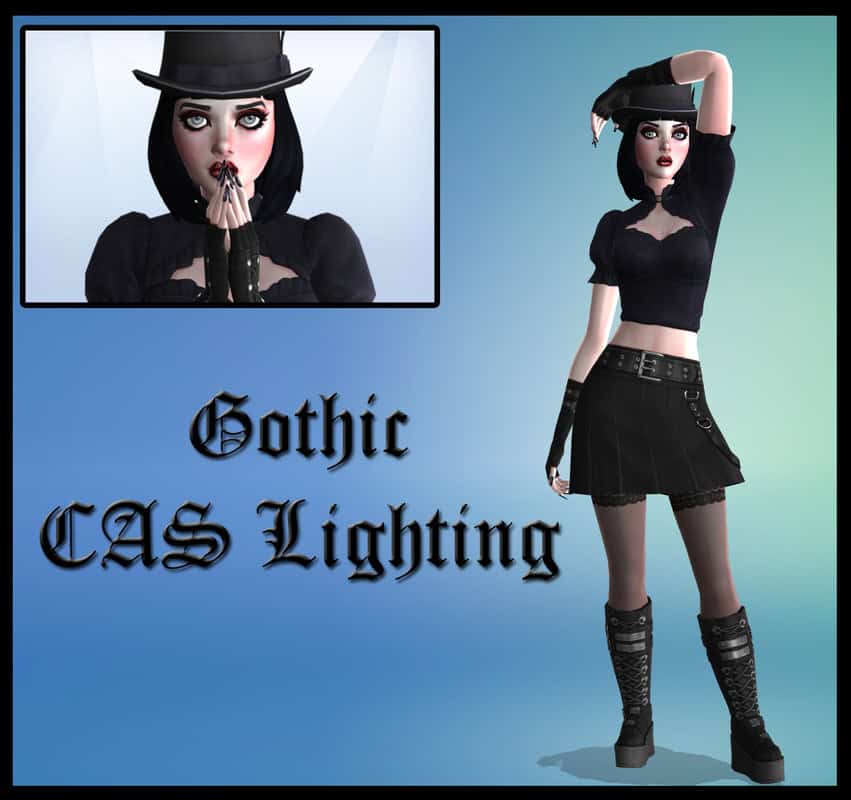
Jenjgolem has a collection with over 15 Sims 4 lighting mods you can use to enhance graphics when creating characters in CAS. These include:
- Aquatic CAS Lighting – perfect for mermaids
- Gothic CAS Lighting – perfect for goth, alternative, and edgy looks
- Vampire CAS Lighting – perfect for occults like vampires and werewolves
- Dark Magic CAS Lighting – perfect for creating fantasy creatures like witches
- Christmas CAS Lighting – perfect for creating a holiday ambience
- Club-style CAS Lighting – perfect for creating club looks
All these lighting mods are maxis match, so they blend seamlessly with EA’s signature style. Scroll down the page to find all the lighting mods, but remember, you can only use one in your game.
Golden Light CAS Lighting

Golden Light replaces the default Create-A-Sim lighting with a soft, warm studio glow. This makes Sims look brighter, smoother, and more polished, and their skin tones appear richer.
This mod is an enhanced version of Luumia’s lighting mod, and it also supports pets, allowing dogs and cats to look just as good in portraits. If you want natural warmth without harsh shadows, this is an easy, no-reshade lighting upgrade.
CAS Lighting
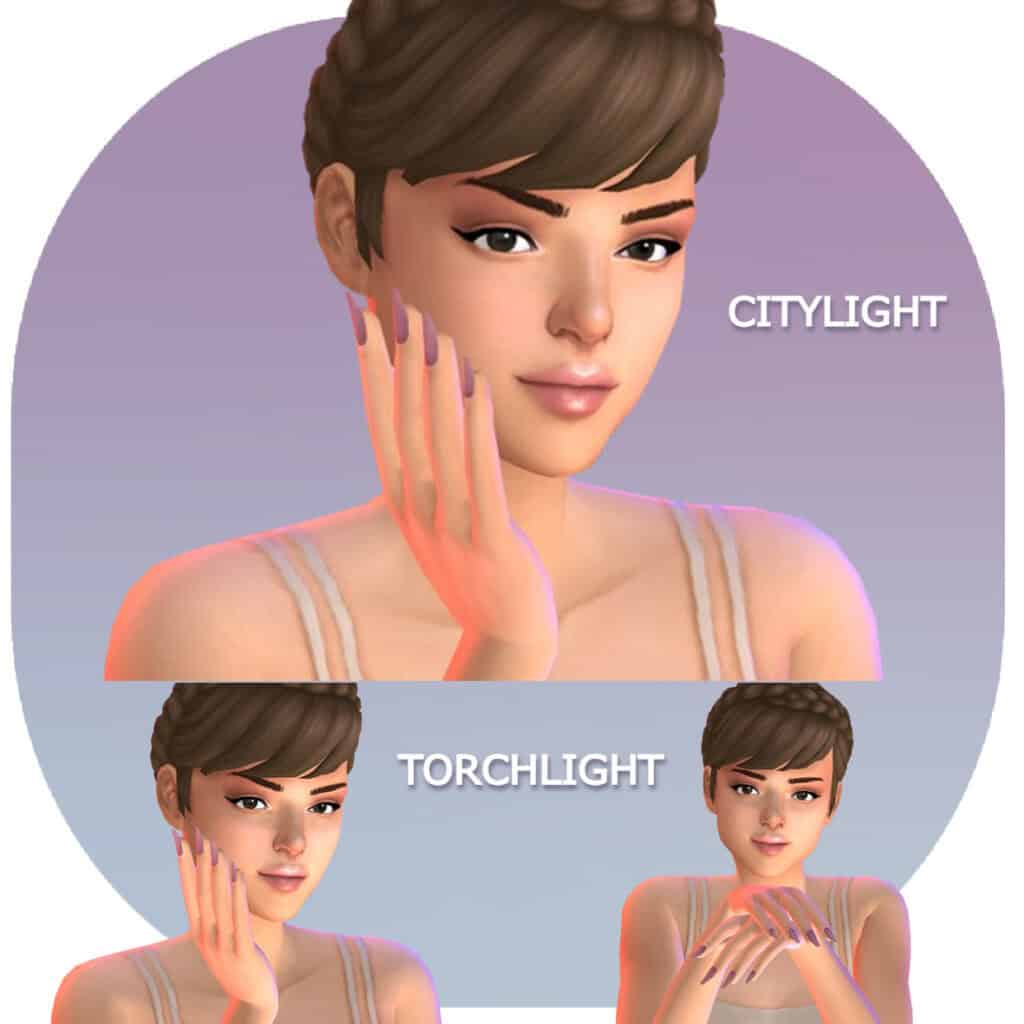
This Sims 4 lighting mod by Simplyanjuta is a must-have in 2025. It comes in four versions:
- CITYLIGHT is an angled light with a red & blue glow.
- CITYLIGHT – TORCHLIGHT has a torchlike effect.
- NEUTRAL LIGHT is an angled neutral light
- NEUTRAL LIGHT – TORCHLIGHT has a torchlike effect.
The mod is designed as an eerie lighting option for Halloween. Use it on your next Sims 4 Halloween Lookbook to capture the haunting charm of the season.
Milk Thistle Lighting Mod

For those who want a maxis match lighting overhaul, Milk Thistle is an exceptional choice. It completely reworks the outdoor lighting system, giving worlds richer skies, smoother color transitions, and softer shadows throughout the day.
Sunrises and sunsets become naturally warmer, nights look deeper and more atmospheric, and midday no longer looks washed out. I like using this lighting mod in worlds like Brindleton Bay and Sulani. Click the download link to gain access to the mod.
In-game Lighting Mod
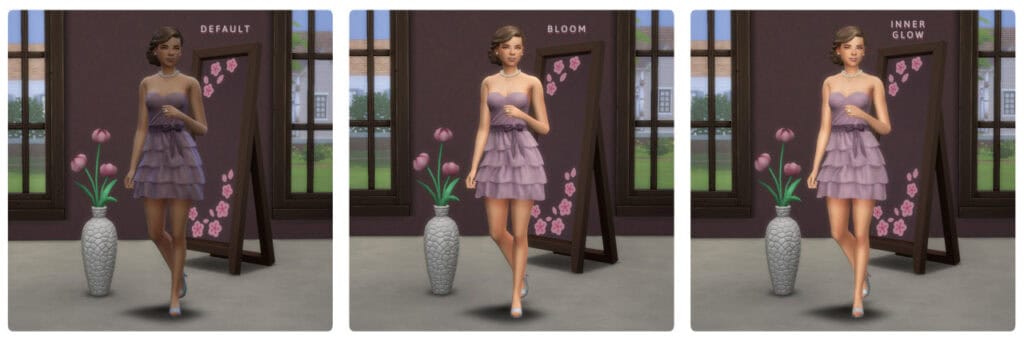
The In-Game Lighting Mod enhances your game’s appearance with a warm, bright glow. There are two versions of the mod:
- BLOOM – This brightens up your sims (especially when inside) so they don’t have the default EA blue light.
- INNER GLOW – This also brightens up your Sims indoors, but the light is smoother and has less shadows
You can only add one of the two versions to your mods file, and they’re both compatible with the base game.
Custom CAS Lighting
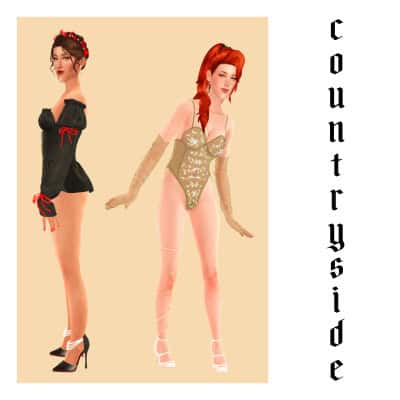
This is the Sims 4 lighting mod I use to take my CAS screenshots. It’s simple and brightens up the CAS room just enough to capture clear and realistic pictures. There are four versions of the lighting mod, including synthwave, countryside, candy crush, and romance club. Only use one.
CAS Lighting Mod
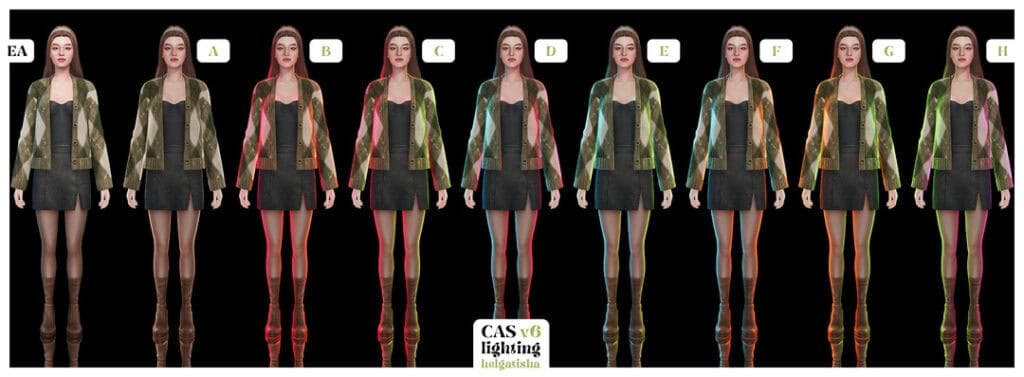
The CAS Lighting Mod V6 replaces EA’s gray CAS lighting with seven colorful studio-style presets. Each version adds different rim lights and tonal effects, ranging from cool-toned to warm and dramatic. So, you can choose the mood that fits your portraits.
The lighting mod is compatible with the base game and cats, dogs, and horses. Select the one that suits your style and swap it whenever you need a different look.
CAS Lighting Mod 03
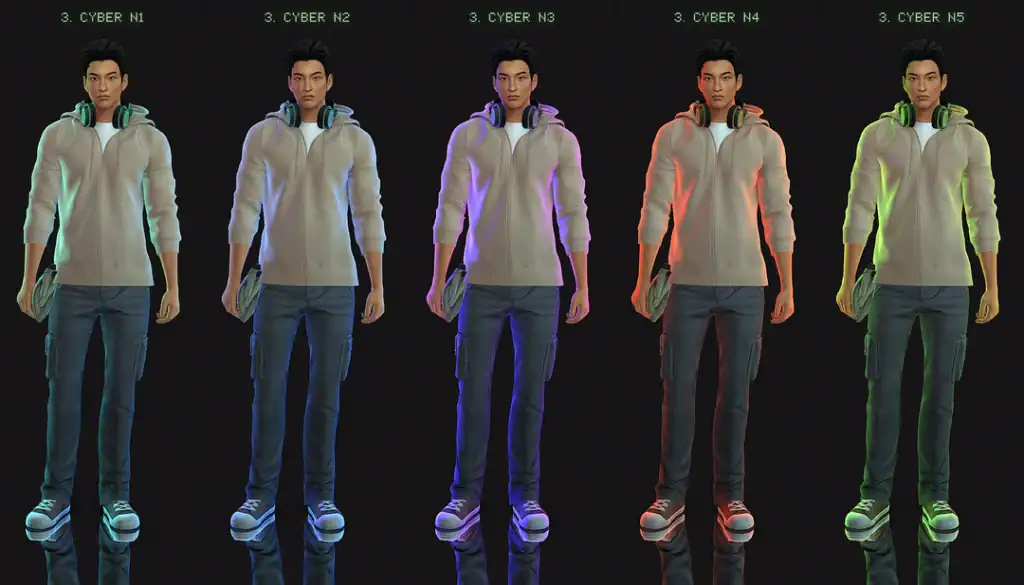
This CAS override mod focuses on situational lighting, and the collection includes four light setups, some of which feature color variants. These include:
- Cyber
- Bubblegum
- Golden
- Rembrandt
What you choose will vary depending on the vibe you’re going for. Luckily, the creator has included a full body and a close-up preview of the lighting to help you decide. Just scroll down to the bottom of the post to see the link to the previews.
Project CAS Light
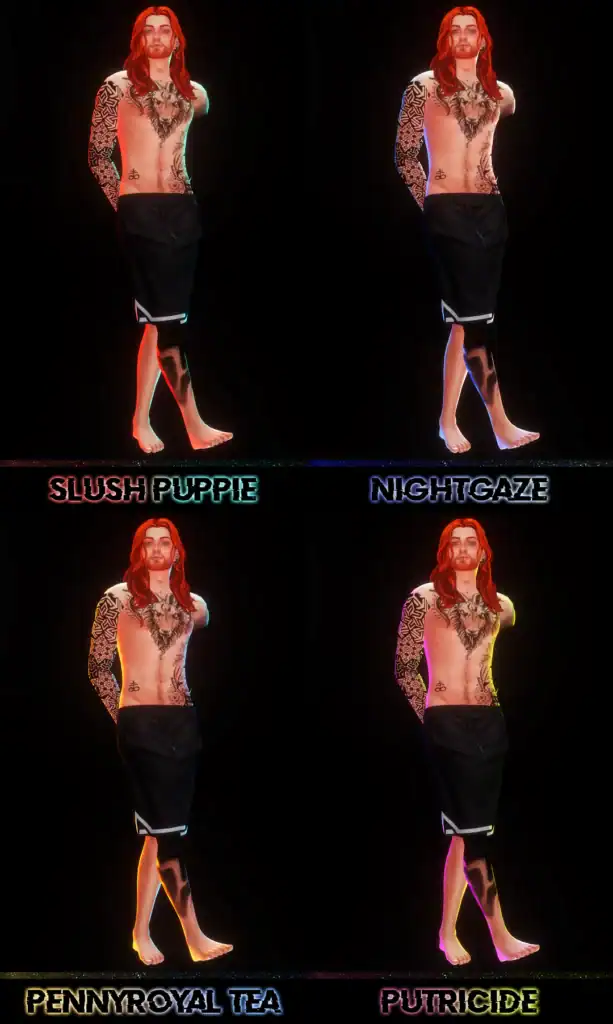
These dramatic CAS lights are perfect for taking futuristic, neon-toned portraits. Each version adds a bold, colored rim light, such as red, blue, green, pink, or multicolored, to your CAS background. This creates a high contrast and glossy depth on your Sim’s skin, hair, tattoos, and clothing details.
I recommend using this for sci-fi, post-apocalyptic looks. Since these are CAS lighting replacements, only one can be installed at a time, and they also work alongside Reshade for added shine or blur effects.
Gentle CAS Lighting
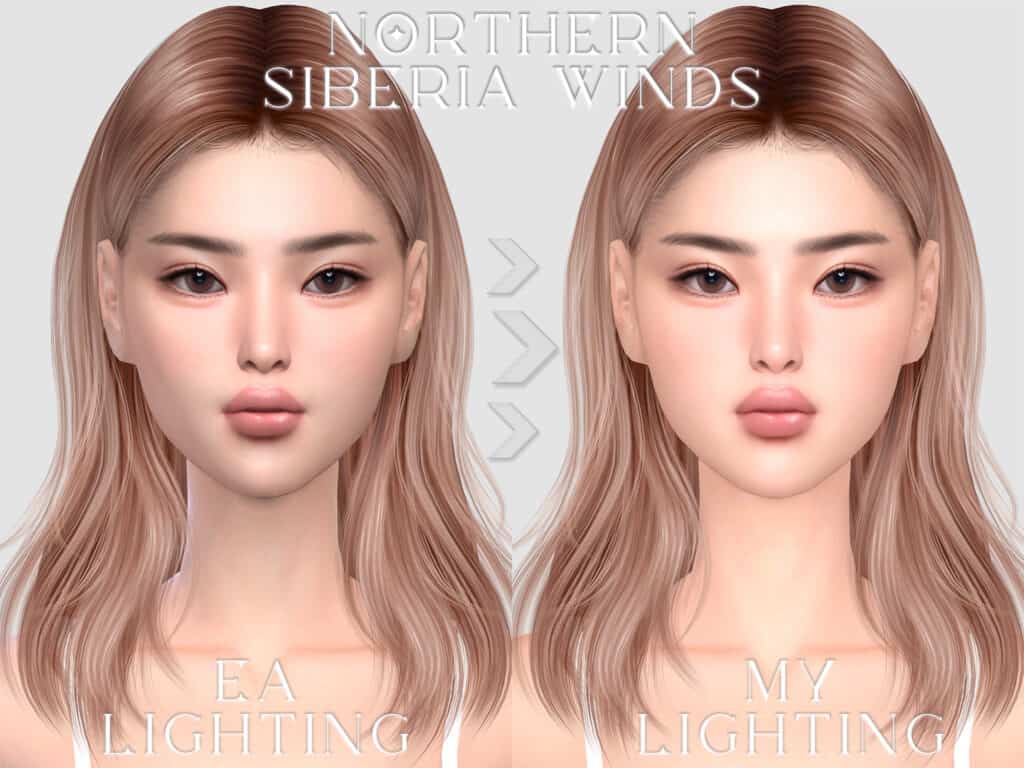
Gentle CAS Lighting by Northern Siberia Winds is by far one of my favorite Sims 4 lighting mods. It removes the dull gray filter from EA’s default lighting and replaces it with a softer glow and shadows. This makes your Sim’s skins and overlays look much smoother and more realistic.
If you use alpha-style custom content and realistic skin overlays, use this lighting to showcase subtle details.
Lighting Overlay 2.0
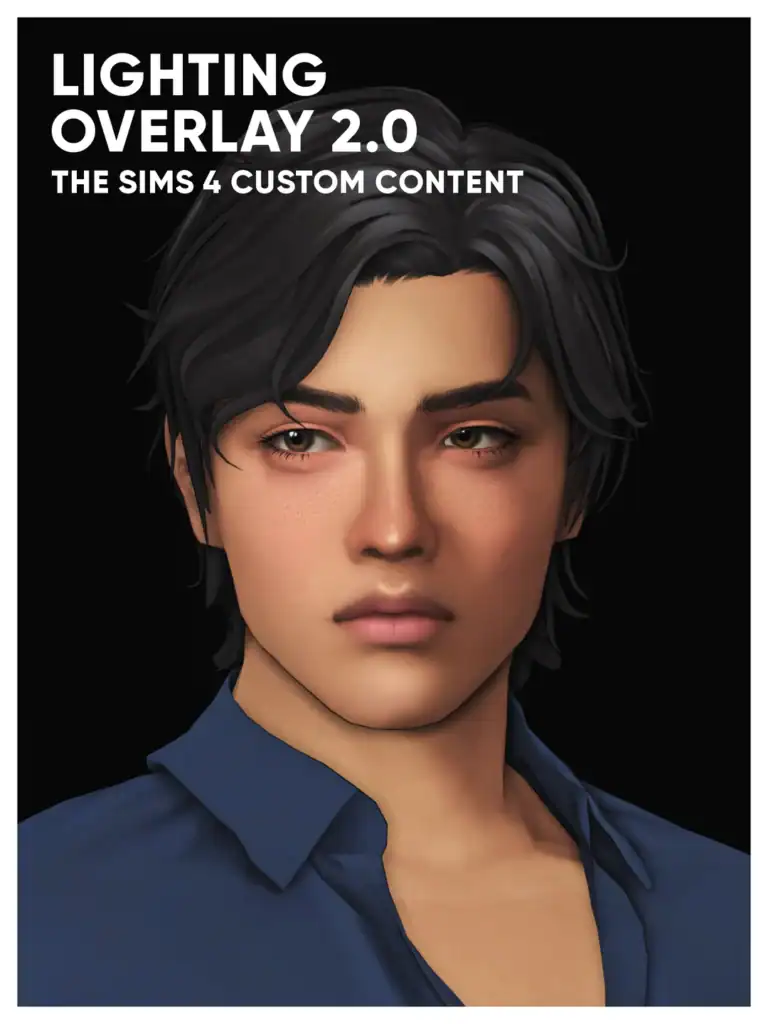
The Lighting Overlay 2.0 by Josh is an in-game lighting mod designed to create fake shadows on your Sim, simulating a more realistic appearance. The shadows add depth and definition to your Sim’s look. You’ll find two versions of the Sims 4 lighting mod:
- Colored – You can find this version in the Makeup category, and it’s compatible with makeup sliders.
- True black – This is designed to suit darker skin tones. You’ll find it in the Skin Details, Makeup, Tattoos, and Brow Ring (left) categories.
This lighting mod is compatible with all frames and suitable for all ages. It’s the second version, which is better and more improved. Here’s the Lighting Overlay 1.0.
CAS Lighting Mods
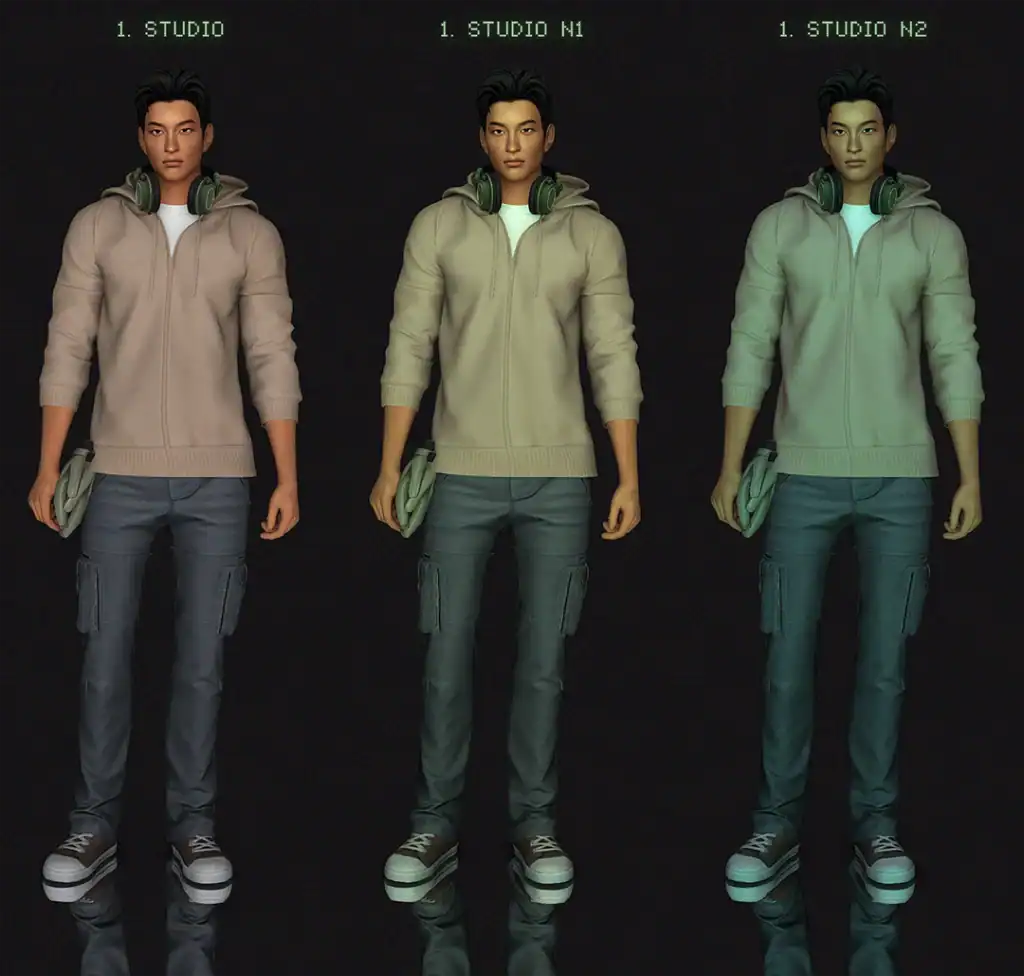
For those who want a front-based CAS lighting option, download this one. It contains 7 light setups, some with color variations and others without. They include:
- studio
- studio rim
- studio flash
- studio flat
- studio flat dark
- studio backlight
- studio top
Final Thoughts
Lighting mods are one of the easiest ways to upgrade your visuals in The Sims 4. You can get softer daylight, realistic sunsets, deeper shadows, or polished CAS portraits. The mods work beautifully alongside Reshade or GShade if you want even more dramatic color grading or cinematic filters.
Just remember, you can only install one lighting mod at a time, so pick the one that suits your style and swap it out whenever you want to try something new.
If you’re looking for the next level of graphics upgrades, check out my guide on Best Sims 4 Reshade Presets for stunning filters, portrait effects, and gameplay-friendly color grading.
Happy simming, and enjoy your brighter worlds!