10 Must-Have Sims 4 Nail Poses for Showcasing Your Sim’s Nail Art

If you’re looking for a simple way to show off your Sim’s manicure, Sims 4 nail poses are exactly what you need. These poses are designed to highlight hand placements, nail details, and accessories in a way that actually makes your screenshots look polished and intentional.
In this list, you’ll find some of the best Sims 4 nail poses, from clean CAS poses to in-game shots with props and expressive angles. Some are perfect for quick previews in CAS, while others are better for storytelling or aesthetic screenshots.
Before you start, keep in mind that certain poses may require accessories like phones, drinks, or small props to look correct in-game.
To make things easier, we have a detailed roadmap on How to Use Poses in The Sims 4: In-Game, CAS, & Gallery Pose Tutorial.
READ MORE: 37+ Best Sims 4 CC Nails: French, Stiletto, Ombre, Almond, Square and More
Jane Nail Poses (CAS)
Download: Jane Nail Poses
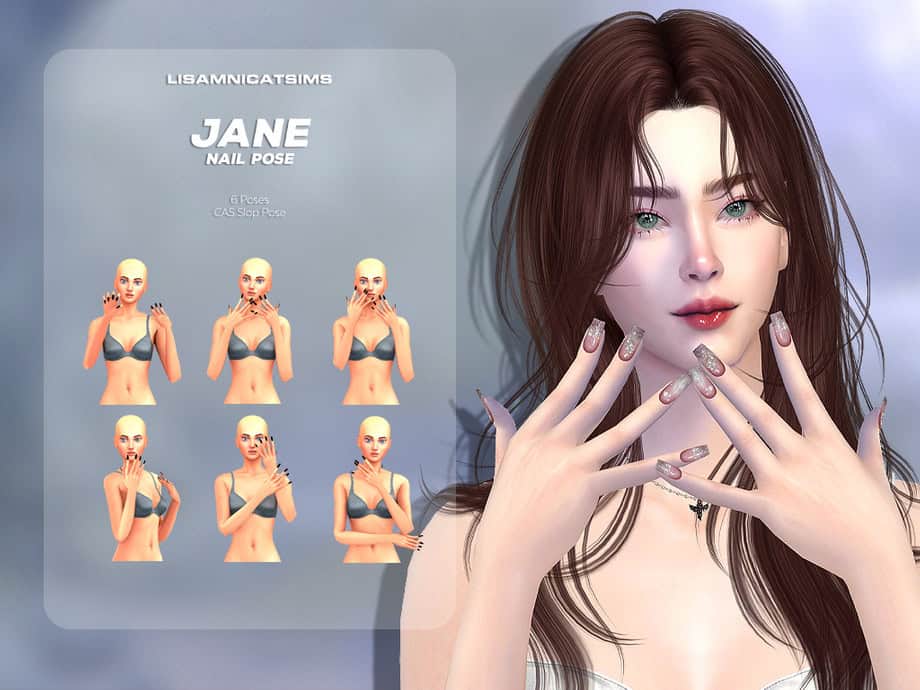
Jane Nail Poses come with six poses in total, all running on CAS using the Slob trait, so you can easily switch between them while editing your Sim. They’re ideal for screenshots, lookbooks, or quick previews of your nail CC.
These poses keep the fingers slightly spread and positioned close to the face, making them perfect for showing off detailed nail designs.
For the best results, I recommend pairing these poses with high-detail nail overlays or long acrylic sets so the designs stand out clearly in close-up shots.
Nail Model Pose Pack
Download: Nail Model Pose Pack
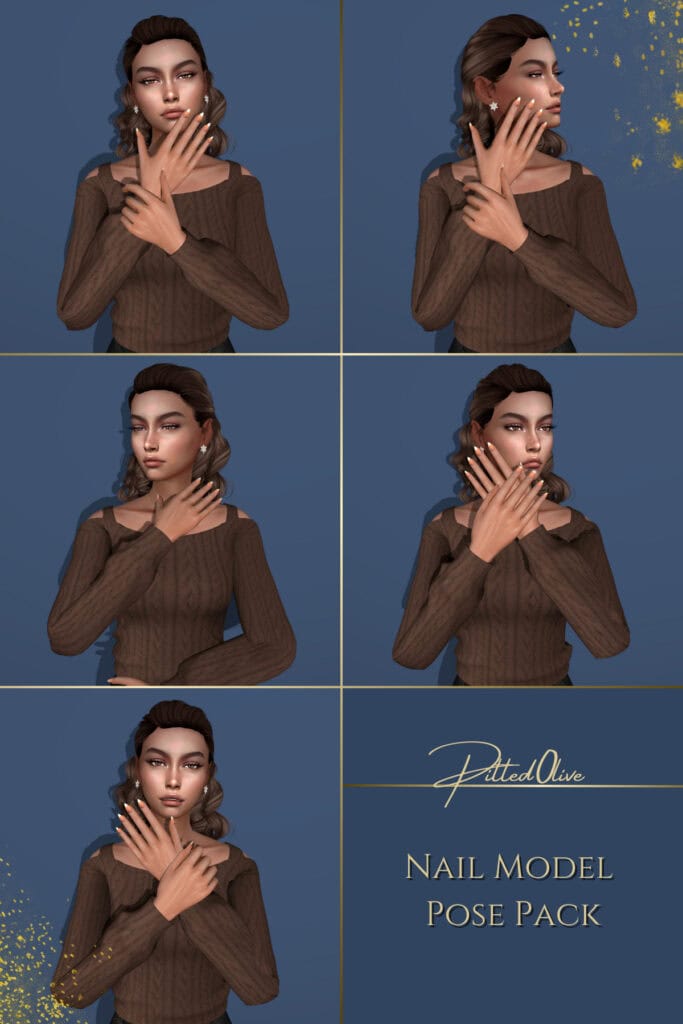
Nail Model Pose Pack gives you five poses, each designed to feel like a beauty campaign shot. I love how the finger placements are intentional and slightly spread, which helps detailed nail designs, rings, and bracelets stand out.
This pack includes both in-game and CAS versions, with the CAS poses running through the Clumsy trait, making it easy to preview your nails while creating your Sim.
REMEMBER
For all in-game poses, you need Andrew’s Pose Player and Teleport Any Sim to position Sims and take pictures.
My New Nails #3 Pose Pack
Download: My New Nails #3 Pose Pack
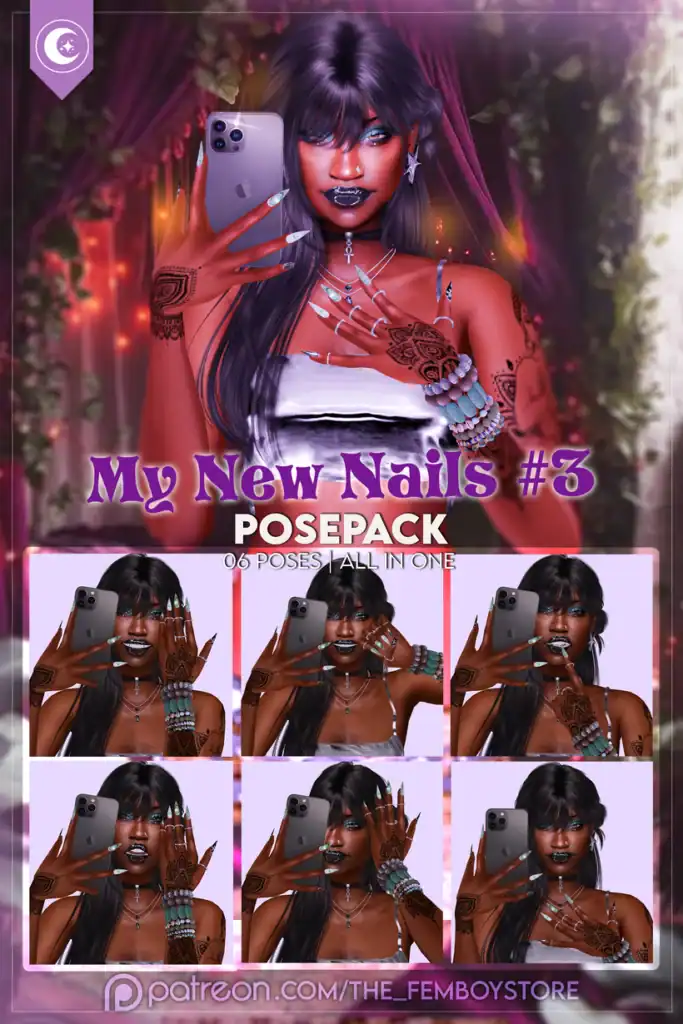
My New Nails #3 Pose Pack is all about capturing that fresh set moment with bold, selfie-style poses. You’ll get six poses in one, each designed to feel like your Sim is showing off their manicure with their phone. The angles work especially well for long nails, glossy finishes, and detailed designs, giving your screenshots a trendy, social-media-ready vibe.
To use these poses properly, you’ll need the iPhone 13 Pro Max accessory so the hand positioning aligns perfectly with the phone during the shots.
For the best results, pair these poses with statement summer nails, stacked rings, or bracelets to enhance the overall look.
RELATED POST: 29+ Best Sims 4 Mirror Selfie Poses for Stunning In-Game Photos
Pretty Claws V2 Pose Pack

Download: Pretty Claws V2 Pose Pack
Pretty Claws V2 Pose Pack is perfect for those bold, close-up nail shots where the details really matter. You’re getting four poses, each designed to highlight long nails, intricate designs, and stacked accessories.
These poses work especially well for beauty-style or desk setups, where your Sim is holding or interacting with small items like nail polish to make the scene feel more natural.
This is an in-game Sims 4 nail poses pack.
Showing Off My Nails And Makeup Pose Pack
Download: Showing Off My Nails And Makeup Pose Pack
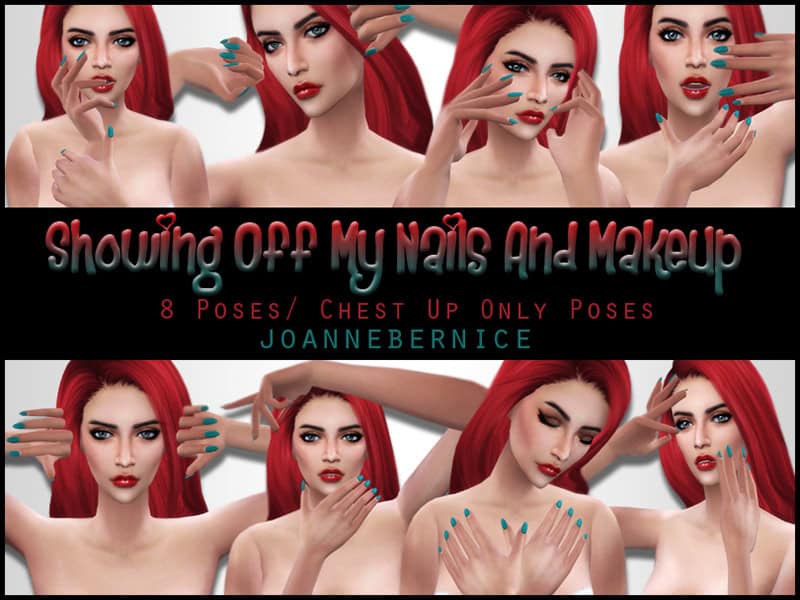
The Nails and Makeup Pose Pack is what you need to show off your Sim’s manicure and facial details. You’ll get eight poses, all focused on upper-body framing, so they’re perfect for close-up screenshots, lookbooks, or beauty-style shots.
Note that these Sims 4 nail poses are for in-game use only. I’d use them with bold nails and detailed makeup.
RELATED POST: 50+ Best Sims 4 CC Makeup 2026 Picks for Stunning Looks (Updated)
Pose Pack 24
Download: Pose Pack 24
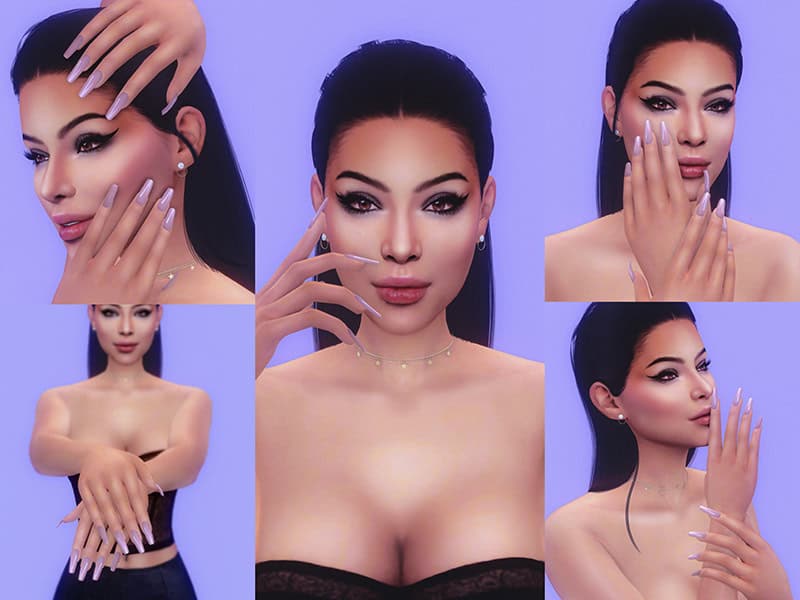
Pose Pack 24 comes with 5 poses, available for both in-game use and CAS. This makes it easy to switch between editing your Sim and capturing full screenshots.
I love how the angles feel polished and slightly editorial, which works especially well for nail ads, lookbooks, or close-up shots.
To use the poses in-game, place your Sim where you want the shot, select them, and choose the pose pack from the available pose list, then cycle through the options until you find the angle you like best.
To use the poses in CAS, click on the noncommital trait, and your Sim will start posing.
Selfie Poses Pack 2
Download: Selfie Poses Pack 2
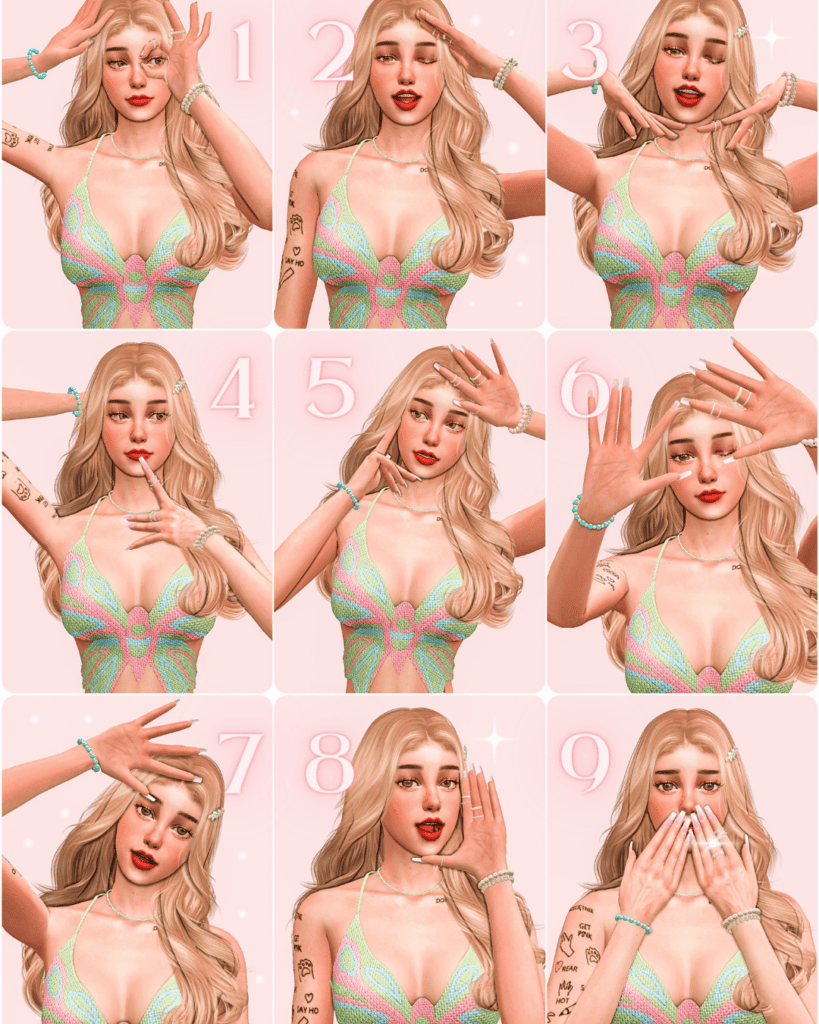
Selfie Poses Pack 2 has 11 poses designed for female Sims, with both in-game and CAS options. While this is a face pose pack, it also has a few nail poses you can use to show off your Sim’s manicure, like pose 9.
These poses work especially well when paired with long nails, glossy finishes, or detailed designs, since the close-up angles help every detail stand out clearly.
Nailed It Pose Pack
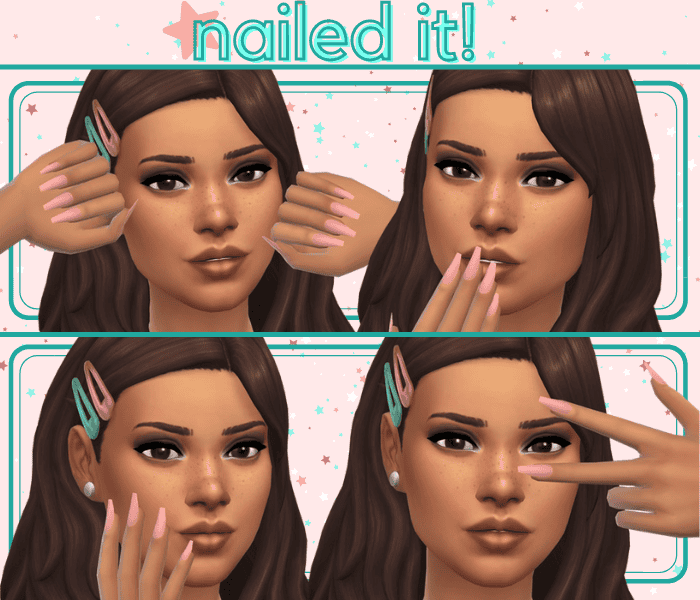
Download: Nailed It Pose Pack
If you’re looking for simple, versatile poses to show off your Sim’s nails, the Nailed It Pose Pack is a great pick. This Sims 4 nail poses pack comes with four gallery-style poses designed for all genders, so you can use them across multiple Sims without worrying about compatibility.
The poses are useful when you want quick, consistent shots for lookbooks or thumbnails, since the framing stays neat and centered.
CAS Handclose Mod
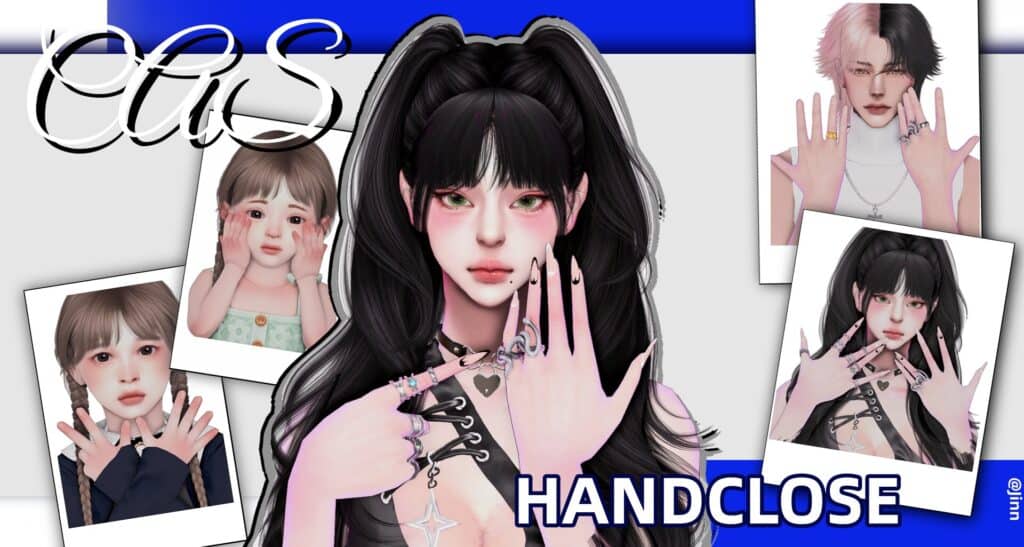
Download: CAS Handclose Mod
CAS Handclose Mod is a Sims 4 mod designed to give you a much better view of your Sim’s nails and hand accessories in CAS. Instead of the default hand positioning, this mod brings both hands into clearer view, making it easier to see details like nail polish, rings, and bracelets without constantly rotating your Sim.
CAS Handclose Mod includes multiple pose variations for different ages and genders, so you can preview nails across female, male, child, and toddler Sims with more natural, close-up hand placements.
Note that this mod requires the Controlled Position Mod (CAS Tuning Base) to work properly. Also, only one file per age group and gender should be placed in your Mods folder to avoid conflicts.
For the best results, use this mod when selecting nail sets or hand accessories so you can clearly see how everything looks without guessing or adjusting angles.
SSIAT Couple Pose
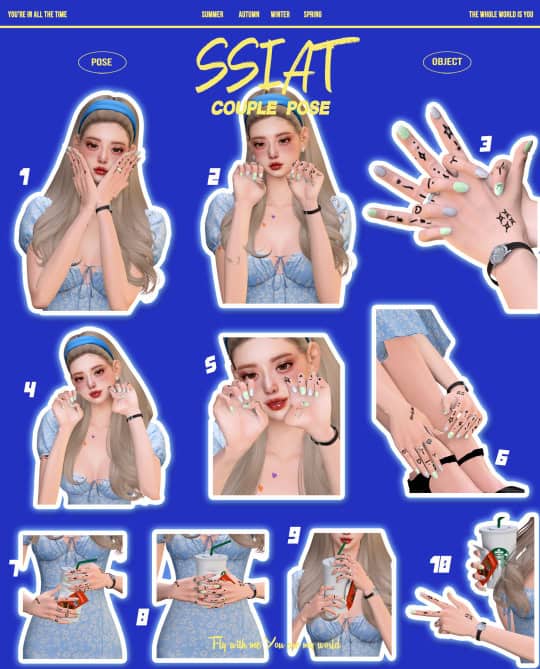
Download: SSIAT Couple Pose
SSIAT Couple Pose is a mix of playful and close-up hand-focused poses, perfect for showing off nails in a more dynamic way. The set includes 10 poses. Some of them interact with a cup accessory for an added touch of realism.
I recommend using these poses with bold nails, stacked rings, or hand tattoos so every detail stands out clearly. Head over to the description for more information on this Sims 4 nail poses pack.
FAQ On Sims 4 Nail Poses
How do I make nail poses look better in The Sims 4?
Focus on lighting, camera angles, and nail detail. Zoom in slightly and make sure your Sim’s hands are clearly visible without distortion.
Do I need custom nails for these poses?
You don’t have to, but custom nail sets make a big difference. They add detail, shape, and polish that stand out in close-up shots.
Why do some poses look off or misaligned?
Some Sims 4 nail poses are made to work with specific accessories like phones or props. If something looks off, you may need to download the recommended item.
Can I use Sims 4 nail poses in CAS?
Yes, some pose packs are designed for CAS and usually work through specific traits. Others are only available in-game, so check the creator notes.
What accessories make nail poses look better?
Rings, bracelets, and props like phones or drinks help complete the look and make your screenshots feel more natural.
Conclusion
That’s the end of the road, Simmers. Nail poses are one of the easiest ways to upgrade your screenshots, especially when you’ve taken the time to pick out the perfect manicure.
With the right Sims 4 nail poses pack, a good angle, and a few accessories, you can turn even the simplest shot into something that looks clean, styled, and intentional.
Happy Simming!