

26+ Best Sims 4 Cozy Loading Screens for a Dreamy Game Makeover

Hey Simmers,
I’ve always loved finding simple ways to make my game feel more personal, and these Sims 4 cozy loading screens are a great place to start. They create a calm, relaxing atmosphere from the moment you load your game.
Think peaceful reading nooks, candlelit rooms, dreamy forests, nostalgic living spaces, and adorable illustrated backgrounds. I’ve also included seasonal options for autumn, winter, spring, Christmas, and Halloween, so you can switch your screen to match your current save or mood.
Some of these downloads also come with custom plumbob recolors and animated overrides for an extra personal touch.
READ MORE: 15+ Best Sims 4 Summer Loading Screens for Tropical Gameplay
DISCLAIMER: You can only have one custom loading screen in your Mods folder at a time. Remove your current loading screen before installing a new one to avoid conflicts.
Cozy Space 2 (Loading Screen & Soft Green Recolor)

Download: Cozy Space 2 (Loading Screen & Soft Green Recolor)
Cozy Space 2 is a warm, plant-filled loading screen with towering bookshelves, hanging greenery, glowing lights, and a soft green sofa. The sunlight streaming through the windows creates a peaceful reading-room atmosphere. Note that you’ll also get a soft green recolor to match the calming interior.
To install it, download the package file and place it directly in your Mods folder. Remember to keep only one custom loading screen in your Mods folder at a time.
Cozy Room Loading Screen
Download: Cozy Room Loading Screen
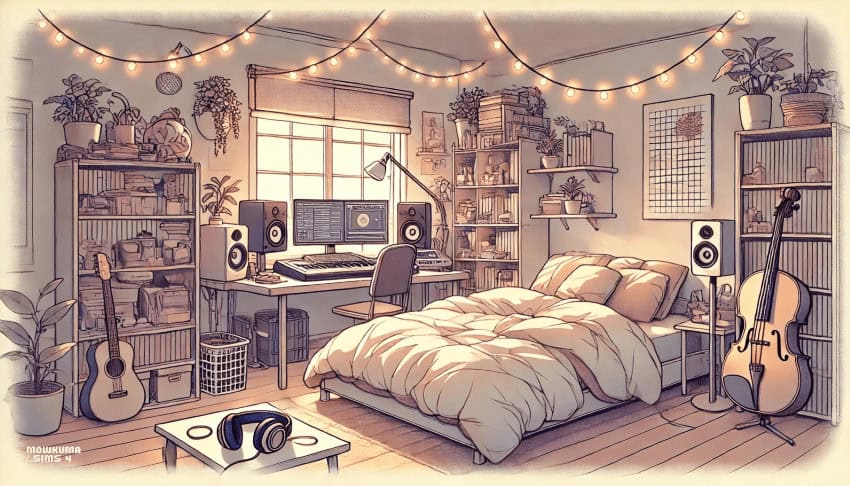
Cozy Room Loading Screen is a warm bedroom scene decorated with string lights, indoor plants, bookshelves, musical instruments, and a comfortable bed. There’s also a complete music setup with a computer, speakers, keyboard, and headphones, making the room perfect for music lovers.
This set is compatible with the base game, meaning you won’t require additional EPs to use. It’s one of the coziest Sims 4 loading screens on this list and a must-have for your 2026 gameplay.
Cozy Loading Screens
Download: Cozy Loading Screens
Cozy Loading Screens is a collection of eight calming backgrounds for your game. You’ll find warm bedrooms, peaceful workspaces, rainy window scenes, neon-lit rooms, and scenic nighttime views. I love that each option uses soft lighting and relaxing colors to make your loading time feel more inviting.
Each design comes as a separate package file, so you can download your favorite from the numbered options. Remember to remove the current loading screen in your mods folder before downloading any of these Sims 4 cozy loading screens.
Cozy Christmas Evening Loading Screen

Download: Cozy Christmas Evening Loading Screen
Cozy Christmas Evening Loading Screen is a festive collection of warm, dimly lit scenes decorated with Christmas trees, fairy lights, stars, presents, candles, and holiday treats. You’ll find several designs, including a cozy sofa covered in blankets, a festive dining table, and a decorated living room.
Each screen comes in two versions, so you can choose between a plumbob by Alerion or the creator’s custom plumbob. You can also download matching main menu and opening screens for a complete Christmas setup.
RELATED POST: 54+ Best Sims 4 Christmas CC: Festive Downloads for Your Holiday Cheer (2025 Update)
New Cozy Loading Screens (Cozy Time Collection)

Download: New Cozy Loading Screens (Cozy Time Collection)
If you’re into colorful illustrations and relaxed seasonal artwork, the Cozy Time Collection is a lovely choice. It contains four Sims 4 cozy loading screens named:
- I Love Fall
- Cozy & Comfy
- Stay Cozy
- Cozy Vibes
Each design shows a woman enjoying a quiet activity, such as listening to music, knitting, reading, or relaxing with a warm drink. Note that the plumbob recolor shown in the previews comes as a separate download. Choose your favorite screen and place only its package file in your Mods folder.
Cozy Loading Screens

Download: Cozy Loading Screens
Cozy Loading Screens is a set of three warm backgrounds named Pearls, Live Cozy, and In Retrospect. These feature soft photography, handwritten quotes, and calm neutral tones across the collection.
Pearls, for example, has perfume, pearls, love letters, and a book for a romantic feel. Live Cozy, on the other hand, shows a glowing candle surrounded by autumn leaves and warm fall colors. Lastly, In Retrospect pairs handwritten letters with an antique pocket watch for a nostalgic, reflective feel. Choose the design best suited to your personal aesthetic and add it to your mods folder.
Cozy Loading Screen V1
Download: Cozy Loading Screen V1
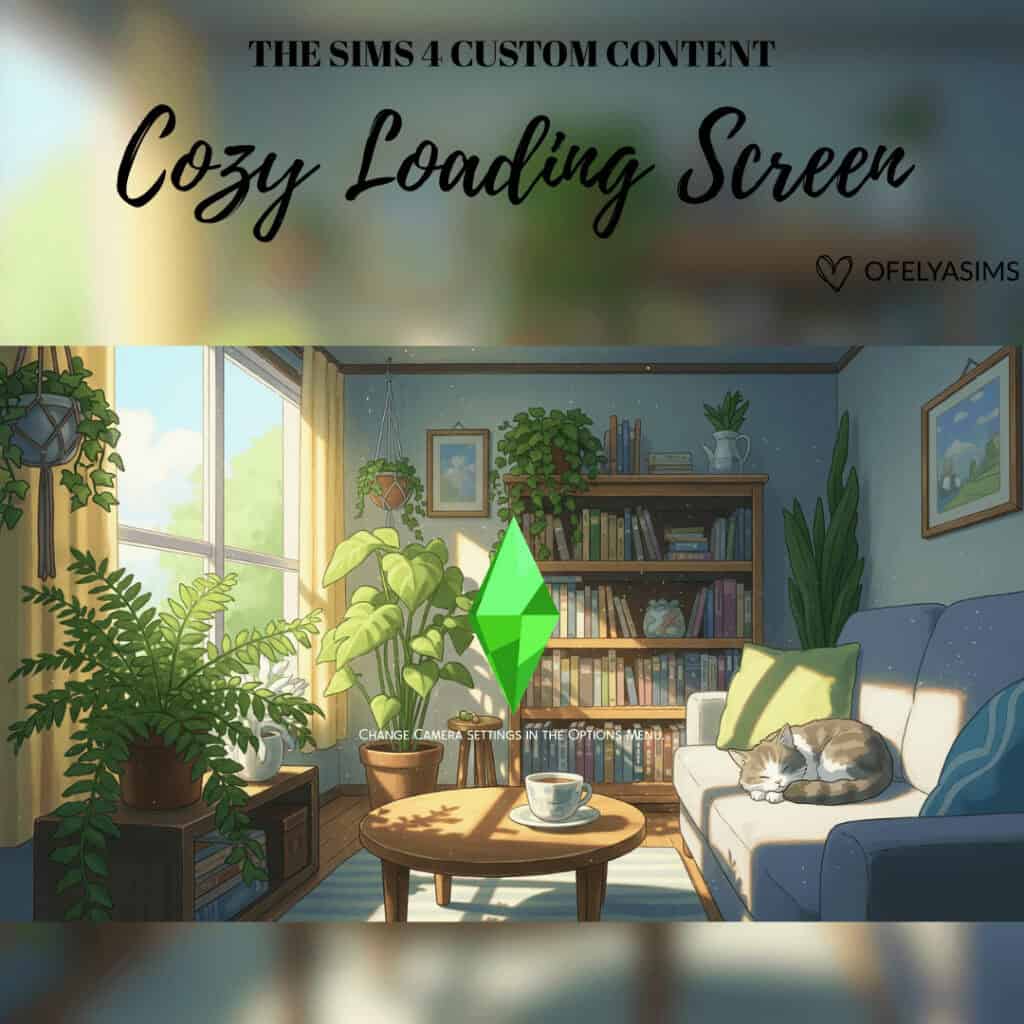
Cozy Loading Screen V1 is a bright illustrated living room filled with leafy plants, books, framed artwork, and natural sunlight. There’s a blue sofa with a sleeping cat, a coffee table with a warm drink, and a green plumbob in the center. I love how the soft colors create a peaceful daytime setting for your gameplay.
Remember you can only keep one custom loading screen in your Mods folder at a time. Check out the creator’s page for the second version.
Loading Screens – Foggy Meadow
Download: Loading Screens – Foggy Meadow
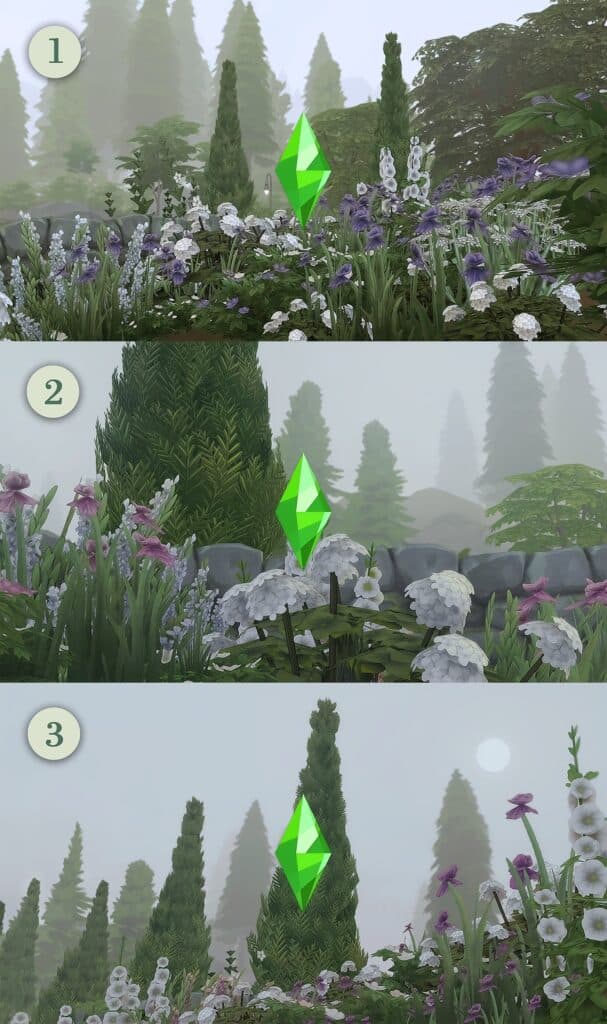
This pack contains three peaceful Sims 4 cozy loading screens filled with purple and white wildflowers, tall trees, and soft mist. The dreamy meadow brings a sense of calm and relaxation to your game right from the start.
Please choose your preferred flower arrangement and camera angle, and add only that to your mods folder.
Lofi Loading Screens #2
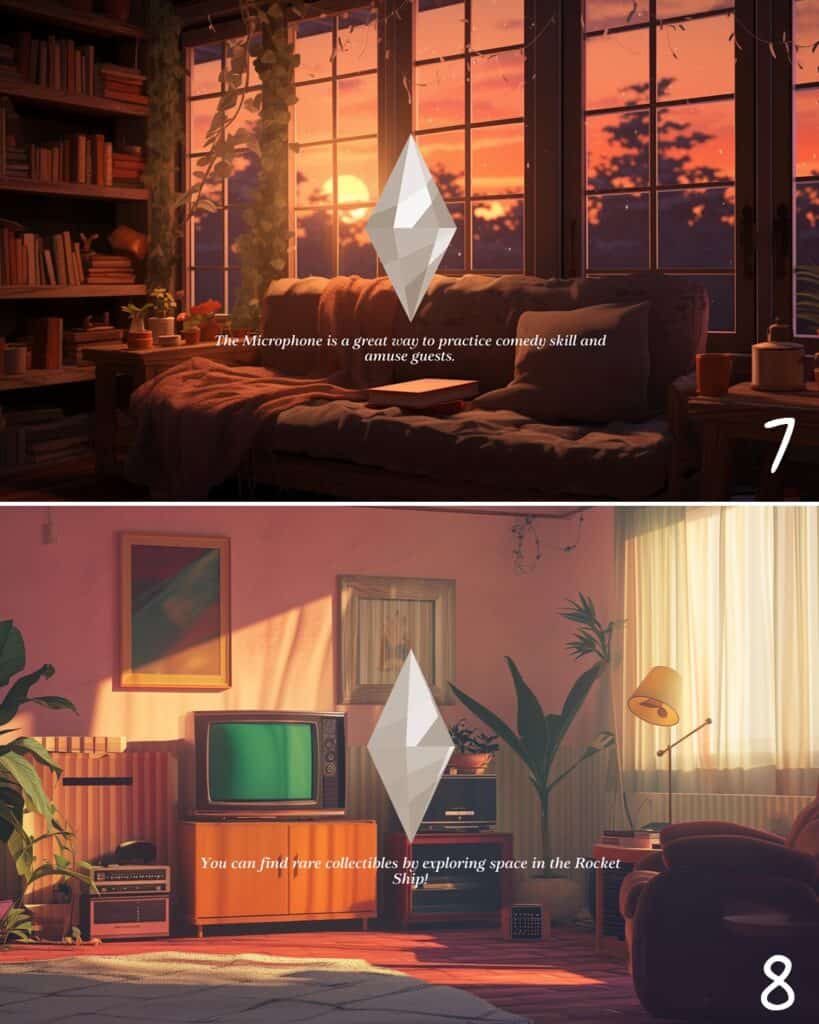
Download: Lofi Loading Screens #2
If you’re looking for cozy backgrounds with a nostalgic lofi aesthetic, Lofi Loading Screens #2 is an excellent choice. This pack contains four Sims 4 cozy loading screens of calming scenes. There’s a sunlit bedroom, an open desert road, a retro living room, and a quiet classroom.
Each option uses soft lighting, muted colors, and an illustrated art style to create a relaxed atmosphere. Choose your favorite design and keep only its package file in your Mods folder.
Loading Screen Cozy 4

Download: Loading Screen Cozy 4
The Loading Screen Cozy 4 is one of the coziest Sims 4 loading screens on this list. The warm sunset background, large windows, and overflowing bookshelf create a relaxing atmosphere for gameplay. The leafy vines, potted plants, soft blankets, and golden sunlight fill the room with warmth.
This pack is compatible with the base game.
Cozy Empty Room (Loading Screen + Plumbob Override)
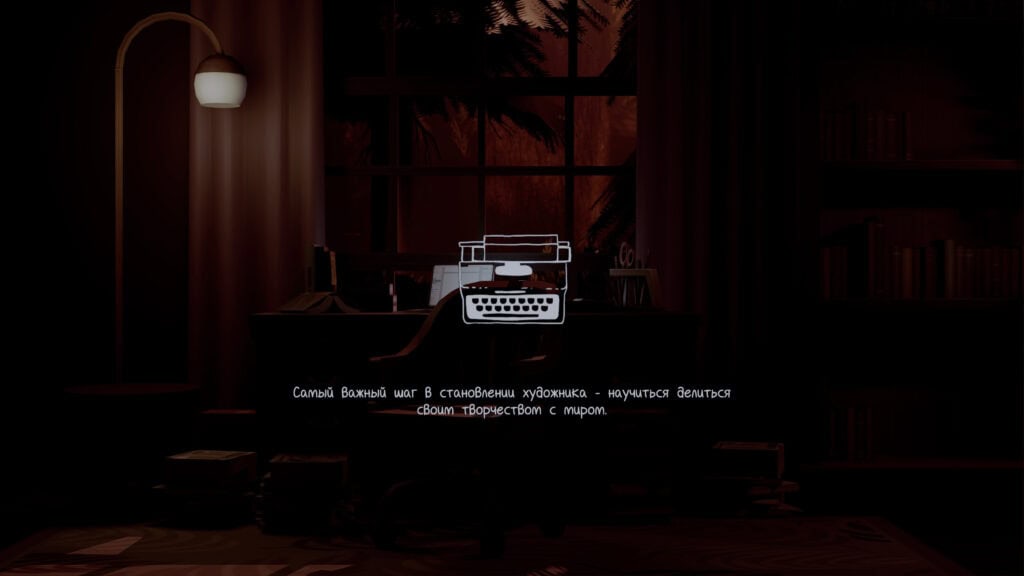
Download: Cozy Empty Room (Loading Screen + Plumbob Override)
Cozy Empty Room is a dark, moody loading screen set inside a quiet writing space. You’ll find a desk, scattered papers, warm lamps, autumn scenery outside the window, and deep red lighting. You’ll also get a unique typewriter plumbob override, which perfectly complements the writing-room theme.
Note that your game will use the standard Sims 4 font unless you install the creator’s optional text override. Colors may also look slightly different depending on your ReShade preset. Remember to keep only one loading screen package in your Mods folder.
Cozy Loading Screen

Download: Cozy Loading Screen
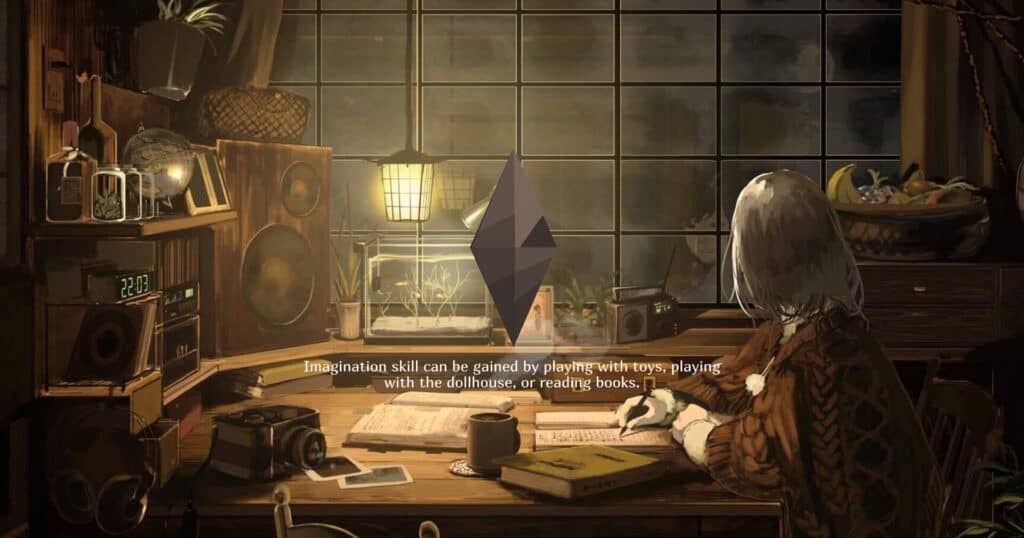
Cozy Loading Screen is a warm illustrated background showing a young woman reading beside a glowing window. The room is filled with soft golden lighting, blurred fairy lights, and warmth.
This is one of my favorite Sims 4 cozy loading screens because it’s soft and radiant. This set is compatible with the base game, meaning you won’t require additional EPs to use.
Cozy Winter Pt.2 (Loading Screen + Plumbob Override Animated)

Download: Cozy Winter Pt.2 (Loading Screen + Plumbob Override Animated)
Cozy Winter Pt.2 is a snowy loading screen collection comprising four peaceful neighborhood views. You’ll find snow-covered houses, quiet roads, winter trees, parked cars, and softly glowing holiday lights. I love how the cool blue and purple tones create a calm winter-night atmosphere.
This pack also comes with an animated toaster plumbob override, which adds a playful touch to each scene. Note that the loading screens support 4K displays, but their colors may vary depending on your ReShade preset. Without the optional font override shown by the creator, you’ll see the standard Sims 4 text.
To install this Sims 4 cozy loading screens cc, download and unzip the file, then move the loading screen and animated plumbob package files into Documents > Electronic Arts > The Sims 4 > Mods.
Loading Screen Override – Cozy Spring Vibes
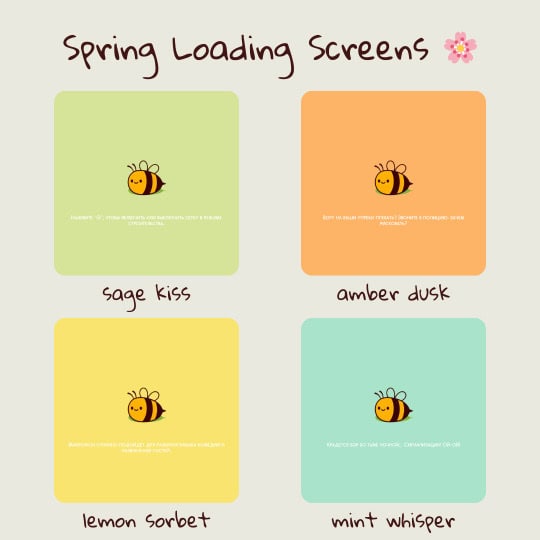
Download: Loading Screen Override – Cozy Spring Vibes
Loading Screen Override – Cozy Spring Vibes is a cheerful collection of four pastel Sims 4 cozy loading screens cc. These are Sage Kiss in soft green, Amber Dusk in warm orange, Lemon Sorbet in sunny yellow, and Mint Whisper in light blue.
Each option replaces the standard plumbob with an adorable little bee, adding a playful seasonal touch whenever you launch the game.
To install your chosen screen, place its package file in Documents > Electronic Arts > The Sims 4 > Mods. Make sure you only install one loading screen override at a time, then launch the game to view it.
Cozy Living Loading Screen

Download: Cozy Living Loading Screen
Cozy Living Loading Screen is a warm vintage-style background set inside a comfortable sitting room. There’s a floral sofa, wooden coffee table, fireplace, indoor plants, framed pictures, and soft orange lighting. The white plumbob remains unchanged, allowing the room to remain the main focus.
I recommend you have a carpet with the name LOADING SCREEN and put it in there. This set is compatible with the base game.
Loading Screen Halloween Cozy Place
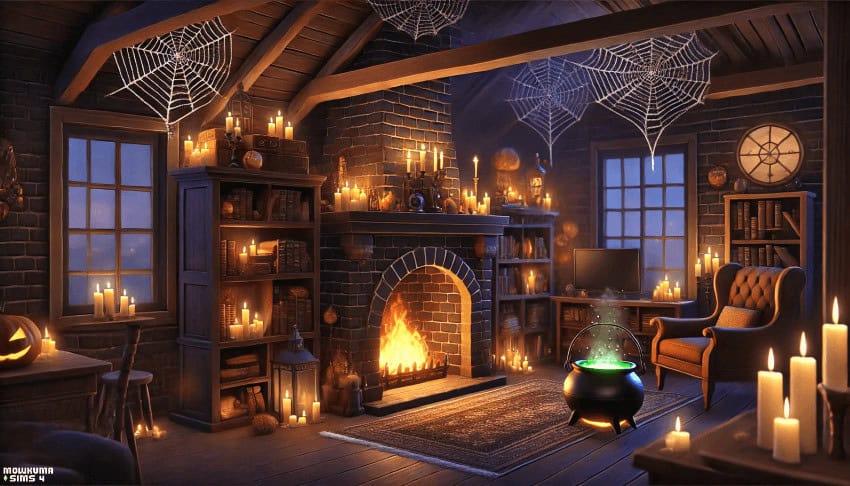
Download: Loading Screen Halloween Cozy Place
If you’re looking for a cozy loading screen with a spooky seasonal twist, Loading Screen Halloween Cozy Place is a great choice. This dark brick room is decorated with glowing candles, giant spiderwebs, bookshelves, pumpkins, and a bubbling green cauldron.
There’s also a roaring fireplace and warm orange lighting, which keeps the scene inviting. This is one of the best Sims 4 cozy loading screens for Halloween saves, witch gameplay, or any supernatural storyline.
RELATED POST: Must-Have Sims 4 Halloween Loading Screens For Spooky Gameplay
Cozy Space Loading Screen
Download: Cozy Space Loading Screen
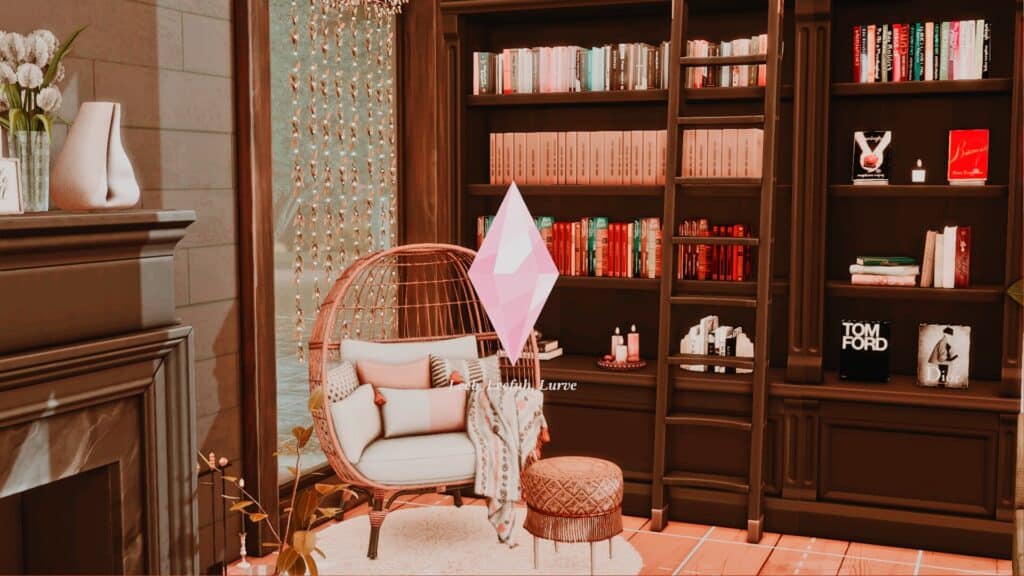
The Cozy Space Loading Screen showcases a warm reading nook with floor-to-ceiling bookshelves, a wooden ladder, and a comfortable rattan chair. You’ll see stacked books, candles, soft cushions, a knitted throw, and a fireplace nearby. The earthy brown, cream, and orange palette creates an inviting space for book lovers.
Note that the preview uses a soft pink plumbob recolor by PinkishWrld, which complements the room’s warm aesthetic. Be sure to download this if you want your game to look exactly the same.
Loading Screen Override Waiting for Cozy Winter

Download: Loading Screen Override Waiting for Cozy Winter
Loading Screen Override Waiting for Cozy Winter is a warm attic scene overlooking a cold, misty landscape. There’s a comfortable window seat covered in pillows and knitted blankets, surrounded by candles, books, plants, and tiny string lights.
This is one of the best Sims 4 cozy loading screens for Simmers who enjoy quiet reading nooks, warm candlelight, and cozy evenings indoors.
RELATED POST: 25+ Best Sims 4 Winter Loading Screens for a Cozy Seasonal Aesthetic
Cozy Forest Loading Screen Set

Download: Cozy Forest Loading Screen Set
Cozy Forest Loading Screen Set is a collection of two colorful nature backgrounds captured in-game. The first is a wide forest view glowing beneath an orange sunset, and the second is a close woodland scene filled with lush greenery, rocks, flowers, and a bright green plumbob.
Each design has a number, making it easy to select your preferred option. Both Sims 4 cozy loading screens have been tested in-game on high-quality settings.
To install your chosen screen, place its package file directly in your Mods folder or no more than five subfolders deep.
Loading Screen Override Autumn Cozy

Download: Loading Screen Override Autumn Cozy
Loading Screen Override Autumn Cozy is a warm study scene overlooking a leafy outdoor space. There’s an open notebook on the table alongside stacked books, a glowing desk lamp, and a hot cup of coffee.
This background is ideal if you enjoy bookish aesthetics, peaceful workspaces, or cozy rainy-day scenes.
RELATED POST: 21+ Must-Have Sims 4 Fall Loading Screen CC for the Autumn Vibe and Feel
Cozy Fall Aesthetic – Loading Screen

Download: Cozy Fall Aesthetic – Loading Screen
Cozy Fall Aesthetic – Loading Screen is a warm seasonal background filled with autumn colors. You’ll find orange and white pumpkins, glowing candles, dried leaves, soft blankets, fairy lights, and a hot cup of cocoa. I love how the golden lighting creates a peaceful setting for fall-themed gameplay.
This loading screen is perfect for cozy saves in autumn, fall, or spring.
Autumn Loading Screen 4
Download: Autumn Loading Screen 4
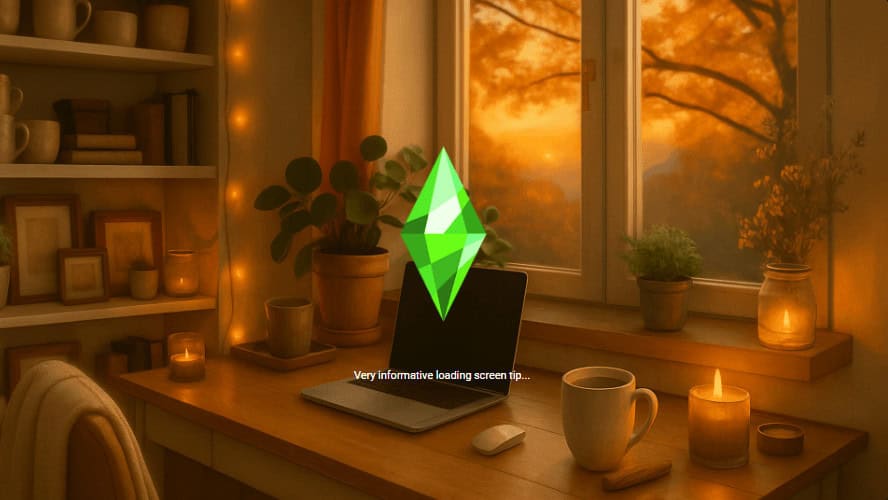
Autumn Loading Screen 4 is a warm workspace background overlooking trees covered in golden leaves. There’s a laptop on the worktable alongside a hot drink, glowing candles, potted plants, framed pictures, books, and soft fairy lights. The rich yellow and orange tones help create a peaceful fall atmosphere for every game session.
Note that if you experience any issues after a future game update, contact the creator so they can provide an updated version.
Fall/Autumn Loading Screen for The Sims 4

Download: Fall/Autumn Loading Screen for The Sims 4
Fall/Autumn Loading Screen for The Sims 4 is a colorful living room scene filled with rich seasonal shades. It features plush sofas, knitted blankets, patterned cushions, framed autumn artwork, and a bright view of orange trees outside.
Download the package file and place it directly in your Mods folder using this file path: Documents > Electronic Arts > The Sims 4 > Mods > [Loading Screen File]. As a bonus, you’ll also get a regular PNG image to use as a desktop background or anywhere else you choose.
Sims 4 Cozy Castle Loading Screens
Download: Sims 4 Cozy Castle Loading Screens
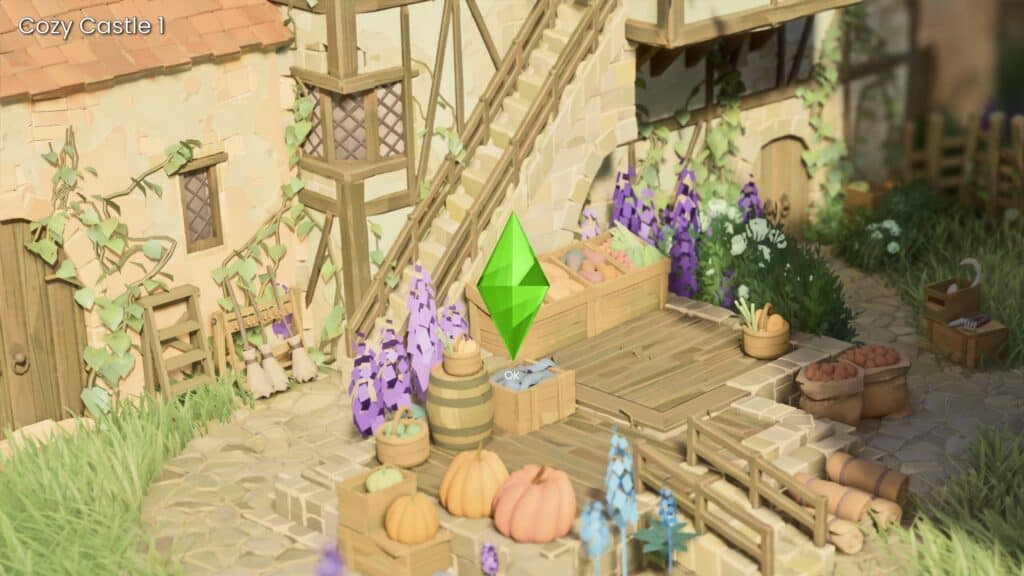
Sims 4 Cozy Castle Loading Screens is a collection of seven charming backgrounds inspired by a peaceful medieval village. You’ll find rustic stone cottages, timber frames, red-tiled roofs, wooden fences, barrels, baskets, and colorful flowers.
The Sims 4 cozy loading screens set includes wide castle views and close-up courtyard scenes, so you can choose the perspective you prefer. I’d love to see how its bright greenery and soft pastel colors work with cottagecore, fairytale, or medieval-themed saves.
RELATED POST: The Cutest Sims 4 Cottagecore CC (Perfect for Cottage Living Gameplay)
Cozy Collection 1

Download: Cozy Collection 1
Cozy Collection 1 is a set of ten adorable food and animal-themed loading screens. You’ll find cute illustrations, sweet treats, and cheerful characters across the collection.
A few of the available screens include:
- Chubby Kitty Eating Cake
- Cozy Bakery
- Clutter Bear
- Doughnuts and Coffee
- Cozy Tea Time
- Hungry Kitty
- Hoka Hoka Bath Time
- Macaron
- Kitty Cake
- Sleepy Kitty
Remember to download the creator’s compatibility update for Patch 1.110 and keep only one loading screen installed at a time.
Cozy Nostalgic Living (Loading Screen)
Download: Cozy Nostalgic Living (Loading Screen)
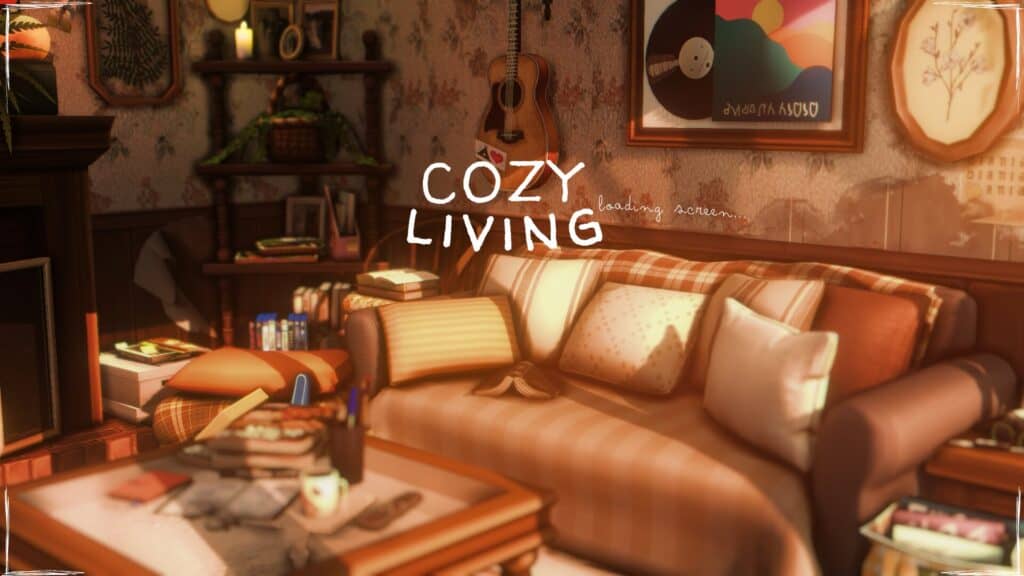
Cozy Nostalgic Living is a vintage-inspired background showing a comfortable living room bathed in warm dusk lighting. There’s an aged leather sofa, stacks of books, framed artwork, a record-themed poster, floral wallpaper, and a guitar hanging on the wall.
I love how the soft orange and brown tones make this Sims 4 cozy loading screens cc ideal for retro interiors, music-inspired decor, or quiet evenings at home.
FAQ on Sims 4 Cozy Loading Screens
What are Sims 4 cozy loading screens?
Sims 4 cozy loading screens are custom replacements for the standard blue screen appearing whenever your game loads a household, lot, or world.
Can I install more than one cozy loading screen?
No. You should only keep one loading screen package in your Mods folder at a time. Multiple replacements may conflict or cause loading problems.
How do I install a Sims 4 cozy loading screen?
Download and unzip the file, then move the package file into Documents > Electronic Arts > The Sims 4 > Mods.
Why is my custom loading screen not appearing?
Check whether you placed the package file in your Mods folder and enabled custom content in Game Options. You may also need to remove an older loading screen replacement.
Can I change my loading screen whenever I want?
Yes. Remove the current package file from your Mods folder and replace it with your preferred screen before launching the game.
Do custom loading screens slow down The Sims 4?
Most loading screen replacements should not noticeably affect loading times. Outdated or conflicting files may cause problems, so keep your Mods folder organized.
Can I use a custom plumbob with a cozy loading screen?
Yes, if the creator includes a plumbob override or confirms support for a separate recolor. Always read the installation instructions before combining files.
Why does my loading screen look different from the preview?
Your screen resolution, graphics settings, ReShade preset, and optional font overrides may affect its colors and overall appearance.
Do Sims 4 loading screens need updates?
Some loading screens may stop working correctly after major game patches. Check the creator’s page for an updated file if you notice visual problems or crashes.
How do I remove a custom loading screen?
Open your Mods folder, locate the loading screen package file, and delete or move it outside the folder. The standard blue loading screen will return when you restart the game.
Conclusion
That’s it from us. I hope you found a few Sims 4 cozy loading screens suited to your personal aesthetic. Whether you prefer warm autumn rooms, snowy neighborhoods, peaceful forests, cute illustrations, or candlelit reading nooks, this list has plenty of beautiful options to make loading times more enjoyable.
Remember, you can always save your other downloads in a separate folder and switch between them whenever you want a fresh look. Happy Simming!