
30+ Must-Have Sims 4 Night Loading Screens to Transform Your Game

Hey Simmers,
Since I’ve always loved creating different moods for my Sims 4 saves, I’ve found myself collecting loading screens that match the stories I’m playing. Night-themed loading screens are some of my favorites because they instantly make the game feel calmer, cozier, or even a little mysterious before I reach the main menu.
I decided to round up my favorite Sims 4 night loading screens so you can easily find one that fits your style. You’ll come across peaceful moonlit beaches, glowing city skylines, magical galaxies, snowy winter evenings, spooky Halloween scenes, and relaxing rainy nights.
READ MORE: 26+ Best Sims 4 Cozy Loading Screens for a Dreamy Game Makeover
Starry Night Loading Screen Background

Download: Starry Night Loading Screen Background
The Starry Night Loading Screen Background gives you a peaceful nighttime scenery every time you launch The Sims 4. This scene features a glowing crescent moon, sparkling stars, and soft blue clouds floating across a deep midnight sky. The rich blue tones create a relaxing atmosphere, making every loading screen feel cozy and magical before you jump into your next save.
This Sims 4 night loading screen background is free to download.
Nightlife Loading Screen

Download: Nightlife Loading Screen
Nightlife Loading Screen is a gorgeous image of a modern city skyline after dark. The brightly lit skyscrapers, glowing apartment buildings, peaceful waterfront views, and a deep evening sky create one of the most stunning Sims 4 night loading screens.
If you want your save to feel like you’re about to explore a bustling downtown neighborhood, this is a must-have. The set is compatible with the base game, meaning you won’t require additional EPs to use.
Held by the Night – Loading Screen

Download: Held by the Night – Loading Screen
Held by the Night – Loading Screen is a background of a cozy bedroom overlooking a glowing city skyline. The rain-streaked windows, warm lamplight, lush houseplants, and a curled-up cat resting on the bed create a comforting atmosphere.
Please remember that you can only have one loading screen override in your Mods folder at a time. Having more than one Sims 4 night loading screens cc can make your game crash.
Thunder Sky

Download: Thunder Sky
Thunder Sky is a beautiful background of a breathtaking nighttime landscape. There are glowing storm clouds, shimmering stars, a mist-covered lake, distant forests, and vibrant shades of blue and purple.
The luminous sky creates a breathtaking atmosphere with a mysterious and peaceful feel. If you love dark nights and thunder, this is one of the best Sims 4 night loading screens to add to your save.
Night Sea Loading Screen Background

Download: Night Sea Loading Screen Background
The Night Sea Loading Screen Background is a peaceful ocean view after sunset. The calm blue waters, glowing moonlight reflecting across the sea, soft clouds drifting through the night sky, and rich shades of blue throughout the landscape are nothing short of stunning.
This tranquil scenery creates a soothing atmosphere, perfect for cozy saves. This set is compatible with the base game.
Moody Nights by the Sea – Loading Screen

Download: Moody Nights by the Sea – Loading Screen
Moody Nights by the Sea – Loading Screen showcases a peaceful waterfront scenery and a rainy evening atmosphere. It’s not nighfall yet, but the gentle rainfall, calm blue waters, and soft purple skies stretching across the horizon mark the start of darkness.
If you like coastal views and want something calming for your game, this is my go-to choice.
A Winter’s Night – Loading Screen

Download: A Winter’s Night – Loading Screen
A Winter’s Night – Loading Screen is a beautiful depiction of snowy evenings and peaceful winter scenery. This scene features softly falling snow, snow-covered cottages, glowing house lights, frosted trees, and a deep blue night sky.
The quiet village setting in the back creates a cozy winter atmosphere, perfect for winter saves. I highly recommend getting this nighttime loading screen for Christmas gameplay.
RELATED POST: 25+ Best Sims 4 Winter Loading Screens for a Cozy Seasonal Aesthetic
Dark Galaxy Loading Screen Background

Download: Dark Galaxy Loading Screen Background
If you’re looking for a loading screen with a mysterious space aesthetic, Dark Galaxy Loading Screen Background is a beautiful choice. It’s one of those Sims 4 night loading screens with an eerie yet calming feel. The glowing purple nebula clouds, sparkling stars, and deep galaxy sky painted in rich violet and midnight blue tones create a dreamy atmosphere.
This set has been updated for the latest patch, so I recommend redownloading it if you already have an older version installed.
Loading Screen Override Halloween Night 2

Download: Loading Screen Override Halloween Night 2
For those who are into Halloween gameplay, this is a great choice. You get spooky Halloween vibes without making your game feel too dark. The background features a moonlit graveyard, twisted leafless trees, weathered tombstones, carved pumpkins, and glowing blue night skies.
The eerie scenery creates the perfect haunted atmosphere for Halloween adventures.
RELATED POST: Must-Have Sims 4 Halloween Loading Screens For Spooky Gameplay
Eternal (Loading Screen)

Download: Eternal (Loading Screen)
Eternal (Loading Screen) is an eerie nighttime scene with a cinematic Halloween atmosphere. There’s a glowing full moon, candlelit gravestones, drifting clouds, overgrown greenery, and a shadowy cemetery hidden in the darkness.
I love how the haunting scenery creates a mysterious atmosphere for supernatural saves or Halloween gameplay. This set is compatible with the base game and is undoubtedly one of the best Sims 4 night loading screens for gritty saves.
Moon and Stars Loading Screen Background

Download: Moon and Stars Loading Screen Background
Moon and Stars Loading Screen Background is one of the most beautiful animated Sims 4 night loading screens, ideal for Simmers who love calm nighttime ocean scenery. This scene comprises a glowing full moon rising above the horizon, shimmering blue waters, soft clouds, and rich navy tones inspired by a peaceful night at sea.
This dreamy artwork creates a relaxing atmosphere for your save. Note that this set has been updated for the latest patch, so I recommend redownloading it if you already have an older version installed.
Purple City – Loading Screen

Download: Purple City – Loading Screen
Purple City – Loading Screen is a gorgeous depiction of nightlife. Think vibrant city skylines, glowing skyscrapers, dazzling purple and pink skies, sparkling waterfront reflections, and bright city lights stretching across the horizon. The colorful scenery creates a modern nightlife atmosphere.
Note that this loading screen will conflict with any other loading screen override in your Mods folder, so make sure you only keep one installed at a time.
To install, download the .package file, then move it to Documents > Electronic Arts > The Sims 4 > Mods.
Santa’s Night Flight – Loading Screen

Download: Santa’s Night Flight – Loading Screen
If you’re looking for a festive loading screen to celebrate the holiday season, Santa’s Night Flight – Loading Screen is a wonderful choice. This set comes with Santa’s sleigh flying across a glowing full moon, snow-covered pine trees, a brightly decorated Christmas tree, cozy village homes, and gently falling snow. I love how the cheerful winter scenery creates a magical Christmas atmosphere, making every loading screen feel warm and festive before you jump into your next save.
This set is compatible with the base game, allowing you to use it without EPs.
City Lights Loading Screen

Download: City Lights Loading Screen
City Lights Loading Screen is a beautiful background of a modern city at night. You’ll see towering skyscrapers, glowing office buildings, bright streetlights, illuminated traffic signals, and a deep blue night sky.
The lively urban scenery creates a sleek metropolitan atmosphere, perfect for nightlife.
City Themed Loading Screens & Main Menus

Download: City Themed Loading Screens & Main Menus
The City Themed Loading Screen is a pack with modern skyline backgrounds and vibrant urban scenery. There are three different city-inspired Sims 4 night loading screens featuring glowing skyscrapers, colorful waterfront reflections, and dazzling nighttime skylines. You’ll also get matching main menu replacements for a coordinated look every time you launch The Sims 4.
Loading screen options include:
- City Blues
- City Painting
- Purple City
Matching main menu options include:
- City Blues MM
- City Painting MM
- Purple City MM
City Loading Screen
Download: City Loading Screen
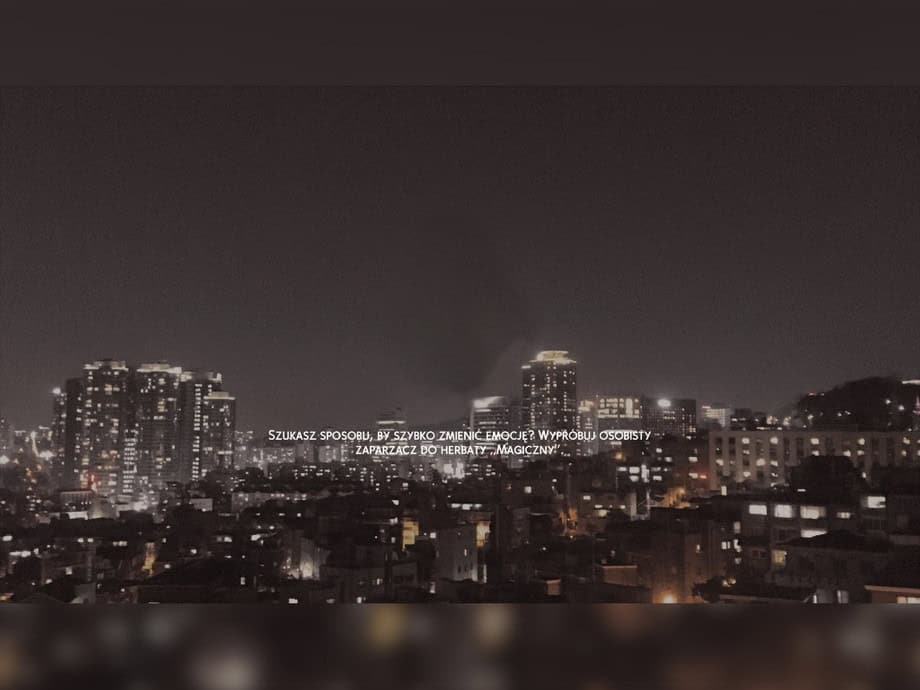
City Loading Screen is a realistic nighttime skyline overlooking glowing apartment buildings, illuminated skyscrapers, and soft city lights stretching across the horizon. The darker color palette and subtle reflections create a calm, cinematic atmosphere, making every loading screen feel more immersive before you jump into your next save. This Sims 4 night loading screen is compatible with the base game, meaning you won’t require additional EPs to use it.
Christmas Night Set – Loading Screen + Main Menu
Download: Christmas Night Set – Loading Screen + Main Menu
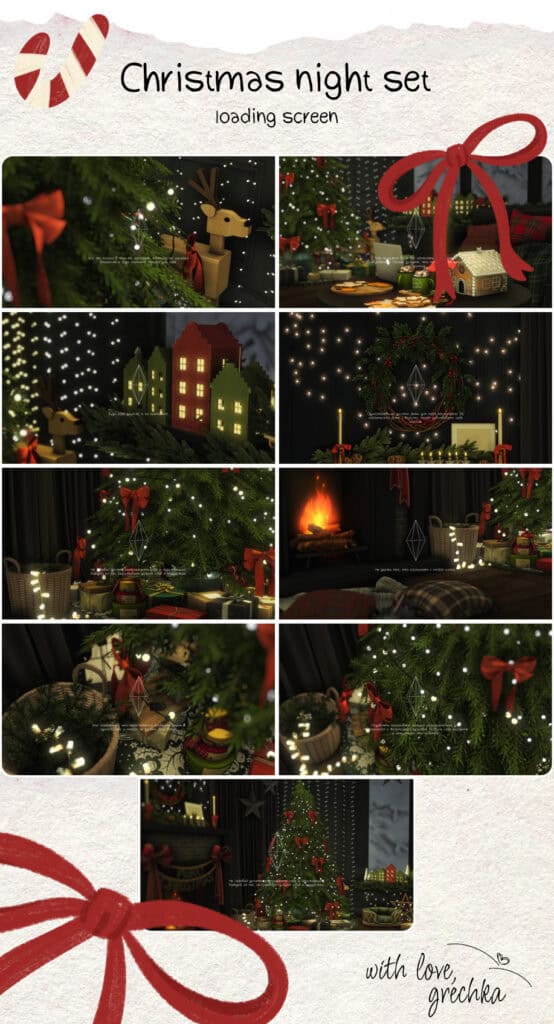
Christmas Night Set – Loading Screen + Main Menu is a festive collection of cozy Christmas-themed loading screens and matching main menus set at night. There are glowing Christmas trees, wrapped presents, gingerbread houses, wreaths, candles, warm fireplaces, wooden reindeer ornaments, twinkling fairy lights, and charming miniature holiday villages.
Each design creates a warm and nostalgic atmosphere, ideal for festive gameplay. You’ll also get matching main menus to complete the look, so your game’s interface stays consistent throughout the holiday season.
TS4 Classy Towers Night Loading Screen
Download: TS4 Classy Towers Night Loading Screen
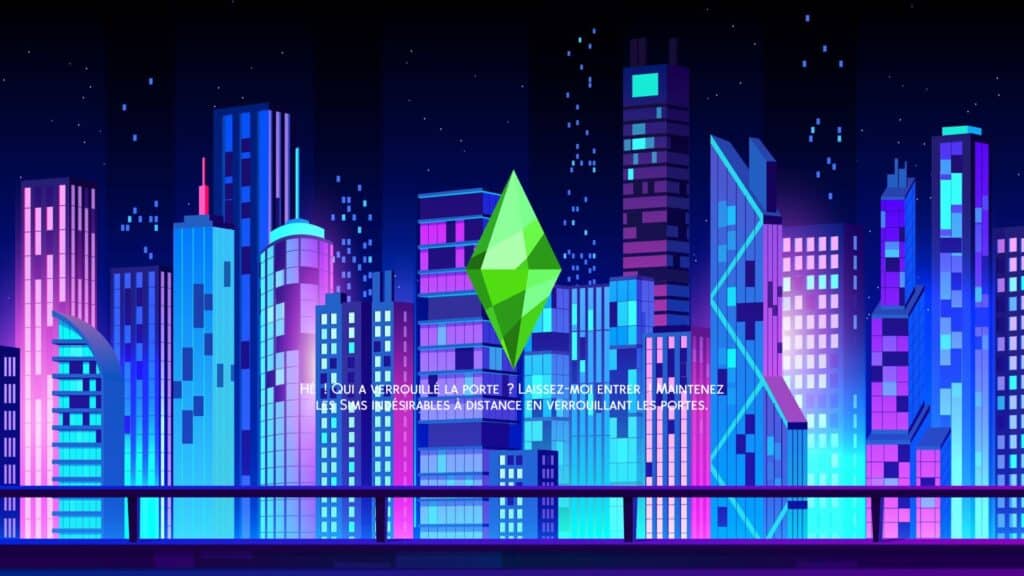
TS4 Classy Towers Night Loading Screen is a vibrant neon-inspired replacement that transforms your loading screen into a futuristic city skyline. The glowing blue, purple, and pink skyscrapers create a cyberpunk atmosphere. This set also comes with clean geometric buildings and illuminated windows, so every loading screen feels sleek and modern. It’s a great choice if you enjoy city-themed aesthetics with bold colors and a stylish nighttime vibe.
This updated version refreshes the original Classy Towers design with enhanced visuals while keeping the same futuristic aesthetic. I’d use it with urban, high-tech, and nightlife-focused saves, adding a striking splash of color every time you launch your game.
Click on the attached link to access the old version.
Loading Screen Lune 9
Download: Loading Screen Lune 9
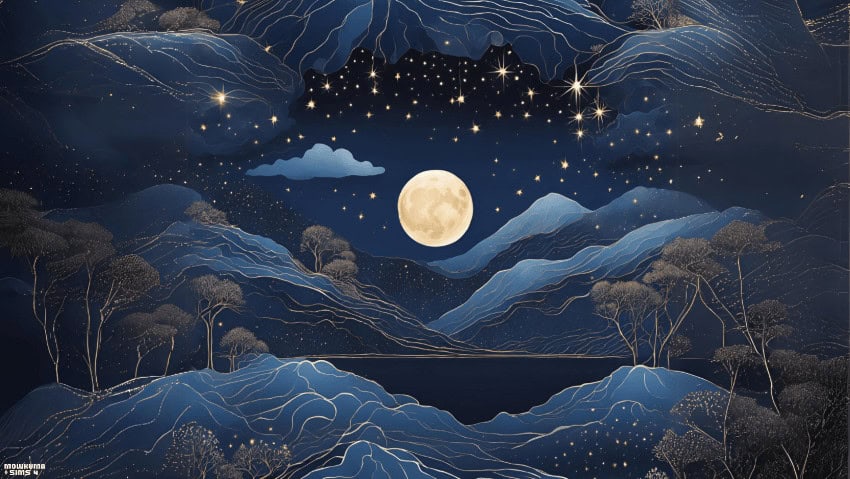
Loading Screen Lune 9 is a dreamy night-themed replacement with a glowing full moon surrounded by deep blue mountains, shimmering stars, silver-lined trees, and a peaceful lakeside landscape. The hand-painted artwork creates a magical nighttime atmosphere that feels both relaxing and elegant.
This Sims 4 night loading screen comes in a rich blue palette and delicate celestial details, and it’s a beautiful choice for players who enjoy calm, storybook-inspired aesthetics.
To install:
- Download and unzip the archive using WinRAR, 7-Zip, or another extraction tool.
- Move the .package file to your Mods folder: Documents > Electronic Arts > The Sims 4 > Mods.
- Don’t rename the file.
- Avoid placing the file more than one subfolder deep inside your Mods folder.
Moon – Loading Screen
Download: Moon – Loading Screen
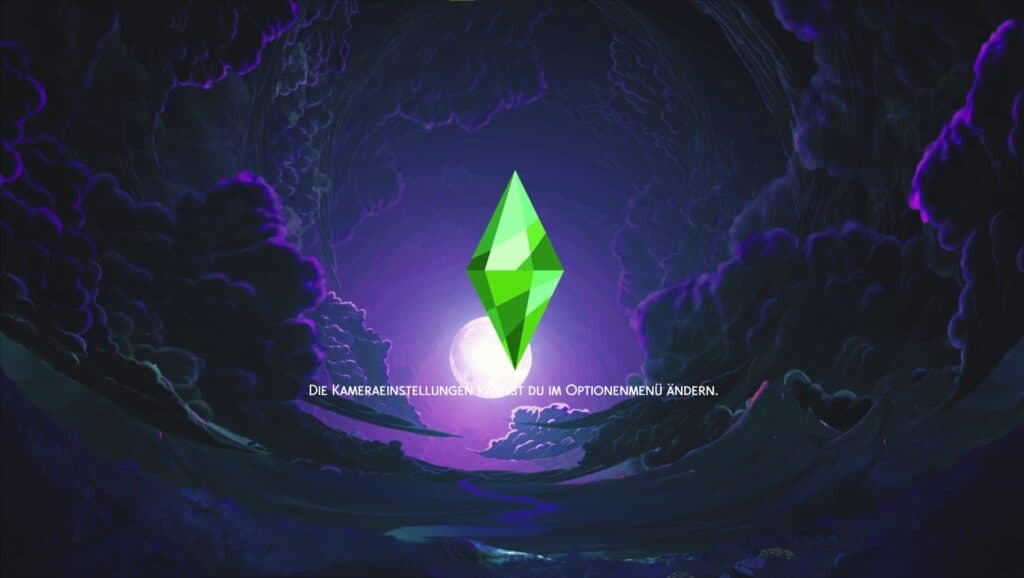
Moon – Loading Screen is a dreamy nighttime replacement with a glowing full moon surrounded by deep purple clouds, winding rivers, and a mystical fantasy landscape. The rich blue and violet color palette creates a magical atmosphere, while the luminous moonlight adds a peaceful and mysterious feel to every loading screen. I recommend this Sims 4 night loading screens cc to players who enjoy celestial, fantasy, or enchanted-themed gameplay.
Remember to only put one loading screen in your Mods folder at a time. Having multiple loading screen overrides installed simultaneously can cause conflicts, preventing the game from loading the correct screen and potentially leading to visual glitches or unexpected errors.
Full Moon Loading Screen Background
Download: Full Moon Loading Screen Background
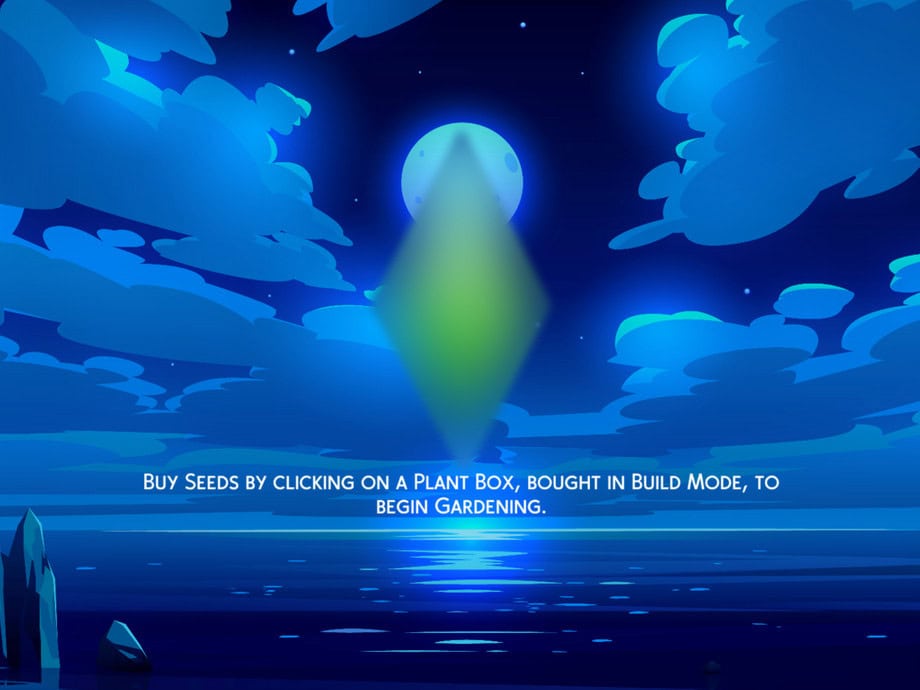
Full Moon Loading Screen Background is a peaceful night-themed replacement featuring a glowing full moon reflecting across calm ocean waters beneath soft blue clouds. The minimalist artwork and cool blue color palette create a relaxing nighttime atmosphere and a clean serene environment.
Note that this set has been recently updated, so if you downloaded an older version, I recommend redownloading it to ensure you have the latest improvements and compatibility updates. This set is compatible with the base game.
Dark Aesthetic Loading Screen
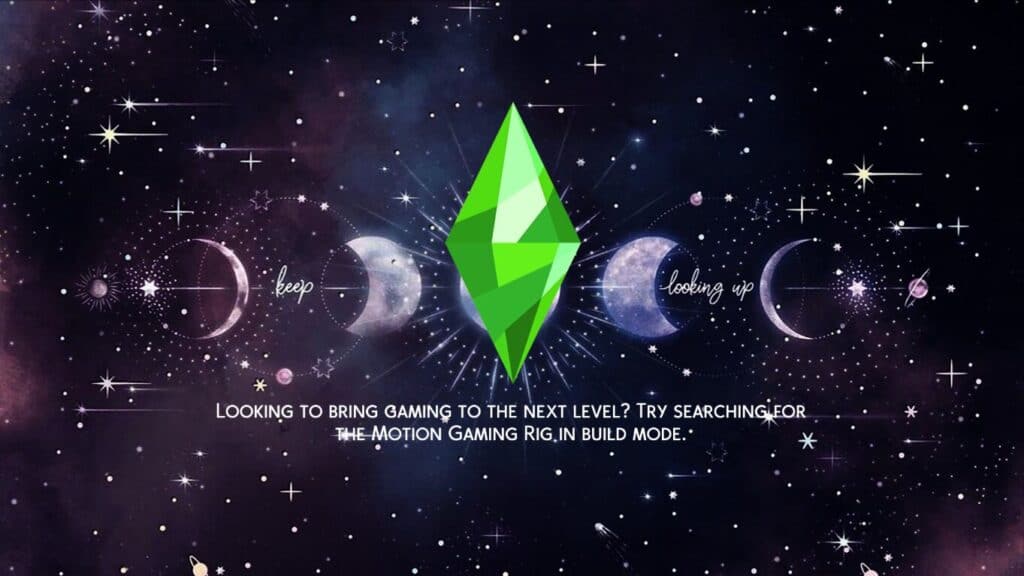
Download: Dark Aesthetic Loading Screen
Dark Aesthetic Loading Screen is a galaxy-inspired replacement designed with glowing moon phases, scattered stars, distant planets, and a rich purple-and-blue cosmic background. The celestial artwork gives you a mystical nighttime atmosphere while keeping the loading screen vibrant and eye-catching.
To install:
- Download and unzip the archive using WinRAR, 7-Zip, or another extraction tool.
- Move the .package file to your Mods folder: Documents > Electronic Arts > The Sims 4 > Mods.
- Don’t rename the file.
- Avoid placing the file more than one subfolder deep inside your Mods folder.
Loading Screen Override Halloween Night 4

Download: Loading Screen Override Halloween Night 4
Loading Screen Override Halloween Night 4 is one of the spookiest Sims 4 night loading screens on this list. The background has glowing jack-o’-lanterns, crooked gravestones, eerie leafless trees, and flying bats. You’ll also get a bright full moon illuminating a haunted purple landscape. This vibrant Halloween artwork strikes a balance between cute and creepy, amd is a great choice for seasonal gameplay or supernatural saves.
How to use this set:
- Unzip the downloaded archive.
- Place the .package loading screen file into your Documents > Electronic Arts > The Sims 4 > Mods folder
- Avoid placing the file inside additional subfolders for the best compatibility.
Crescent Moon – The Sims 4 Loading Screen
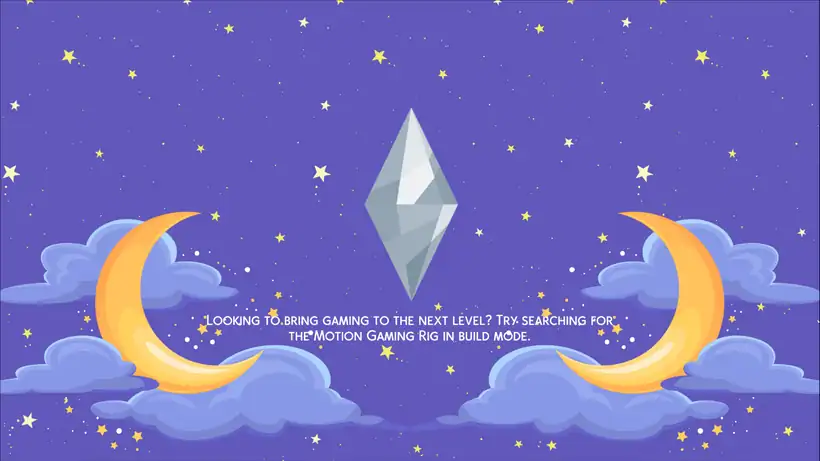
Download: Crescent Moon – The Sims 4 Loading Screen
Crescent Moon – The Sims 4 Loading Screen is a dreamy loading screen replacement featuring a star-filled night sky, fluffy clouds, and two glowing crescent moons framing the plumbob. It’s made with a soft blue and purple color palette to create a calm, magical atmosphere that suits fantasy saves, cozy gameplay, or anyone who enjoys celestial aesthetics.
This background replaces the default loading screen with a clean, whimsical design that makes every game launch feel a little more enchanting.
Simply place the .package file into your Sims 4 Mods folder like any other custom content or mod to start using it. Click on the attached link for more information on this Sims 4 night loading screens cc.
Starlight Loading Screen
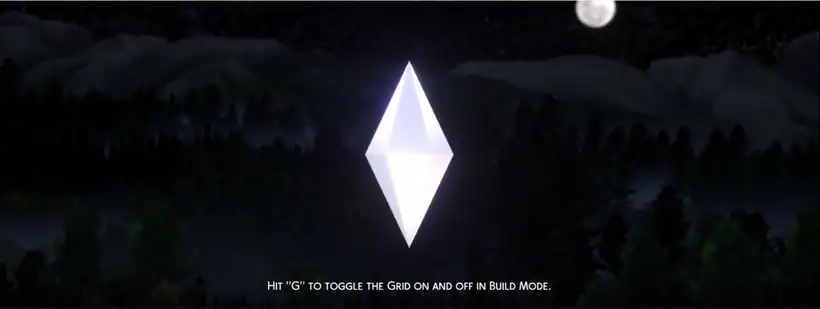
Download: Starlight Loading Screen
Starlight Loading Screen is a dark, atmospheric loading screen replacement designed with a glowing white plumbob floating beneath a bright full moon. Complete darkness covers the distant mountains, forest silhouettes, and soft night lighting, creating a mysterious, cinematic backdrop that makes every loading screen feel calm and immersive.
Remember, this set has been updated to be compatible with widescreen monitors, ensuring the artwork displays properly without stretching or cropping on modern displays.
Outer Space Loading Screen
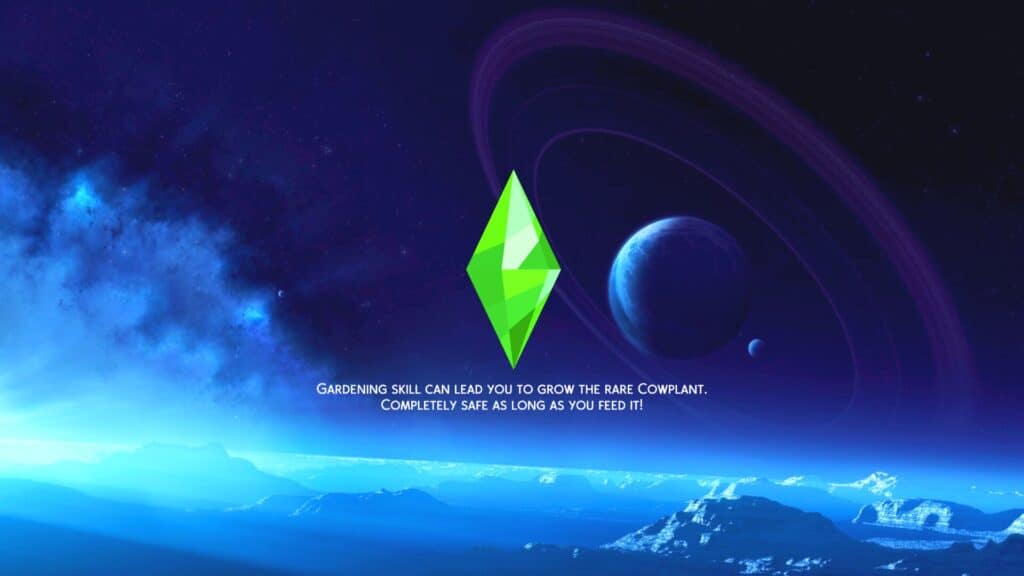
Download: Outer Space Loading Screen
Outer Space Loading Screen is a stunning loading screen replacement with glowing planets, deep blue and purple nebulae, and a vast cosmic landscape. The vibrant space-inspired artwork gives your game a futuristic atmosphere. I’d use this for sci-fi saves, alien storylines, or anyone who enjoys celestial aesthetics.
Remember, this set is compatible with the base game.
Purple Winter Moon Loading Screen
Download: Purple Winter Moon Loading Screen
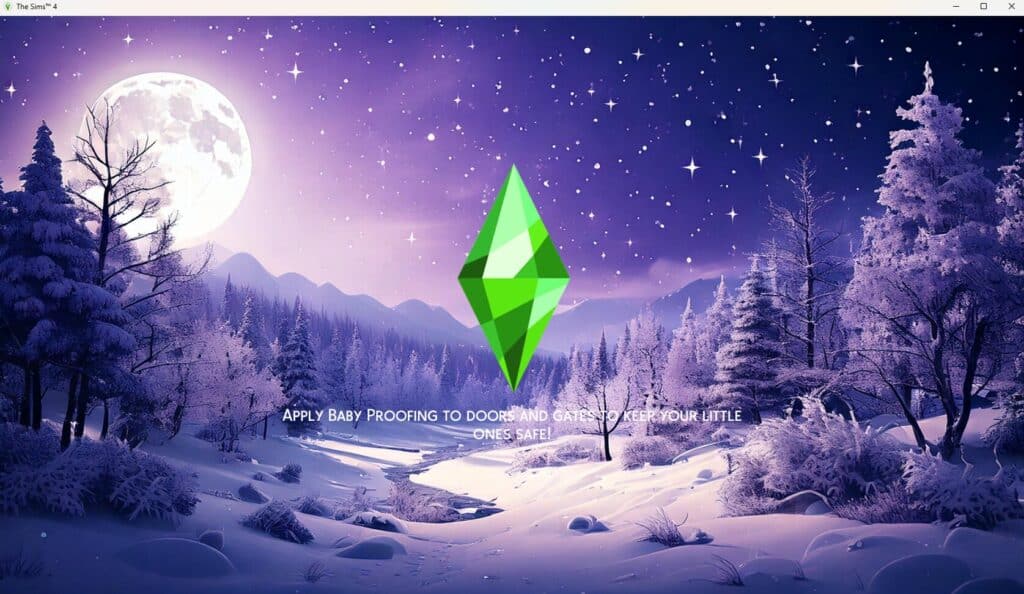
Purple Winter Moon Loading Screen is a beautiful loading screen replacement with a glowing full moon, snow-covered trees, sparkling stars, and a dreamy purple winter landscape. The high-resolution artwork blends icy blues and vibrant purples, creating a peaceful nighttime atmosphere every time your game loads.
I’d use this Sims 4 night loading screen for winter saves and holiday gameplay, or recommend it to anyone who enjoys cozy snowy scenery.
Remember, you can only install one loading screen override at a time, as multiple loading screens will conflict with one another.
Dark Galaxy Loading Screen Background
Download: Dark Galaxy Loading Screen Background
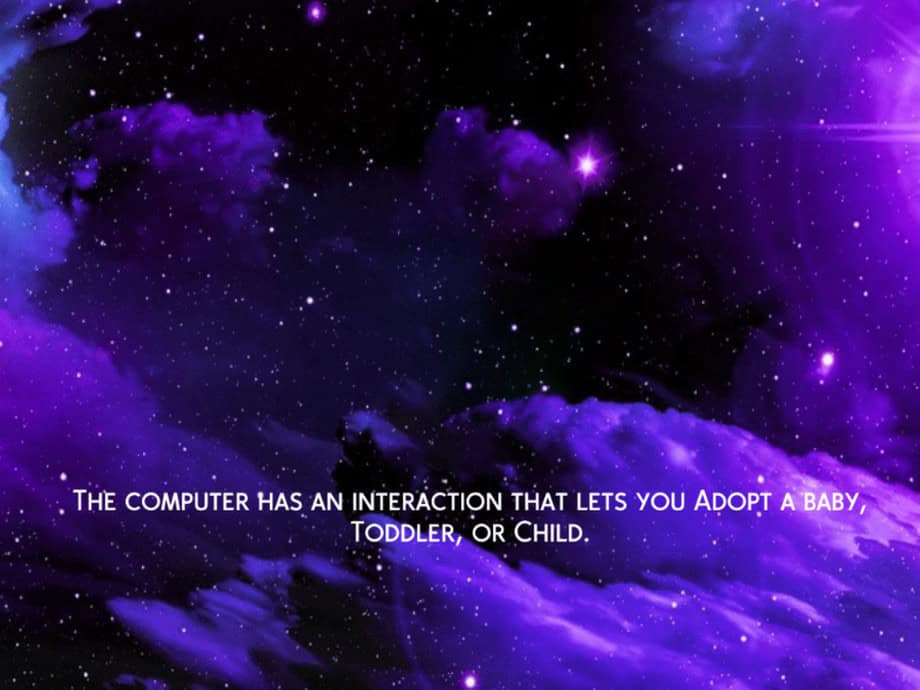
Dark Galaxy Loading Screen Background is a mesmerizing loading screen replacement with glowing stars and swirling cosmic clouds. The rich galaxy-inspired artwork creates a mysterious nighttime atmosphere, so your game feels immersive. It’s perfect for space-themed, occult, or fantasy saves.
Note that this set has recently received an update, so I recommend redownloading it to make sure you’re using the latest version with all improvements and fixes.
Andromeda Loading Screen
Download: Andromeda Loading Screen
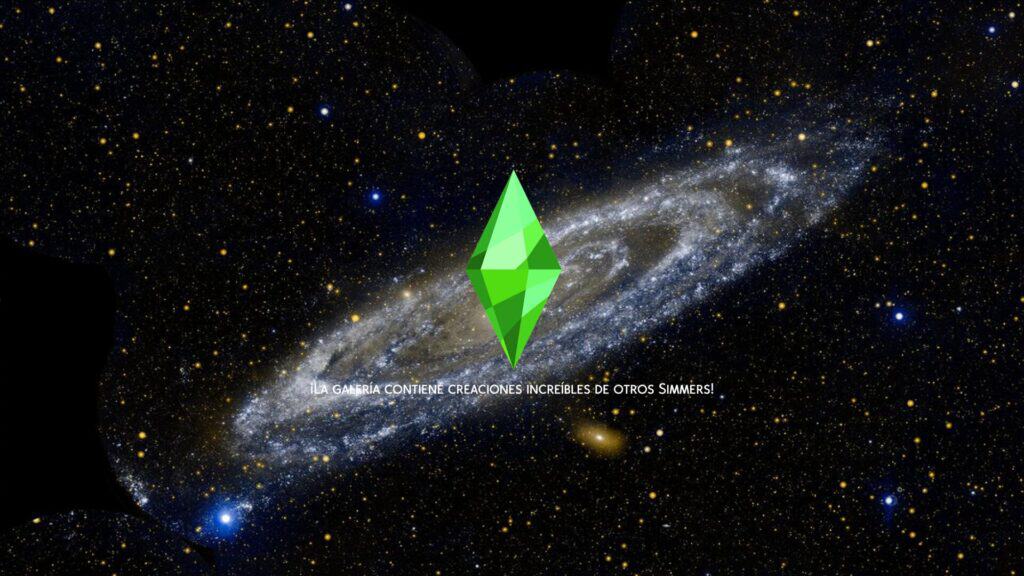
Andromeda Loading Screen is a breathtaking loading screen replacement showcasing the iconic Andromeda Galaxy surrounded by countless stars and glowing celestial bodies. This detailed space artwork creates a realistic cosmic backdrop, perfect for sci-fi, alien, or astronomy-inspired gameplay.
Keep in mind this loading screen is an override mod, so only one loading screen override can be installed in your Mods folder at a time. The image also adjusts to your screen resolution, so its appearance may vary slightly depending on your monitor, with minor stretching or shrinking possible.
Click on the attached link for more information on this set.
FAQ on Sims 4 Night Loading screens
Can I install more than one Sims 4 night loading screen at the same time?
No. Loading screen overrides replace the same game file, so you can only have one installed at a time.
Do night loading screens affect game performance?
No. They only replace the loading screen image and should not impact your game’s performance.
Can I switch between different night loading screens?
Yes. Simply remove your current loading screen override and replace it with another one.
Do these loading screens work with any type of save?
Yes. You can use them with family gameplay, supernatural saves, city gameplay, legacy challenges, or any other playstyle.
Will these loading screens change my gameplay?
No. They are purely visual replacements and won’t alter gameplay or game mechanics.
Why isn’t my new loading screen showing up?
Another loading screen override is likely still in your Mods folder. Remove the old one before installing the new file.
Can I use these loading screens all year round?
Absolutely. While some suit Halloween or winter, you can use any design whenever you like.
Which night loading screen is best for city gameplay?
City-themed options like Nightlife Loading Screen, Purple City, and City Lights pair perfectly with urban saves.
Are night loading screens compatible with custom content?
Yes. They work alongside other custom content because they only replace the loading screen image.
Can I organize loading screen files in a separate Mods folder?
Yes. Many players keep a dedicated folder for loading screen overrides to make switching between them easier.
Conclusion
That’s it for this list. I hope these Sims 4 night loading screens help you find the perfect nighttime aesthetic for your game. Whether you prefer peaceful oceans, glowing city skylines, snowy winter evenings, magical galaxies, or spooky Halloween scenes, there’s plenty here to make every loading screen feel more immersive.
Pick your favorite, swap it into your Mods folder, and enjoy a fresh look every time you launch The Sims 4.