25+ Must-Have Sims 4 Solo Poses: Model, Female, and Male Poses
Hey Guys,
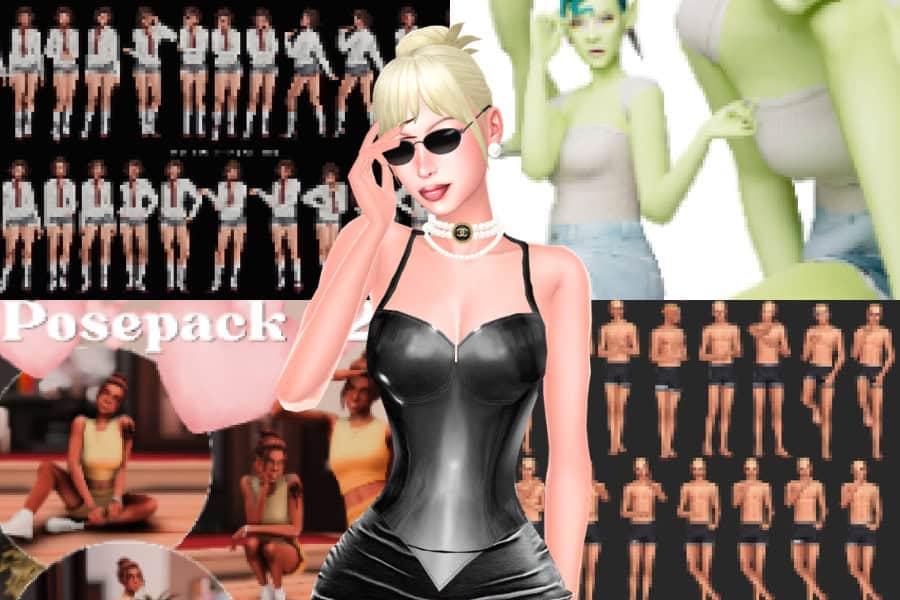
I have a huge selection of pose packs in my Mods folder, so I thought, why not put together a list of solo poses for your single Sims?
Sims 4 solo poses can make a huge difference when you’re creating lookbooks, social media posts, or simply capturing your Sims’ personalities. In this collection, you’ll find confident modeling poses, candid shots, mirror selfies, cute child poses, and expressive CAS animations. I’ve included a variety of styles so you can create glamorous portraits and everyday moments with ease.
Keep in mind that ALL in-game pose packs require Andrew's PosePlayer and the Teleport Any Sim mod to work correctly. Most creators will mention any additional requirements on the download page, so make sure to check the instructions before installing.
READ MORE: The Ultimate List of Sims 4 Poses: 50+ Free to Download Poses (2026 Update)
Model Poses 35 Pose Pack
Download: Model Poses 35 Pose Pack
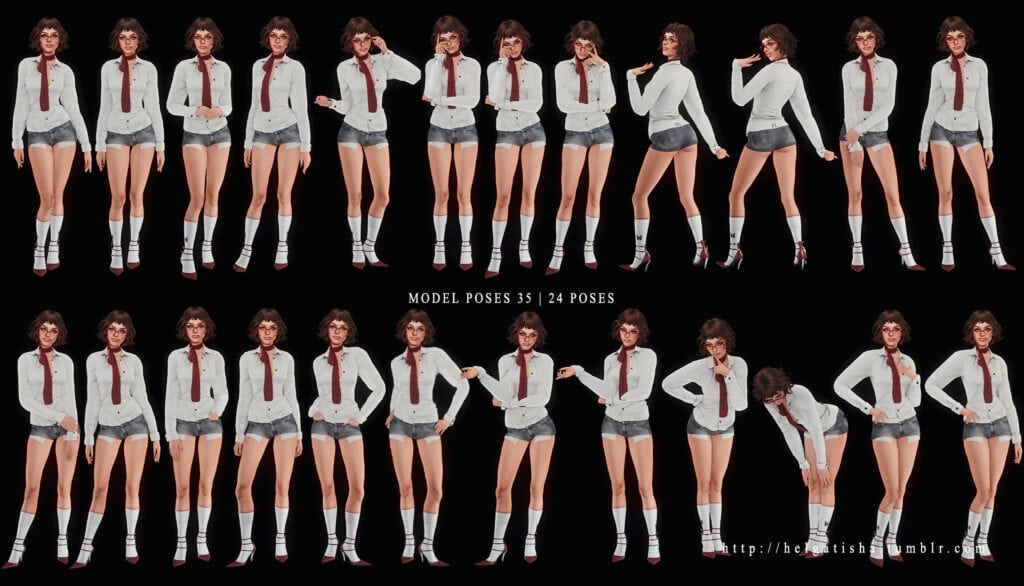
Model Poses 35 Pose Pack is a stylish collection of Sims 4 solo poses designed for lookbooks, CAS previews, and social media screenshots. This pack contains 24 solo shots of confident stances, playful movements, relaxed expressions, and flattering hand placements. The pack also includes an all-in-one option for easier posing.
For CAS, the poses replace the Creative trait or the Rancher trait. Only download one; you don’t need both. As for the in-game poses, you need Andrew’s Pose Player and Teleport Any Sim.
Model #1 Pose Pack
Download: Model #1 Pose Pack
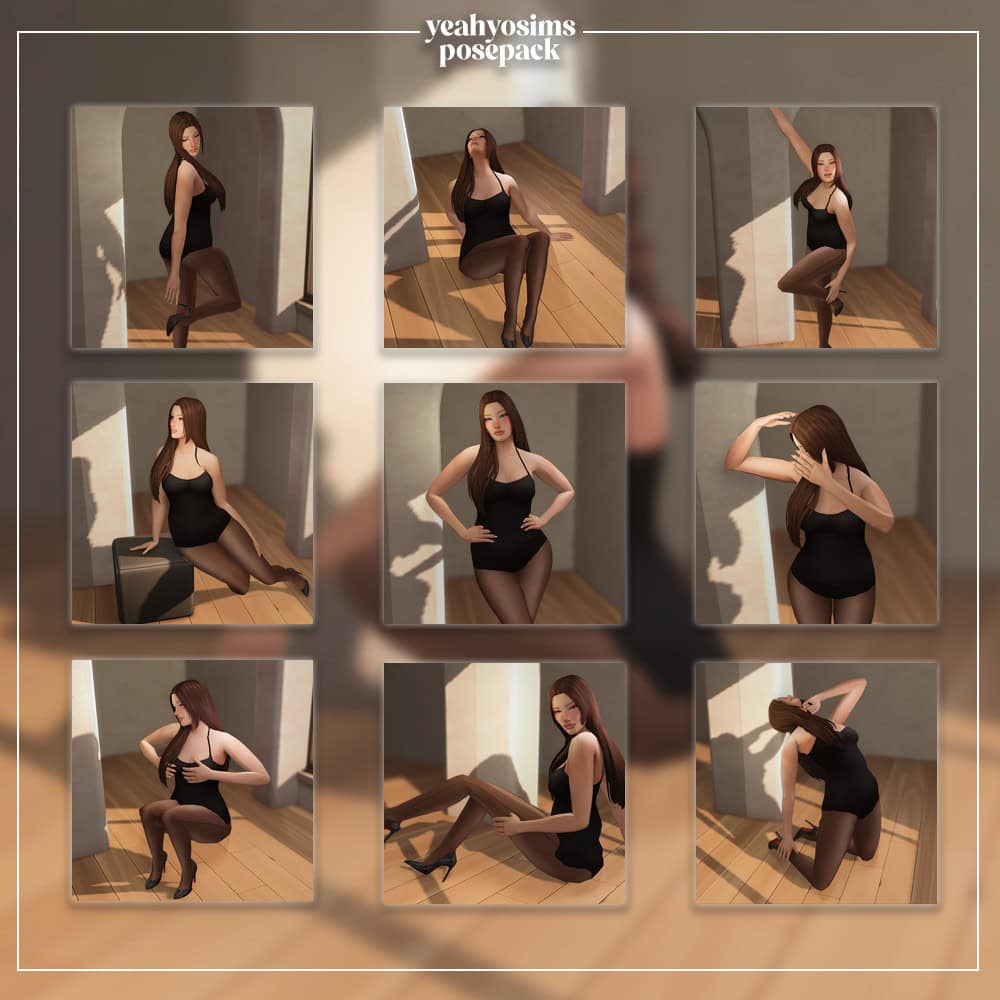
Model #1 Pose Pack is a gorgeous collection of elegant Sims 4 solo poses for fashion lookbooks and close-up screenshots. You’ll find a mix of standing and seated stances with graceful hand placements, crossed-leg poses, and relaxed expressions.
I love how these poses carry a sophisticated editorial vibe, making this pack a great addition to your screenshot folder. I recommend installing the Pose Alignment Mod to keep every pose aligned correctly.
Are You Chilling? Single Poses
Download: Are You Chilling? Single Poses
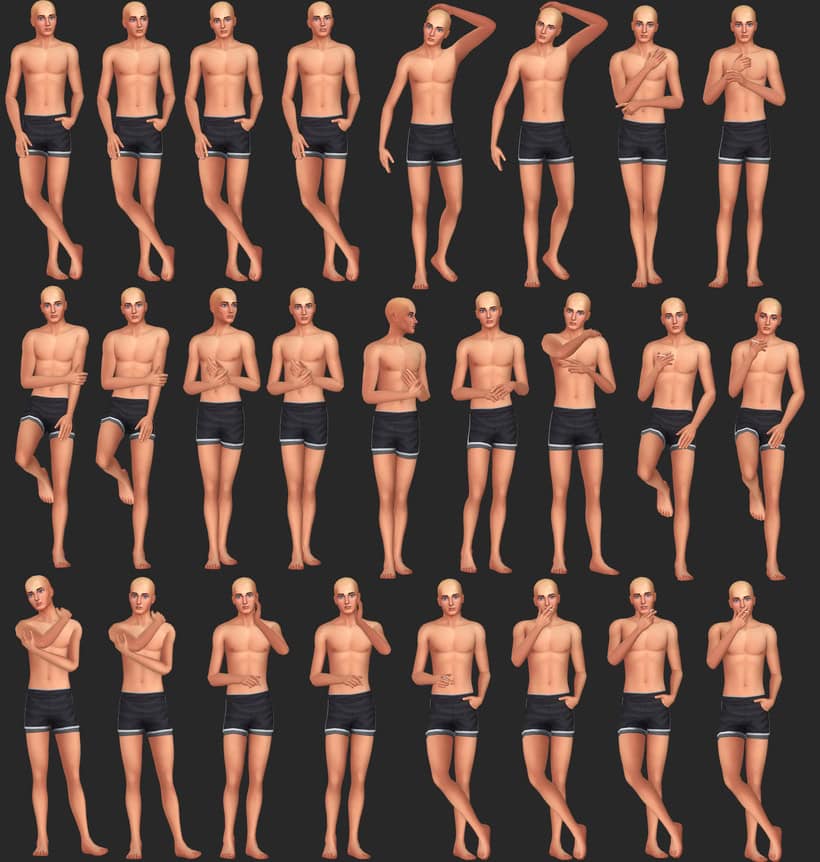
Are You Chilling? Single Poses is a stylish collection of relaxed shots for male Sims. There’s a total of 24 solo standing poses with crossed legs, hand-on-face movements, and laid-back arm placements. These poses create a confident and slightly flirty vibe, perfect for lookbooks, portraits, and social media screenshots.
Some poses require a Cigarette Right Hand accessory, so be sure to download that. These Sims 4 solo poses double as in-game and CAS poses. For the CAS pose, they replace the bro trait.
RELATED POST: 26+ Sims 4 Male Poses for Stunning Gameplay and Memorable Moments
My Boyfriend Pose Pack
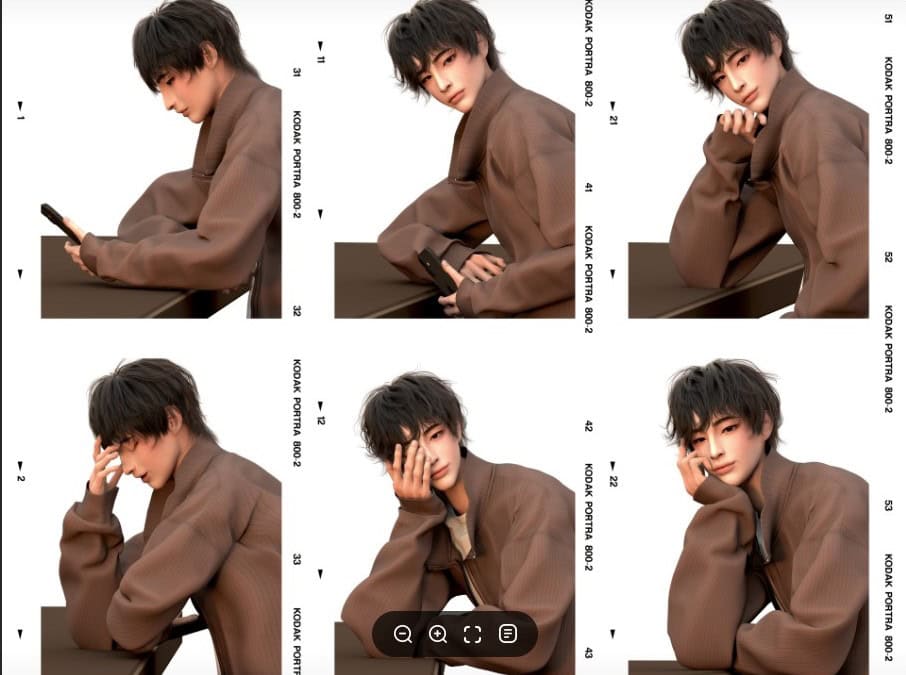
Download: My Boyfriend Pose Pack
My Boyfriend Pose Pack is a cute collection of Sims 4 solo poses designed for male Sims. These gorgeous poses capture the true beauty of your boyfriend. You’ll find six seated poses with relaxed expressions and natural hand placements around a phone. Note that some poses come with a phone accessory.
Place the stone statue in the center of the counter before use and position the stool beside it, as shown in the placement guide. This set is compatible with the base game, meaning you won’t require additional EPs to use.
Loony Cutie Pose Pack
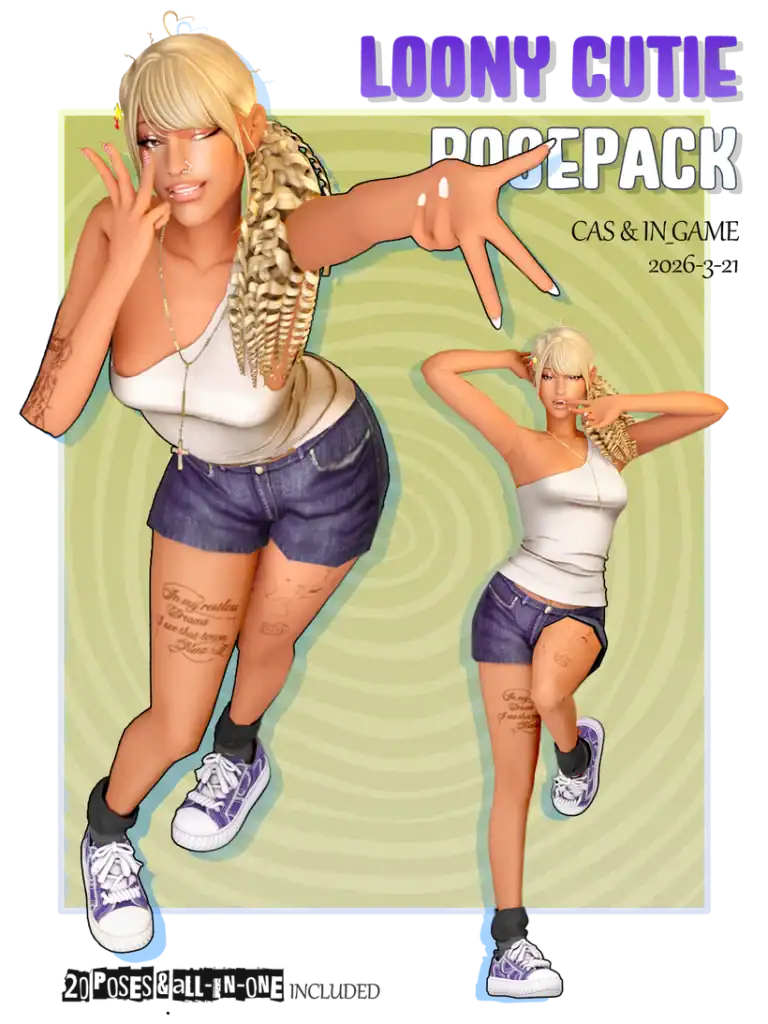
Download: Loony Cutie Pose Pack
Loony Cutie Pose Pack is a playful collection of Sims 4 solo poses for capturing fun and expressive screenshots. You’ll get 20 animations with peace signs, exaggerated hand gestures, cute facial expressions, and energetic stances.
Note that this pack includes both CAS and in-game poses, plus an all-in-one option for easier browsing. For CAS, simply select one trait from the download options.
Selfie Posepack N.01
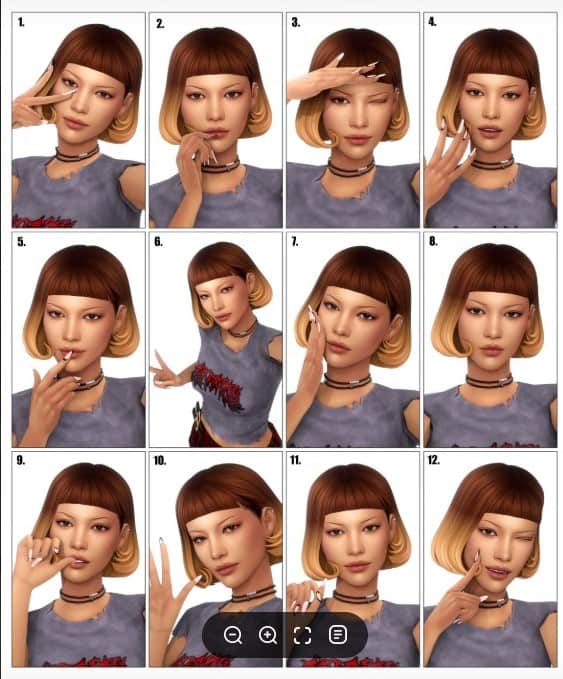
Download: Selfie Posepack N.01
Selfie Posepack N.01 is a fun collection of selfie-inspired poses for stylish screenshots and social media posts. You’ll find 12 solo animations with different hand placements. There are an additional 3 poses, which use the iPhone 11 Pro Max+Covers (L) by redheadsims.
This pack is perfect for influencer saves, Simstagram posts, and lookbooks.
Model Pose Pack
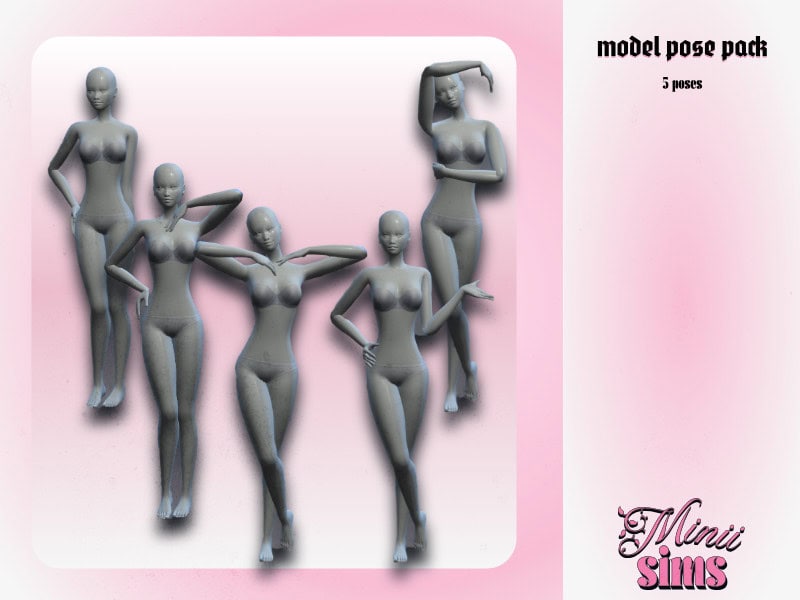
Download: Model Pose Pack
Model Pose Pack is a stylish collection of five Sims 4 solo poses designed for fashion and beauty screenshots. These elegant standing poses feature crossed legs, hand-on-hip poses, and graceful arm placements. I love how the poses create a polished editorial vibe and work beautifully for lookbooks, CAS previews, and social media posts.
This set is compatible with the base game and works perfectly with the WickedWhims Pose Player.
Hi Lovies Pose Pack
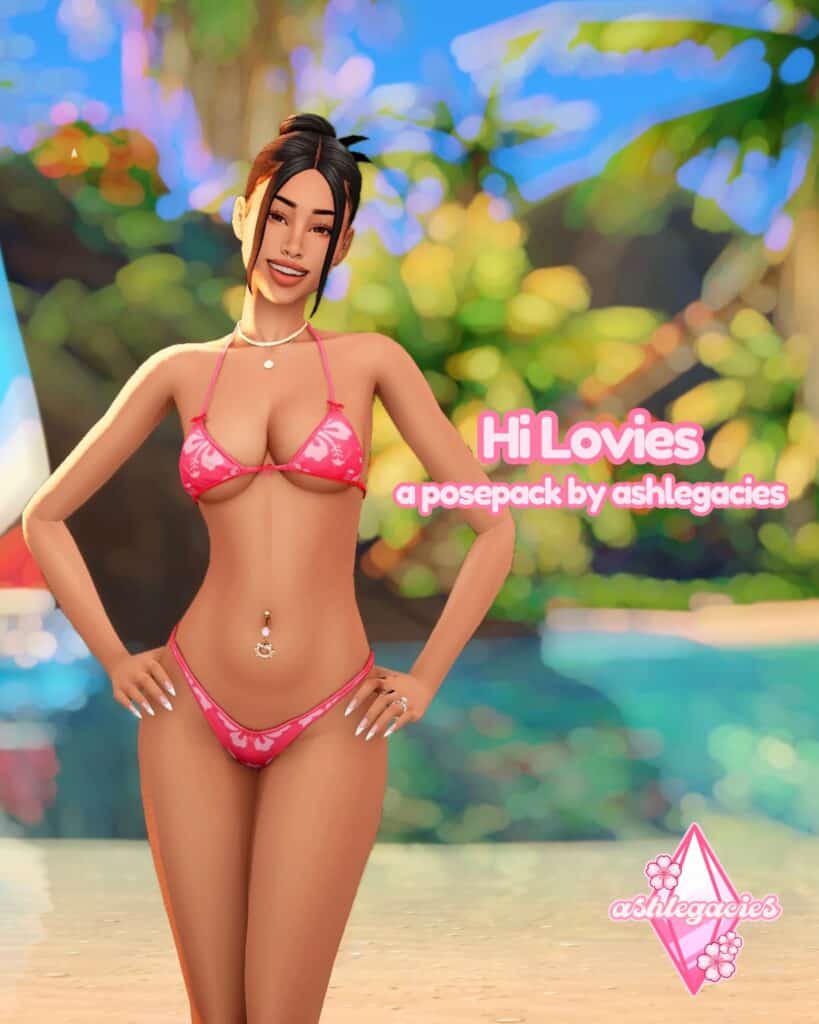
Download: Hi Lovies Pose Pack
The Hi Lovies Pose Pack comes with cute beach-inspired solo poses for your female Sims. You’ll get six solo shots with hand-on-hip stances, playful leg movements, and relaxed body language. Note that pose number 4 and 5 also include alternate versions for plus-size Sims, giving you more flexibility when creating screenshots.
PRO TIP: If you're new to using in-game poses, please read our in-depth tutorial on How to Use Poses in The Sims 4: In-Game, CAS, & Gallery Pose Tutorial.
Pose Pack #2
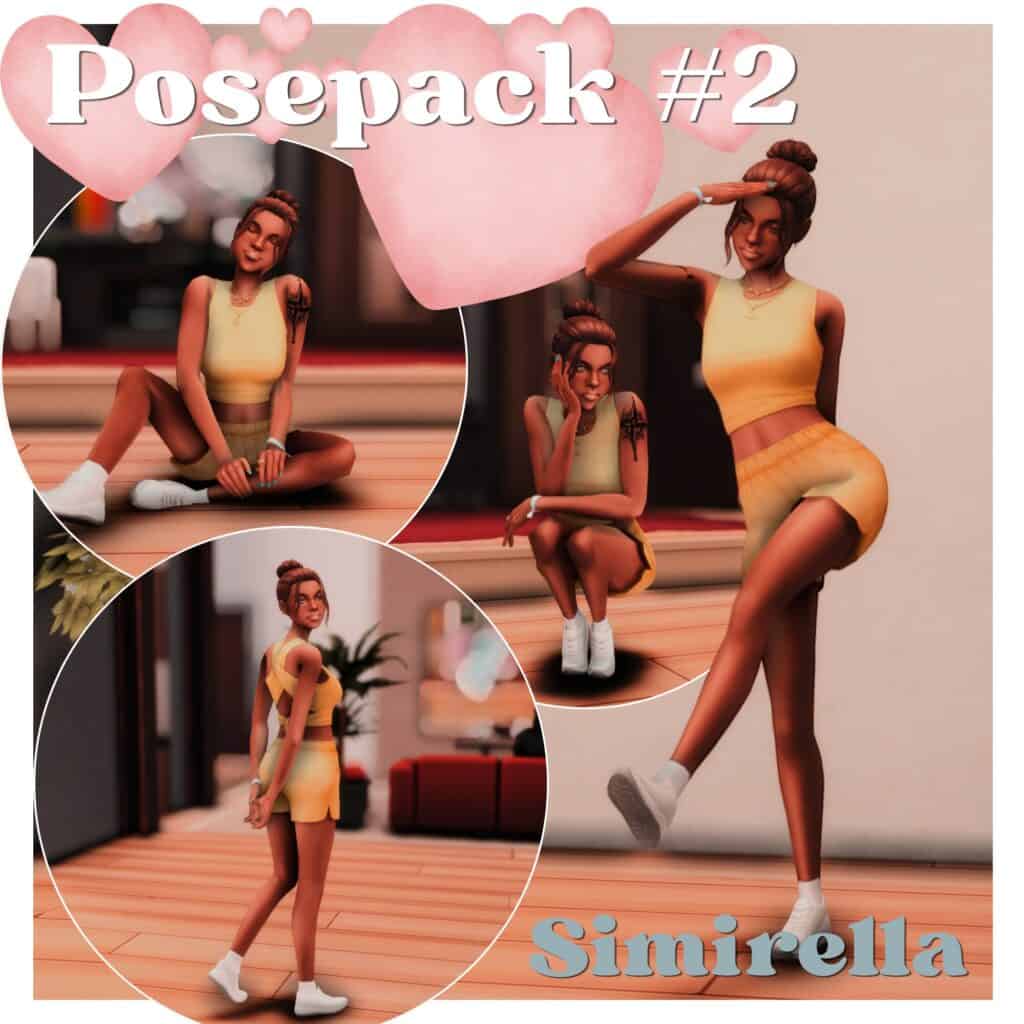
Download: Pose Pack #2
Pose Pack #2 is a charming collection of four Sims 4 solo poses for female Sims aged teen to elder. They work beautifully for storytelling, lifestyle shots, and everyday moments. If you want something simple but cozy, I highly recommend you get this pack.
Confident Steps
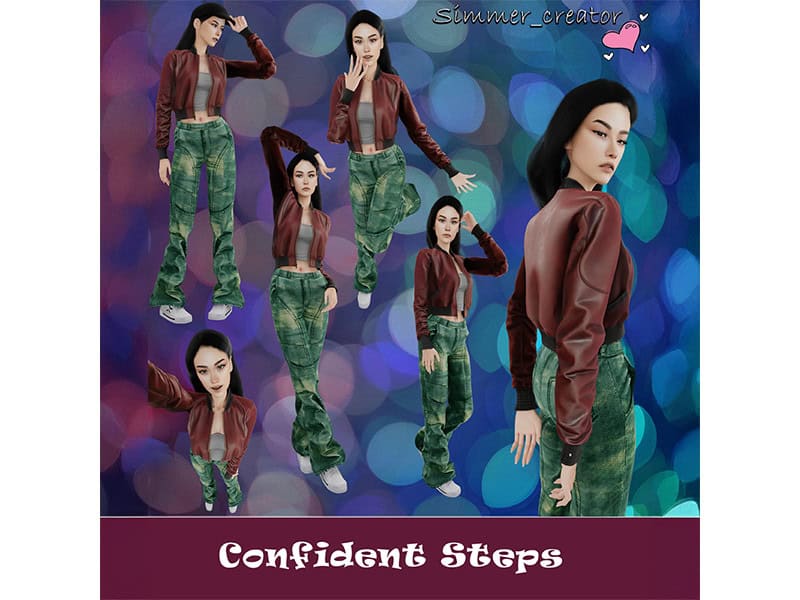
Download: Confident Steps
Confident Steps is a stylish collection of six solo poses for Sims who love being the center of attention. You’ll find powerful stances, graceful hand placements, and playful leg movements designed to project confidence and elegance.
These Sims 4 solo poses create a self-assured vibe and help your Sim look poised, fashionable, and camera-ready in every shot. I recommend using this set for lookbooks, influencer saves, storytelling, and social media screenshots.
Simplish Poses
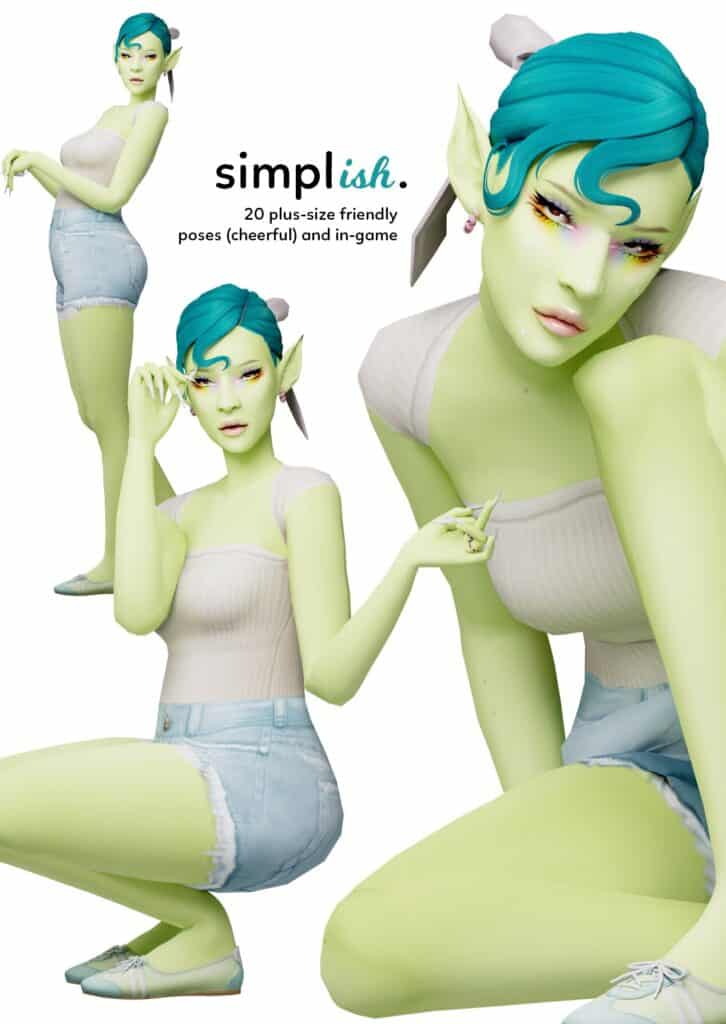
Download: Simplish Poses
Simplish Poses is a playful collection of 20 solo shots designed to capture cheerful and expressive moments. You’ll find a mix of standing, leaning, and squatting poses with relaxed arm placements and lively facial expressions. The pack includes both CAS and in-game versions, along with an all-in-one animation for easier use.
I love that these poses support plus-size Sims and work especially well with feminine frames. Note that some squatting poses may look slightly different in-game due to adjustments made to reduce clipping around the thighs and calves.
Male Pose Pack N3
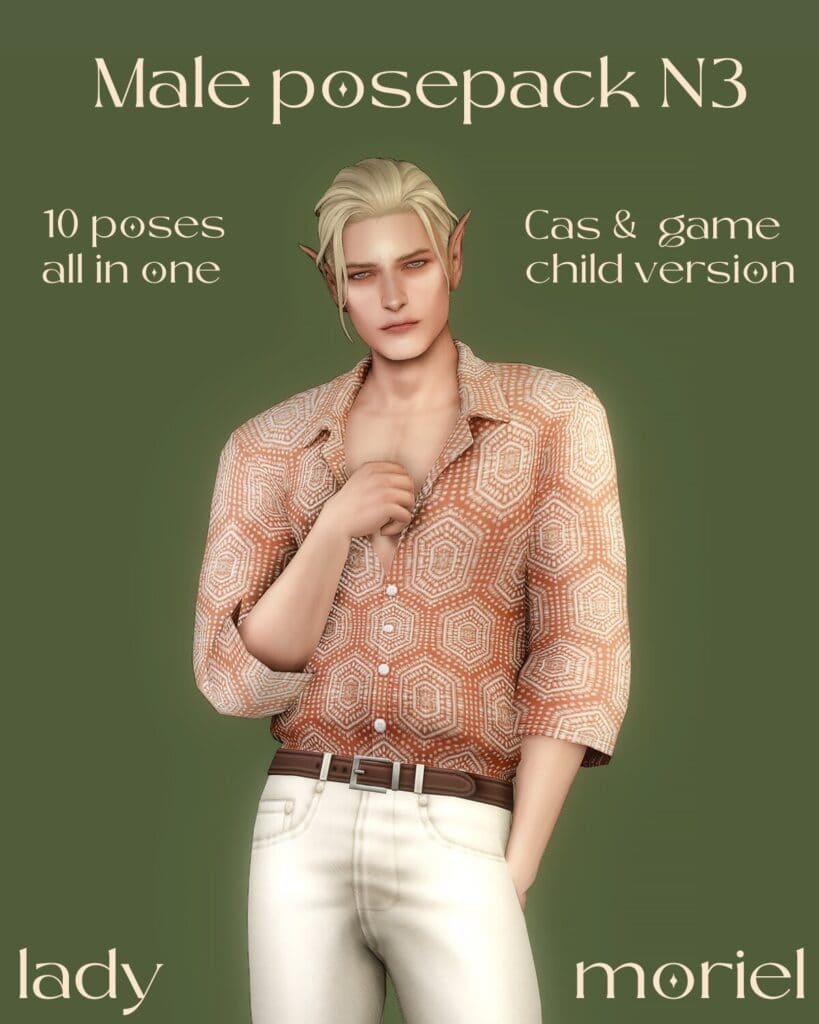
Download: Male Pose Pack N3
Male Pose Pack N3 is a collection of 10 casual poses designed for male Sims and children. The Sims 4 solo poses create a laid-back and approachable vibe, making your Sims look more expressive and full of personality.
Apart from the CAS and in-game versions, this pack also comes with a child conversion for younger Sims. For CAS, you’ll find the poses under the Competitive trait.
Sims 4 Pose- Deeper
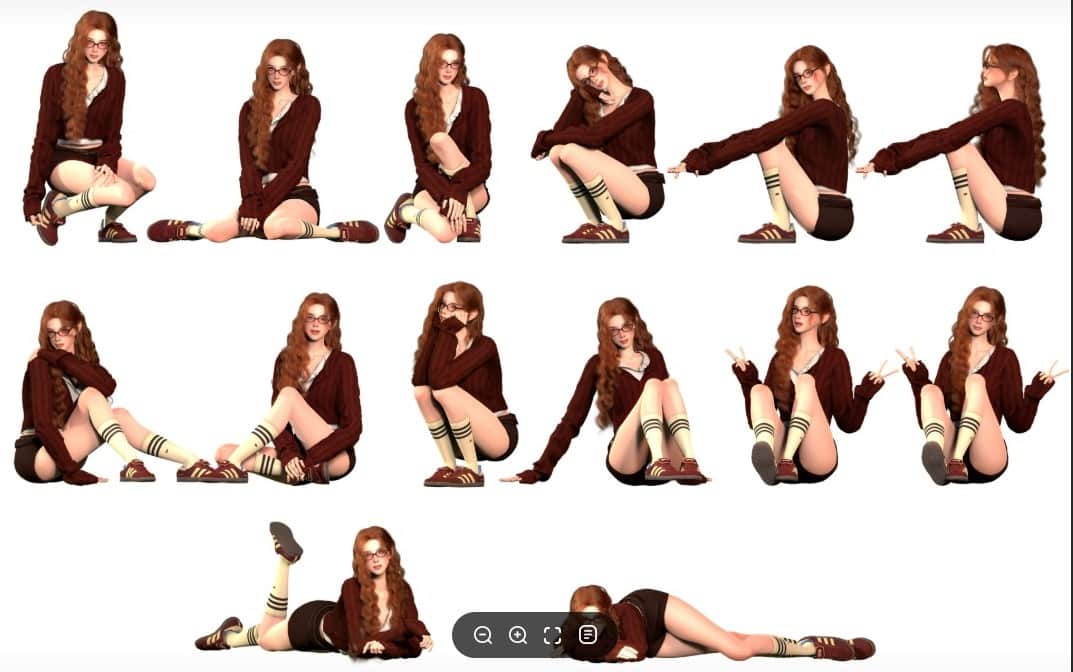
Download: Pose- Deeper
Pose- Deeper is a collection of 12 seated poses with cozy and introspective body language. You’ll find crossed legs, relaxed arm placements, peace signs, and curled-up positions, creating a soft and thoughtful mood. The shots make your Sim appear shy, playful, and lost in their own world.
I recommend using these poses for social media posts on Simstagram, lookbooks, and slice-of-life saves.
Sims Bed Smoking (Model) Poses 2
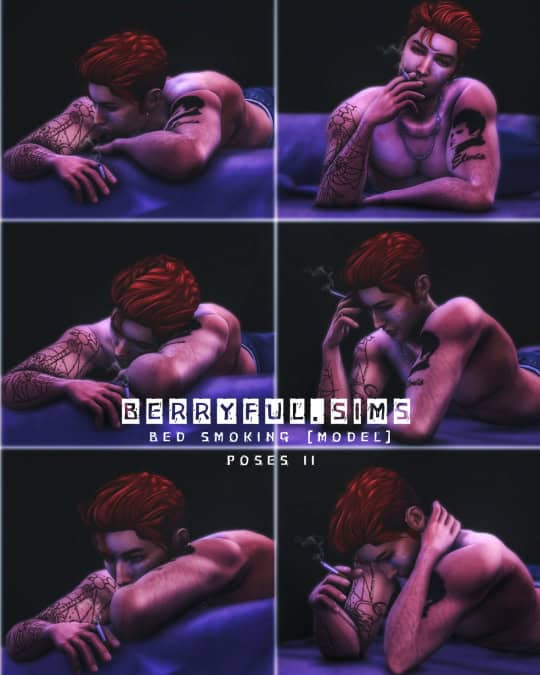
Download: Sims Bed Smoking (Model) Poses 2
Sims Bed Smoking (Model) Poses 2 is a set of six relaxed male poses designed around a modified male rig. The Sim is leaning over the edge of a bed, while holding a cigarette and staring off into the distance with a contemplative expression.
These animations create a moody and cinematic atmosphere, making your Sim look mysterious, emotionally distant, and effortlessly cool. The body language works especially well for nighttime scenes, heartbreak storylines, bachelor apartments, music videos, and dramatic screenshots.
Note that you’ll need the right-hand cigarette accessory for the poses to work properly.
Kawaii Pose Pack
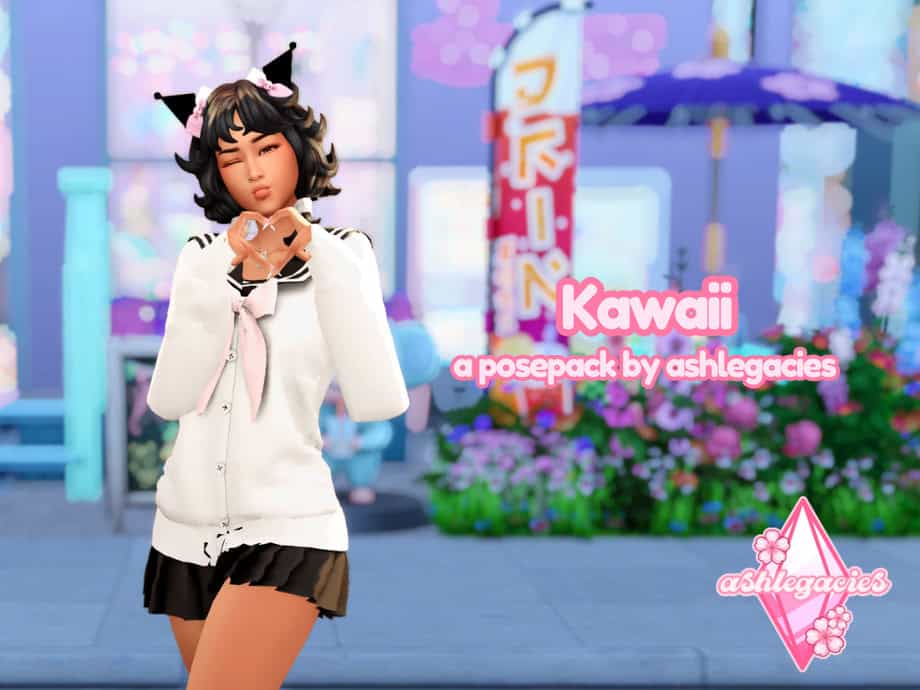
Download: Kawaii Pose Pack
Kawaii Pose Pack is a charming collection of in-game solo poses inspired by cute and playful aesthetics. The shots suit kawaii-themed saves, anime-inspired characters, social media screenshots, and colorful storytelling scenes.
Note that this pose pack is designed for in-game use. The pack also has a low polycount, which helps keep your game running smoothly and reduces performance issues for players with large Mod folders or lower-end PCs. Visit the creator’s Patreon to access more member-only posepacks.
Just Stand Pose Pack
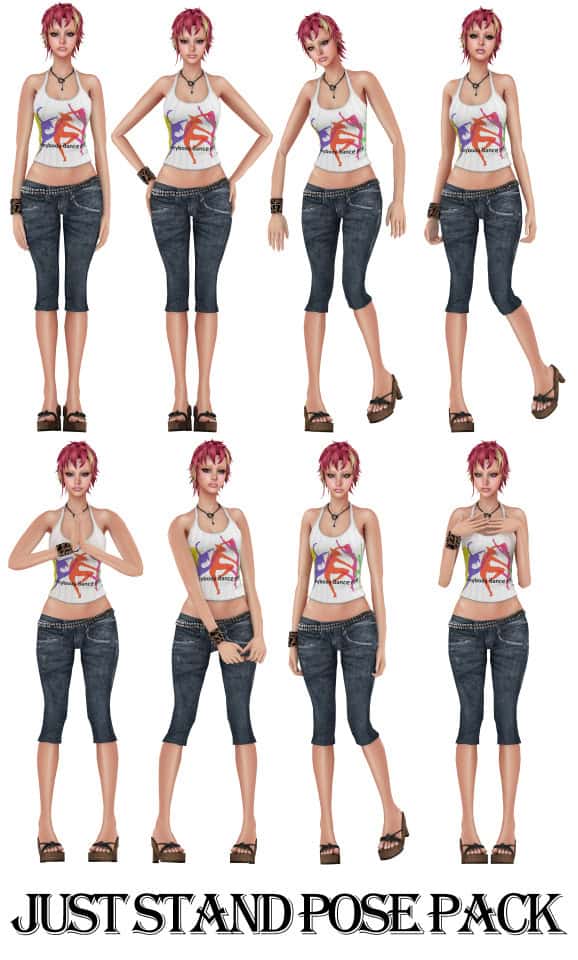
Download: Just Stand Pose Pack
Just Stand Pose Pack is a set of eight Sims 4 solo poses with an all-in-one option for easier use. The natural standing shots feature relaxed arm placements, gentle hand movements, and shifts in posture.
These animations make your Sim appear approachable, calm, and quietly confident. Because the body language feels so natural, this pack works well for lookbooks, CAS showcases, model portfolios, and social media posts.
Pose Pack: Grand Bouquet of Roses
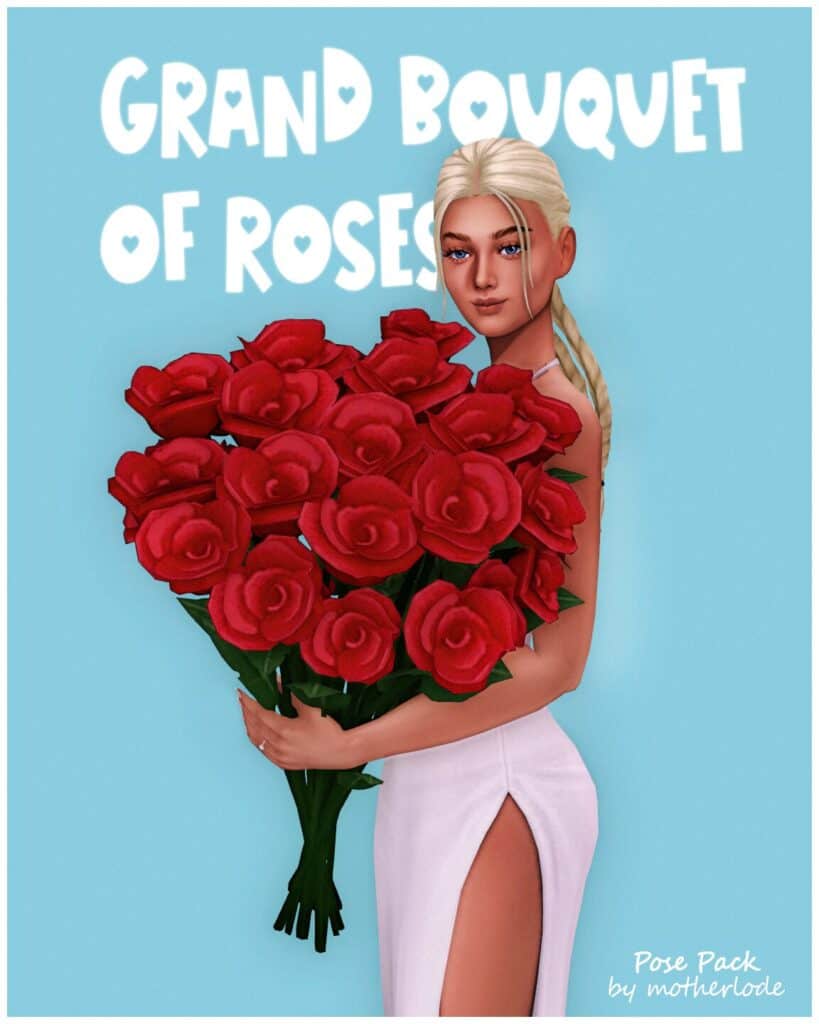
Download: Grand Bouquet of Roses
Pose Pack: Grand Bouquet of Roses is a romantic collection with nine Sims 4 solo poses for women, six solo poses for men, and two couple poses. The animations revolve around an oversized bouquet perfect for weddings, engagements, proposals, and the like.
These poses make your Sims appear deeply in love and work beautifully for Valentine’s Day screenshots, engagement announcements, weddings, anniversaries, and romantic storytelling saves. This set has been adjusted to make male Sims appear slightly taller, creating a more flattering silhouette during couple shots.
To recreate the previews, you’ll need the Grand Bouquet accessory, which you can find in the Hats category.
RELATED POST: Top 15 Sims 4 Valentine’s Day Poses for Romantic Couple Screenshots and Photoshoots
Show Your Outfits Pose Pack
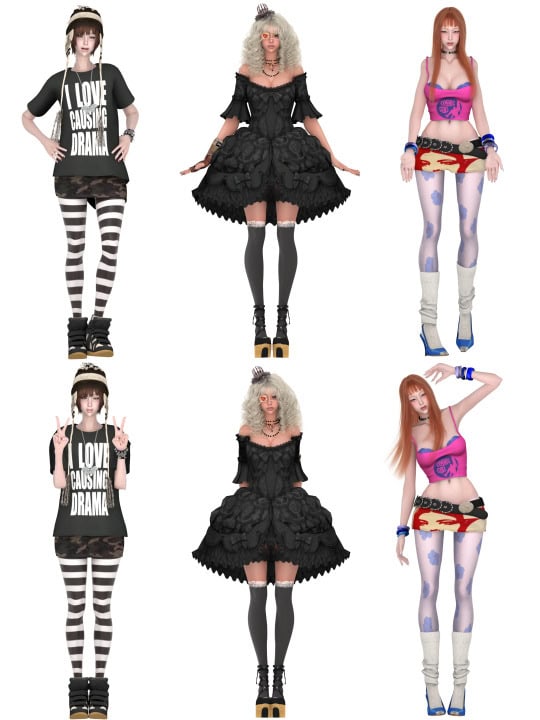
Download: Show Your Outfits Pose Pack
Show Your Outfits Pose Pack is a collection of six solo poses with an all-in-one option for quick setup. Each pose provides a clear view of the outfit from head to toe, making accessories, hairstyles, and styling choices easy to appreciate.
I recommend using these Sims 4 solo poses for OOTD screenshots, fashion lookbooks, and custom content showcases. This set is compatible with the base game, meaning you won’t require additional EPs to use.
Male Pose Pack N2 & CAS
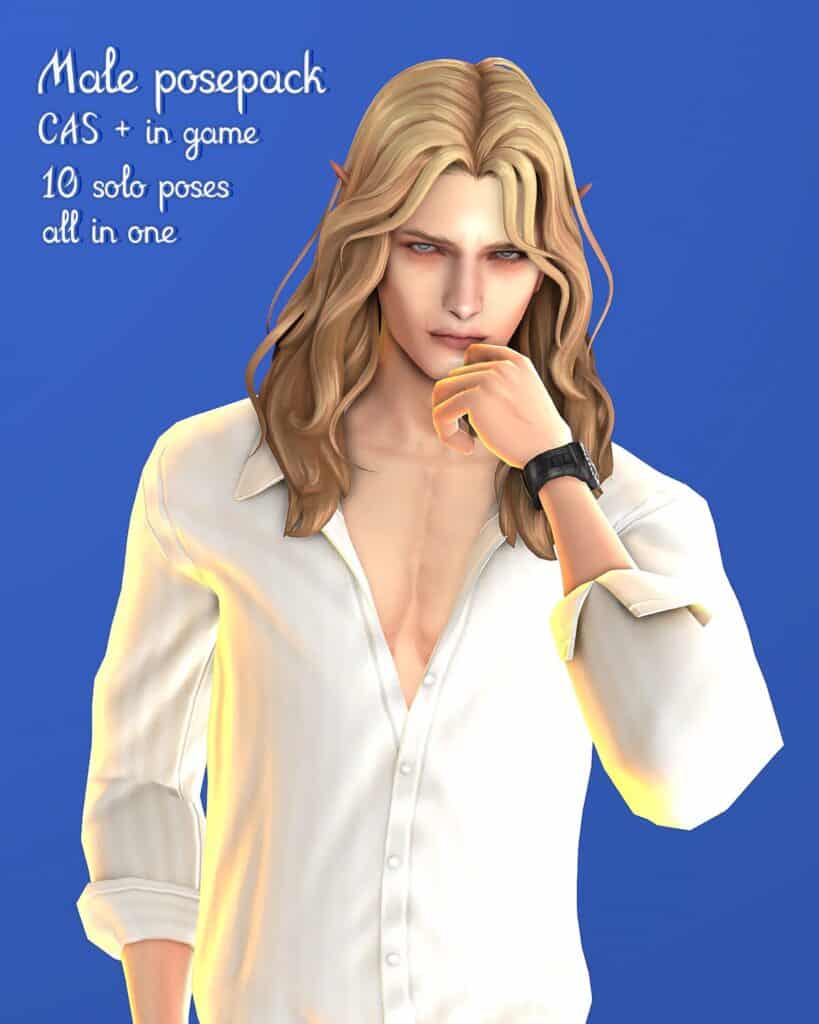
Download: Male Pose Pack N2 & CAS
Male Pose Pack N2 & CAS is a collection of 10 solo poses for male Sims. There’s an in-game and CAS version for adult and child Sims.
Note that for adult Sims, the CAS poses replace the Freegan and Plant Lover traits. As for child Sims, they replace the Practice Makes Perfect and Plant Lover traits. The inclusion of child versions makes this pack useful for creating consistent portraits across different age groups.
Helgatisha Pose Pack N06 (Kids Conversion)
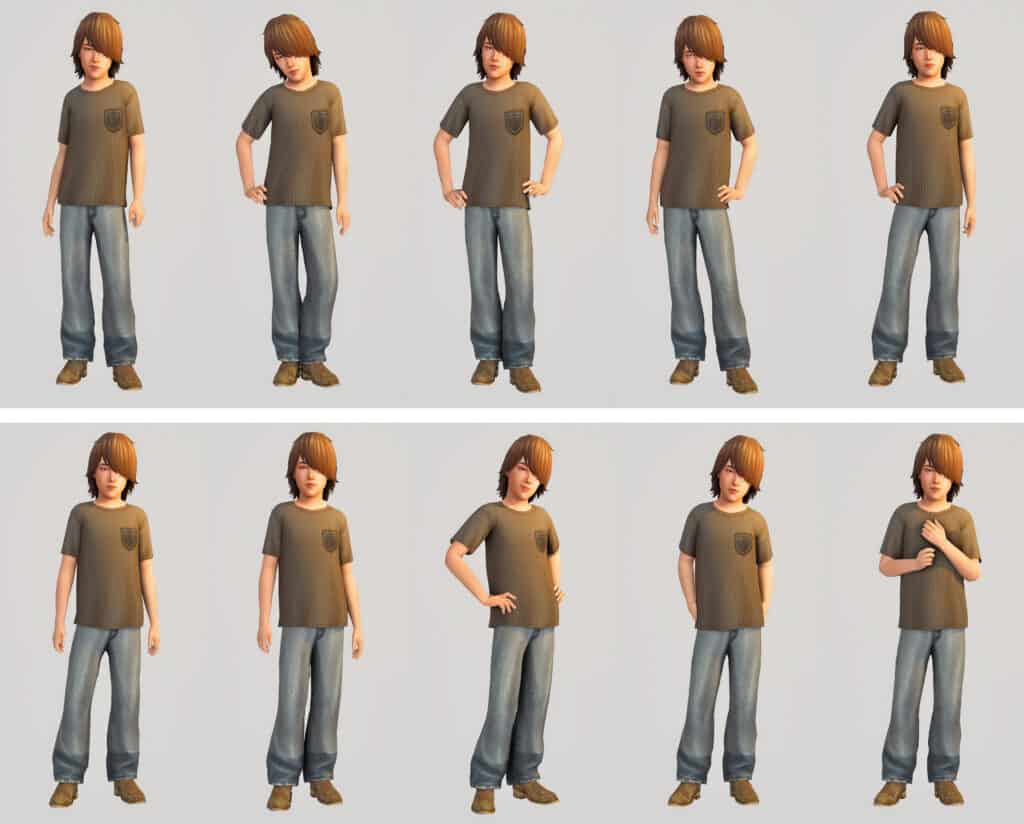
Download: Helgatisha Pose Pack N06 (Kids Conversion)
Helgatisha Pose Pack N06 (Kids Conversion) is a child conversion of the original Helgatisha pose set. It comes with 10 Sims 4 solo poses, plus an all-in-one option for easy use.
Since this is a dedicated kids conversion, you can create portraits that match the style of the original adult set and maintain consistency across generations. Note that this pose pack replaces the Goofball trait in CAS. I recommend using the improved CAS camera tuning for children for better framing. Check out the description for the original version.
RELATED POST: 31+ Must-Have Sims 4 CAS Poses You Can Download Free
Child Pose Pack
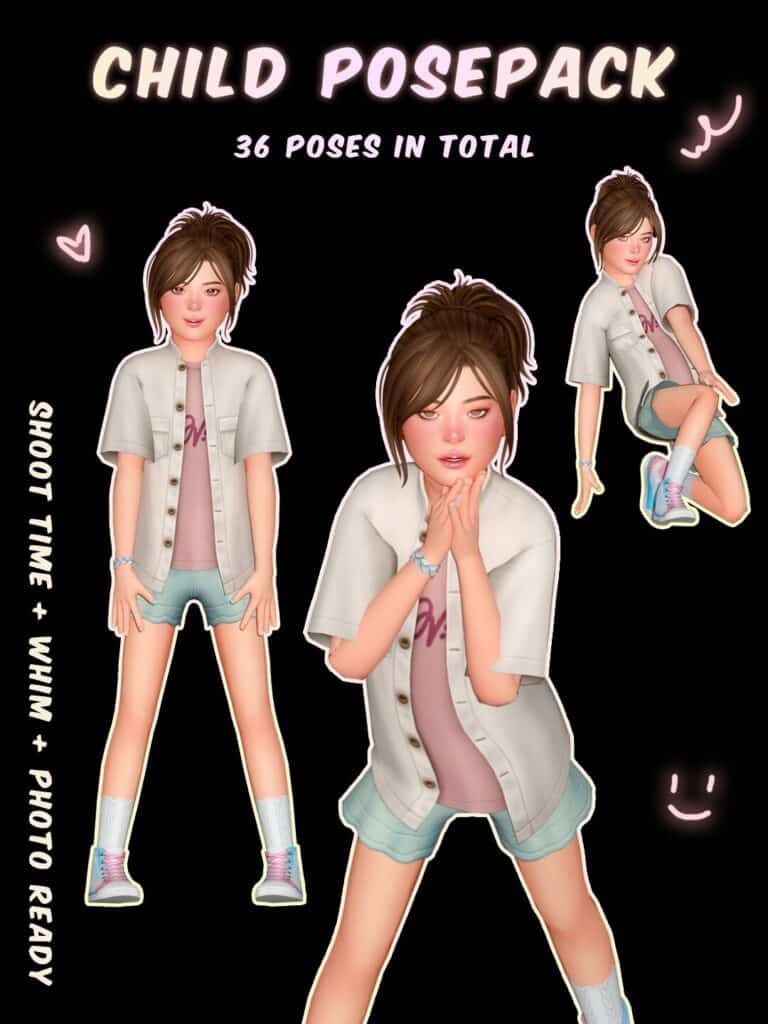
Download: Child Pose Pack
Child Pose Pack is a conversion of three previous adult pose sets to give you 36 kid-friendly poses. The pack works both in CAS and in-game and uses the Glutton trait in CAS. This collection captures cheerful, energetic, and slightly shy expressions, helping child Sims look lively and full of personality.
Note that the animations are adapted from adult poses, so some facial expressions may appear a little unusual in certain situations. Even so, the wide selection gives you enough options to create unique screenshots without repeating the same stance over and over.
Selfie Pose Pack
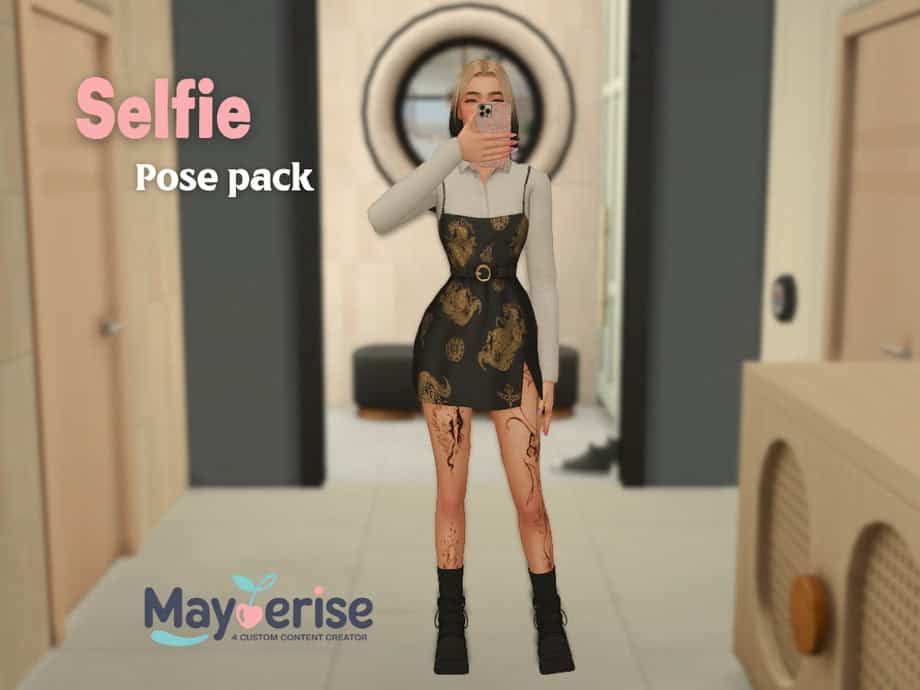
Download: Selfie Pose Pack
Selfie Pose Pack is a collection of nine mirror selfie poses designed to create realistic social media snapshots and everyday memories. The animations capture natural hand placements and trendy angles, so your Sims look like they’re taking pictures for Instagram, TikTok, or their personal scrapbook.
You’ll find a variety of standing and seated poses, and they all use a phone accessory. I recommend using this pose pack for OOTD posts, influencer gameplay, and bedroom or bathroom mirror screenshots.
RELATED POST: 29+ Best Sims 4 Mirror Selfie Poses for Stunning In-Game Photos
Infant N1 Pose Pack + CAS
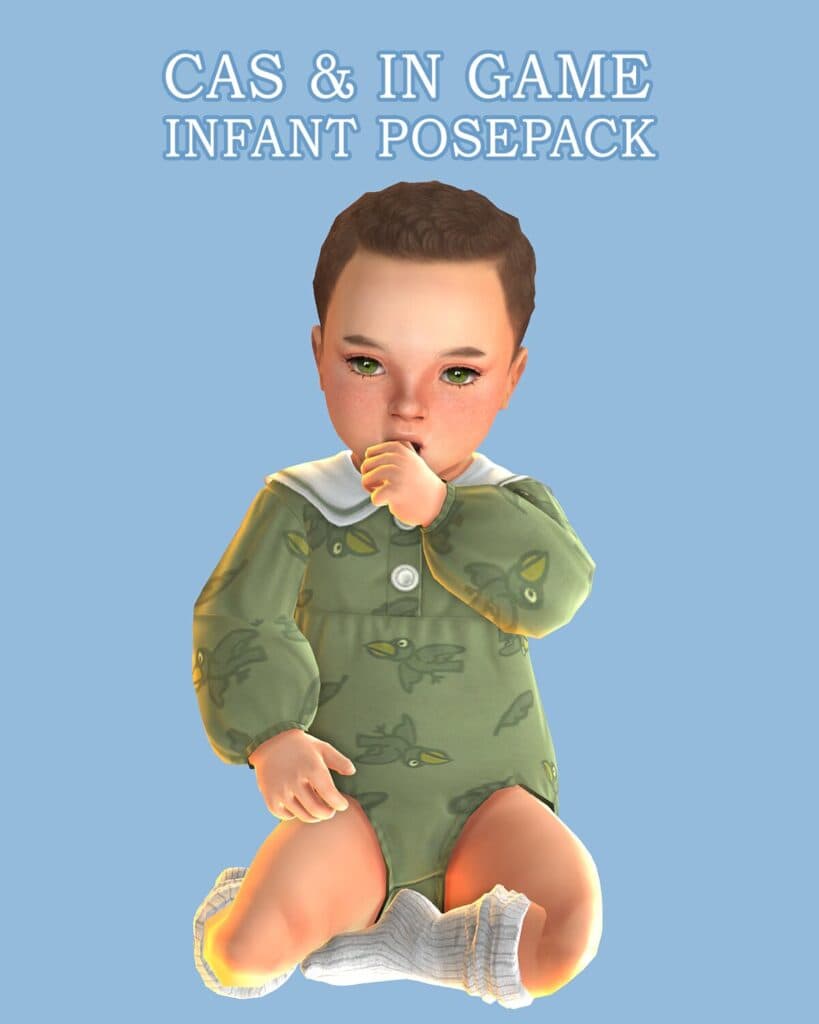
Download: Infant N1 Pose Pack + CAS
Infant N1 Pose Pack + CAS is a collection of 18 solo infant poses plus an all-in-one option. The pack also includes CAS animations with six poses assigned to each infant quirk trait: Intense, Sensitive, and Wiggle. These replacements add much more personality to infants during character creation.
The animations capture multiple expressions and movements, from cheerful arm waves and curious sitting poses to adorable tummy-time moments. I’d use these poses for milestone memories, family portraits, baby lookbooks, and social media-style screenshots.
RELATED POST: 33+ Sims 4 Infant CC: Clothes, Furniture, Cribs, Accessories, and More
Solo Walking Poses 2
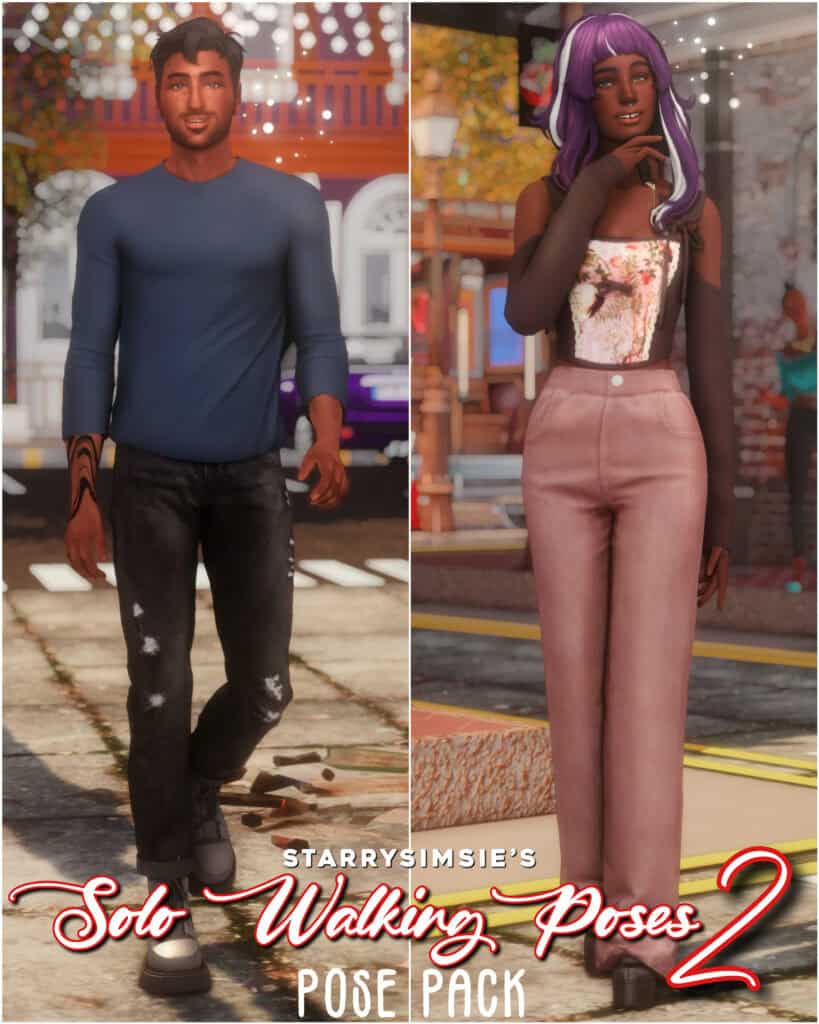
Download: Solo Walking Poses 2
Solo Walking Poses 2 is a set of 12 walking animations, with six poses designed for feminine frames and six designed for masculine frames. Instead of standing still, your Sim appears to be caught in motion, almost like a candid street-style photograph.
These poses work especially well for city scenes, lookbooks, social media posts, and storytelling screenshots. Keep in mind that clipping can occur with certain hairstyles, accessories, and oversized clothing. I recommend testing a few hairstyles and clothing combinations beforehand to get the cleanest results.
Male Solo Pose Pack 2
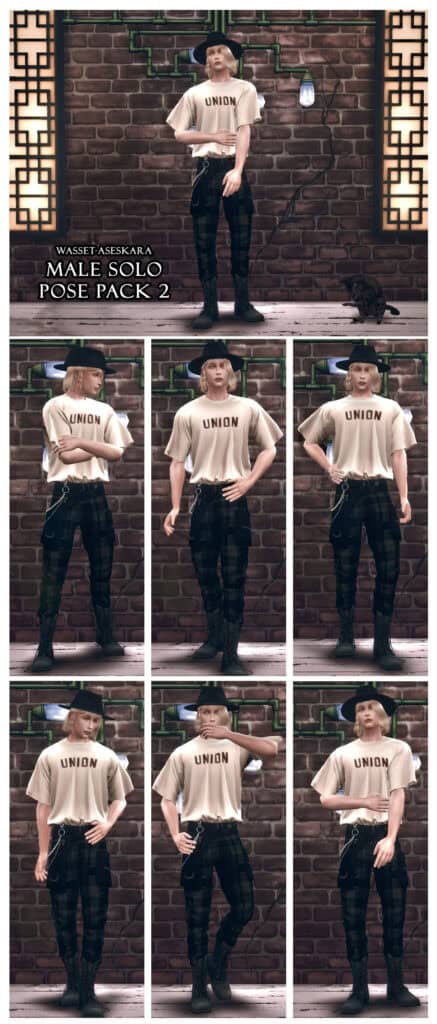
Download: Male Solo Pose Pack 2
If you’re looking for stylish poses for your male Sims, head over to the Male Solo Pose Pack 2. This set includes six modeling poses designed to create polished portraits and fashion-inspired screenshots. I’d use this pack for lookbooks, social media posts, dating profile screenshots, CAS showcases, and storytelling scenes.
FAQ on Sims 4 Solo Poses
Why do my Sims look awkward or different from the preview pictures?
Creators often use custom sliders, height presets, reshades, and specific camera angles when creating previews. So, your results may vary depending on your Sim’s body shape, facial features, clothing, and accessories.
Why do some pose packs cause clipping?
Clipping happens when hair, clothes, jewelry, or body parts overlap during a pose. Long hairstyles, oversized sleeves, and bulky accessories are usually the biggest culprits. Switch outfits or hairstyles to fix the issue.
Can I mix several pose packs in one photo shoot?
Absolutely. Many players combine different standing, sitting, walking, and couple poses to create more variety and make their screenshots feel less repetitive.
What’s the difference between CAS poses and in-game poses?
CAS poses replace trait animations inside Create-a-Sim, so your Sim moves differently while you’re customizing them. In-game poses require Pose Player and Teleport Any Sim and are used for taking screenshots during gameplay.
Why do some pose packs replace specific traits?
CAS pose creators assign animations to traits because the game already uses trait slots for idle movements. Replacing a trait allows custom animations to appear inside Create-a-Sim.
How can I make my screenshots look more professional?
Good lighting, matching backgrounds, depth of field, reshades, and natural-looking poses make a huge difference. Many creators also use multiple pose packs instead of relying on a single set.
Do infant, toddler, and child pose packs work differently from adult poses?
Yes. Younger age groups have different rigs and animations, so creators must design separate pose packs for infants, toddlers, and children. Adult poses generally won’t work properly on younger Sims.
Why do some pose previews look better than the actual screenshots?
Preview images are usually edited with reshades, Photoshop, custom lighting, and carefully chosen camera angles. A pose pack provides the animation, but the final quality still depends on your graphics settings and photography skills.
How many pose packs can I keep in my Mods folder?
Many players keep dozens or even hundreds. Fashion bloggers and storytellers often organize their pose collections by categories such as walking, couple, family, selfies, children, and CAS poses to make them easier to find.
Conclusion
That wraps up this collection. Hopefully, you’ve found plenty of new Sims 4 solo poses for your Mods folder. Don’t feel limited to one style. Mix and match different poses, experiment with camera angles, and create scenes that reflect your Sim’s personalities. Even the smallest pose can bring a screenshot to life and make your saves feel more immersive.
Until next time, happy Simming, and don’t forget to stop by again for more custom content recommendations and fresh CC discoveries.