
25+ Best Sims 4 Plumbob Replacements and Overrides to Personalize Your Game
Hey Simmers,
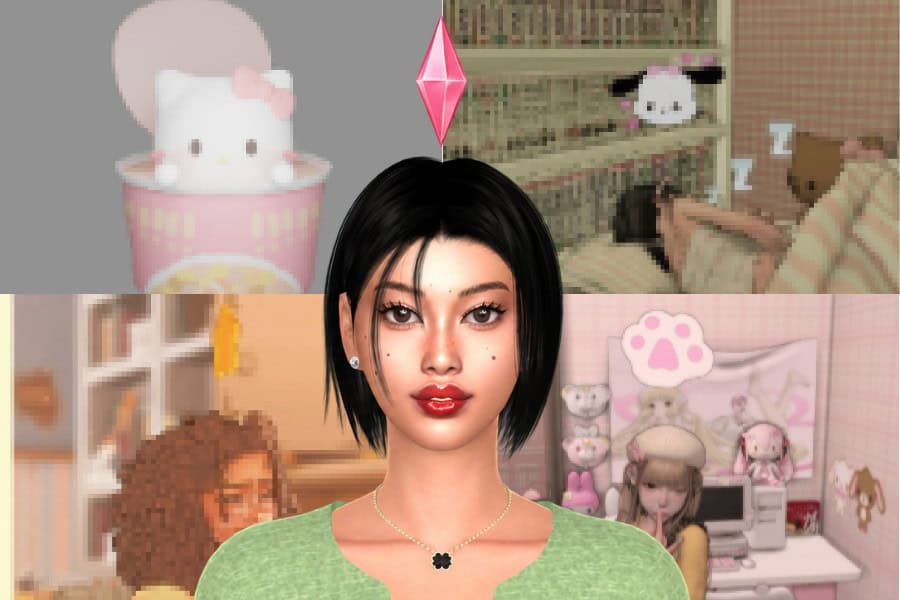
I’m always looking for small ways to personalize my game, and replacing the standard green plumbob is such a fun one. Since the plumbob constantly floats above your active Sim, swapping it for something more interesting can make a noticeable difference during gameplay.
For this list, I’ve rounded up some of my favorite Sims 4 plumbob replacements and overrides. There are cute Sanrio-inspired designs, hearts, angel wings, Animal Crossing-inspired options, colorful plumbobs, and plenty of unique designs for different aesthetics.
Before downloading anything, there’s one important thing to remember: you can only have one plumbob replacement or override installed at a time. Installing multiple replacements can cause conflicts since they edit the same game resources. If you want to try a different one, remove your current plumbob replacement from the Mods folder before installing the new one.
Hopefully, you’ll find a new plumbob here worth adding to your game!
READ MORE: How to Change Sims 4 CAS Backgrounds, Loading Screens, and Menu Overrides
Paint Palette | Plumbobs
Download: Paint Palette | Plumbobs
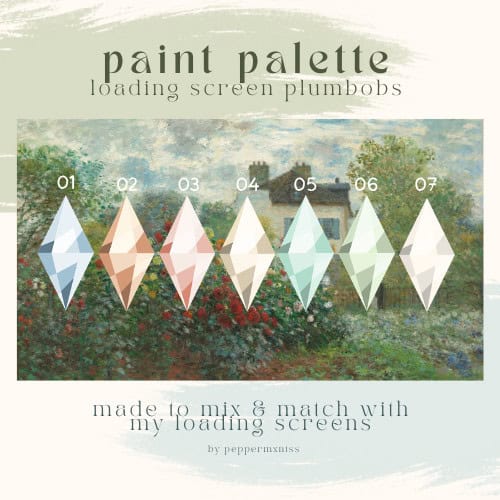
Paint Palette | Plumbobs are simple loading screen Plumbob recolors designed to match different loading screen aesthetics. You can choose from seven soft colors, including blue, peach, pink, beige, aqua, green, and white. You have the option to pair them with the creator’s loading screens or use them with another loading screen in your game.
The download also includes a key image and instructions file, making it easier to identify each option when you want to switch colors. To install, download and unzip the file, choose one Plumbob color, and place its package file in your Mods folder.
Valentine Plumbobs
Download: Valentine Plumbobs
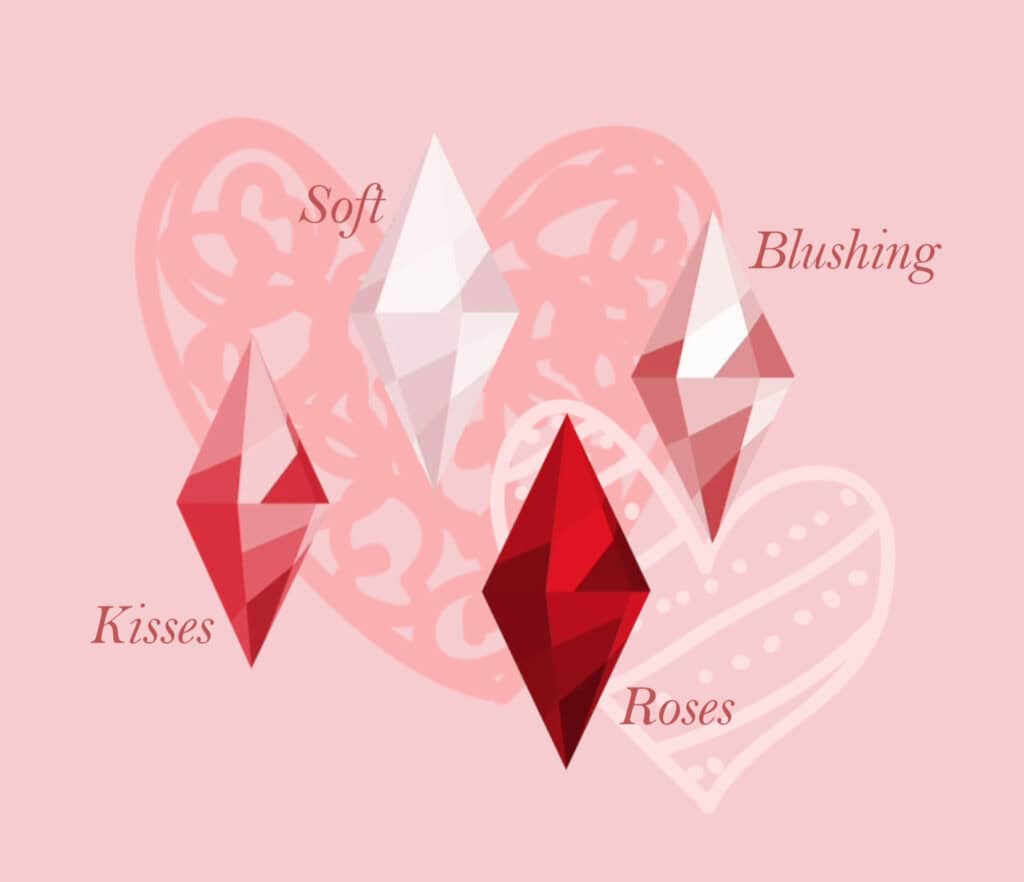
Valentine Plumbobs are loading screen replacements created for a romantic Valentine’s Day theme. The collection comes with four designs: Soft, Blushing, Kisses, and Roses. Each option uses shades of pink, red, or white, so you can choose one to match your loading screen aesthetic. The creator also removed the boxes around the Plumbobs for a sharper appearance.
Head over to the description to access the creator’s completed Valentine’s collection, including matching loading screens, a main menu, replacement tips, and a CAS background.
RELATED POST: 40+ Best Sims 4 Valentine’s CC to Create a Romantic Gameplay Experience (2026 Update)
Loading Screen Plumbob Collection Log

Download: Loading Screen Plumbob Collection Log
Loading Screen Plumbob Collection Log is a massive collection of 30 colorful Plumbob replacements, so you have plenty of options for matching your loading screen aesthetic. The creator groups the Plumbobs into different palettes, ranging from dreamy gemstone shades and muted pastels to vibrant reds, natural greens, deep browns, and creamy neutrals.
Some of my favorite Sims 4 plumbob replacements from this collection are the gemstone-inspired Aurelite shades, with colors like Rose Quartz, Amethyst, Citrine, Lapis Lazuli, and Sunstone. You can also go softer with the Subdue palette, choose fiery reds from Aureum, stick to earthy greens with Verdant, or opt for the warm coffee-inspired browns in Umber. The Neutral collection is perfect if you prefer white, cream, beige, and soft yellow tones.
With so many colors available, you can easily coordinate your Plumbob with a custom loading screen instead of sticking with the standard green design.
Remember, your loading screen must correlate with the October 22, 2024 patch or later. Remove any older loading screens not updated for this patch before installing your chosen Plumbob replacement.
My Melody Plumbob
Download: My Melody Plumbob
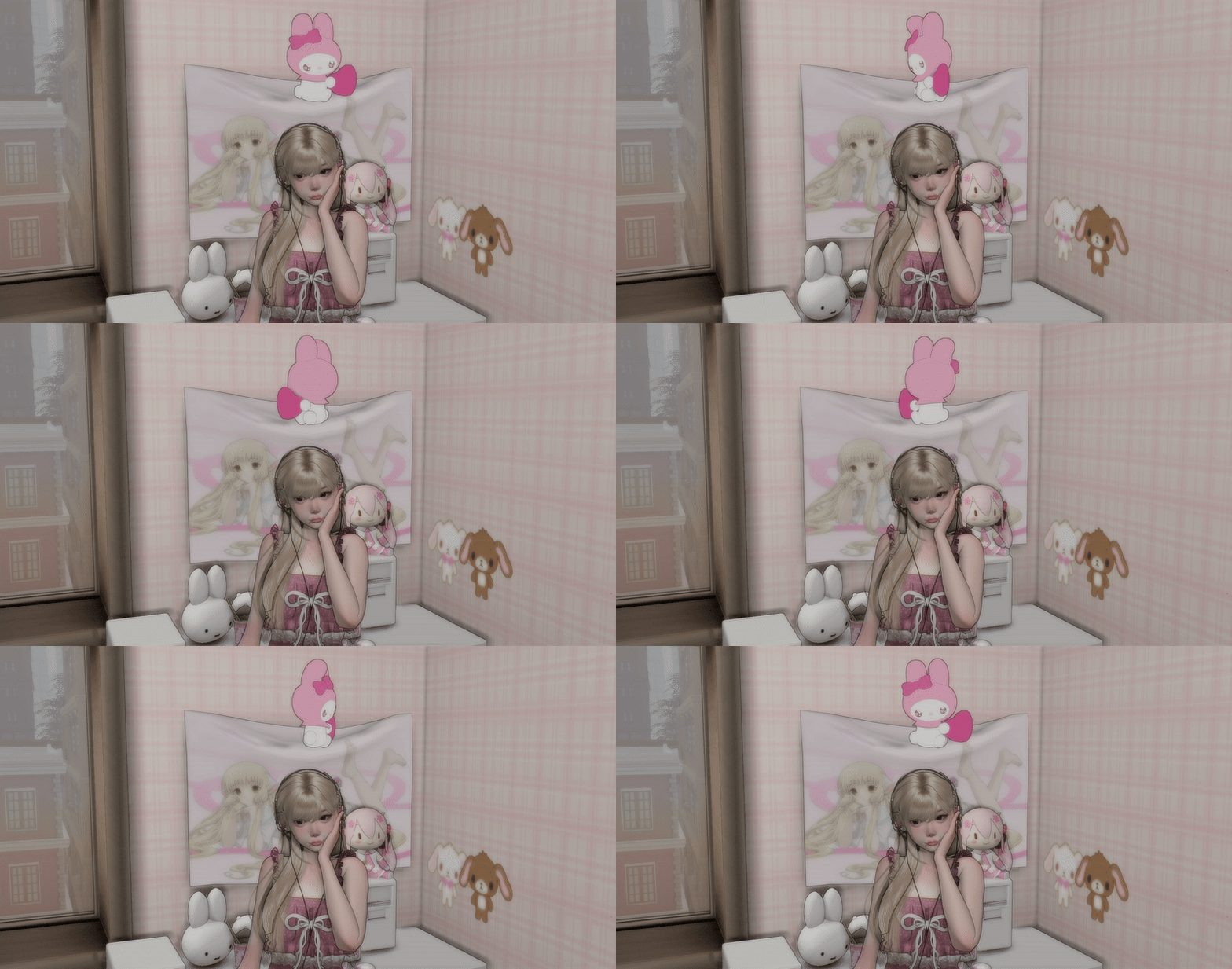
My Melody Plumbob is a cute Sanrio-inspired replacement for the default in-game Plumbob. Instead of the classic diamond floating above your active Sim, you’ll see My Melody in her signature pink hood. It’s a fun option if you love pink, kawaii, or Sanrio-inspired gameplay.
The replacement works on human Sims, occult Sims, and human/occult club leaders. The creator has also updated it for compatibility with fairies.
Keep in mind, this Plumbob will conflict with Sims 4 Plumbob replacements from other creators and the MizoreYukii_NoFadeEverything mod, so remove any conflicting files before playing.
The set is compatible with the base game, meaning you won’t require additional EPs to use it.
Fish Cake Plumbob Override
Download: Fish Cake Plumbob Override
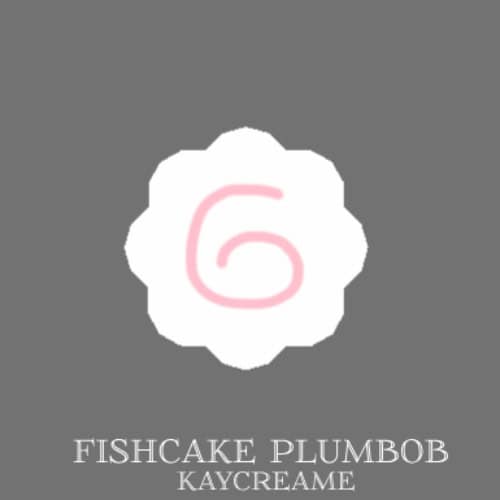
If you’re looking for a cute alternative to the traditional diamond-shaped Plumbob, Fish Cake Plumbob Override is an adorable option for your game. It replaces the standard Plumbob above your active Sim with a round white fish cake design complete with a soft pink swirl in the center.
I love how simple this one is. The white and pastel pink design works especially well with cute, cozy, kawaii, and soft aesthetic gameplay without looking too distracting above your Sim.
Feeling Fruity Overhead Plumbob
Download: Feeling Fruity Overhead Plumbob
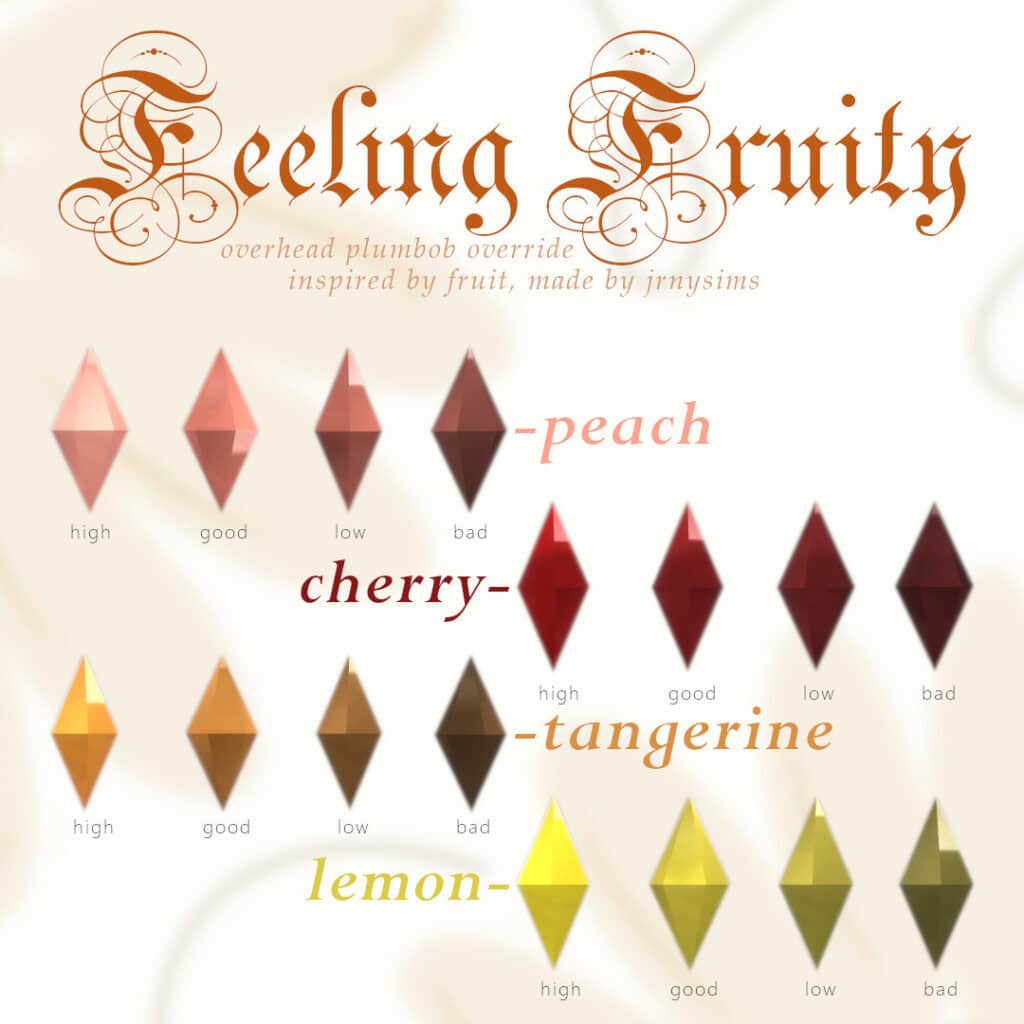
Feeling Fruity Overhead Plumbob is a colorful replacement inspired by fresh fruit and the different moods your Sims experience. The creator uses peach to represent a good mood and darker fruit-inspired shades for lower spirits, so the Plumbob still visually shifts alongside your Sim’s wellbeing.
You can choose from several fruity color palettes, including peach, cherry, lemon, tangerine, pear, blueberry, and plum. Each fruit comes with multiple shades ranging from bright to dark, keeping the usual mood progression.
This download does not come as a package file, so don’t place it directly into your Mods folder. Read the installation instructions included in the ZIP carefully before installing it.
Looking for a loading scren to go with your plumbob replacement? Check out these 26+ Best Sims 4 Cozy Loading Screens
Hello Kitty Plumbob
Download: Hello Kitty Plumbob
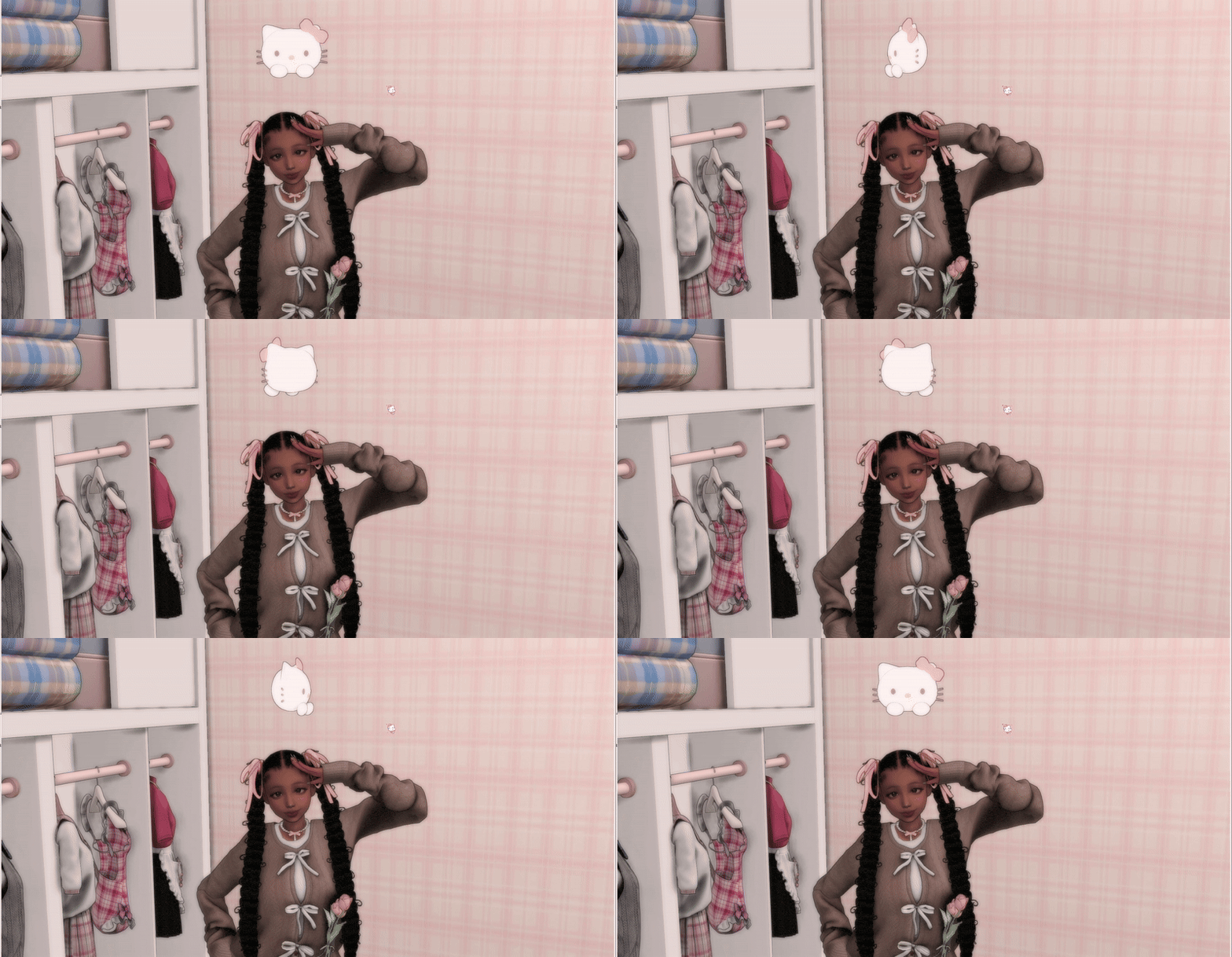
Hello Kitty Plumbob is an adorable Sanrio-inspired replacement for the default green Plumbob. It swaps the classic diamond for Hello Kitty’s recognizable white face, complete with her whiskers, ears, and pink bow. I’d definitely add this one to a cute, pink, or kawaii-themed game.
The Plumbob works on human Sims, occult Sims, and human/occult club leaders. It has also been updated for compatibility with fairies.
Keep in mind, it conflicts with Sims 4 Plumbob replacements from other creators and the MizoreYukii_NoFadeEverything mod, so make sure you remove any conflicting files from your Mods folder.
RELATED POST: 27+ Best Sims 4 Kawaii CC for Adding Cuteness to Your Gameplay
Baby Pink Plumbob

Download: Baby Pink Plumbob
Baby Pink Plumbob is a soft pastel replacement for the loading screen Plumbob. It swaps the standard color for a pale baby pink shade while keeping the classic diamond shape. If you want something subtle for a pink or pastel-themed game, this is a great choice.
The creator removed the box around the Plumbob for a cleaner appearance on your loading screen. They also plan to create more pastel Plumbob recolors, so this pink version is a good starting point if you enjoy softer colors.
White Plumbob Recolor

Download: White Plumbob Recolor
White Plumbob Recolor is a clean loading screen replacement for the standard Plumbob. It keeps the original diamond shape while changing the color to a crisp white with subtle shading across each section.
I like this option for minimalist loading screens or aesthetics where a bright green Plumbob would look out of place. The neutral white color also makes it easy to pair with almost any custom loading screen, regardless of its color palette.
Dark Green Plumbob for Loading Screen
Download: Dark Green Plumbob for Loading Screen
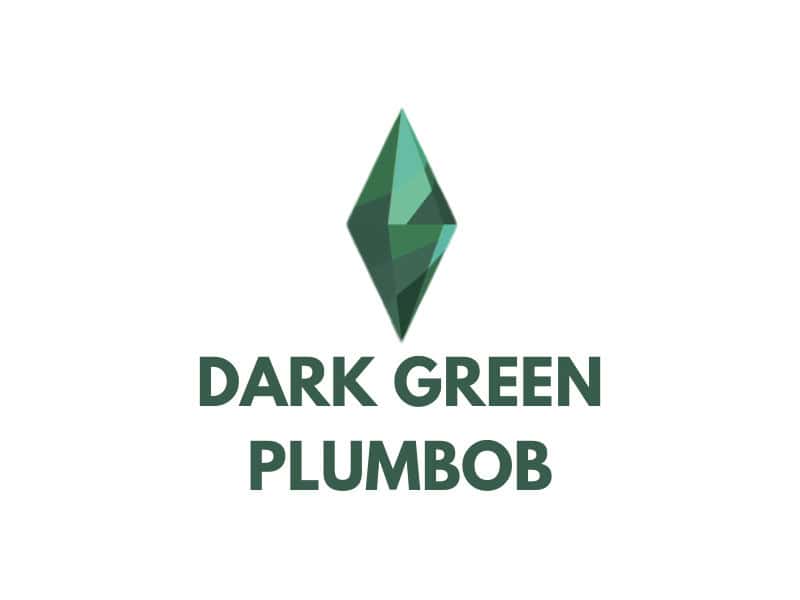
If you’re looking for a darker alternative to the traditional green Plumbob, check out the Dark Green Plumbob for Loading Screen. This simple replacement keeps the classic diamond shape but switches the bright green tones for a much deeper forest green palette.
It’s a great choice for dark, earthy, nature-inspired, or minimalist custom loading screens. This set is compatible with the base game.
Sims Plumbob Recolors Override
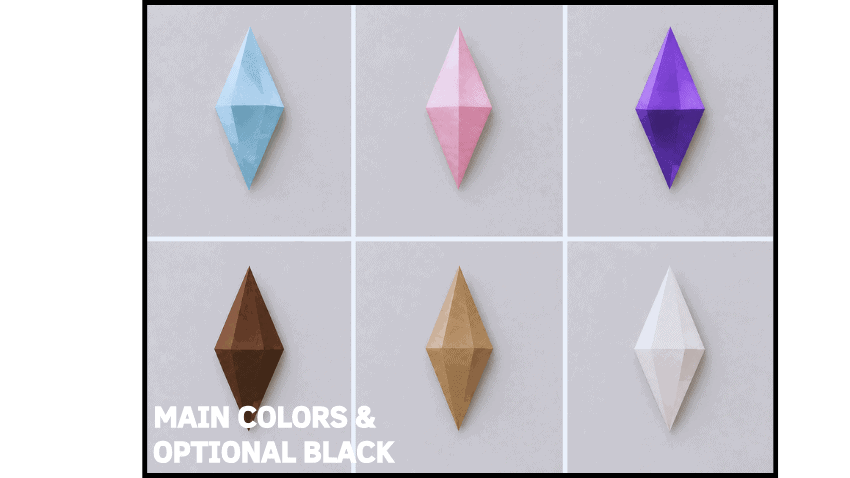
Download: Sims Plumbob Recolors Override
Sims Plumbob Recolors Override is a customizable replacement with seven new colors for changing the standard green Plumbob above your Sims. You can choose from blue, beige, brown, pink, purple, black, and white, so there’s a nice range of bright, neutral, and darker options.
What I like most about this override is how it still communicates your Sim’s needs. Your chosen color progressively darkens as their motives drop, making it easy to spot when your Sim needs attention without relying on the usual green-to-red system.
After placing your chosen file in the Mods folder, launch The Sims 4 until you reach the main menu, close the game, and restart it. You only need to complete this extra restart once per color. Note that you must also enable Script Mods.
2D Plumbob Override (..ish)
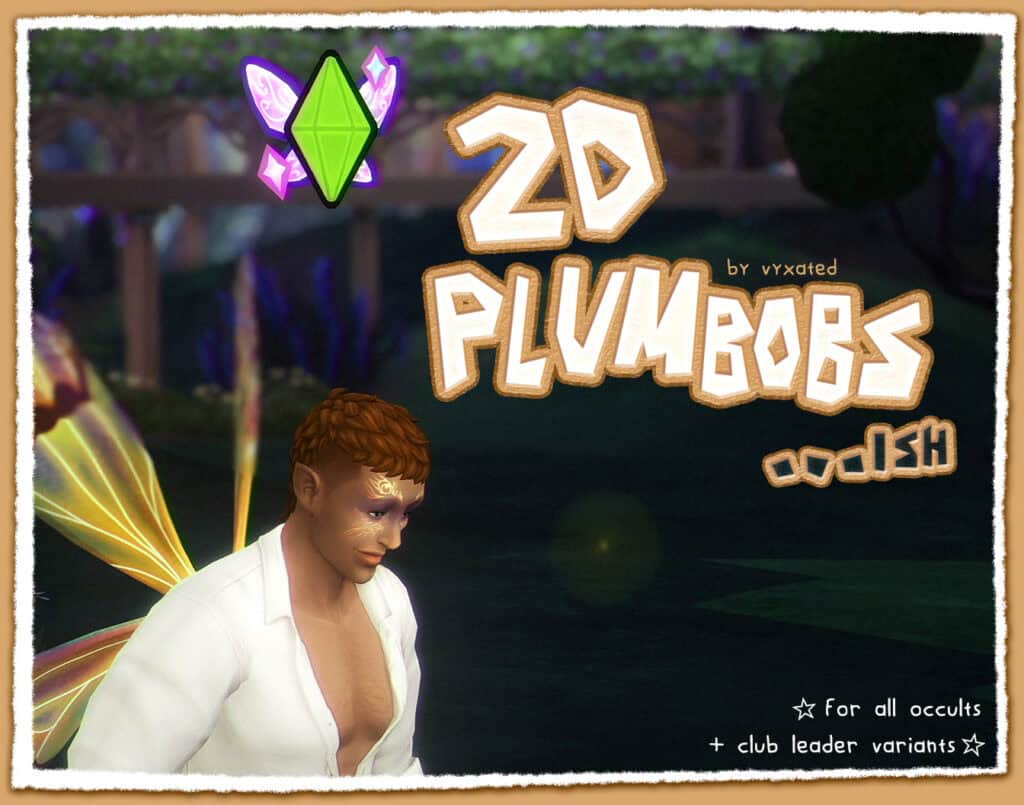
Download: 2D Plumbob Override (..ish)
2D Plumbob Override (..ish) is a fun replacement designed to make the usual Plumbob look more like a colorful 2D sticker floating above your Sim. The outlined, illustrated design fits surprisingly well with The Sims 4’s cartoony style, especially if you prefer playful UI-inspired details in your game.
Instead of using one identical design for everyone, the override comes with unique Sims 4 Plumbob replacements for different occult types. Aliens get a tiny UFO, mermaids have a mermaid tail, spellcasters have a spellbook and wand, werewolves have wolf ears and a tail, vampires have bat wings, and fairies have colorful wings. Servo Sims also have their own design, while club leaders display a small crown.
The override also changes the indicators used during club gatherings and group activities.
To install, choose either the merged version or download the separated files you want. If you use the separated version, the regular Sim Plumbob file is required for the occult and club leader designs to display correctly. Club leader Plumbobs also require the Get Together pack. If Zerbu’s More Club Icons is already installed, use the separated files and delete the ClubGathering file to avoid visual issues.
Paw Plumbobs

Download: Paw Plumbobs
Paw Plumbobs are adorable replacements for the standard diamond-shaped Plumbob, swapping it for a cute paw print above your Sims. You can choose between two versions: a soft white paw with pink toe beans or a black paw with bright pink details.
The override works with human Sims, occults, and human or occult club leaders. It has also been updated for compatibility with fairies, so you can continue using it with newer occult gameplay. Head over to the description to access the mods that aren’t compatible with Plumbobs.
Poppies Matching Plumbob

Download: Poppies Matching Plumbob
Poppies Matching Plumbob is a beautiful light blue override inspired by a colorful coastal painting covered in red poppies. This plumbob is part of a set with:
- One opening screen override
- One main menu override
- One loading screen override
I love how you can carry the same soft, painterly aesthetic across several parts of your game instead of changing only the Plumbob. You can download the Plumbob separately if you only want to replace the one appearing on your loading screen. If you want the complete matching look, you can also install the opening screen and main menu. The main menu requires the Simmatically Refreshed Main Menu 3.1 BASE file to work correctly, so make sure you download the required file before installing it.
Black Cat Plumbob Override (Update)

Download: Black Cat Plumbob Override (Update)
Black Cat Plumbob Override (Update) is an adorable replacement shaped like a black cat’s head, complete with pointed ears and expressive eyes. Instead of the entire Plumbob changing color as your Sim’s needs drop, the needs colors appear through the cat’s eyes, creating a fun way to keep track of your Sim’s status.
The latest update now makes the override work with all occult Sims.
To ensure the Plumbob looks like the creator’s screenshots, you’ll need to locate the Default.ini file and change the highlighted values specified by the creator to 1.00. Windows players can find this file inside The Sims 4 > Game > Bin > Default, while Mac players can find it within The Sims 4 app > Contents > Resources > Default.ini.
Give Your Sims a Cute Star Plumbob

Download: Give Your Sims a Cute Star Plumbob
Give Your Sims a Cute Star Plumbob is a replacement for the traditional diamond-shaped Plumbob, swapping it for a chunky five-point star. The design looks especially cute in colorful, cozy, or whimsical saves, and it also works above pets.
The star can either remain yellow or change color according to your Sim’s emotions. If you want it to stay yellow, you’ll need to make a small edit to the game files.
Open The Sims 4 > Game > Bin > Default.ini using Notepad. Find the [Plumbob] section, locate playeractivecolor, and change the four numbers beside it to:
1.00, 1.00, 1.00, 1.00
You may need to repeat this process after major game updates.
RELATED POST: 25+ Essential Sims 4 Pet Mods for More Fun & Realistic Pets
Loading Screen Plumbob Recolor

Download: Loading Screen Plumbob Recolor
Loading Screen Plumbob Recolor is a simple override for changing the color of the vanilla Plumbob appearing on The Sims 4 loading screen. It keeps the original Plumbob design intact but only changes the shade, making it a great choice if you like the classic look but want a different color.
There are seven colors to choose from:
- Emerald
- Light Gold
- Gold
- True Gold
- Rose Gold
- Silver
- Cobalt
You can only use one Plumbob recolor at a time. It also works alongside loading screen mods as long as they don’t replace or modify the vanilla loading screen Plumbob.
To install, unzip your chosen file and place it in Documents > Electronic Arts > The Sims 4 > Mods. Make sure mods are enabled in your game.
Plumbob Sultan’s Game (Carnality)
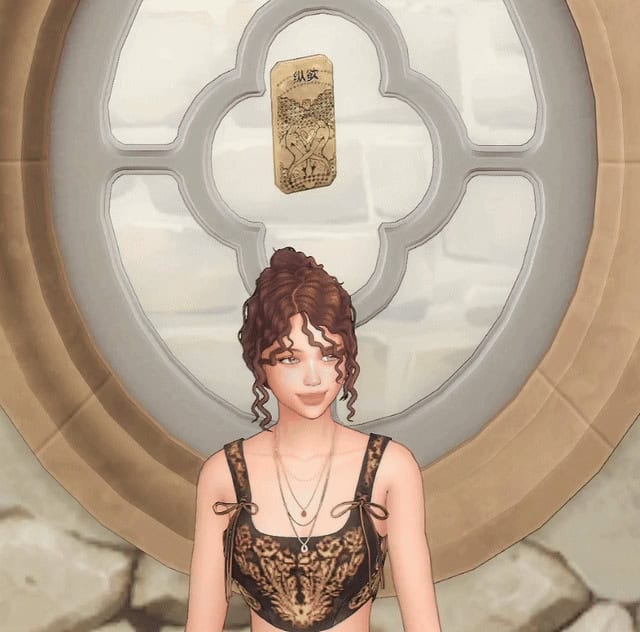
Download: Plumbob Sultan’s Game (Carnality)
Plumbob Sultan’s Game (Carnality) is a unique replacement inspired by the Carnality cards from Sultan’s Game. Instead of the traditional diamond-shaped Plumbob, a detailed golden card floats above your Sim’s head, making this one of the more unusual Sims 4 Plumbob replacements on this list.
The creator designed the override to work with human Sims, occult Sims, and club leaders. It has also been updated to support fairies, so you can use it across more Sim types in your game.
Animal Crossing Leaf Plumbob
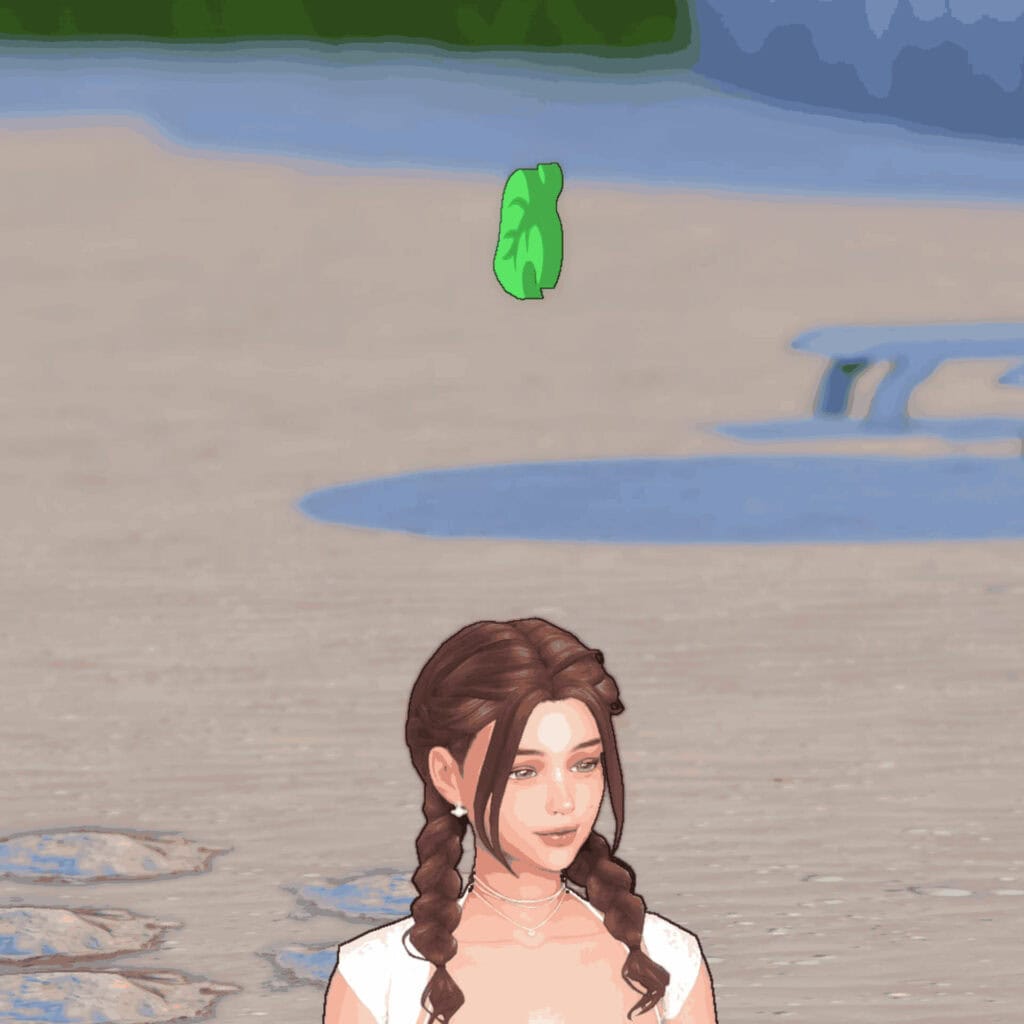
Download: Animal Crossing Leaf Plumbob
If you’re looking for a fun crossover for your game, Animal Crossing Leaf Plumbob is a great choice. The replacement is inspired by the iconic green leaf from Animal Crossing. It swaps the traditional diamond for a bright green leaf while keeping the floating Plumbob effect above your active Sim.
The replacement works with all occult Sims and club leaders, and an August 2025 update added fairy compatibility. Click on the attached link to access the mods that conflict with this Sims 4 plumbob replacements and overrides cc.
Melody #1 (Plumbob Overrides)

Download: Melody #1 (Plumbob Overrides)
Melody #1 (Plumbob Overrides) is a music-inspired replacement shaped like a pair of musical notes. It has a soft, playful look, and it’s a cute option for colorful, pastel, or music-themed gameplay.
The creator made four color options: blue, pink, white, and yellow. If your Plumbob appears green instead of your chosen color, open the Default.ini file in your Sims 4 Bin folder, find the [Plumbob] section, and change all numbers beside playeractivecolor to 1.00. The creator has tested these overrides with the latest game version.
Loading Screen Plumbob Recolor
Download: Loading Screen Plumbob Recolor
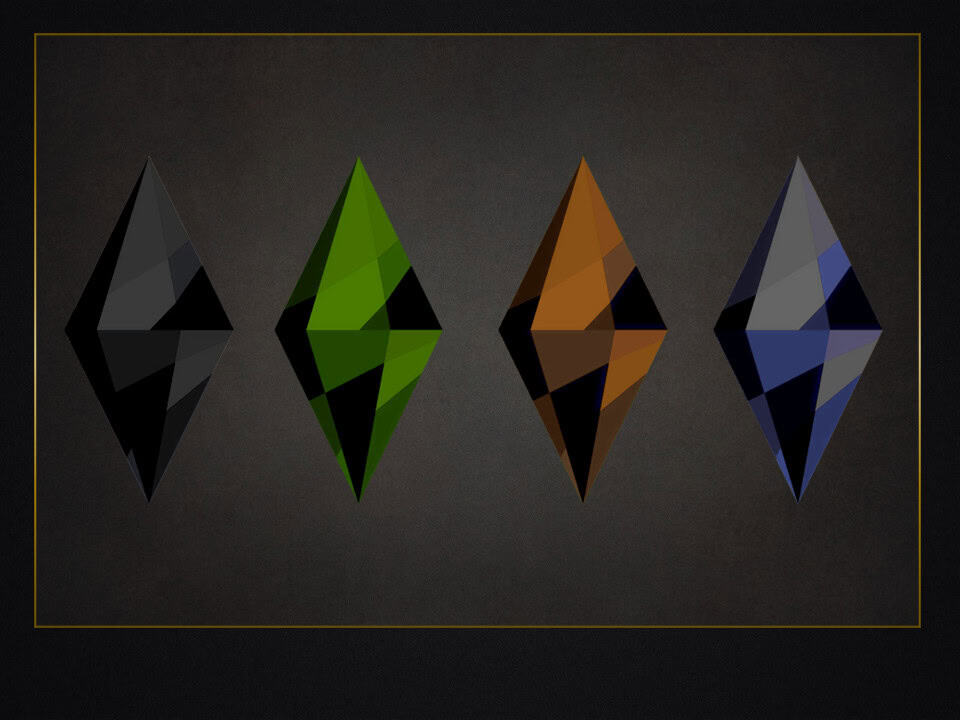
Loading Screen Plumbob Recolor is a collection of darker color replacements for the standard Plumbob displayed on The Sims 4 loading screen. I recommend using these Sims 4 Plumbob replacements for Halloween, gothic, and darker game aesthetics since the shades stand out nicely against custom loading screens.
You can choose from four colors:
- Black Onyx
- Woodsy Green
- Halloween Orange
- Gothic Purple
Note that this override only changes the color of the vanilla loading screen Plumbob, so its original shape stays intact. You can also pair it with loading screen mods as long as they don’t replace or modify the vanilla Plumbob.
To install your chosen color, unzip the file, place it in your Mods folder, and make sure mods are enabled in-game.
Angel Wing Plumbob

Download: Angel Wing Plumbob
Angel Wing Plumbob is a cute replacement shaped like a pair of angel wings. The white wing design looks especially pretty floating above your Sim and completely changes the appearance of the traditional diamond-shaped Plumbob.
The creator also explains how to keep the wings white in-game. Go to your game folder, open Bin, find Default.ini, and change every number beside “playeractivecolor” to 1.00. This prevents the Plumbob from changing with your Sim’s mood and keeps the angel wings looking white.
Pochacco Plumbob

Download: Pochacco Plumbob
Pochacco Plumbob is an adorable Sanrio-inspired replacement for the standard Plumbob, swapping the classic diamond for Pochacco’s head with his signature floppy black ears and pink details. I love how well it works with cute, pastel, and kawaii gameplay aesthetics.
Note that this replacement works on human Sims, occults, and human/occult club leaders. It has also been updated for compatibility with fairies.
Keep in mind, this replacement conflicts with Sims 4 Plumbob replacements from other creators, so only use one at a time. Check out the description to get the mods that aren’t compatible with Plumbobs.
Sanrio Ramen Bowl Plumbob Override
Download: Sanrio Ramen Bowl Plumbob Override
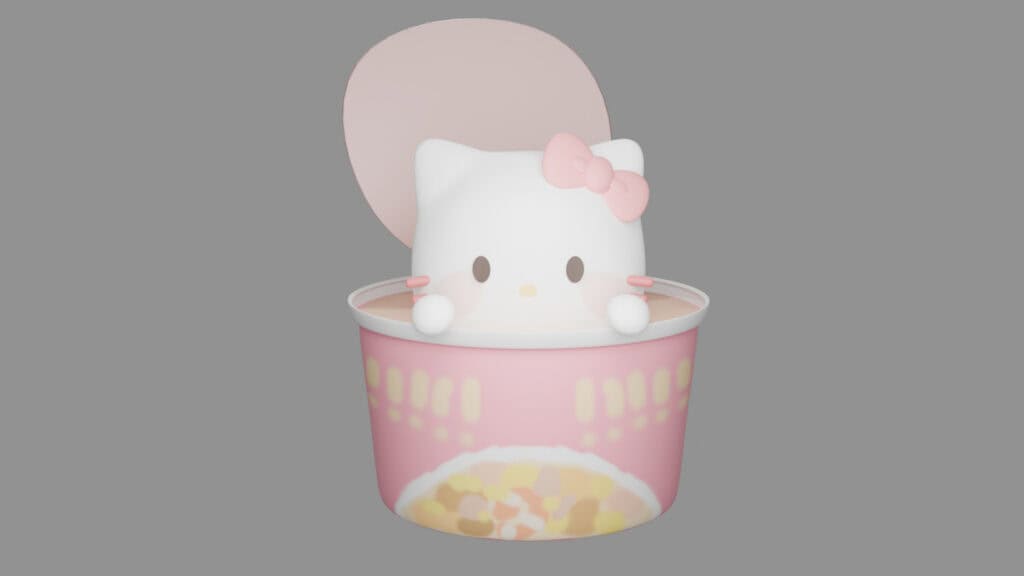
If you’re looking for a cute and quirky alternative to the traditional Plumbob, this Sanrio Ramen Bowl Plumbob Override is an adorable choice. It replaces the diamond with a Sanrio character sitting inside a colorful ramen bowl, complete with noodles and tiny food details.
The download comes with two designs: a pink My Melody-inspired version and a blue Cinnamoroll-inspired version. To keep the Plumbob looking like the creator’s preview, locate the Default.ini file in your game directory and change the highlighted numbers to 1.00.
Bunny Plumbob Replacement (Updated)
Download: Bunny Plumbob Replacement
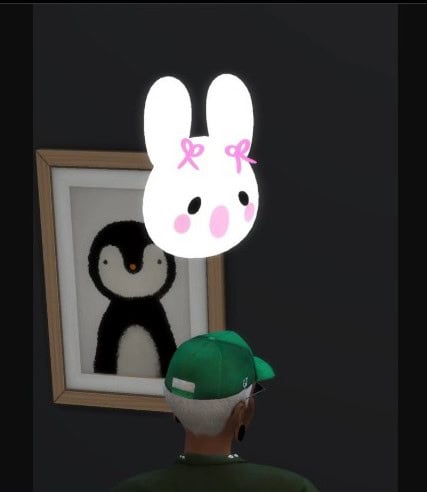
Bunny Plumbob Replacement is an adorable option for replacing the traditional diamond with a large white bunny head. The design has long ears, pink bows, rosy cheeks, and a simple kawaii-style face, making it perfect for cute or pastel gameplay aesthetics.
To make the bunny appear bright white like the preview, locate the Default.ini file in your game files and change the highlighted numbers to 1.00.
FAQ on Sims 4 Plumbob Replacements and Overrides
What is a plumbob in The Sims 4?
A plumbob is the diamond-shaped icon floating above a Sim’s head. The green plumbob normally identifies your currently selected Sim, while its color can change depending on the Sim’s needs or status.
What is a Sims 4 plumbob replacement?
A plumbob replacement is custom content designed to replace the game’s standard plumbob with a different shape, design, character, or aesthetic. Some creators also make recolors retaining the original diamond shape while changing its appearance.
Can I use more than one plumbob replacement at once?
No. You should only keep one plumbob replacement or override in your Mods folder at a time. Since these files modify the same game resources, using multiple options can create conflicts or prevent your chosen replacement from displaying correctly.
Why is my custom plumbob not showing up?
First, check your Mods folder for another plumbob replacement and remove any duplicates. You should also confirm Custom Content and Mods are enabled in your Game Options. Some replacements have additional installation instructions, so always check the creator’s download page.
Why does my custom plumbob change color in-game?
The game normally changes the plumbob color according to your Sim’s needs. Some custom replacements retain this behavior, while others require changes to the game’s Default.ini settings to maintain a specific color. Follow the creator’s instructions for your chosen replacement.
Can plumbob replacements work with occult Sims?
This depends on the replacement. The Sims 4 uses different plumbob variations for certain occult Sims and special roles, so check the creator’s notes to see which Sim types their replacement supports.
How do I switch to a different plumbob replacement?
Remove your current plumbob replacement package from the Mods folder, then add the new package. It’s also a good idea to delete the localthumbcache.package file before restarting your game.
Conclusion
And there you have it, some of my favorite Sims 4 plumbob replacements and overrides!
I love how such a small change can make gameplay feel more personalized. You can stick with a redesigned version of the classic diamond or completely replace it with hearts, characters, wings, leaves, and other creative shapes. If you like changing your game’s overall appearance as much as I do, you can even swap your plumbob whenever you change your CAS background, loading screen, or current aesthetic.
Packs this post uses
- The Sims 4 Get Together · Expansion Pack · PC/Mac EA app code on Amazon
As an Amazon Associate we earn from qualifying purchases. Codes redeem in the EA app on PC or Mac.