

Complete List of All Sims 4 Build Cheats: Free Build, Move Objects, & More (2026 Update)
Here’s a helpful list of EVERY build/buy mode cheat in The Sims 4. You can use these Sims 4 build cheats to place objects wherever you want and edit locked lots.

Sims 4 Build Cheats 2026
To ensure that these cheat codes work properly, make sure you have cheats enabled using testingcheats true.
For cheats that need to be typed into the cheat console, open it up using SHIFT + CTRL + C (or hold all four shoulder buttons if you’re using a PS4 or Xbox) and then type in the cheat code and hit enter.
Some of the cheats below don’t have to be entered into the cheats box at all. All you have to do is use certain hotkeys on your keyboard.
If you want more details on how to use each cheat code, keep scrolling for a short & simple overview of each cheat.
Here are all the Sims 4 build cheats you need to use in 2026!
| Cheat | What It Does | When to Use It |
|---|---|---|
testingcheats on | Enables advanced cheats | Must be entered first before most other cheats |
bb.moveobjects | Allows free placement and overlapping of objects | Essential for cluttering, off-grid builds, and detailed decorating |
bb.showhiddenobjects | Unlocks hidden debug objects | Use for landscaping, clutter, and decorative items |
bb.showliveeditobjects | Unlocks live edit world objects | Adds world décor like rocks, signs, and environment props |
bb.ignoregameplayunlocksentitlement | Unlocks all career-locked items | Useful for builds without gameplay restrictions |
bb.enablefreebuild | Allows build mode on locked lots | Required for editing hospitals, police stations, dorms, etc. |
bb.enablefreebuild on | Same as above (explicit ON version) | Safer to use on special lots |
bb.enablefreebuild off | Disables free build mode | Use when returning to normal gameplay |
bb.moveobjects on | Alternative command format | Works the same as bb.moveobjects |
bb.moveobjects off | Disables free placement | Helps reset object snapping issues |
bb.showhiddenobjects on | Enables debug objects | Required before searching “debug” |
bb.showhiddenobjects off | Hides debug objects again | Keeps catalog clean |
bb.showliveeditobjects on | Enables live edit objects | Must be used after bb.showhiddenobjects |
bb.showliveeditobjects off | Disables live edit objects | Reduces catalog clutter |
bb.resetobject | Resets stuck or broken objects | Helpful if objects won’t place correctly |
If you want to know how to give your household more money so they can build the house of their dreams, make real estate in The Sims 4 free, or turn off household bills, check out my list of money cheats.
How to Use Sims 4 Build Cheats
Let’s get into the specifics of how each of these build/buy mode cheats work in the game!
Move Objects Cheat
With move objects turned on, you’ll unlock even more options for placing objects from build and buy mode.
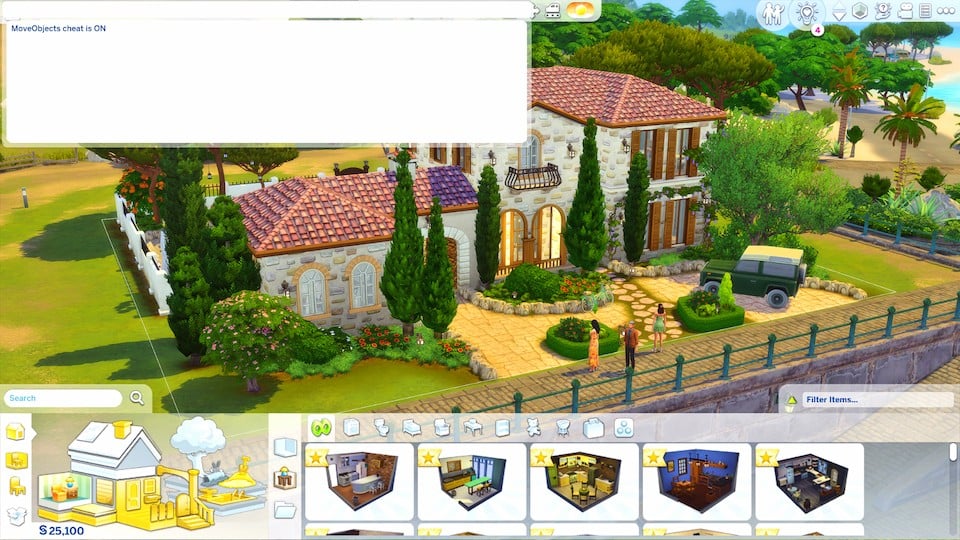
The move objects cheat allows the game to ignore all placement rules. This way you can place objects anywhere you would like, even on top of each other.
You could put your bed under your desk or put your couch in your pool! I don’t know why you would, but hey, you can if you want to! The possibilities truly are endless.
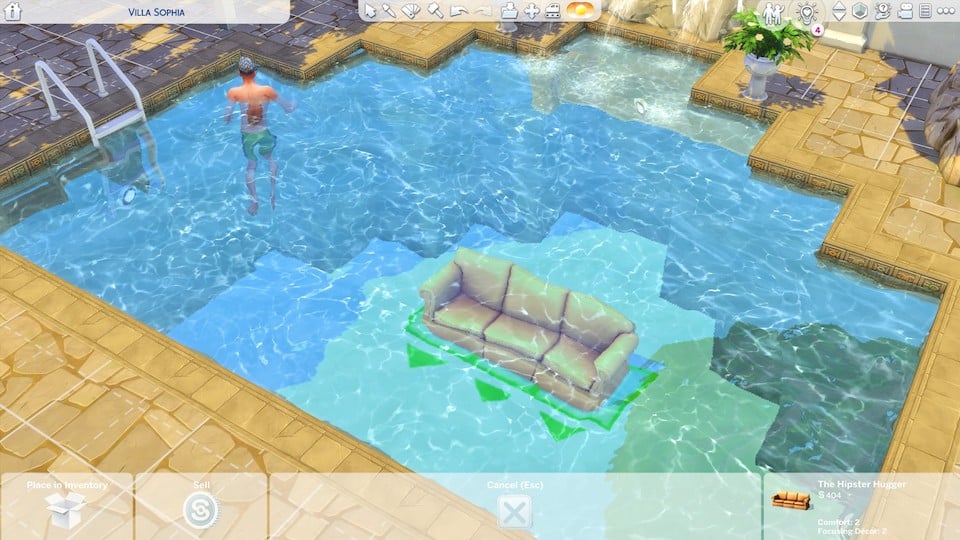
Fair warning that placing objects using move objects can make items unusable by sims.
Always play test your builds before using them. I’ve downloaded my fair share of homes off the gallery where sims can’t get into their bed or even use the toilet. 🤦♀️
Resize Objects
To increase object size and decrease object size in the sims 4, you can use the brackets keys.
Hitting ] will increase the size of an object and [ will decrease the size of an object.
As you can see in the pictures I’m making this decorative plant bigger and smaller on the table so I can make it look however I want.
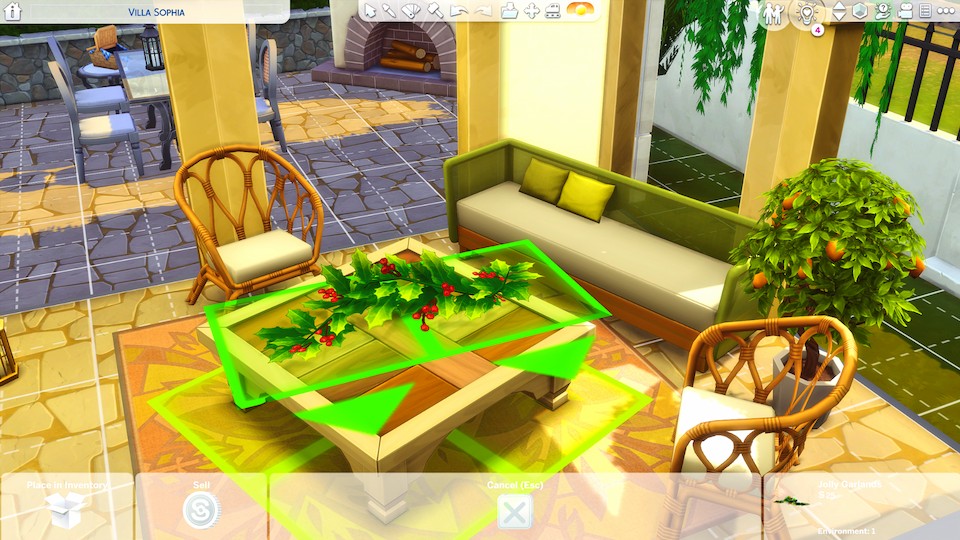
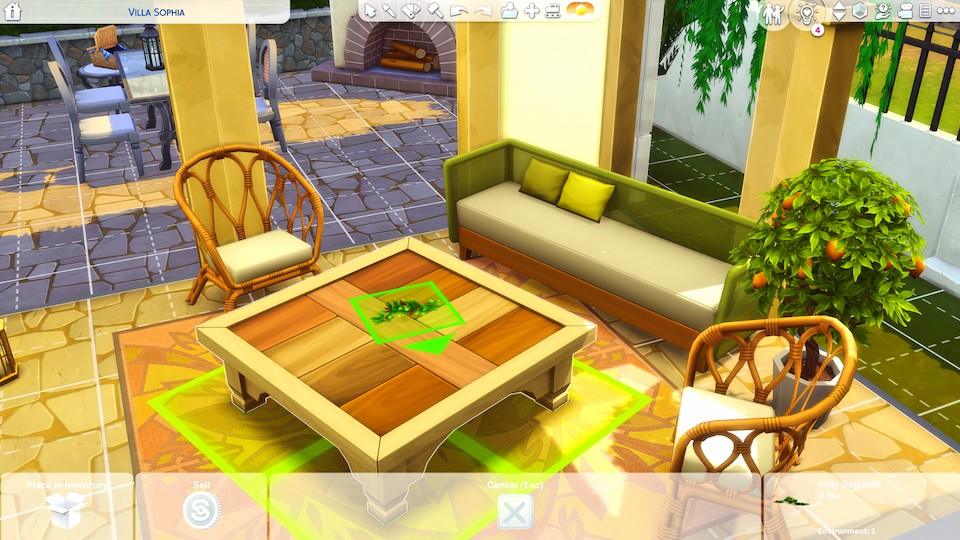
Of course, some objects will look a bit funny when you do this because they aren’t meant to be that size. But most of the time, things look fine.
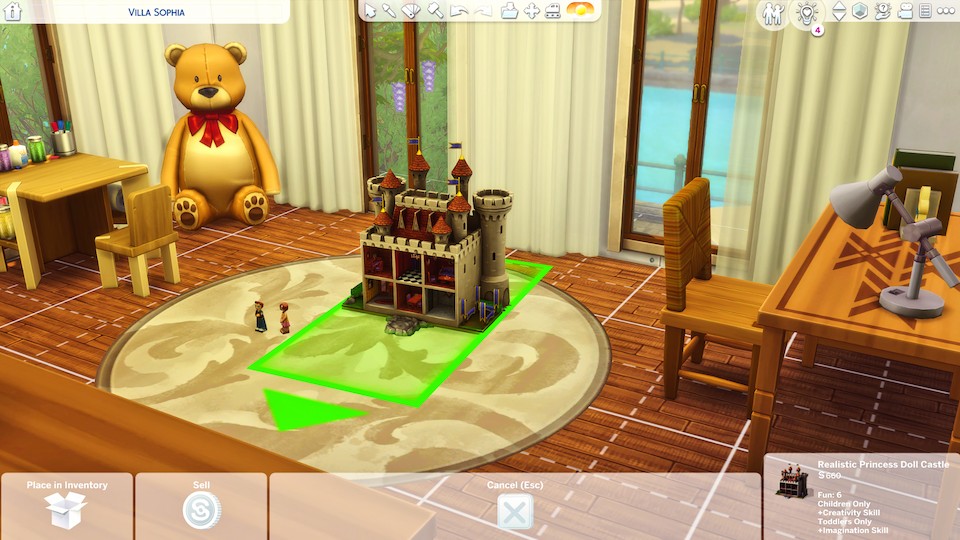
A great use for this is for resizing the massively oversized children’s toys in sims 4. You can decrease the size of the dollhouse so it doesn’t look utterly ridiculous anymore! Yay!
Raise & Lower Objects
To raise objects up and down in the sims 4, you’ll use the numbers 0 and 9 on your keyboard.
Hitting 0 will lower an object and hitting 9 will raise an object.
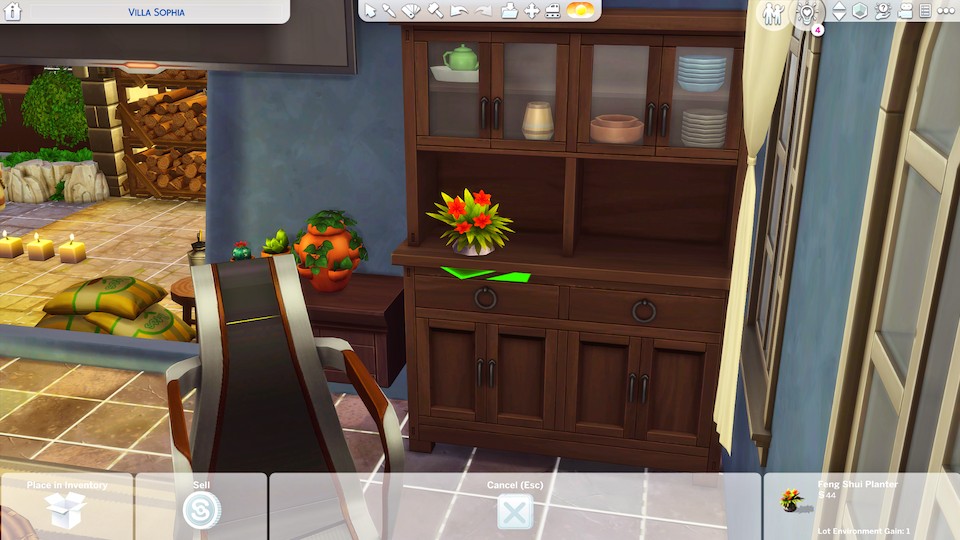
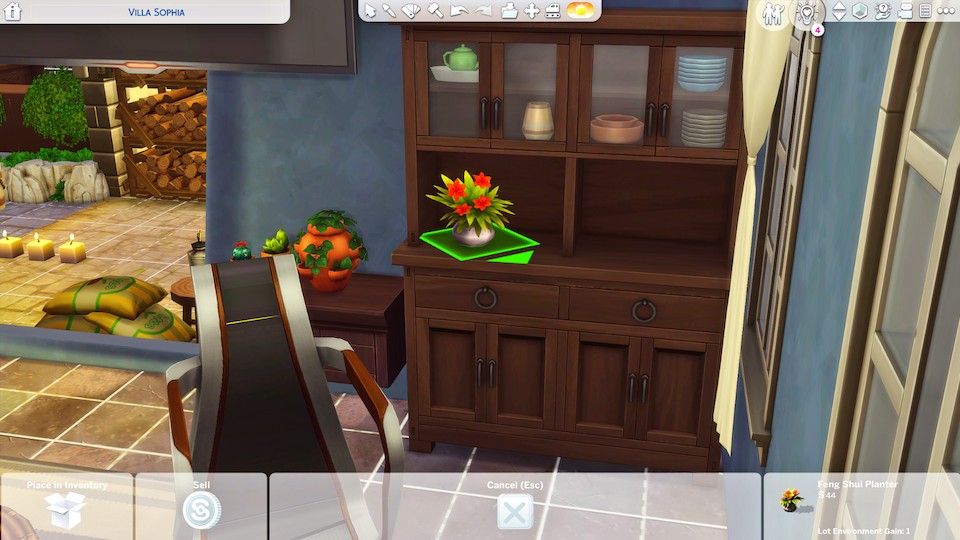
This is great for placing things anywhere on you want on a desk, coffee table, or dresser. It’s perfect for adding clutter to your builds!
Ignore Grid Placement
To disable grid snap while placing an object, hold the ALT key on your keyboard.
For example, if you wanted to place your sim’s knives where none of the little kids can reach them in the kitchen, then just hold ALT and place them near the ceiling. 😋
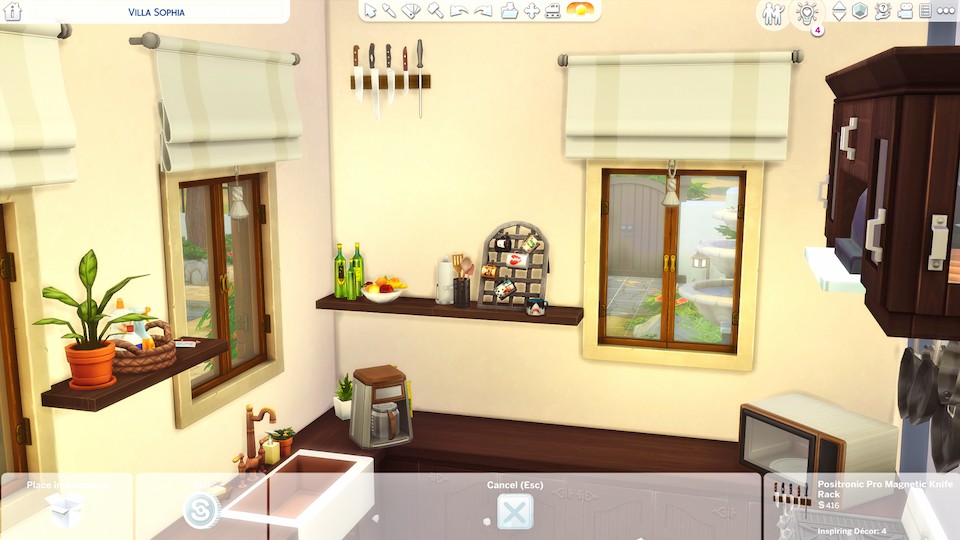
However, if you’re trying to place something on top of another object (like on a desk, dresser, etc.) you’ll first want to hold ALT to put the item underneath the object exactly where you’ll want to be placed on top.
Then use the 9 key on your keyboard to raise the object onto the other item without it snapping to the grid!
Roof Manipulation Cheat
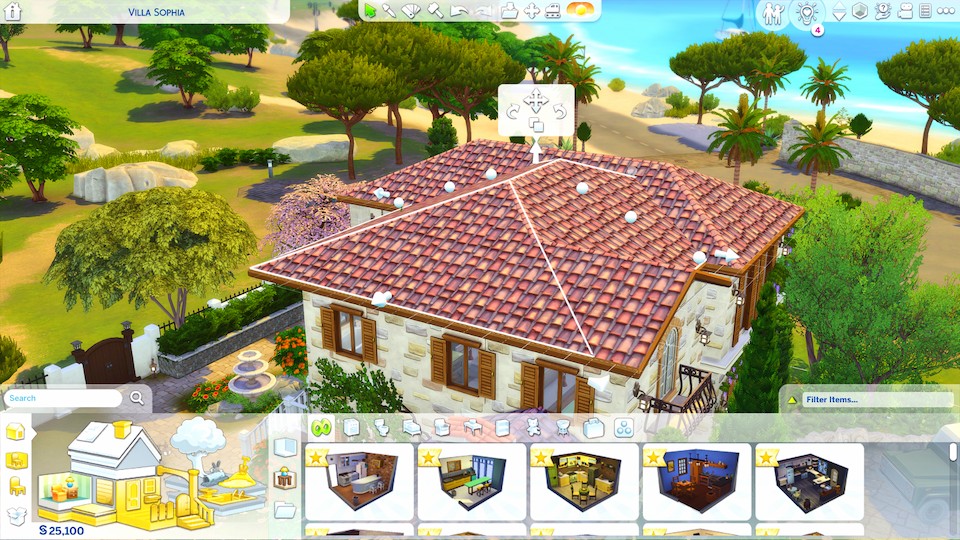
To manipulate a roof in sims 4, click on the roof and hold SHIFT + C on your keyboard.
This will unlock more points on the roof (the little ball things!), to allow for more roof manipulation and customization.
Unlock All Items Cheat
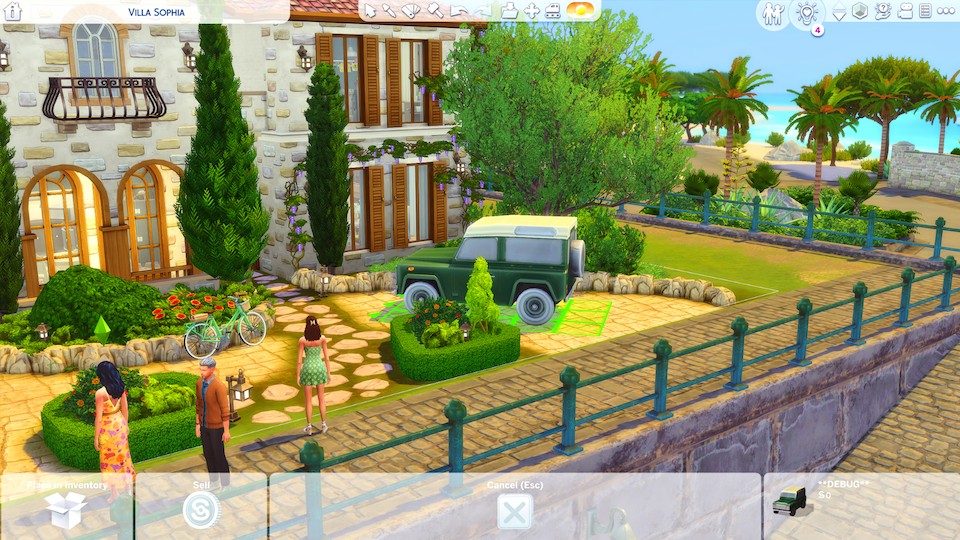
If you want to unlock all build items in sims 4, turn testingcheats on then enter in these three cheat codes: bb.showhiddenobjects, bb.ignoregameplayunlocksentitlement, & bb.showliveeditobjects.
Those will unlock any build and buy objects that are hidden in the game, such as the debug menu, where you can grab objects like this car to make your house builds look more realistic!
For a more in-depth tutorial with pictures, read my guide on unlocking all items in The Sims 4.
Free Build Cheat
The sims 4 free build cheat is bb.enablefreebuild. This allows you to use build and buy mode on locked lots.
Here’s a list of the lots you’re able to edit after enabling free build:
- Hospital, Police Station, & Science Lab from Sims 4 Get to Work
- Dorms from Sims 4 Discover University
- Magic HQ from Sims 4 Realm of Magic
- Secret Lots in Willow Creek & Oasis Springs (Sylvan Glade & Forgotten Grotto)
- Sixam (alien world in sims 4)
- Hermit’s House in Granite Falls from Sims 4 Outdoor Retreat
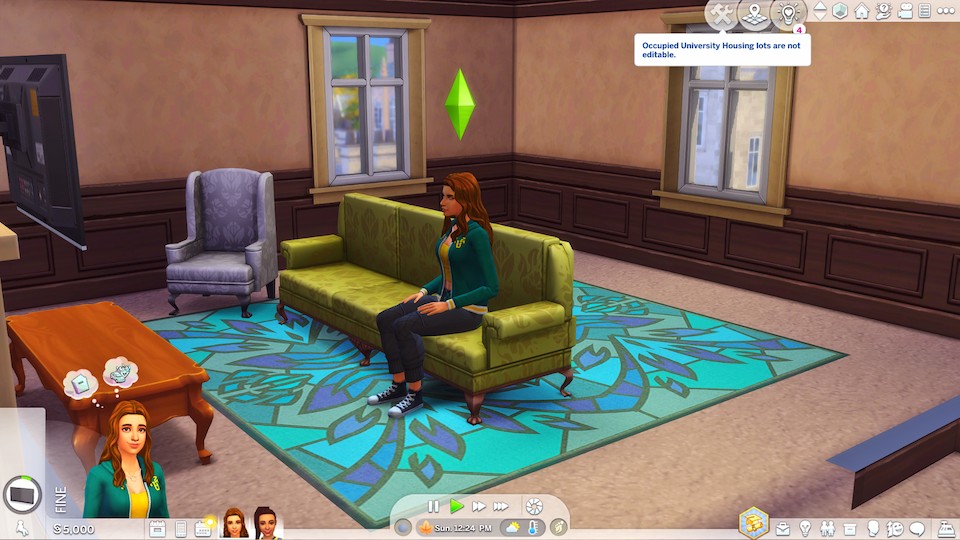
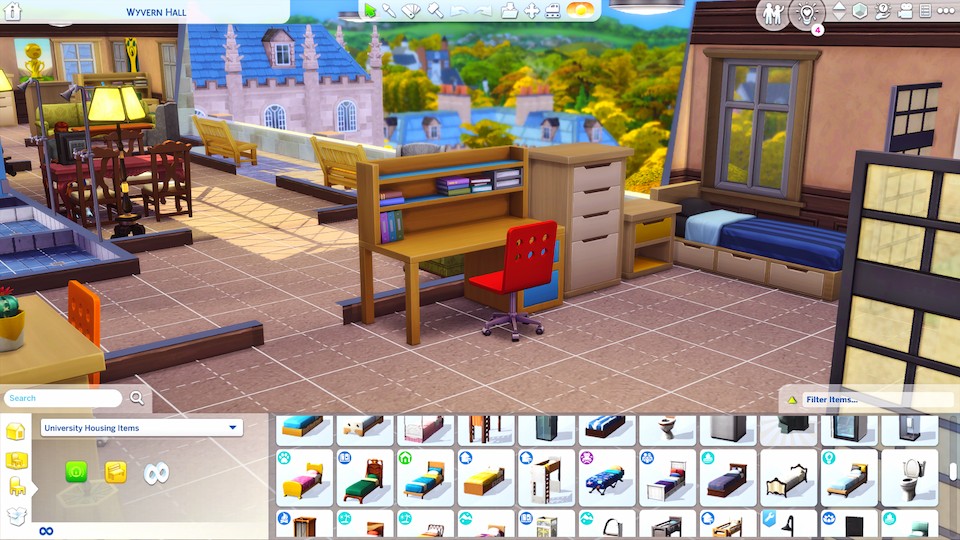
As you can see in the pictures below, without using the free build cheat, I’m not able to edit the dorms in sims 4.
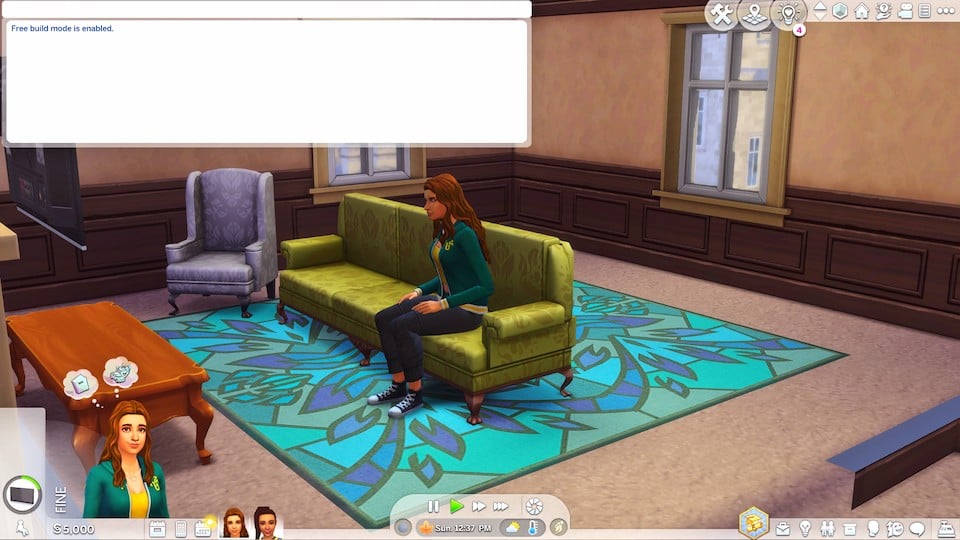
But after entering the cheat, I can now enter build/buy mode and completely remodel the dorms!
FAQ: Sims 4 Build Cheats
1. Do Sims 4 build cheats still work in 2026?
Yes. Core build cheats like bb.moveobjects, bb.showhiddenobjects, and bb.ignoregameplayunlocksentitlement still work in 2026. These cheats are part of the base game and are very unlikely to be removed, even after major patches or expansion releases.
2. Do build cheats disable achievements or trophies?
No. Build cheats don’t disable achievements or trophies. Only gameplay cheats that affect live mode (such as money or needs cheats) can disable achievements on console.
3. Why isn’t bb.moveobjects working?
This usually happens when cheats aren’t fully enabled. You must first open the cheat console and enter testingcheats on, then enable bb.moveobjects. On console, cheats must be entered per lot, and sometimes re-enabled after travelling or reloading.
4. Has the grid placement system changed in recent updates?
Yes, slightly. EA has improved off-grid placement and snapping behavior over the years, especially for wall décor and clutter. However, you still need bb.moveobjects for advanced overlapping, free placement, and detailed clutter builds.
5. Can I rotate objects freely without mods?
You can rotate objects freely using ALT placement (hold ALT while moving an item) and rotate using the comma and period keys. This works without mods, but is most effective when combined with bb.moveobjects.
6. Are build cheats different on PC, Mac, and console?
The cheats themselves are the same, but controls differ. Console players must use button combinations to open the cheat bar and may experience slightly less precise placement due to controller input compared to keyboard and mouse.
7. Do build cheats cause bugs or corrupt saves?
No. Build cheats are safe and widely used by builders. Issues usually come from broken mods, outdated CC, or over-cluttered lots—not from cheats themselves.
8. Are there new build cheats in 2026?
There are no brand-new core build cheats, but newer packs introduce build features that reduce reliance on cheats, such as better wall height scaling, improved roofing tools, and expanded platform controls. Still, cheats remain essential for advanced builds and custom layouts.
This post was all about Sims 4 Build Mode Cheats.
Build cheats for sims 4 are perfect to use when you want to customize your builds with unique decor placement or edit those hidden lots in your worlds. Hopefully, this post helped you do just that!
If you have any questions at all, leave me a comment. 😊
And if you’re looking for more cheat codes for the sims, then you should check out my entire category of sims 4 cheats posts!
Other Posts You May Like:



As a gamer since “The Sims 1” let me tell you one: It’s nothing new you’re telling me but GOOD GOD I LOOOOVE to read this article! I do really enjoy the writing style and also the perfect screenshots!
Very very good, thank you.
Keep up this great work! :))
Thank you for reading Fabio!
Hey so is there a way to gay my teen sim pregnant with triplets
Hello,
I have a guide on how to Have Triplets in The Sims 4: With or Without Cheats. Not sure if it will work on teen Sims, but give it a try.